Determine Respawn Mode
Updated May 23, 2026
Use this page when you need to decide how players come back after death, loading, checkpoints, arena rounds, or team-based gameplay.
Before you start: make sure your GameMode is configured properly in Set Up Your Map to Play In.
Choose the Respawn Mode
| Mode | Use it when | Main setup |
|---|---|---|
| Open world | Players respawn at fixed world locations, beds, bases, or discovered points. | Open world respawn locations and respawn manager. |
| Save/checkpoint | Players return to the last saved location or checkpoint. | PlayerController save manager and checkpoint setup. |
| Arena | Players respawn in rounds, matches, or team areas. | Arena respawn locations and team assignment. |
Open World Respawn
Open world respawn is the most common setup for multiplayer games like Rust or Ark Survival, but it can also be used for singleplayer games.
Open world settings
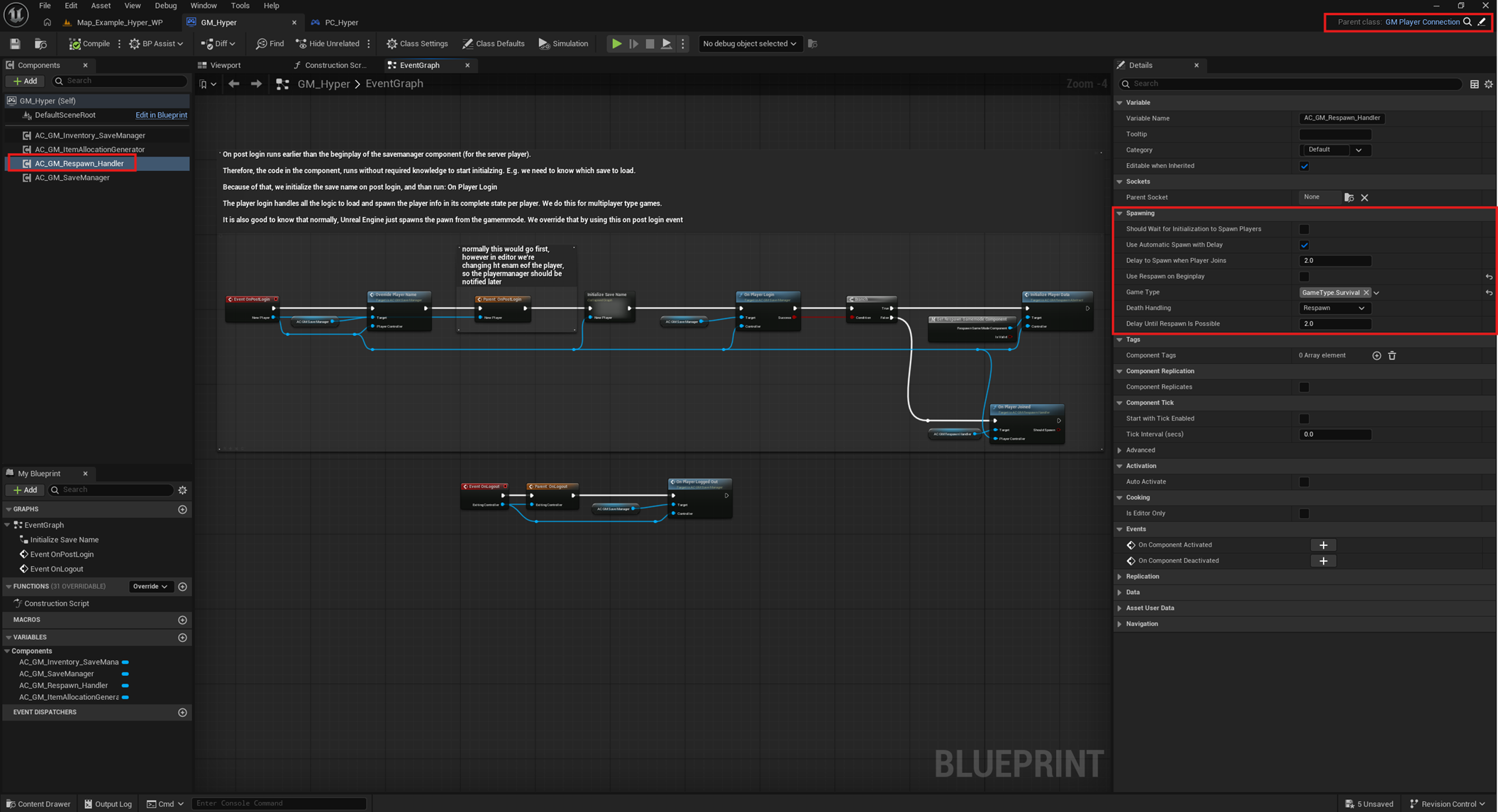
- Open your GameMode.
-
Make sure the Respawn Handler is assigned.
- Set the death handling mode to Respawn.
- Optionally enable Use Respawn On Begin Play if you want to start with a selection screen.
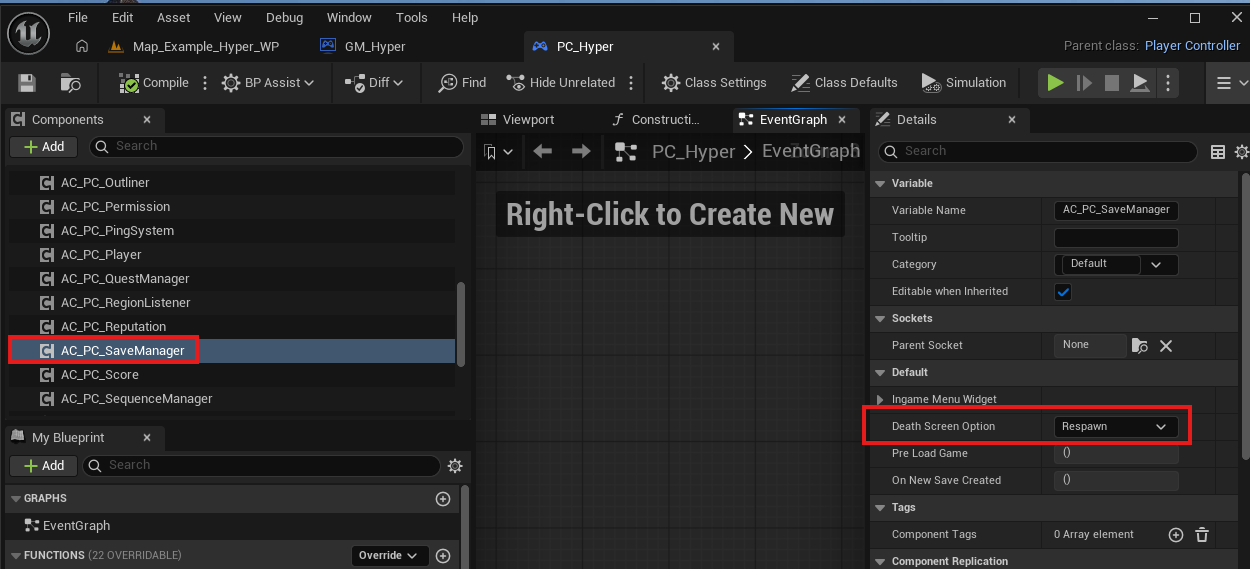
- If you use the Save System, open your PlayerController, select the SaveManager, and set the death screen option to Respawn.
Open World Actors
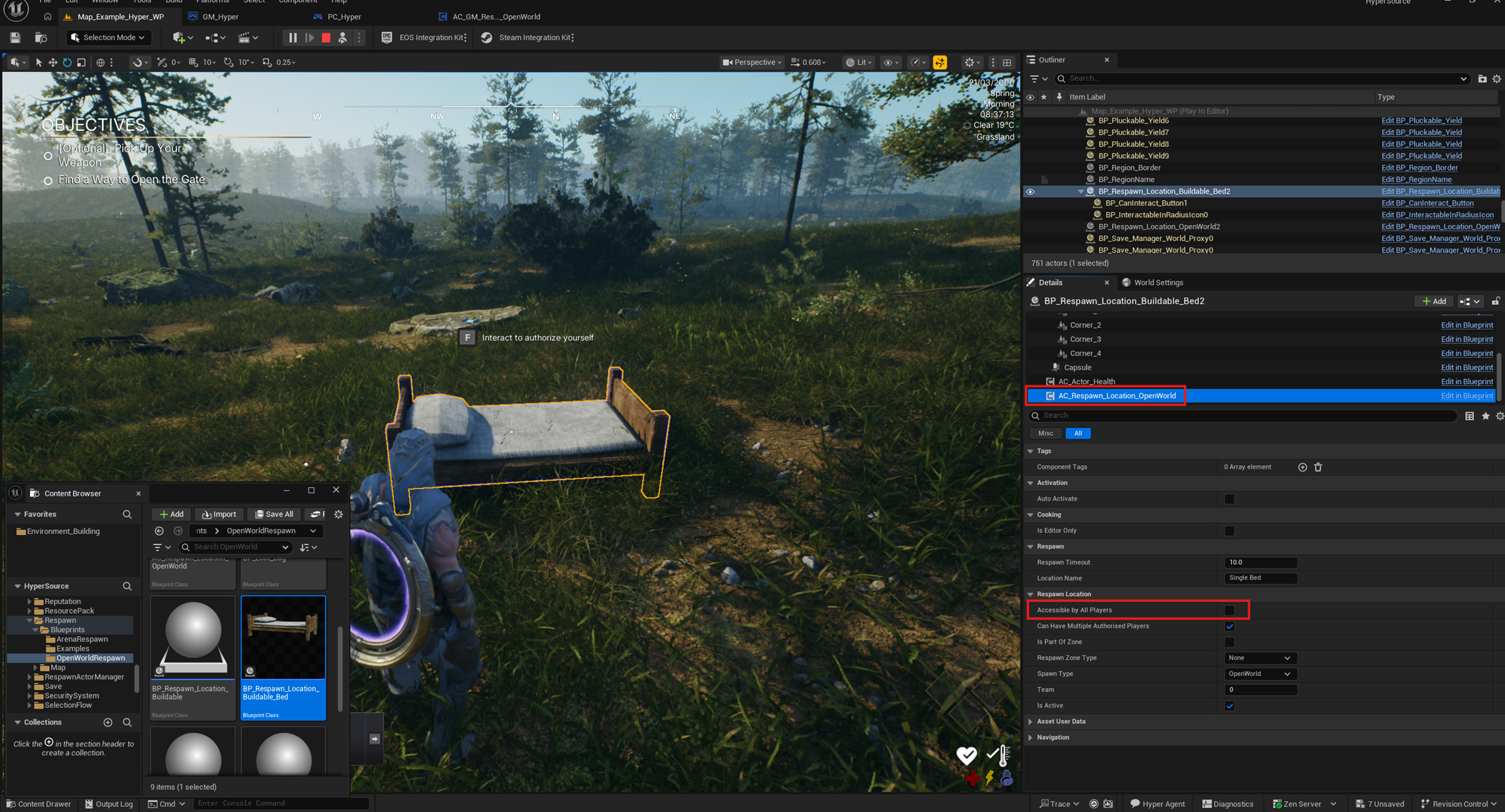
Open world respawn can use multiple actor types, including predefined open world spawn locations, spawn areas, and authorized locations such as sleeping bags.
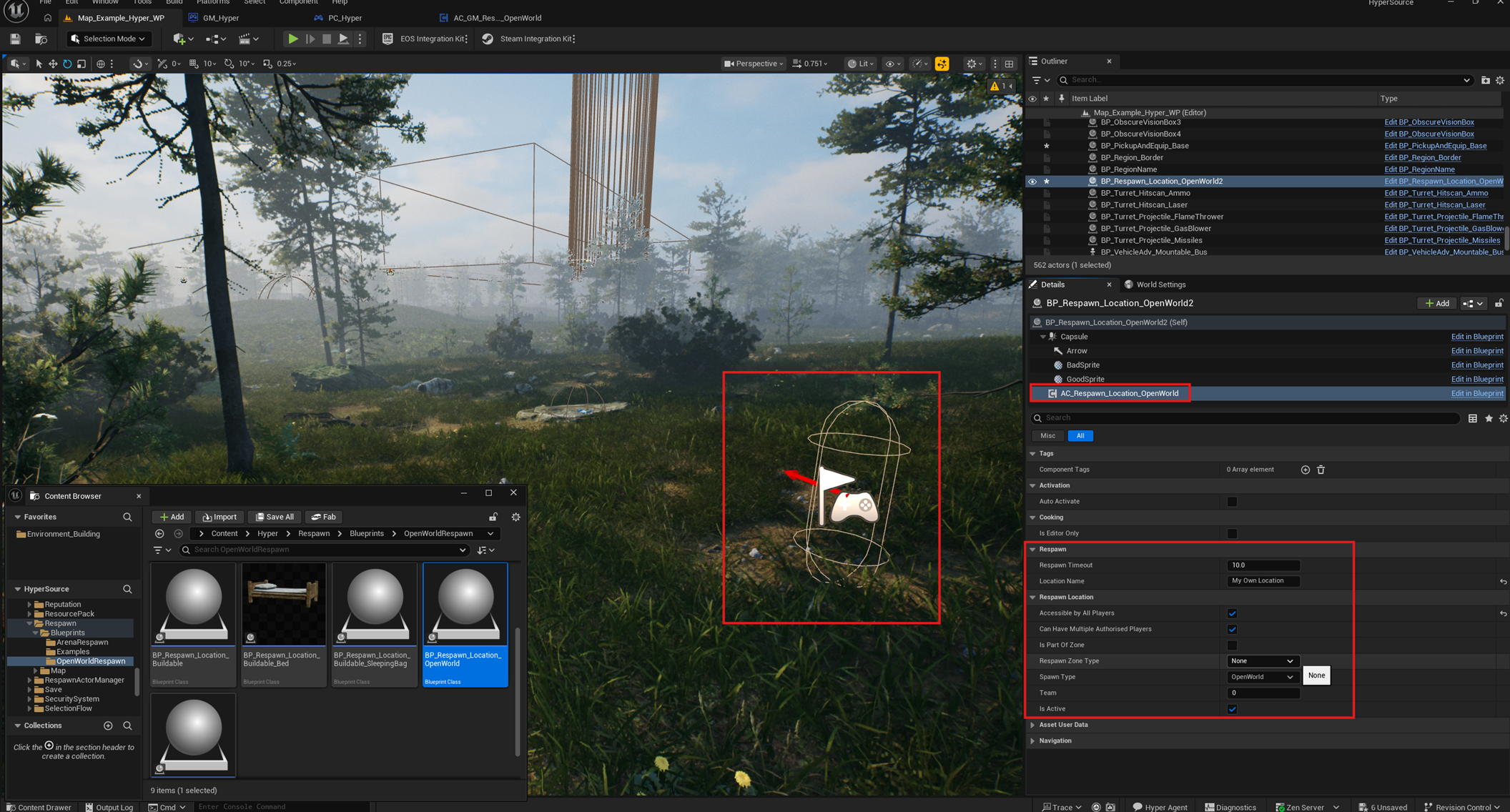
- Navigate to /Game/Hyper/Respawn/Blueprints/OpenWorldRespawn.
- Drag BP_Respawn_Location_OpenWorld into the world.
- Configure the settings, such as whether it is accessible by all players, timeout, and optional zone assignment.
The bed is a useful example of an authorized respawn location.
Save or Checkpoint Respawn
Save or checkpoint respawn is another common mode, especially for singleplayer games, though it can also be used in some multiplayer games.
Save based respawn settings
- Open your GameMode.
- You do not need the Respawn Handler for this mode. You only need the SaveManager.
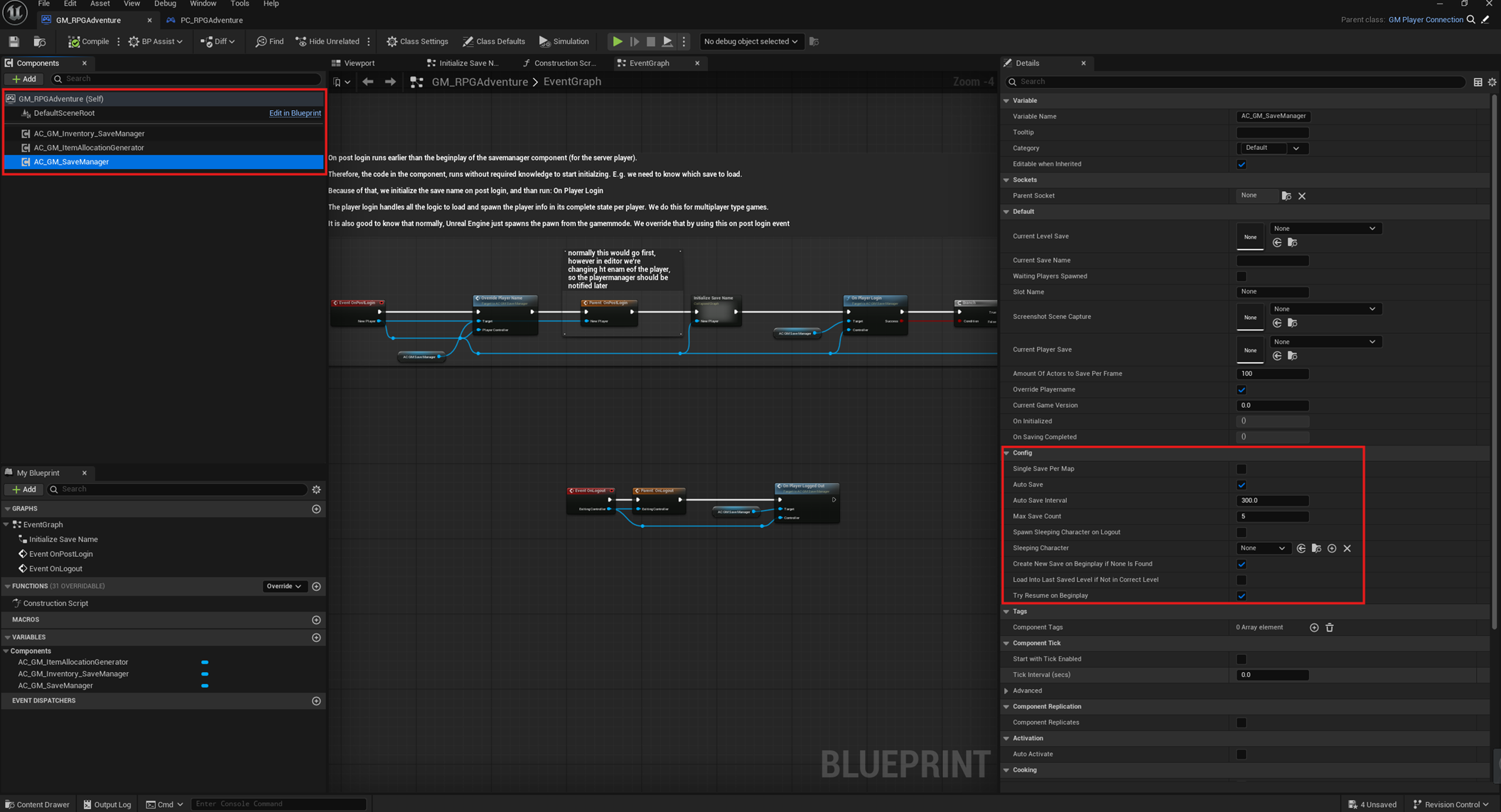
- For save based respawn, you need the Save System.
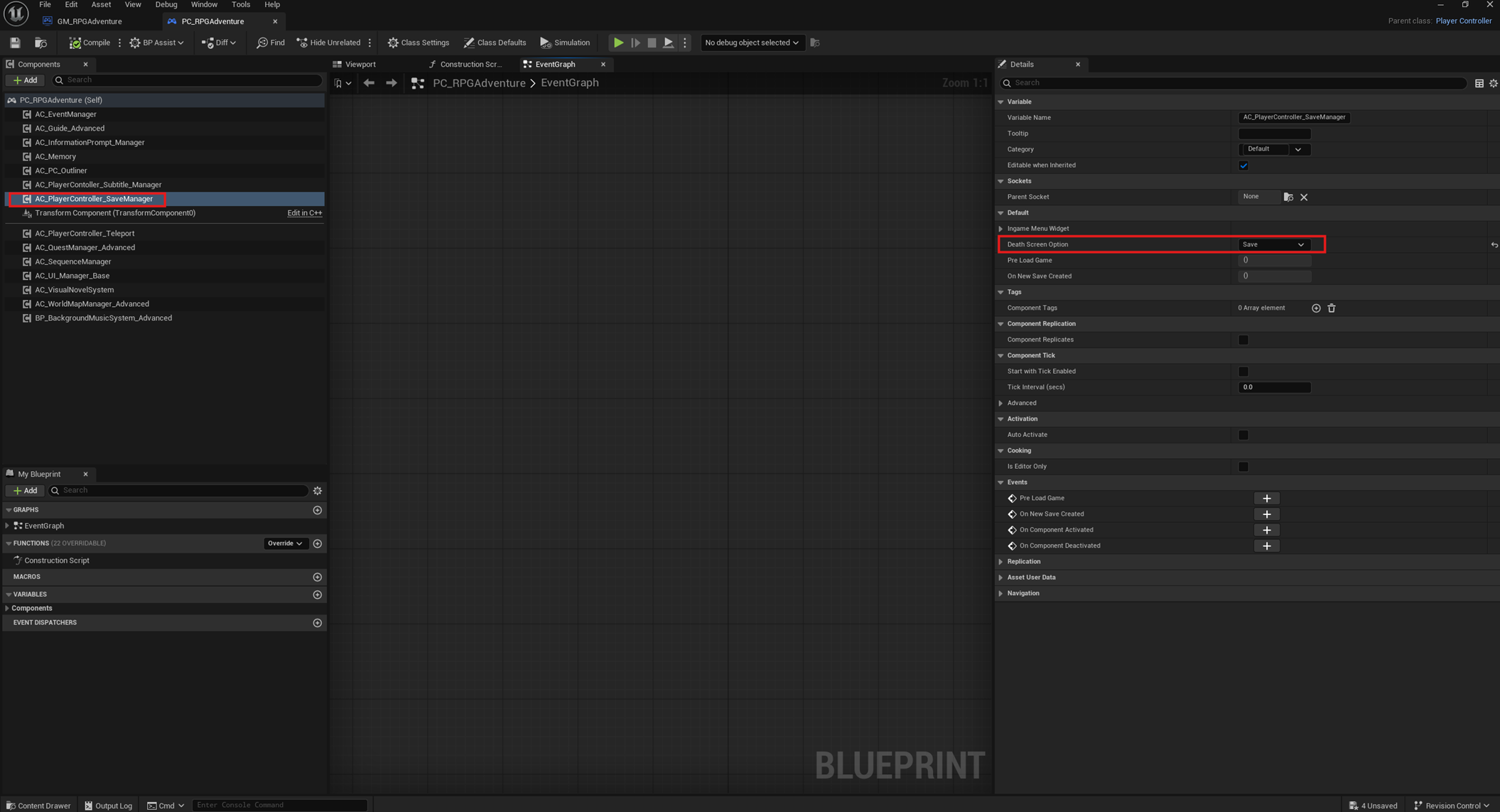
- On your PlayerController, select the SaveManager.
- Set the death screen option to Save.
Save based respawn actors
When using a save system for respawn, you will likely want checkpoints in your game, such as overlap-based checkpoints.
- Navigate to /Game/Hyper/Save/Blueprints/BP_Overlap_Save_Box.
- Drop it into the world.
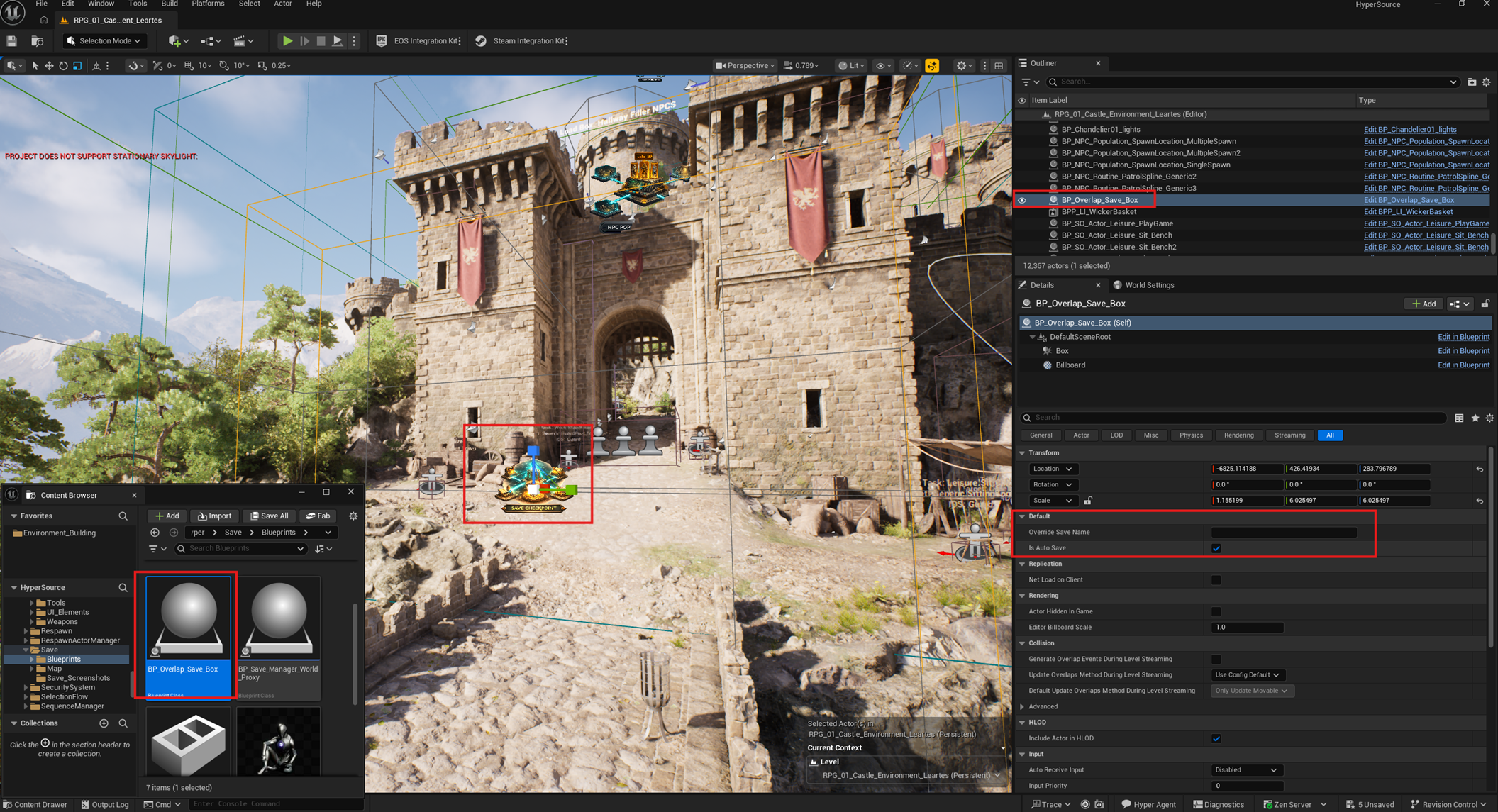
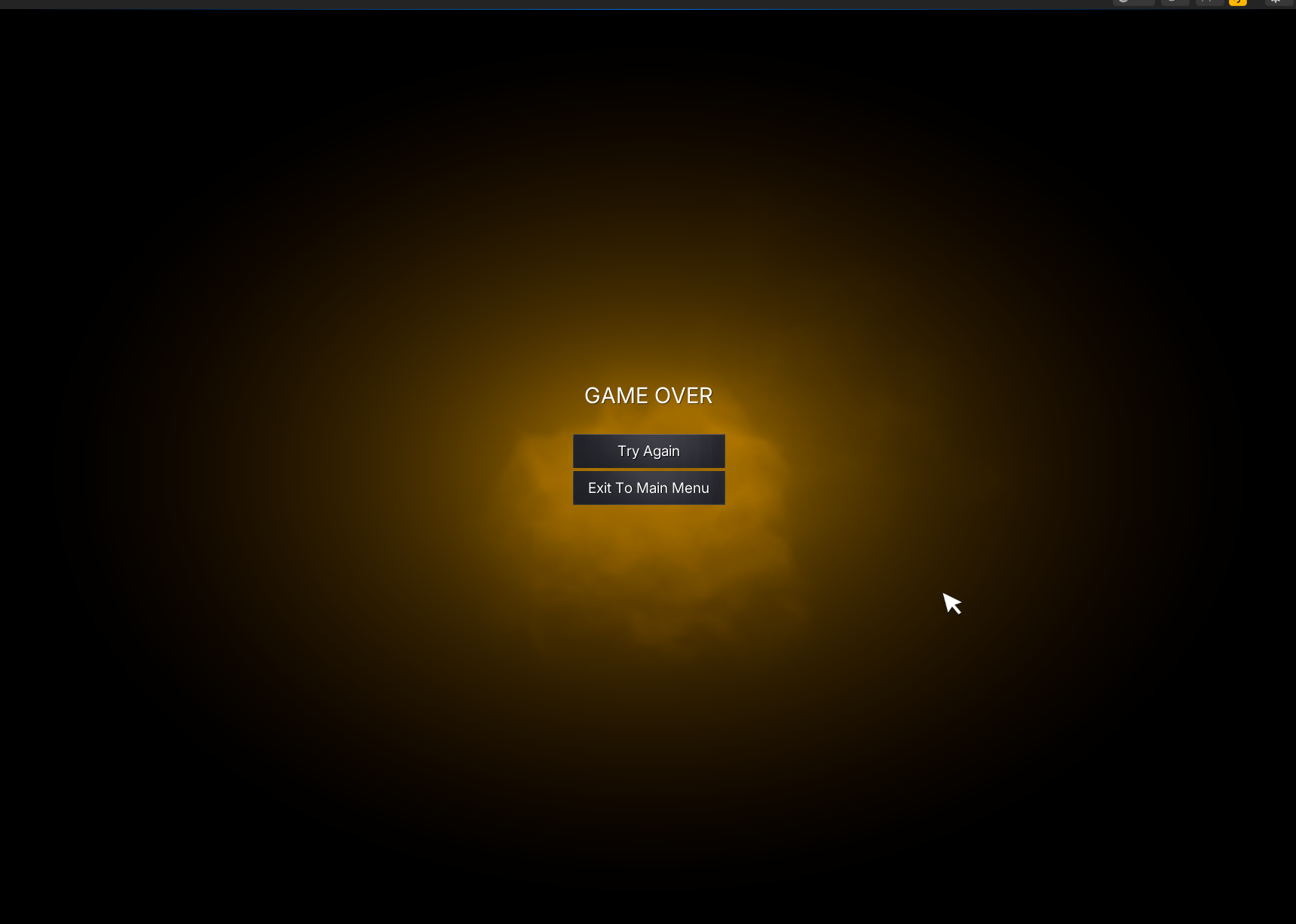
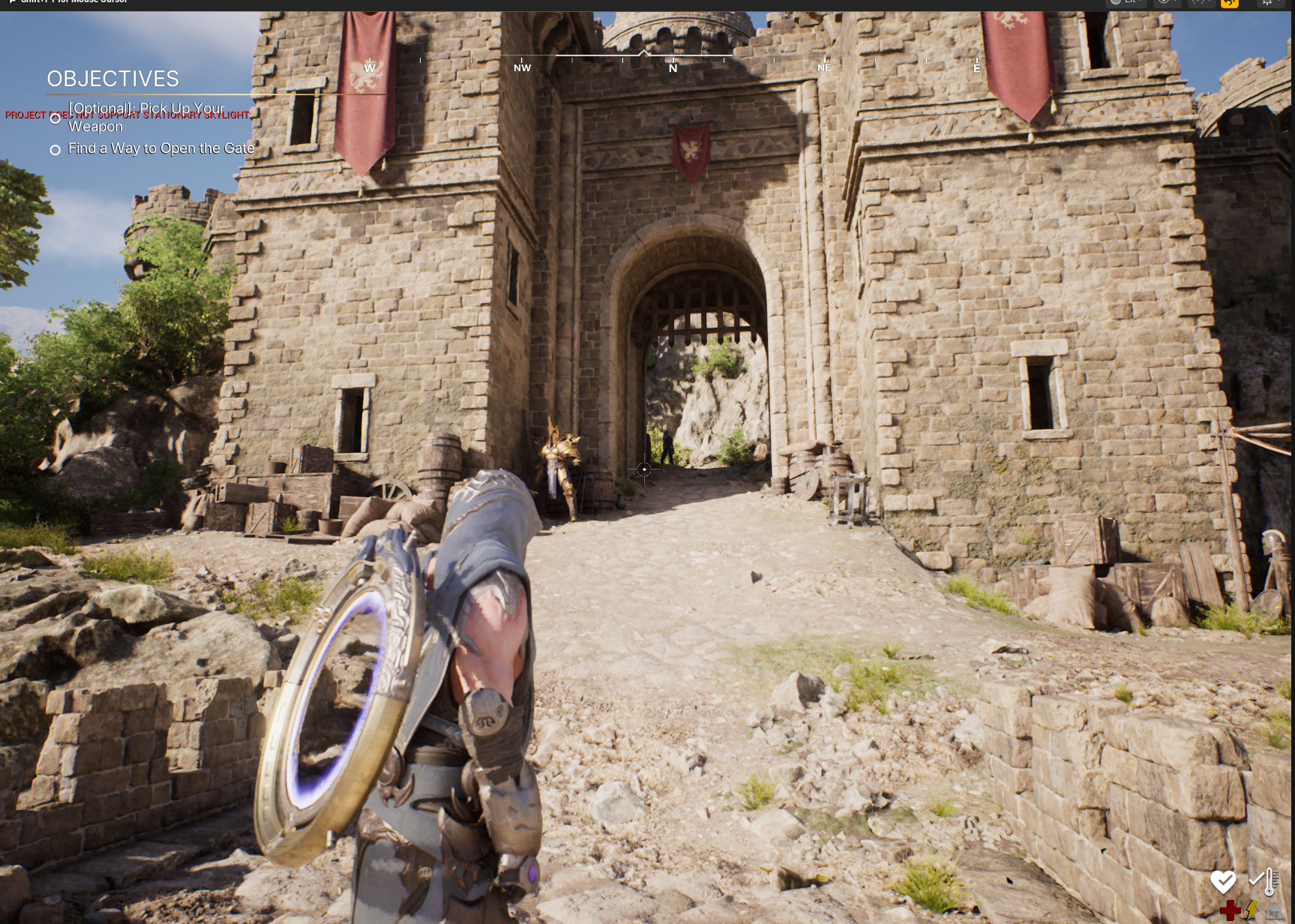
If the player dies, they restart from the checkpoint.
Arena Respawn
Arena respawn is for arena-based shooters and match-based games, such as Call of Duty or Counter-Strike-style modes.
-
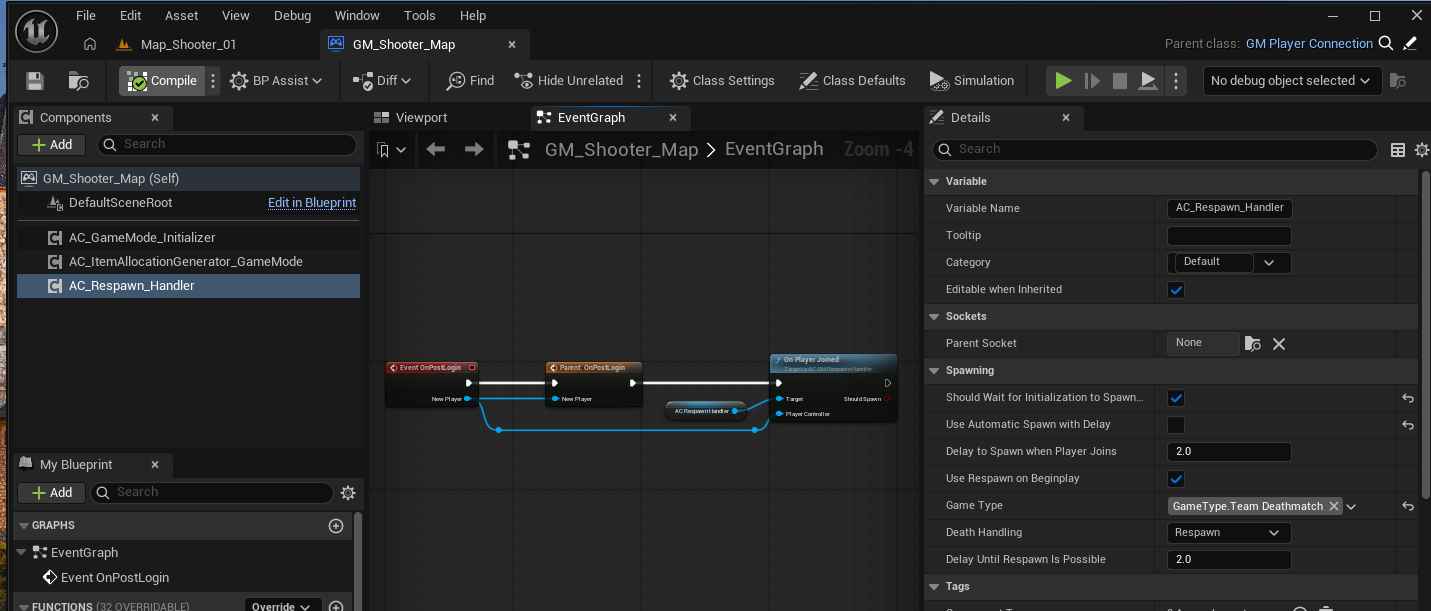
Make sure the GameMode has the Respawn Handler.
- Select the game type, such as Team Deathmatch.
- Disable Use Automatic Spawn if your arena setup requires manual spawn logic.
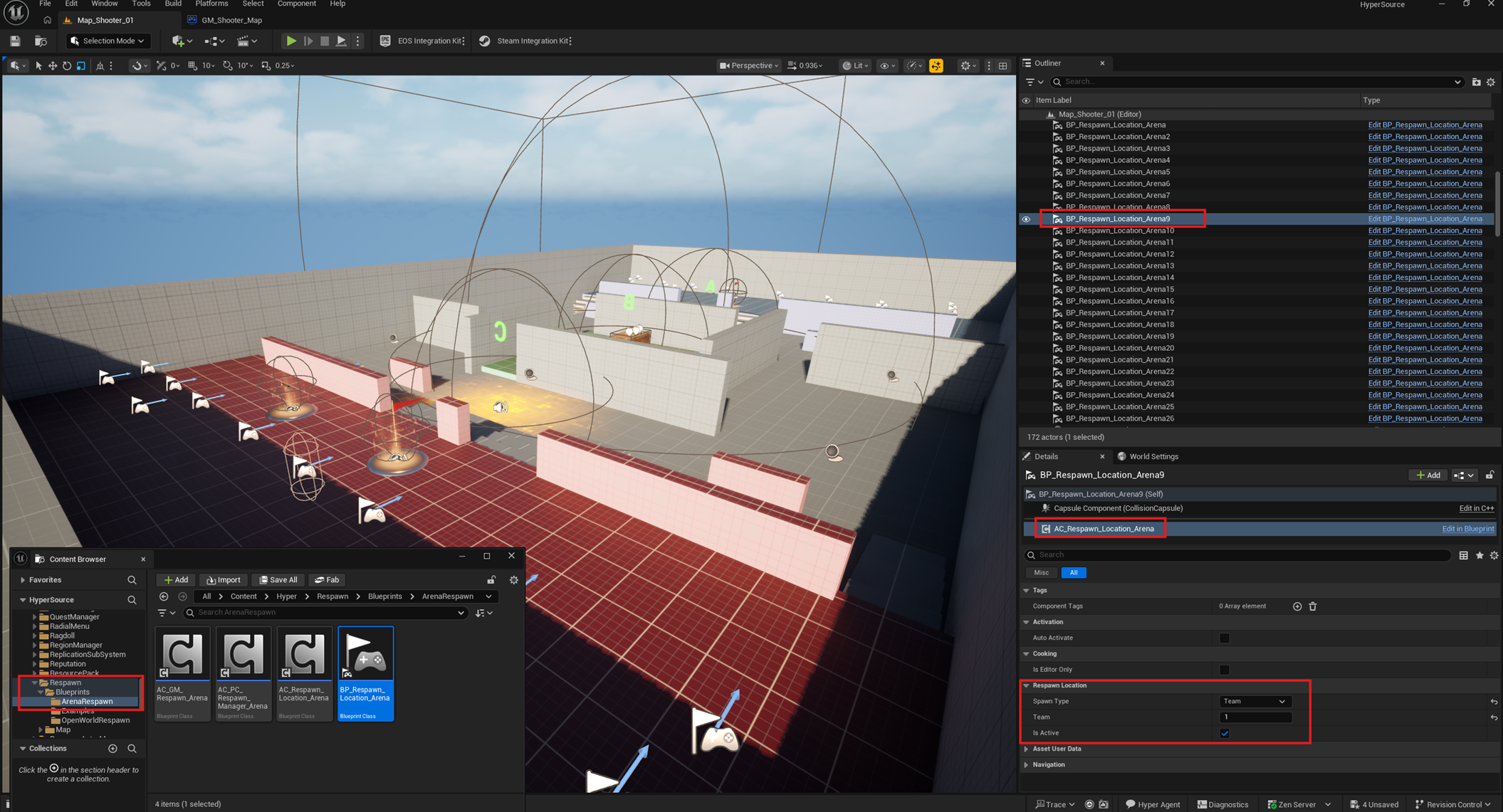
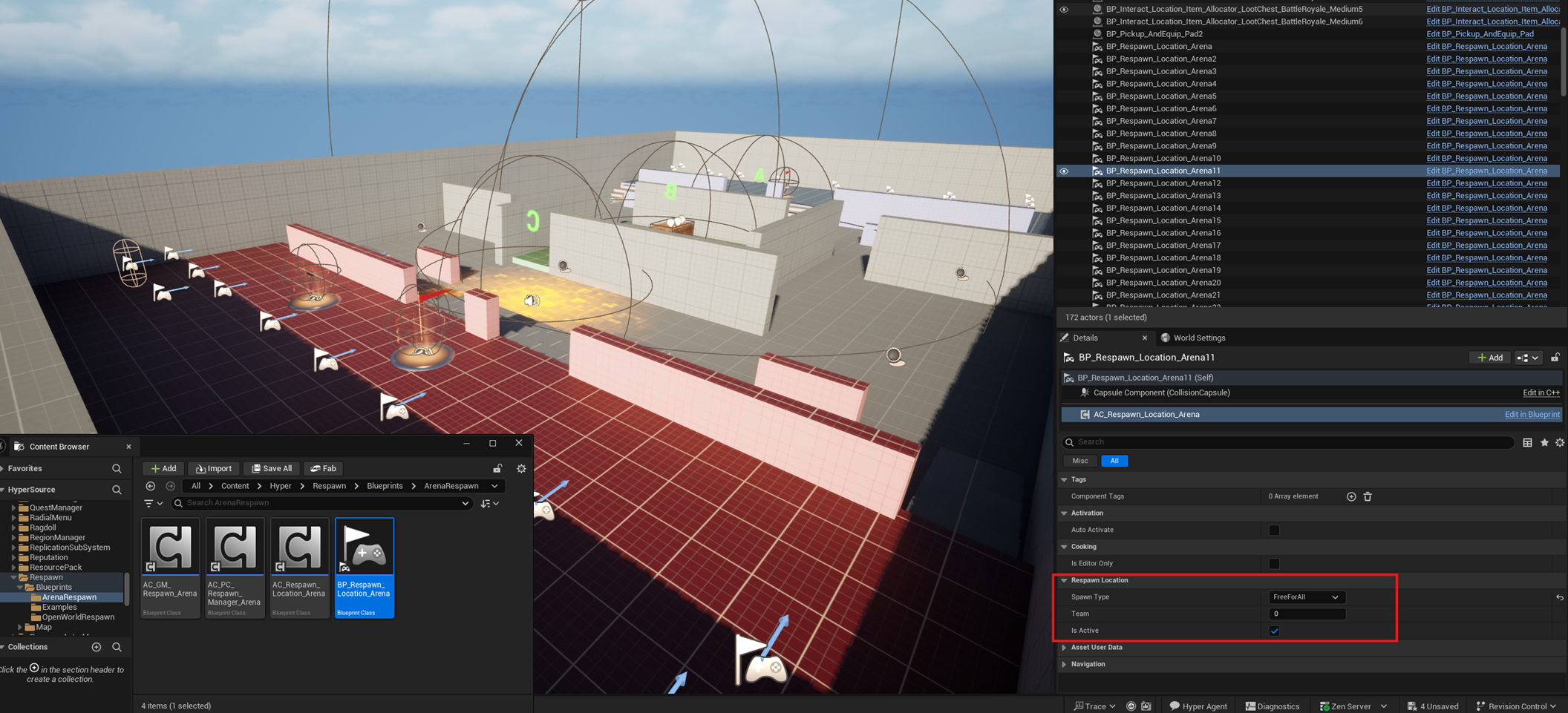
- Place BP_Respawn_Location_Arena in the world.
- Assign team spawn points, free-for-all spawn points, or both in the same map if needed.