Change Background Music and Battle Music
Updated May 23, 2026
Use this page to change the default background music and battle music when you use the Hyper background music system.
The system can support region-based music, time-based music, and battle music.
Set the default playlists
Before changing playlists, make sure the basic requirements are in place:
- The Time Manager is set up correctly.
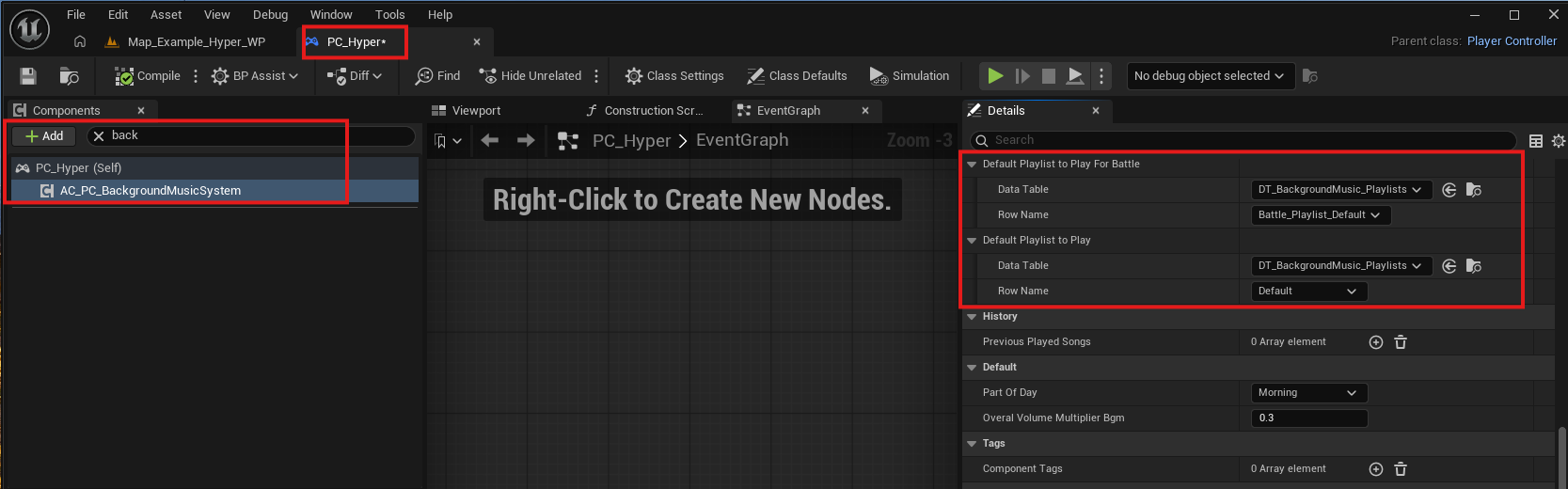
- The Background Music component is assigned to your PlayerController.
Select the background music component on the PlayerController. In the variables on the right, set the default playlist and the battle playlist.
The battle playlist can start automatically when you use the Hyper routine-based NPC behavior system.
Edit background music playlists
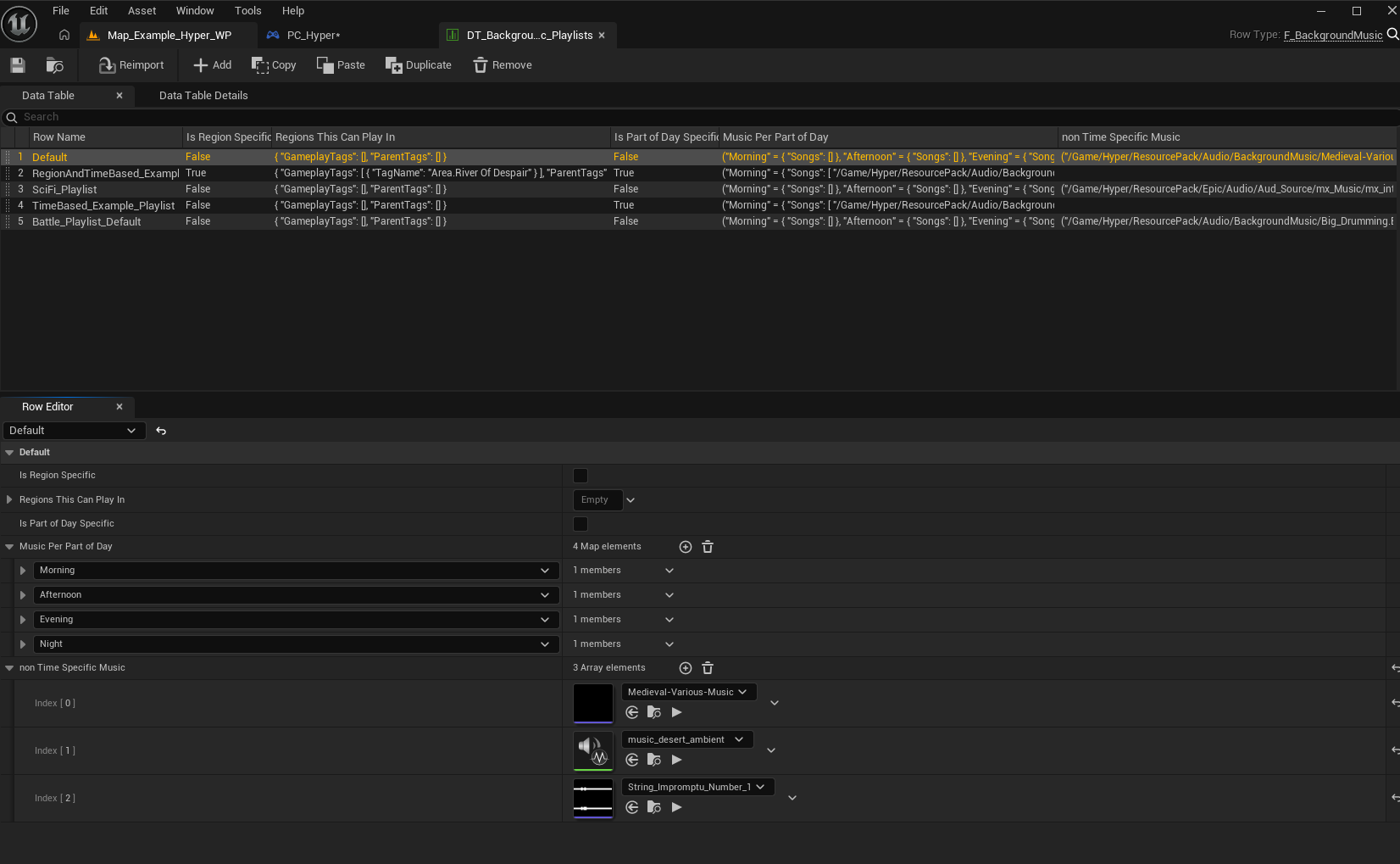
- Navigate to /Game/Hyper/Core/BackgroundMusicSystem/Datamodel/Datatables/DT_BackgroundMusic_Playlists.
- Select the songs for each playlist.
- Optionally specify music per region when using the Region Manager.
- Optionally specify music per part of day when using the Time Manager.