Description
Documentation | Discord | Video | Video | Demo
Hyper Combat Framework v4
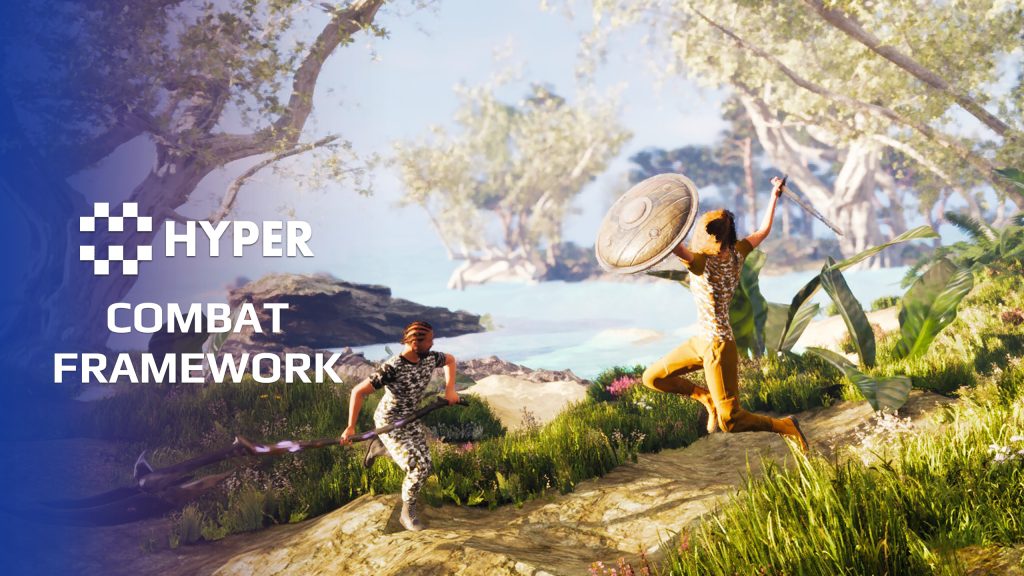
Build melee and ranged combat around a shared equipment and animation setup. Hyper Combat Framework connects weapon data, combo attacks, projectiles, hit reactions and damage, with replicated behavior for multiplayer games.
Key Features
Ranged weapons
- Firearms: pistol, rifle, shotgun and sniper-rifle setups.
- Fire modes: single, burst and automatic fire.
- Recoil and spread: configure weapon recoil, spread, camera shake and shot count. Aiming, crouching, prone movement and firing can affect accuracy and crosshair expansion.
- Weapon grip: configure left-hand IK through the weapon mesh socket and equipment data to align both hands with the weapon.
- Aiming and crosshairs: dynamic aiming down sights, sniper overlay support and configurable crosshair elements.
- Ammo and reloading: connect world pickups, inventory ammo, equipped ammo and loaded weapon ammunition. Configure multiple ammo types and manual or automatic reloading.
- Bows: bow and arrow behavior with visual ammo and a quiver that reflects available arrows.
Melee and defense
- One-handed weapons: normal and light swords, dagger and spear.
- Two-handed weapons: blade, staff and hammer.
- Dual wield: hatchets, swords, light swords and heavy weapons.
- Combos: configure light and heavy attack timing through weapon data.
- Blocking: defend with a weapon or a supported sword-and-shield combination.
- Unarmed combat: fall back to fists when attacking without an equipped weapon.
- Target locking: face the selected target and switch into strafe movement.
Throwables, reactions and effects
- Throwables: grenade, flashbang, smoke bomb, throwing knife and spear.
- Projectile controls: configure speed, gravity, optional trajectory prediction, homing and tag-based sticking.
- Recoverable projectiles: allow configured projectiles to be picked up again.
- Charged throws: hold and release to control a configured throwable charge.
- Hit reactions: directional reactions for melee, bullets, blocks and different attack types.
- Damage feedback: blood effects, hit feedback and damage text connect attacks to readable results.
- Torch: an optional light source with a left-arm animation and effects. It has no melee attack.
Supporting systems and interface
The working combat setup brings together inventory, equipment, a basic Attribute Manager, interaction, outlines, character voice, footsteps, locomotion, UI, replication, ragdoll and simple respawn. These show how the combat pieces connect. The included basic attributes demonstrate integration; use your own or a more complete attribute setup where needed.
The flashbang example does not include a post-process flash or stun effect by itself. Those effects can be connected through attribute state effects. Follow the weapon walkthrough above to configure your first combat style.
Shape how each weapon feels
- Choose its rhythm: combine fire mode, recoil, spread and shot count for ranged weapons, or light and heavy combo timing for melee styles.
- Give movement a combat consequence: aiming, crouching, going prone and firing can change accuracy, with crosshair expansion making that change visible.
- Build around projectile behavior: speed, gravity, homing, trajectory prediction and recoverable projectiles let a thrown spear play differently from a firearm.
- Make contact readable: directional hit and block reactions, damage text and effects connect the attack animation to its result.
Related resources
MST Pro | Explore all compatible Hyper systems | try the MST Pro demo | official store
65 reviews for Combat Framework
You must be logged in to post a review.
Frequently asked questions
Why Hyper?
The strongest public modular Unreal Engine framework available at this scale
Most studios keep tools like this internal. Hyper makes a serious technical foundation available to solo developers, indies, and teams.
Built from 75,000+ hours of Unreal Engine work
System design, Blueprint architecture, multiplayer patterns, documentation, testing, integration, iteration, and real production problem-solving.
Systems designed to work together
Inventory, crafting, equipment, interaction, UI, combat, attributes, multiplayer, AI, quests, dialogue, maps, progression, survival systems, environment tools, performance helpers, and more can all live inside one larger ecosystem.
Working systems with source
Hyper gives you functional systems, a modular structure and documentation, with source you can extend for your own game.
Architecture you can extend
Hyper is built around scalable architecture: gameplay tags, structured data, child Blueprints, clean overrides, reusable components, and clear project boundaries.
Start fast, grow cleanly
Build on the included systems, replace visuals, adjust data, create child Blueprints and connect features without rebuilding the same foundation from scratch.
Want to learn more about the Hyper ecosystem, architecture philosophy, workflows, and developer behind it? Read more here and get started (https://gamesbyhyper.com/docs/getting-started/start-here/).
How do I add this to my project?
This module is provided as a full project because it includes Gameplay Tags, collision settings, config settings and other project-level dependencies.
Use our free Integration Tool (https://gamesbyhyper.com/product/integration-tool/) to prepare the integration. It combines compatible Hyper projects and handles migration and the required project settings. Use matching Unreal Engine versions and compatible Hyper releases.
Your own character, GameMode or custom systems may still need to be connected. The Integration Tool walkthrough (https://gamesbyhyper.com/docs/getting-started/use-the-automatic-integration-tool/) explains the setup and what to check in the generated project.
Do I need to use other Hyper systems with this?
No. You can use your own systems.
Hyper modules are designed around interfaces, abstract classes, shared contracts and dynamic dispatch, so features are not tied to one specific implementation.
If a module demonstrates integration with our Inventory, Equipment, Interaction, Movement, NPC or another Hyper system, you can:
Use the included Hyper implementation.
Replace it with your own system.
Use our implementation as a reference for your own integration.
The supplied integration shows how the module connects to the rest of a game. You can connect your own implementation through the same interface, abstract class or integration point.
For example, Attribute Manager may demonstrate Equipment modifying attributes. That does not mean you must purchase our Equipment System. You can follow the same integration pattern with your own equipment system.
The module includes working gameplay and its integration points. Build on the supplied setup or connect your own systems where you want different behavior.
See how to adapt a module (https://gamesbyhyper.com/docs/getting-started/customize-modules/) and how the shared data and abstract classes work (https://gamesbyhyper.com/docs/project-foundations/datamanagement/).
Where should I put my own changes?
Keep your own Blueprints, UI and data in your project's folder, for example Content/MyProject. Use child Blueprints or replacement components for your custom logic where possible.
That keeps your changes separate when you update Hyper. If you edit the original framework files directly, you will need to merge those edits when updating. The folder structure guide (https://gamesbyhyper.com/docs/project-foundations/folder-structure/) explains where everything belongs.
Which combat styles are covered?
The framework covers firearms, bows, one-handed and two-handed melee weapons, dual wielding, throwables and blocking. You can extend those weapon types for your own game.
Does the flashbang include a finished screen-flash effect?
The flashbang example does not include the screen-flash effect. Connect that visual effect through your own state-effect or post-process setup.
Compatibility and file information
- Development platforms
- Linux, Windows, macOS
- Tested platforms
- Windows
Versions and compatibility
| Version | Release | Unreal Engine |
|---|---|---|
| V2V2 UE5.3, 5.4. Release: V2. | V2 | 5.3, 5.4 |
| V3V3 UE5.5, 5.6. Release: V3. | V3 | 5.5, 5.6 |
| V4V4 UE5.7, 5.8. Release: V4. | V4 | 5.7, 5.8 |
Implementation and interaction
- Modular / extensible
- Yes
- Multiplayer ready
- Yes
- UI components
- Yes
- Input methods
- Gamepad, Keyboard, Mouse
- AI gameplay features
- No
System setup
- Architecture: equipment-driven combat connected to attributes, locomotion, animation, input, damage and replication.
- Configuration: weapon and ammo data, combo timing, crosshairs, recoil/spread and projectile settings.
- Animation: combat locomotion framework, animation layers/notifies and full-body root-motion melee.
- Input: Enhanced Input is used by the supplied movement and combat controls.
- Extension points: equipment data, projectile classes, hit reactions and animation-notify events.
Compatibility
- Networking: replicated multiplayer support.
- Platform testing: Windows tested.
- Plugins: Common UI.
Release notes | Documentation | YouTube | Discord
Documentation, videos and Discord are public. Verified buyers can use the support forums.
pridge7 –
Review from FabMelee and ranged combat both feel responsive, and the framework is modular enough to build on.
Acquired with code casigus –
Review from FabCombat systems in Unreal usually fight you first. this doesn’t. It’s clean, modular, and doesn’t require a blood sacrifice to work. You’ll be throwing punches, not exceptions. It’s the kind of framework that makes you believe in humanity again.
Xx-JayCook-xX –
Review from FabThere’s actually a lot more to this system than is shown on here. You can adjust recoil and all kinds of other stuff like that through data tables. It’s really easy to do. It was one of the first things I bought and was a little shocked with how much you could change as I was fairly new to UE at the time. But it didn’t take me long to get used to it (Literally like 30 minutes of clicking about and testing and I’m not the sharpest tool in the box). I implemented aim slow down and “aimbot” which made it feel a little nice for the melee combat, but I actually think that has been/ is being updated to it anyway. (not 100% sure, but something I saw on their support group)
maziol91 –
Review from FabI spent a long time preparing to properly evaluate Hypers products, as I had previously worked with many other systems available on the Unreal Engine Marketplace. As an Environment Artist who is also developing their own game, I frequently encountered common production challenges — especially issues related to integrating systems from different creators and dealing with inconsistent architectures. The result? Too often, it led to restarting projects from scratch. It was only after using systems from Games by Hyper that things truly changed. They allowed me to break out of that cycle and finally focus on what actually matters — building the game as a cohesive experience, instead of constantly fighting technical fires. Hyper Combat Framework stands out for: a well-thought-out architecture and clean structure, a high level of optimization, seamless integration with other systems from the same developer, and a stable foundation that gives real control over the project — even when adding custom code. From my perspective, this is one of the best investments for anyone aiming to build even a more complex game in UE5. Special recognition also goes to Eric and his team — their approach to development is outstanding. The system is continuously updated, and new features are implemented based on real user feedback. This level of commitment is rare. That said, it’s important to note: this is not a plug-and-play solution for everyone. To fully take advantage of this and other Hyper systems, at least an intermediate level of Unreal Engine 5 knowledge is required. The system won’t solve every production problem, but it can accelerate your development process by light-years.
JDLTorre –
Review from Fabfirearm animations are top notch, this is an easy to use system
robot872 –
Review from FabProdut is still reviewing, but it looks really good
starvin19 –
Review from Fabthis asset is one of the best combat systems i have tried ,well thought out ,looks great and good support like most people here i can highly recommend this asset
Mythologix201 –
Review from FabI can honestly say im now 3 packages away from having the entire V2 collection, everything is very well done, thank you.Michael Plesniarski#5924