Description
Documentation | Discord | Overview | Demo
Hyper Footstep System v4
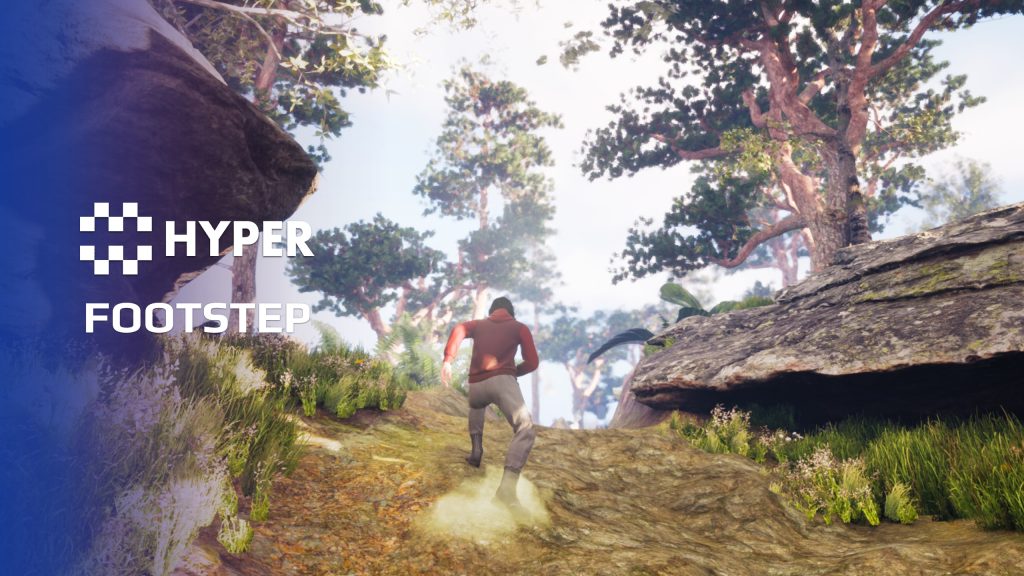
Make footsteps match the ground beneath the character. Hyper Footstep System uses animation notifies and physical surfaces to select sounds and effects, with support for particles, decals and multiplayer presentation.
Key Features
Surface feedback
- Physical surfaces: switch the footstep result according to the detected surface.
- Included surfaces: sand, grass, stone, snow, wood and water, plus a default fallback.
- Movement-specific sound selection: configure surface-based sounds for walking, running, jumping and landing.
- Footprints and particles: use surface-specific decals and particles, with a configurable decal lifetime.
- Shallow water: trigger wet footsteps in the water setup.
- Landscape example: use the auto-landscape example to connect material layers to physical surfaces.
Character and animation setup
- Actor component: add footstep handling to the character.
- Animation notifies: place AN_Footplant at foot contacts and select the step type.
- Non-humanoid characters: use the same approach for other character shapes.
- Step weight: configure light, moderate or heavy steps. Separate sound variants for those weights are not included.
- Notify-generation helper: use FootFXAnimModifier to help generate footplant notifies, then check their placement.
Landscape integration
Configure the project physical surfaces and use Landscape Physical Material Output when an auto-landscape needs different sounds across its layers. Rebuild or recalculate the physical-material output after changing those layers.
Follow the overview above to connect the component, animation contacts and surface settings.
Related resources
MST Pro | Explore all compatible Hyper systems | try the MST Pro demo | official store
55 reviews for Footstep System
You must be logged in to post a review.
Frequently asked questions
Why Hyper?
The strongest public modular Unreal Engine framework available at this scale
Most studios keep tools like this internal. Hyper makes a serious technical foundation available to solo developers, indies, and teams.
Built from 75,000+ hours of Unreal Engine work
System design, Blueprint architecture, multiplayer patterns, documentation, testing, integration, iteration, and real production problem-solving.
Systems designed to work together
Inventory, crafting, equipment, interaction, UI, combat, attributes, multiplayer, AI, quests, dialogue, maps, progression, survival systems, environment tools, performance helpers, and more can all live inside one larger ecosystem.
Working systems with source
Hyper gives you functional systems, a modular structure and documentation, with source you can extend for your own game.
Architecture you can extend
Hyper is built around scalable architecture: gameplay tags, structured data, child Blueprints, clean overrides, reusable components, and clear project boundaries.
Start fast, grow cleanly
Build on the included systems, replace visuals, adjust data, create child Blueprints and connect features without rebuilding the same foundation from scratch.
Want to learn more about the Hyper ecosystem, architecture philosophy, workflows, and developer behind it? Read more here and get started (https://gamesbyhyper.com/docs/getting-started/start-here/).
How do I add this to my project?
This module is provided as a full project because it includes Gameplay Tags, collision settings, config settings and other project-level dependencies.
Use our free Integration Tool (https://gamesbyhyper.com/product/integration-tool/) to prepare the integration. It combines compatible Hyper projects and handles migration and the required project settings. Use matching Unreal Engine versions and compatible Hyper releases.
Your own character, GameMode or custom systems may still need to be connected. The Integration Tool walkthrough (https://gamesbyhyper.com/docs/getting-started/use-the-automatic-integration-tool/) explains the setup and what to check in the generated project.
Do I need to use other Hyper systems with this?
No. You can use your own systems.
Hyper modules are designed around interfaces, abstract classes, shared contracts and dynamic dispatch, so features are not tied to one specific implementation.
If a module demonstrates integration with our Inventory, Equipment, Interaction, Movement, NPC or another Hyper system, you can:
Use the included Hyper implementation.
Replace it with your own system.
Use our implementation as a reference for your own integration.
The supplied integration shows how the module connects to the rest of a game. You can connect your own implementation through the same interface, abstract class or integration point.
For example, Attribute Manager may demonstrate Equipment modifying attributes. That does not mean you must purchase our Equipment System. You can follow the same integration pattern with your own equipment system.
The module includes working gameplay and its integration points. Build on the supplied setup or connect your own systems where you want different behavior.
See how to adapt a module (https://gamesbyhyper.com/docs/getting-started/customize-modules/) and how the shared data and abstract classes work (https://gamesbyhyper.com/docs/project-foundations/datamanagement/).
Where should I put my own changes?
Keep your own Blueprints, UI and data in your project's folder, for example Content/MyProject. Use child Blueprints or replacement components for your custom logic where possible.
That keeps your changes separate when you update Hyper. If you edit the original framework files directly, you will need to merge those edits when updating. The folder structure guide (https://gamesbyhyper.com/docs/project-foundations/folder-structure/) explains where everything belongs.
How does the system choose sounds for different ground surfaces?
Animation Notifies trigger the component, which selects sounds and effects from the physical surface. You can use it on humanoid and non-humanoid characters.
Are separate light, medium and heavy sound sets included?
You can configure light, moderate and heavy footsteps, but those separate sound variants are not included. Supply the audio you want for each weight.
Compatibility and file information
- Development platforms
- Linux, Windows, macOS
- Tested platforms
- Windows
Versions and compatibility
| Version | Release | Unreal Engine |
|---|---|---|
| V2V2 UE5.3, 5.4. Release: V2. | V2 | 5.3, 5.4 |
| V3V3 UE5.5, 5.6. Release: V3. | V3 | 5.5, 5.6 |
| V4V4 UE5.7, 5.8. Release: V4. | V4 | 5.7, 5.8 |
Implementation and interaction
- Modular / extensible
- Yes
- Multiplayer ready
- Yes
- UI components
- Yes
- Input methods
- Gamepad, Keyboard, Mouse
- AI gameplay features
- No
System setup
- Trigger: AN_Footplant animation notifies with footstep-type settings.
- Selection: physical surface lookup through the character footstep component.
- Landscape setup: physical-material output and matching project surface configuration.
- Content limit: light/moderate/heavy routing is available; separate sound sets for each weight are not included.
Compatibility
- Networking: replicated multiplayer support.
- Platform testing: Windows tested.
- Plugins: Common UI.
Release notes | Documentation | YouTube | Discord
Documentation, videos and Discord are public. Verified buyers can use the support forums.
Acquired with code casigus –
Review from FabNo more silent protagonists gliding like ghosts across landscapes. Hyper Footstep System gives your characters the dignity of making noise — and not the kind Unreal makes when it crashes. It’s plug-and-play brilliance. Eric somehow made footsteps feel cinematic. If only Unreal’s editor had footsteps too, so we’d know when it’s sneaking up to crash again.
casigus –
Review from FabNo more silent protagonists gliding like ghosts across landscapes. Hyper Footstep System gives your characters the dignity of making noise — and not the kind Unreal makes when it crashes. It’s plug-and-play brilliance. Eric somehow made footsteps feel cinematic. If only Unreal’s editor had footsteps too, so we’d know when it’s sneaking up to crash again.
ParallelAO –
Review from FabHello hyper parallelao here, how are you? great product. Thank you so much.
MeltedPixel –
Review from FabLike the title says, its a great product and does exactly what is advertised. The code is clean and commented. Implementation was fairly simple. If I had to say something negative about the product, it would be only that I wish there was an alternative download for a version that doesn’t contain all the demo stuff. I understand its purpose which is why I am leaving the review at 5 stars. I had to go through and figure out which files could be removed without breaking the product as it wasn’t very clear in the documentation and I didn’t need all the movement and additional modules. Again, I understand why they’re there hence the 5 stars. However, once you get past that minor stuff. It functions exactly as advertised.
dng_phm_david –
Review from FabLike the rest of Hyper’s V2 packages, this one is an amazing module for adding immersion to your projects. It migrates easily into the new Hyper folder hierarchy for the V2 generation of modules, and the extra immersion that the footstep sounds provide are awesome. It’s easy to set up using a long list of pre-defined surfaces. The provided sound effects sound good, but you can easily change them if you like.