Description
Documentation | Discord | Trailer (v2 video) | Your first hour in MST | How to add to other modules like Ability, level manager and Unlock system in MST? | Demo
Multiplayer Survival Template – Starter Edition v4
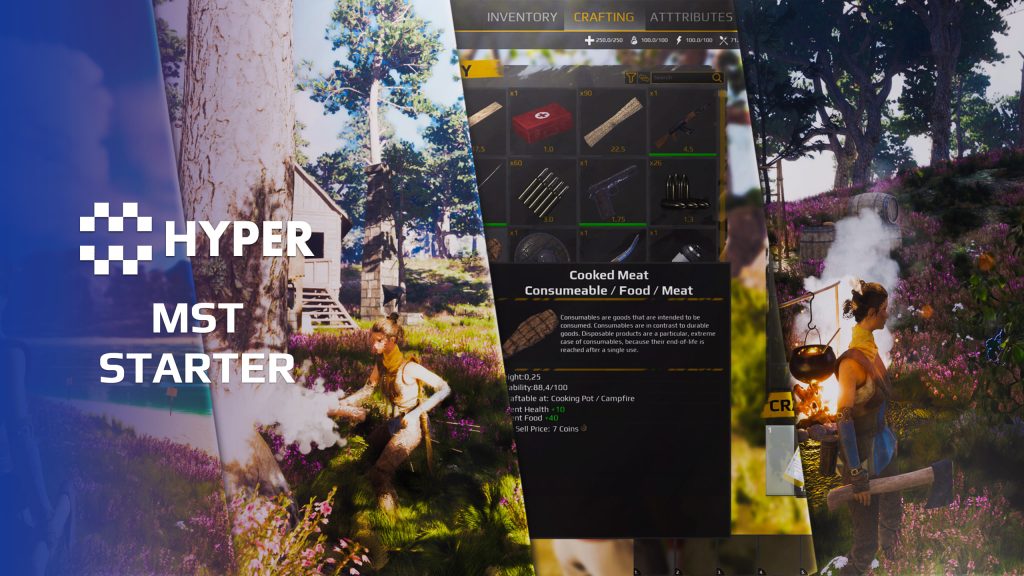
Build the first playable survival loop without starting from an empty project. MST Starter brings gathering, inventory, crafting, trading and basic character systems together in a playable multiplayer project.
The Starter edition is the smaller entry point into the same modular framework used by Plus and Pro. It suits prototypes, learning projects and games that need the essentials before adding more specialized systems.
Key Features
Items, crafting and trade
- Inventory: manage collected items through the integrated inventory and UI.
- Crafting: turn gathered resources into configured recipes.
- Hotbar: keep frequently used items available during play.
- Vendors: buy and sell through the shared item setup.
- Loot chests: populate containers with discoverable rewards.
Gathering and world feedback
- Choppable trees: harvest trees through the supplied gathering system.
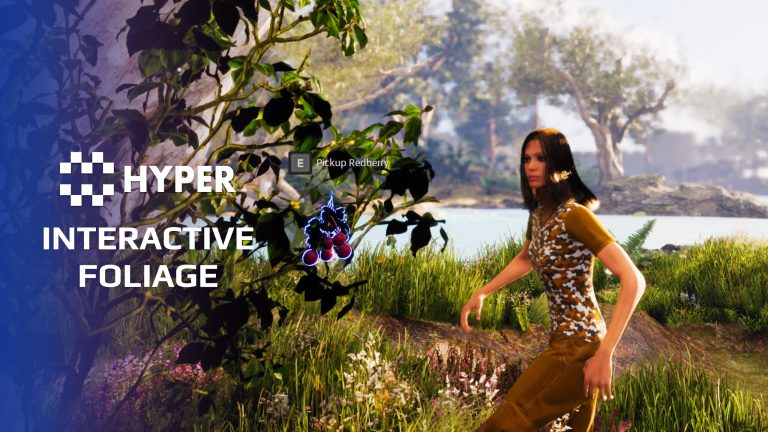
- Interactive foliage: let the player affect supported foliage.
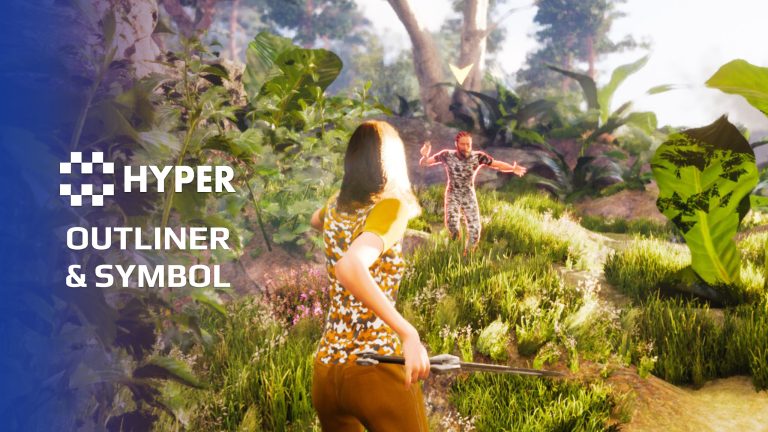
- Outlines and symbols: highlight relevant objects and communicate interaction targets.
Character and gameplay essentials
- Basic attributes: start with the character values used by the survival gameplay.
- Basic combat and equipment: connect actions and carried equipment to the character.
- Basic interaction: pick up and use the configured world objects.
- Basic movement and footsteps: use the supplied movement extensions and footstep feedback.
- Placement and respawn: use the basic placement and player-return flows.
- Basic landscape material: start from the included terrain presentation.
- MetaHuman compatible: Use your own characters through visual overrides. Setup guide.
Supporting project systems
- Integrated playable map: explore the Starter systems together in the supplied map, with gameplay content and bonus assets. Use it as a working reference for the character, item data, interactions and UI.
- UI manager: coordinate the inventory and other player interface panels.
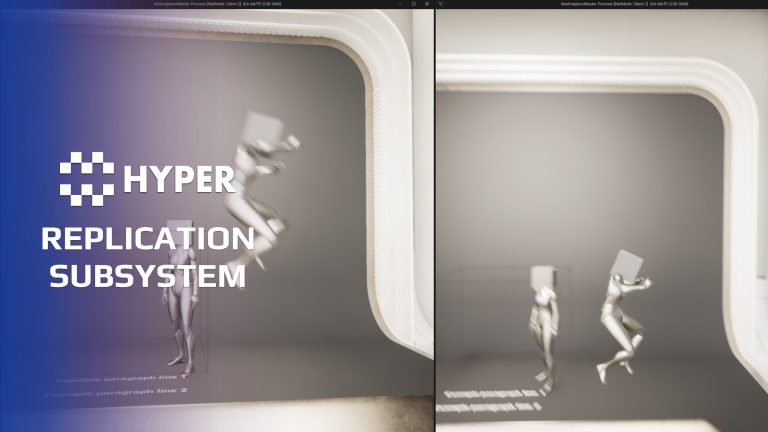
- Replication helpers: share common multiplayer presentation actions.
- Gameplay Tag Mapper: initialize shared lookups once on the GameState, then resolve tagged item and equipment definitions through the same cached data maps.
- Object pooling: reuse configured short-lived actors through the shared GameState pool, reducing repeated spawning and destruction for suitable effects and feedback.
- Shared item data: configure items and recipes through the framework's data model.
A first survival loop you can build on
- Gather and use resources: harvest trees, collect items and turn eligible resources into recipes through the connected inventory and crafting setup.
- Find a use for the next item: loot chests, vendor trading and hotbar access cover discovering, exchanging and using inventory contents.
- Connected gameplay: character components, item data, interaction feedback and the player interface show how the smaller Starter feature set works together before you expand it.
Start small, grow later
Move to Plus for a broader building and character setup, or Pro for additional survival, combat and persistence systems. The editions use the same modular architecture. Use the integration guides when bringing new modules into your existing project.
Try the Starter demo and follow Your First Hour in MST to begin adapting the project.
Included system references
Lootchests | Advanced Outliner System | Interactive Foliage | Choppable Trees | Replication Subsystem
Related resources
Plus | Pro | Explore all compatible Hyper systems
View MST Starter for the demo and purchase options, or browse our store.
65 reviews for MST Starter
You must be logged in to post a review.
Frequently asked questions
Why Hyper?
The strongest public modular Unreal Engine framework available at this scaleMost studios keep tools like this internal. Hyper makes a serious technical foundation available to solo developers, indies, and teams.
Built from 75,000+ hours of Unreal Engine workSystem design, Blueprint architecture, multiplayer patterns, documentation, testing, integration, iteration, and real production problem-solving.
Systems designed to work togetherInventory, crafting, equipment, interaction, UI, combat, attributes, multiplayer, AI, quests, dialogue, maps, progression, survival systems, environment tools, performance helpers, and more can all live inside one larger ecosystem.
Working systems with sourceHyper gives you functional systems, a modular structure and documentation, with source you can extend for your own game.
Architecture you can extendHyper is built around scalable architecture: gameplay tags, structured data, child Blueprints, clean overrides, reusable components, and clear project boundaries.
Start fast, grow cleanlyBuild on the included systems, replace visuals, adjust data, create child Blueprints and connect features without rebuilding the same foundation from scratch.
Want to learn more about the Hyper ecosystem, architecture philosophy, workflows, and developer behind it? Read more here and get started (https://gamesbyhyper.com/docs/getting-started/start-here/).
How do I add this to my project?
This module is provided as a full project because it includes Gameplay Tags, collision settings, config settings and other project-level dependencies.
Use our free Integration Tool (https://gamesbyhyper.com/product/integration-tool/) to prepare the integration. It combines compatible Hyper projects and handles migration and the required project settings. Use matching Unreal Engine versions and compatible Hyper releases.
Your own character, GameMode or custom systems may still need to be connected. The Integration Tool walkthrough (https://gamesbyhyper.com/docs/getting-started/use-the-automatic-integration-tool/) explains the setup and what to check in the generated project.
Do I need to use other Hyper systems with this?
No. You can use your own systems.
Hyper modules are designed around interfaces, abstract classes, shared contracts and dynamic dispatch, so features are not tied to one specific implementation.
If a module demonstrates integration with our Inventory, Equipment, Interaction, Movement, NPC or another Hyper system, you can:
Use the included Hyper implementation.
Replace it with your own system.
Use our implementation as a reference for your own integration.
The supplied integration shows how the module connects to the rest of a game. You can connect your own implementation through the same interface, abstract class or integration point.
For example, Attribute Manager may demonstrate Equipment modifying attributes. That does not mean you must purchase our Equipment System. You can follow the same integration pattern with your own equipment system.
The module includes working gameplay and its integration points. Build on the supplied setup or connect your own systems where you want different behavior.
See how to adapt a module (https://gamesbyhyper.com/docs/getting-started/customize-modules/) and how the shared data and abstract classes work (https://gamesbyhyper.com/docs/project-foundations/datamanagement/).
Where should I put my own changes?
Keep your own Blueprints, UI and data in your project's folder, for example Content/MyProject. Use child Blueprints or replacement components for your custom logic where possible.
That keeps your changes separate when you update Hyper. If you edit the original framework files directly, you will need to merge those edits when updating. The folder structure guide (https://gamesbyhyper.com/docs/project-foundations/folder-structure/) explains where everything belongs.
Who is the Starter edition for?
Starter is a smaller survival foundation for learning, prototyping and lighter projects. It uses the same modular architecture as the larger MST editions.
Can I upgrade to a higher tier later?
Yes. Upgrades from Starter to Plus or Pro are available. After purchasing the appropriate upgrade, submit the tier-upgrade request (https://gamesbyhyper.com/request-tier-upgrade/) so we can process it.
What hardware do you recommend for development?
For working with our larger projects in Unreal Editor, we recommend 64 GB RAM, a recent-generation CPU, a fast SSD with ample free space and a capable NVIDIA GeForce RTX 30, 40 or 50 series graphics card. GPU performance tier and available VRAM matter as well as the generation.
This is our development recommendation for large projects. Requirements for your packaged game depend on its content, resolution, graphics settings and target platform. Smaller maps and individual Hyper modules can have much lighter requirements.
How is the performance?
Hyper's gameplay systems are designed for efficient execution with low overhead. The complete world still determines the workload: scene complexity, textures, dynamic lighting and shadows, weather effects, loaded World Partition regions and the number of active AI characters all affect performance. Large AI populations and busy multiplayer scenes also need CPU and networking budgets.
A large world running in Unreal Editor can be demanding even when the gameplay code is efficient. Measure a packaged build on your target hardware after startup preparation has finished. Editor frame rates and first-launch compilation are not representative of steady gameplay, and we do not promise a fixed frame rate for every project or computer.
Why is the project large, and why can the first launch take a long time?
The supplied meshes, textures, animations and other source content take storage space. Unreal also needs room for derived-data caches, build files and packaged output, so allow more free SSD space than the download size alone.
On first launch, Unreal may compile shaders, generate derived asset data and compile project or plugin code when required. Loading a large map adds more work. Give that preparation time to finish before judging performance. Later launches can reuse cached data, although engine, content or configuration changes can require new preparation.
Was Hyper made with AI?
Hyper is a modular Unreal Engine ecosystem built around systems that work together. Our development team designed and built its core framework and gameplay architecture, with 75,000+ hours invested across the wider ecosystem in development, integration, multiplayer, testing and documentation.
AI can help generate individual features. It does not automatically deliver a complete, tested framework: shared data, system interactions, networking and long-term compatibility still require engineering. Those connections are a central part of what you get with Hyper, the market leader in publicly available modular Unreal Engine frameworks.
Hyper is especially valuable for AI-assisted development. Its shared architecture, consistent interfaces and editable source give an assistant a coherent project to understand and extend. The same patterns run across the systems, so work on one feature can build on the structure already used elsewhere. You spend your effort on your game instead of asking AI to recreate the framework and its integrations.
Our free Hyper AI Integration Studio (https://www.fab.com/listings/c4fc382a-bd96-406b-8d77-5646821bced5) helps AI assistants inspect your Unreal project, gather information and investigate how systems work. It is useful for debugging and project understanding, and is an optional separate download.
A small amount of replaceable example art, such as icons and meshes, was created with AI. We also create art ourselves, commission artists and use CC0 libraries. This example art is separate from the human-built core framework.
Can I use MetaHumans or my own characters?
Yes. Hyper is MetaHuman compatible through its visual override workflow. You can use your own character appearance while retaining the connected gameplay character.
Assign your MetaHuman or custom character assets, set up the animation Blueprint and configure retargeting or Copy Pose From Mesh for your skeleton. MetaHumans also need their Epic-provided setup logic. Follow the character and MetaHuman visual override guide (https://gamesbyhyper.com/docs/getting-started/set-up-your-own-character/) for the steps and reference setup.
Which Unreal Engine and Hyper version should I use?
For new Hyper framework projects, we recommend V5 on Unreal Engine 5.8. The framework generations correspond to these engine versions:
V5: Unreal Engine 5.8.
V4: Download under Unreal Engine 5.7. V4 projects also work on Unreal Engine 5.8 after switching the project version. C++ plugins must be compiled for UE 5.8.
V3: Unreal Engine 5.5 and 5.6.
V2: earlier Unreal Engine 5 releases, through 5.4.
V1: Unreal Engine 4.
This is the framework's version history. Check the supported releases for the products you intend to use; newer products may not have older generations, and independent plugins have their own compatibility requirements. When combining systems, use matching Unreal Engine versions and compatible Hyper releases. Follow the integration guide (https://gamesbyhyper.com/docs/getting-started/use-the-automatic-integration-tool/) for setup.
Where are the setup guides and support?
Start with the getting-started guide (https://gamesbyhyper.com/docs/getting-started/start-here/), then use the documentation hub (https://gamesbyhyper.com/docs/) to find setup instructions and examples for your systems. For product questions and the developer community, join the Games by Hyper Discord (https://discord.gg/hn34bpzVvy).
Compatibility and file information
- Development platforms
- Linux, Windows, macOS
- Tested platforms
- Windows
Versions and compatibility
| Version | Release | Unreal Engine |
|---|---|---|
| V2V2 UE5.3, 5.4. Release: V2. | V2 | 5.3, 5.4 |
| V3V3 UE5.5, 5.6. Release: V3. | V3 | 5.5, 5.6 |
| V4V4 UE5.7, 5.8. Release: V4. | V4 | 5.7, 5.8 |
Implementation and interaction
- Modular / extensible
- Yes
- Multiplayer ready
- Yes
- UI components
- Yes
- Input methods
- Gamepad, Keyboard, Mouse
- AI gameplay features
- No
System setup
- Package: Starter-tier integrated project, map and bonus assets.
- Character: basic attributes, equipment, movement, footsteps, interaction, placement and respawn.
- Items: inventory, crafting, hotbar, vendors and loot chests.
- Framework: PlayerController UI/outliner components; GameState tag mapper and object pool.
Compatibility
- Networking: replicated multiplayer support.
- Platform testing: Windows tested.
- Plugins: Common UI.
Release notes | Documentation | YouTube | Discord
Documentation, videos and Discord are public. Verified buyers can use the support forums.
Uwe_Bartusch –
Review from FabA really nice system. It’s relatively easy to implement, and it’s designed in a way that makes almost everything highly customizable to fit your own project. Of course, there’s a lot of content, and you have to spend some time looking through it. But once you get the hang of it, the system is actually quite easy to work with. I purchased a few more products and initially had some significant issues integrating them into my existing project. I contacted support, and I have to say that Hyper’s support is by far the best I’ve experienced on FAB so far. They took the time to address my specific issues and worked with me directly to identify and resolve the problems. A huge thank you and massive praise to the Hyper team for their outstanding support!
Uwe_Bartusch –
Review from FabA really nice system. It’s relatively easy to implement, and it’s designed in a way that makes almost everything highly customizable to fit your own project. Of course, there’s a lot of content, and you have to spend some time looking through it. But once you get the hang of it, the system is actually quite easy to work with.
Rouva Muuli (verified owner) –
It works like it’s supposed to, tho I’ve moved to the Plus version by now.
It was a little confusing at first because I don’t have enough experience, but looking into Hyper’s survival course, it got better. I like that it is modular and the components, etc are easily used where needed, tho i wish the written documentation would go a little further, as I’m not very good at watching videos. So I would recommend this (or other MST) for someone who doesn’t have much experience but wants to make a game.
666Devil999 –
Review from FabAs someone who originally comes from level design and world building rather than gameplay programming, Hyper helped me build systems that I would never have attempted on my own. When I started, I had very limited knowledge about inventory systems, quests, multiplayer architecture, save systems and gameplay frameworks. The modular design allowed me to learn step by step while still making real progress on my project instead of getting stuck for months trying to build everything from scratch. Over time the ecosystem has continued to improve significantly. Documentation, tutorials, onboarding, integration workflows and support are much better than when I first started. The new V4 updates and integration tools show that community feedback is being taken seriously. The framework still requires learning and understanding, especially when building a custom game, but it provides an excellent foundation and has saved me countless development hours. I am currently using Hyper as the foundation for my own project “Staub & Stahl”, and I can honestly say that without these systems I would be much further behind in development. Highly recommended for indie developers, especially creators who are strong in design, world building or art and want a professional gameplay foundation without reinventing every system themselves.
Etchano –
Review from FabI hate HYPER and this asset. I bought this asset because I really needed it. I didnt opt for PRO because I didnt want to pay a lot. The asset is so dam good, I ended up buying 6 more of their other assets on spot! It’s so good it makes you buy all the other assets by HYPER, its like an addiction. All 6 assets integrated smoothly together into a completely different project I had, this alone saved me 9-12 months literally. Well done HYPER!!
DerStef –
Review from FabNot only for fast Startup – its a masterpice also if u want to learn the engine. In my Opinion best Template most complete – great modular and ultra high Quality Masterpiece from Eric. Thx for so nice Stuff.
Thepinnacle0317 –
Review from FabThis pack is a great point for many new developers that are looking to get their feet damp and learn some of the nuances that goes into a system like this. It includes just enough to be dangerous with but not so much that you could become overwhelmed. The best part is the modularity so that you can always upgrade at anytime and further enhance your project. You won’t be disappointed.
SKD007 –
Review from FabThe quality of the stuff you get for the price is unmatched.
Valkyien –
Review from FabI opened the project and was delighted to see a beautiful map, with footstep sounds, pleasant music, and high end props! This asset is extensive, definitely worth the cost =D
Arnold Popescu –
Review from FabThe best survival kit on the market
It is easy to use and saves a lot of time, fast support and well-structured documentation. I recommend!