Description
Documentation | Discord | Video | Demo
Hyper Space Skyboxes – DDS Cubemaps v4
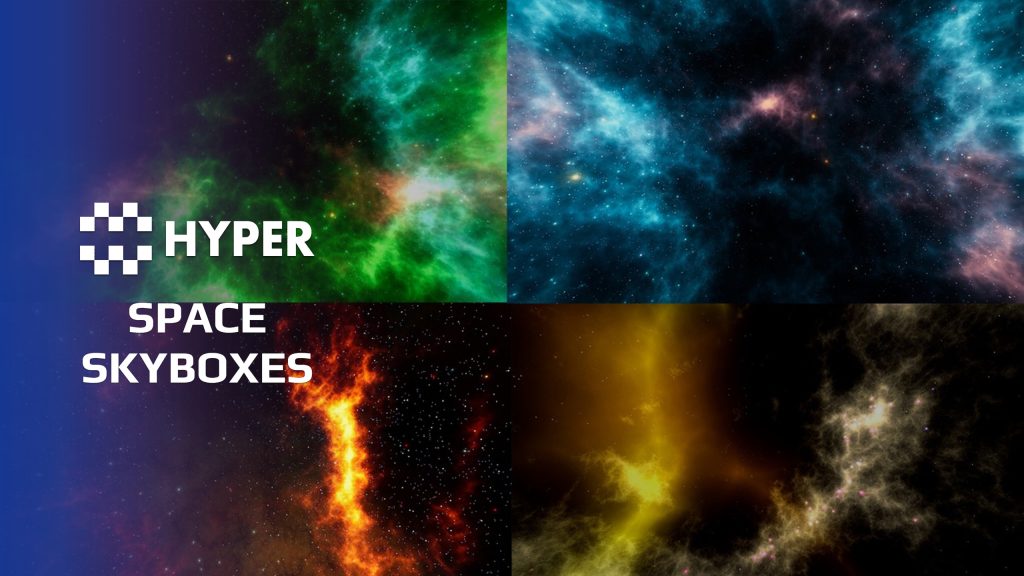
Give your space scene a backdrop you can tune to its mood. Hyper Space Skyboxes provides a galaxy-dome workflow with DDS cubemaps and material controls for color and intensity.
Key Features
Skybox setup
- Galaxy dome: place Galaxy_Dome_BP in the scene.
- Material instances: choose or create an instance of Galaxy_Master_M.
- Color controls: adjust RGB channels and color overlays.
- Intensity: tune the strength of the skybox to fit the scene.
Choose a backdrop, adjust the material instance and compare it with the lighting and focal points of your level. The linked video shows the setup in use.
36 reviews for Space Skyboxes – DDS Cubemaps
You must be logged in to post a review.
Frequently asked questions
Why Hyper?
The strongest public modular Unreal Engine framework available at this scale
Most studios keep tools like this internal. Hyper makes a serious technical foundation available to solo developers, indies, and teams.
Built from 75,000+ hours of Unreal Engine work
System design, Blueprint architecture, multiplayer patterns, documentation, testing, integration, iteration, and real production problem-solving.
Systems designed to work together
Inventory, crafting, equipment, interaction, UI, combat, attributes, multiplayer, AI, quests, dialogue, maps, progression, survival systems, environment tools, performance helpers, and more can all live inside one larger ecosystem.
Working systems with source
Hyper gives you functional systems, a modular structure and documentation, with source you can extend for your own game.
Architecture you can extend
Hyper is built around scalable architecture: gameplay tags, structured data, child Blueprints, clean overrides, reusable components, and clear project boundaries.
Start fast, grow cleanly
Build on the included systems, replace visuals, adjust data, create child Blueprints and connect features without rebuilding the same foundation from scratch.
Want to learn more about the Hyper ecosystem, architecture philosophy, workflows, and developer behind it? Read more here and get started (https://gamesbyhyper.com/docs/getting-started/start-here/).
Can I change the skybox colors and intensity?
Yes. The Galaxy material and its instances have RGB-channel and overlay controls for adjusting the colors and intensity.
How do I place a skybox in my scene?
Place Galaxy_Dome_BP in your scene and assign a Galaxy material instance. Adjust that instance to get the look you want.
Compatibility and file information
- Development platforms
- Linux, Windows, macOS
Versions and compatibility
| Version | Release | Unreal Engine |
|---|---|---|
| V3V3 UE5.5, 5.6, 5.7. Release: V3. | V3 | 5.5, 5.6, 5.7 |
| V4V4 UE5.7. Release: V4. | V4 | 5.7 |
Implementation and interaction
- Modular / extensible
- Yes
- Multiplayer ready
- Yes
- UI components
- Yes
- Input methods
- Gamepad, Keyboard, Mouse
- AI gameplay features
- No
System setup
- Actor: Galaxy_Dome_BP.
- Material: Galaxy_Master_M with configurable material instances.
- Controls: RGB channels, color overlays and intensity.
- Use: space-environment backdrop using DDS cubemaps.
Documentation | YouTube | Discord
Documentation, videos and Discord are public. Verified buyers can use the support forums.

alienbyday –
Review from FabJust what I needed for a short ship scene, would have been 5 stars if they didn’t include that annoying splash overide. It put’s it in game/content/splash in case anyone was wondering.