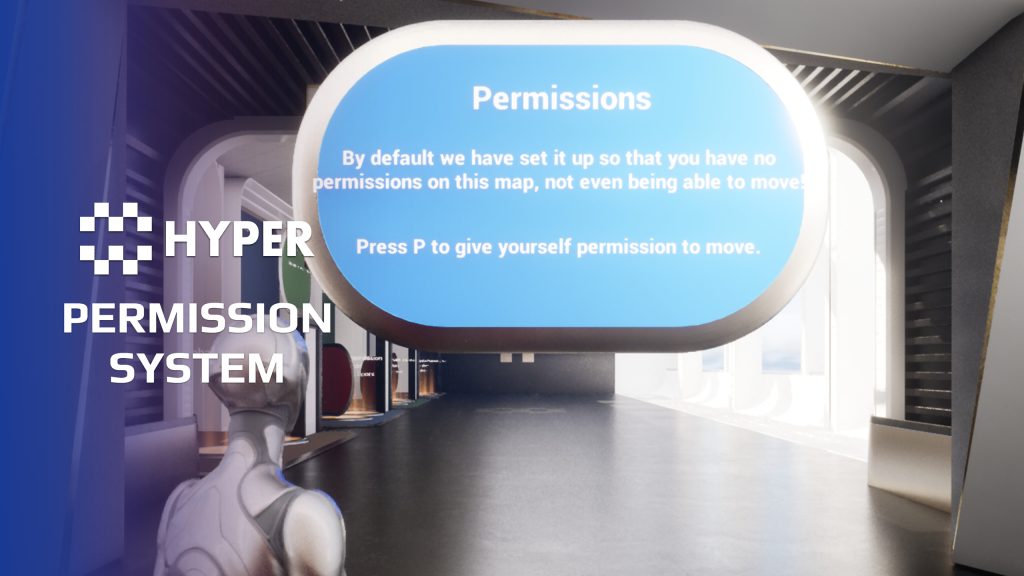
Description
Documentation | Discord | Videos | Demo
Hyper Permission System v4
Use the same permission rules for a guild chest, restricted door or administrative action. Hyper Permission System combines global and team-scoped roles with individual overrides, so access checks remain consistent across your game.
Key Features
Roles and scopes
- Global permissions: define session-wide roles such as administrator or moderator.
- Team permissions: keep permissions scoped to a team, guild, party or squad.
- Reusable role presets: author permission groups in DataTables.
- Group inheritance: build larger roles on top of smaller presets.
- Individual overrides: adjust one player's permissions without rebuilding the role hierarchy.
Checks and management
- Player-level resolution: evaluate the final permission against the individual player's data.
- Flexible requirements: choose whether any one requirement or every listed requirement must pass. Optionally let an equivalent global permission satisfy a team check.
- World checkers: let doors, containers and other actors use the same permission questions.
- Team governance: separate the right to manage members from the right to edit role permissions. Change a team role at runtime without changing the same role in other teams.
- Management requests: connect player-facing actions to the central permission manager.
- Change feedback: notify the interface when permissions or groups change.
Supporting setup
The central manager stores player permission data. Player-side helpers expose checks and requests, while lightweight checker components connect world interactions to the same model. Your gameplay action uses the result to allow or reject the request.
Start with the roles your game needs, then apply those checks to a small set of interactions.
31 reviews for Permission System
You must be logged in to post a review.
Frequently asked questions
Why Hyper?
The strongest public modular Unreal Engine framework available at this scale
Most studios keep tools like this internal. Hyper makes a serious technical foundation available to solo developers, indies, and teams.
Built from 75,000+ hours of Unreal Engine work
System design, Blueprint architecture, multiplayer patterns, documentation, testing, integration, iteration, and real production problem-solving.
Systems designed to work together
Inventory, crafting, equipment, interaction, UI, combat, attributes, multiplayer, AI, quests, dialogue, maps, progression, survival systems, environment tools, performance helpers, and more can all live inside one larger ecosystem.
Working systems with source
Hyper gives you functional systems, a modular structure and documentation, with source you can extend for your own game.
Architecture you can extend
Hyper is built around scalable architecture: gameplay tags, structured data, child Blueprints, clean overrides, reusable components, and clear project boundaries.
Start fast, grow cleanly
Build on the included systems, replace visuals, adjust data, create child Blueprints and connect features without rebuilding the same foundation from scratch.
Want to learn more about the Hyper ecosystem, architecture philosophy, workflows, and developer behind it? Read more here and get started (https://gamesbyhyper.com/docs/getting-started/start-here/).
How do I add this to my project?
This module is provided as a full project because it includes Gameplay Tags, collision settings, config settings and other project-level dependencies.
Use our free Integration Tool (https://gamesbyhyper.com/product/integration-tool/) to prepare the integration. It combines compatible Hyper projects and handles migration and the required project settings. Use matching Unreal Engine versions and compatible Hyper releases.
Your own character, GameMode or custom systems may still need to be connected. The Integration Tool walkthrough (https://gamesbyhyper.com/docs/getting-started/use-the-automatic-integration-tool/) explains the setup and what to check in the generated project.
Do I need to use other Hyper systems with this?
No. You can use your own systems.
Hyper modules are designed around interfaces, abstract classes, shared contracts and dynamic dispatch, so features are not tied to one specific implementation.
If a module demonstrates integration with our Inventory, Equipment, Interaction, Movement, NPC or another Hyper system, you can:
Use the included Hyper implementation.
Replace it with your own system.
Use our implementation as a reference for your own integration.
The supplied integration shows how the module connects to the rest of a game. You can connect your own implementation through the same interface, abstract class or integration point.
For example, Attribute Manager may demonstrate Equipment modifying attributes. That does not mean you must purchase our Equipment System. You can follow the same integration pattern with your own equipment system.
The module includes working gameplay and its integration points. Build on the supplied setup or connect your own systems where you want different behavior.
See how to adapt a module (https://gamesbyhyper.com/docs/getting-started/customize-modules/) and how the shared data and abstract classes work (https://gamesbyhyper.com/docs/project-foundations/datamanagement/).
Where should I put my own changes?
Keep your own Blueprints, UI and data in your project's folder, for example Content/MyProject. Use child Blueprints or replacement components for your custom logic where possible.
That keeps your changes separate when you update Hyper. If you edit the original framework files directly, you will need to merge those edits when updating. The folder structure guide (https://gamesbyhyper.com/docs/project-foundations/folder-structure/) explains where everything belongs.
Can access depend on an owner, a team or an individual player?
Yes. Permissions can use ownership, teams, individual players or global rules, with overrides where needed.
What can I protect with it?
Doors, containers and building areas are common examples. Connect the permission check to the action you want to allow or block.
Compatibility and file information
- Development platforms
- Linux, Windows, macOS
- Tested platforms
- Windows
Versions and compatibility
| Version | Release | Unreal Engine |
|---|---|---|
| V4V4 UE5.7, 5.8. Release: V4. | V4 | 5.7, 5.8 |
Implementation and interaction
- Modular / extensible
- Yes
- Multiplayer ready
- Yes
- UI components
- Yes
- Input methods
- Gamepad, Keyboard, Mouse
- AI gameplay features
- No
System setup
- Model: independent global and team permission scopes resolved per player.
- Authoring: DataTable role presets with inheritance and per-player overrides.
- Integration: central manager, player-facing helpers and world-actor checkers.
- Networking: manager-owned updates and player request/feedback flow.
Compatibility
- Networking: replicated multiplayer support.
- Platform testing: Windows tested.
- Plugins: Common UI.
Release notes | Documentation | YouTube | Discord
Documentation, videos and Discord are public. Verified buyers can use the support forums.

Dalcon4 –
Review from FabThe Hyper Permission System v4 is a granular access control framework that governs what actions players and actors can perform based on configurable permission rules. It controls everything from building placement and container access to device operation and zone entry, providing the authorization layer that every multiplayer game needs. The system is comprehensive in its coverage. It supports role-based permissions, per-actor overrides, zone-specific rules, time-based access windows, group permissions through guilds, whitelist and blacklist approaches, and hierarchical permission inheritance. Every action that should be gateable can be wrapped in a permission check with minimal code. Implementing permission checks is clean and intuitive. The system provides simple query functions that return allow/deny results, and the permission rules are defined in data tables for easy configuration. Adding permission checks to existing gameplay features requires just wrapping action calls with a single permission query. The UI provides clear feedback when actions are denied. Permission evaluation is fast and deterministic. The system resolves complex permission hierarchies instantly without any perceptible delay. Rule changes propagate immediately to all affected actors, and the system correctly handles conflicting rules through a clear priority resolution order. Multiplayer replication ensures all clients enforce the same permissions consistently. The Permission System is a governance module that touches nearly every system in MSTPro V4. The Guild Manager uses it for rank-based access, the Region Manager uses it for zone restrictions, the Security System uses it for device operation rights, and the Building System uses it for construction permissions. It is the invisible gatekeeper that maintains gameplay integrity across the entire ecosystem.