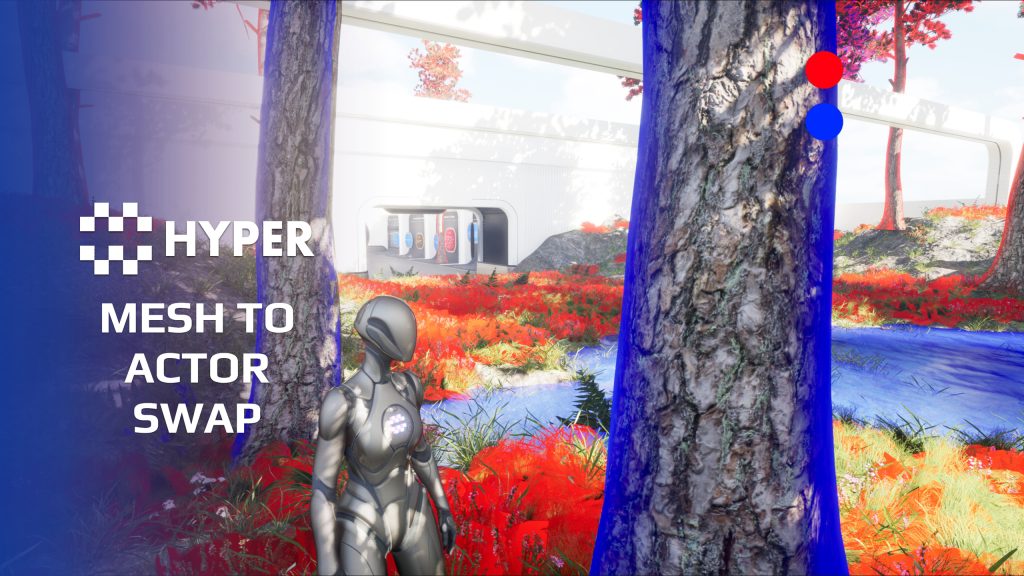
Description
Documentation | Discord | Overview video | Video | In-Depth How its made | Devlog | Demo
Hyper Mesh to Actor Swap System v4
Keep a dense world lightweight until an object needs gameplay behavior. Hyper Mesh to Actor Swap keeps suitable objects as meshes or instances, then replaces them with actors when a player approaches or hits them.
Key Features
Activate gameplay when needed
- Mesh-to-actor mapping: link a mesh to its interactive actor through the swap table.
- Radius activation: swap eligible meshes when the player enters the configured range.
- Hit activation: use a hit to activate interaction or physics.
- World placement support: work with directly placed meshes, foliage, PCG and supported runtime placement.
Return and integrate
- Actor-to-mesh cleanup: use respawn components to return inactive actors to a lightweight representation.
- Pickup mapping: use item mesh data to map inventory pickups automatically.
- Custom mappings: configure trees, rocks, breakable props or other actor classes.
- ISM proxy manager: manage instance removal, return and multiplayer state.
- Save-system variant: use the proxy variant intended for World Partition save/load setups.
Practical setup
Add the swap component to the character, configure the MeshToActorSwap collision behavior and map any custom meshes to their actor classes. Place an ISM Proxy Manager when the world uses instanced meshes. The example map shows the full flow.
Choose when a world object becomes active
- Different rules for different resources: use proximity for items players should be able to pick up nearby, or a hit-triggered path for a rock or tree that only needs actor behavior when struck.
- Configurable return timing: set how long an untouched actor remains active. An optional overlap recheck prevents returning it to a mesh while it remains within the player radius.
- Individual instance handling: swap one instance from ISM, HISM, painted foliage or PCG-generated content while the proxy manager tracks removal and return.
- Custom mappings alongside items: read pickup meshes from item data, then use the dedicated swap table for trees, rocks or other actor classes. A custom table entry can override the same mesh mapping.
- Keep the visual and gameplay work separate: the mesh remains the world representation until the configured actor is needed; its respawn component handles the appropriate inactivity or post-interaction lifecycle.
Start with a resource type that players interact with frequently, then profile the result in your own world.
53 reviews for Mesh Swap System
You must be logged in to post a review.
Frequently asked questions
Why Hyper?
The strongest public modular Unreal Engine framework available at this scale
Most studios keep tools like this internal. Hyper makes a serious technical foundation available to solo developers, indies, and teams.
Built from 75,000+ hours of Unreal Engine work
System design, Blueprint architecture, multiplayer patterns, documentation, testing, integration, iteration, and real production problem-solving.
Systems designed to work together
Inventory, crafting, equipment, interaction, UI, combat, attributes, multiplayer, AI, quests, dialogue, maps, progression, survival systems, environment tools, performance helpers, and more can all live inside one larger ecosystem.
Working systems with source
Hyper gives you functional systems, a modular structure and documentation, with source you can extend for your own game.
Architecture you can extend
Hyper is built around scalable architecture: gameplay tags, structured data, child Blueprints, clean overrides, reusable components, and clear project boundaries.
Start fast, grow cleanly
Build on the included systems, replace visuals, adjust data, create child Blueprints and connect features without rebuilding the same foundation from scratch.
Want to learn more about the Hyper ecosystem, architecture philosophy, workflows, and developer behind it? Read more here and get started (https://gamesbyhyper.com/docs/getting-started/start-here/).
How do I add this to my project?
This module is provided as a full project because it includes Gameplay Tags, collision settings, config settings and other project-level dependencies.
Use our free Integration Tool (https://gamesbyhyper.com/product/integration-tool/) to prepare the integration. It combines compatible Hyper projects and handles migration and the required project settings. Use matching Unreal Engine versions and compatible Hyper releases.
Your own character, GameMode or custom systems may still need to be connected. The Integration Tool walkthrough (https://gamesbyhyper.com/docs/getting-started/use-the-automatic-integration-tool/) explains the setup and what to check in the generated project.
Do I need to use other Hyper systems with this?
No. You can use your own systems.
Hyper modules are designed around interfaces, abstract classes, shared contracts and dynamic dispatch, so features are not tied to one specific implementation.
If a module demonstrates integration with our Inventory, Equipment, Interaction, Movement, NPC or another Hyper system, you can:
Use the included Hyper implementation.
Replace it with your own system.
Use our implementation as a reference for your own integration.
The supplied integration shows how the module connects to the rest of a game. You can connect your own implementation through the same interface, abstract class or integration point.
For example, Attribute Manager may demonstrate Equipment modifying attributes. That does not mean you must purchase our Equipment System. You can follow the same integration pattern with your own equipment system.
The module includes working gameplay and its integration points. Build on the supplied setup or connect your own systems where you want different behavior.
See how to adapt a module (https://gamesbyhyper.com/docs/getting-started/customize-modules/) and how the shared data and abstract classes work (https://gamesbyhyper.com/docs/project-foundations/datamanagement/).
Where should I put my own changes?
Keep your own Blueprints, UI and data in your project's folder, for example Content/MyProject. Use child Blueprints or replacement components for your custom logic where possible.
That keeps your changes separate when you update Hyper. If you edit the original framework files directly, you will need to merge those edits when updating. The folder structure guide (https://gamesbyhyper.com/docs/project-foundations/folder-structure/) explains where everything belongs.
Why swap a mesh for an actor only when needed?
Keeping world objects as meshes avoids running interactive behavior on all of them at once. Create the interactive actor when a player actually needs it.
Can I use proximity and hit events as triggers?
Yes. You can swap when a player enters the configured radius or when the mesh receives a hit.
Compatibility and file information
- Development platforms
- Linux, Windows, macOS
- Tested platforms
- Windows
Versions and compatibility
| Version | Release | Unreal Engine |
|---|---|---|
| V3V3 UE5.5, 5.6. Release: V3. | V3 | 5.5, 5.6 |
| V4V4 UE5.7, 5.8. Release: V4. | V4 | 5.7, 5.8 |
Implementation and interaction
- Modular / extensible
- Yes
- Multiplayer ready
- Yes
- UI components
- Yes
- Input methods
- Gamepad, Keyboard, Mouse
- AI gameplay features
- No
System setup
- Component: AC_CH_MeshToActor_Swapper plus actor-side respawn components.
- Mapping: DT_Items pickup data and DT_MeshToActorSwap custom mappings.
- Collision: configured object channel with overlap or hit behavior.
- Instances: ISM Proxy Manager; Save System variant for the documented partitioned save/load workflow.
Compatibility
- Networking: replicated multiplayer support.
- Platform testing: Windows tested.
- Plugins: Common UI.
Release notes | Documentation | YouTube | Discord
Documentation, videos and Discord are public. Verified buyers can use the support forums.
WWS – Lantianer –
Review from FabThis module is a must-have if you’re working with large numbers of interactable open-world actors such as vegetation, resource nodes, or random loot. It solves a problem that many open-world projects eventually run into and does so in a very clever, performance-friendly way. For MST Pro users, I would consider this as essential. One of my early criticisms of the framework was how expensive spawning large amounts of interactable vegetation could become on bigger maps. This system addresses that issue beautifully and provides a much more scalable solution. It’s well designed, easy to work with, and has made a noticeable difference in my project.
xSgtSalty –
Review from FabWe love better performance and with such implementation, i can focus on the fun parts of my game.
Acquired with code wolfey91 –
Review from FabThis is one of those systems that sounds simple until you realise how many problems it solves. Being able to keep normal meshes in the world and only swap them into full actors when interaction is needed is a massive help for performance, especially in large maps. It opens up loads of possibilities for things like harvestable trees, mineable rocks, interactive doors, destructible objects and foliage without filling the entire level with expensive Blueprint actors. The setup is clean, flexible and easy enough to adapt to your own gameplay, whether you are using MST Pro or another framework. As with all Hyper Products ive bought, Quality is there and it does exactly what it says on the tin.
Acquired with code t_ibox –
Review from FabHyper Mesh to Actor Swap System v4 is an exceptional asset that provides a smart and highly efficient solution for optimizing large game environments. This is exactly the kind of tool that makes a real difference in ambitious projects. The ability to dynamically replace meshes with interactive actors opens up countless possibilities: harvestable trees, mineable rocks, interactive doors, destructible objects, dynamic foliage, and much more. The system helps create a more alive and immersive world while maintaining great performance. What I especially appreciate is the clean and well-thought-out design. It allows developers to create complex interactions without sacrificing optimization, which is extremely important for open-world games with large amounts of environmental elements. The integration is simple, flexible, and perfectly suited for developers who want to add more interaction to their worlds. It is an excellent addition for projects using MST PRO or other frameworks, providing a strong foundation for advanced gameplay mechanics. Like all Hyper assets, the development quality, detailed documentation, and Discord support are major strengths. The creator genuinely takes the time to help users, even with compatibility questions involving other systems. In my opinion, this is an essential asset for any project aiming to create a more immersive, interactive, and optimized world. Outstanding work, highly recommended!
Xx-JayCook-xX –
Review from FabI have a tree cutting system in a really large open world that uses blueprint to allow me to cut the trees. It would have been awful to run without this, of course there’s many more uses for this – interactive foliage, doors, mineable rocks etc. It just makes it feel a little smoother when playing compared to before. Their support is really great – I had any issue with Brushify systems not being compatible and they helped me get it working which isn’t really their responsibility to make sure it’s compatible with any/ all other things on the market – so that was very kind of them.
NotTheFed –
Review from FabI have a LOT of Hyper’s kits.. and for a lot it is plug in play for the basics. I have MST PRO as the base framework, and just plug in those that are relevant for my game like Dialog, companion, advanced NPC, lockpicking, Skills, quests, traps, unlock (learn), world map, weathertime, Skinning, body decompose, Mesh to Actor swap, Admin console, with chat.. and so on. Simple to understand, and gets you started with most key parts of any game framework I highly recommend, not just for the quality of the kit.. but the excellent support on discord. The very detailed documentation.
QuickkBee –
Review from FabFor those conscious of performance this is great to have. I plan on vastly expanding on this with some clever cpp ism techniques but this is great for most games and sets me up well in the interim
Farket8238 –
Review from FabIf you are using Hypers other assets, you will be fine. But this is an absolute mess to integrate outside of the Hyper ecosystem. I gave up because it was such a mess.