Description
Documentation | Discord | Videos | Demo
Hyper Object Pooler v4
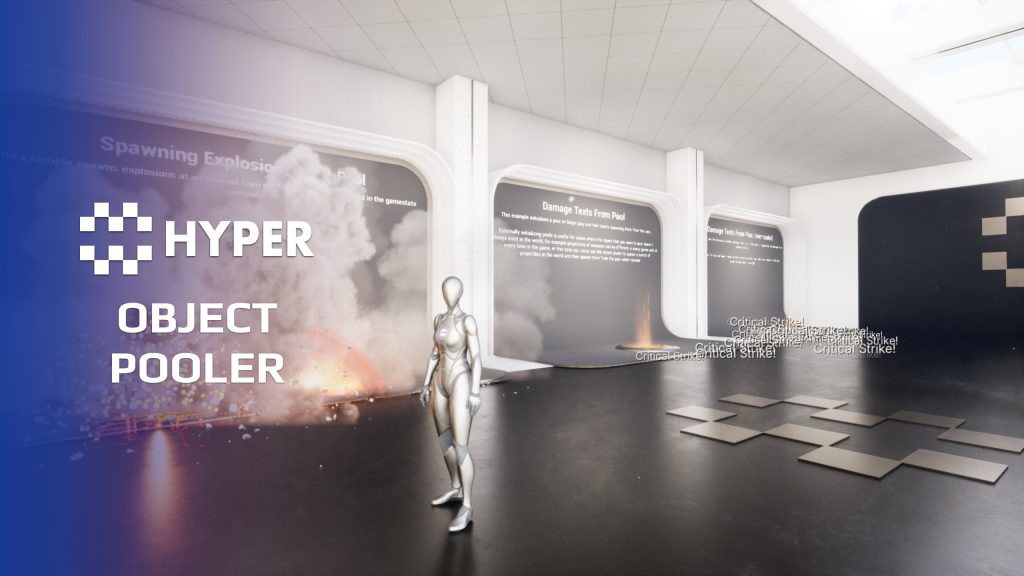
Reuse actors that appear frequently and finish quickly. Hyper Object Pooler keeps prepared instances available for effects such as explosions, damage text or other temporary actors, reducing repeated spawning and destruction.
Key Features
Pool management
- Pre-warming: create initial actor pools when play begins.
- Per-class pools: track active and inactive actors separately for each pooled class.
- Demand-based expansion: create additional instances when the prepared pool is exhausted.
- Automatic expiry: set a maximum active lifetime so a pooled actor returns automatically, or return it early when its effect finishes.
- Inactive state: the shared actor base disables visibility, collision and ticking while an instance is waiting in the pool, and clears stale lifetime timers on reuse.
- Reuse on completion: return finished actors to the inactive pool.
Gameplay integration
- Activation payloads: pass an Instanced Struct with data for the current use.
- Reusable actor base: extend the shared base for your own pooled behavior.
- Completion dispatcher: let child actors report that their work is finished.
- Network-context rules: configure creation for dedicated servers, listen servers or clients.
Working setup
The GameState pool component makes the pools available across the level. Configure the actor classes and initial sizes, then request an actor and return it through the shared lifecycle when finished. Child actors must reset their own per-use state.
Start with a frequently spawned effect and measure the result in the scene where it is used.
33 reviews for Object Pooler
You must be logged in to post a review.
Frequently asked questions
Why Hyper?
The strongest public modular Unreal Engine framework available at this scale
Most studios keep tools like this internal. Hyper makes a serious technical foundation available to solo developers, indies, and teams.
Built from 75,000+ hours of Unreal Engine work
System design, Blueprint architecture, multiplayer patterns, documentation, testing, integration, iteration, and real production problem-solving.
Systems designed to work together
Inventory, crafting, equipment, interaction, UI, combat, attributes, multiplayer, AI, quests, dialogue, maps, progression, survival systems, environment tools, performance helpers, and more can all live inside one larger ecosystem.
Working systems with source
Hyper gives you functional systems, a modular structure and documentation, with source you can extend for your own game.
Architecture you can extend
Hyper is built around scalable architecture: gameplay tags, structured data, child Blueprints, clean overrides, reusable components, and clear project boundaries.
Start fast, grow cleanly
Build on the included systems, replace visuals, adjust data, create child Blueprints and connect features without rebuilding the same foundation from scratch.
Want to learn more about the Hyper ecosystem, architecture philosophy, workflows, and developer behind it? Read more here and get started (https://gamesbyhyper.com/docs/getting-started/start-here/).
How do I add this to my project?
This module is provided as a full project because it includes Gameplay Tags, collision settings, config settings and other project-level dependencies.
Use our free Integration Tool (https://gamesbyhyper.com/product/integration-tool/) to prepare the integration. It combines compatible Hyper projects and handles migration and the required project settings. Use matching Unreal Engine versions and compatible Hyper releases.
Your own character, GameMode or custom systems may still need to be connected. The Integration Tool walkthrough (https://gamesbyhyper.com/docs/getting-started/use-the-automatic-integration-tool/) explains the setup and what to check in the generated project.
Do I need to use other Hyper systems with this?
No. You can use your own systems.
Hyper modules are designed around interfaces, abstract classes, shared contracts and dynamic dispatch, so features are not tied to one specific implementation.
If a module demonstrates integration with our Inventory, Equipment, Interaction, Movement, NPC or another Hyper system, you can:
Use the included Hyper implementation.
Replace it with your own system.
Use our implementation as a reference for your own integration.
The supplied integration shows how the module connects to the rest of a game. You can connect your own implementation through the same interface, abstract class or integration point.
For example, Attribute Manager may demonstrate Equipment modifying attributes. That does not mean you must purchase our Equipment System. You can follow the same integration pattern with your own equipment system.
The module includes working gameplay and its integration points. Build on the supplied setup or connect your own systems where you want different behavior.
See how to adapt a module (https://gamesbyhyper.com/docs/getting-started/customize-modules/) and how the shared data and abstract classes work (https://gamesbyhyper.com/docs/project-foundations/datamanagement/).
Where should I put my own changes?
Keep your own Blueprints, UI and data in your project's folder, for example Content/MyProject. Use child Blueprints or replacement components for your custom logic where possible.
That keeps your changes separate when you update Hyper. If you edit the original framework files directly, you will need to merge those edits when updating. The folder structure guide (https://gamesbyhyper.com/docs/project-foundations/folder-structure/) explains where everything belongs.
What problem does actor pooling address?
It reuses actors instead of repeatedly spawning and destroying them. That is useful for things such as projectiles, effects, loot or frequently spawned enemies.
Is a frame-rate improvement guaranteed?
It can reduce repeated spawn and cleanup work. The benefit depends on how your game uses those actors, so measure it in your own project.
Compatibility and file information
- Development platforms
- Linux, Windows, macOS
- Tested platforms
- Windows
Versions and compatibility
| Version | Release | Unreal Engine |
|---|---|---|
| V4V4 UE5.7, 5.8. Release: V4. | V4 | 5.7, 5.8 |
Implementation and interaction
- Modular / extensible
- Yes
- Multiplayer ready
- Yes
- UI components
- Yes
- Input methods
- Gamepad, Keyboard, Mouse
- AI gameplay features
- No
System setup
- Component: AC_GS_ObjectPool on the GameState.
- Settings: F_ObjectPool_Settings entries for initial pool creation.
- Storage: class-keyed active/inactive actor arrays.
- Contract: activation with Instanced Struct data and return through a completion dispatcher.
- Scope: reduces repeated allocation/destruction work; results depend on actor behavior and scene workload.
Compatibility
- Networking: replicated multiplayer support.
- Platform testing: Windows tested.
- Plugins: Common UI.
Release notes | Documentation | YouTube | Discord
Documentation, videos and Discord are public. Verified buyers can use the support forums.
Acquired with code FootlongTube –
Review from FabThis system single handedly is one of the least glamourous but most essential system i have ever included. In terms of optimizing your game, especially if you have alot going on whether that is effects, bullets, enemies or debris, this stopped unreal from loosing its marbles when i had a lot going on and essentially reuses parts of the game to help optimize and keep the game stable, buy it, end of.
Acquired with code casigus –
Review from FabYou know that moment when you spawn 10,000 projectiles and Unreal starts sweating? The Object Pooler is the therapy session your CPU deserves. Eric basically invented recycling for game devs — objects come back like boomerangs instead of haunting your memory. It’s efficient, elegant, and doesn’t explode your GPU.
Dalcon4 –
Review from FabThe Hyper Object Pooling v4 is a high-performance actor recycling system designed to eliminate the costly overhead of spawning and destroying actors at runtime. Built for multiplayer from the ground up, it provides a transparent pooling layer that dramatically improves performance for projectiles, effects, AI actors, and any frequently spawned objects.