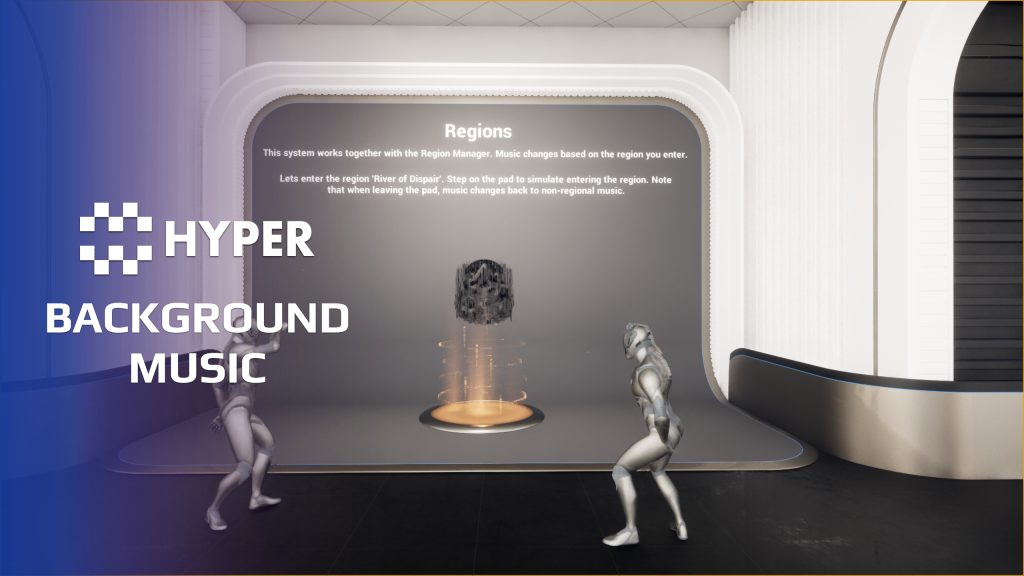
Description
Documentation | Discord | Video | Demo
Hyper Background Music System v4
Hyper Background Music System helps you build a soundtrack that responds to your game world. Trigger music through environments, player states and events, then move between ambient and battle playlists as the situation changes.
The system is built around configurable playlists. Give a region its own atmosphere, choose different tracks for morning and night, or let combat override the current music. Keep a default playlist available for situations without a more specific rule.
Key Features
Music for places and moments
- Background playlists: organize ambient music into reusable playlists and choose a default for normal play.
- Regional music: select music for regions or biomes through Gameplay Tags, such as a forest, village or desert.
- Time-of-day music: assign tracks to parts of the day and combine those choices with regional rules.
- Fallback tracks: use non-time-specific music when a playlist does not need a day/night variation.
Combat and gameplay changes
- Battle music: override the ambient or regional playlist and fade into the configured battle music.
- State-driven selection: connect playlist changes to player conditions or gameplay events, such as entering combat.
- Playback controls: tune fade-in duration, fade-out duration and the overall music volume on the component.
- DataTable configuration: edit playlist tracks and conditions in one place, then choose the default and battle playlists on the player-controller component.
Build a soundtrack that follows the player
A forest can use one playlist during the day and another at night. When a battle starts, combat music takes over. Configure those choices in the playlist data and use the supplied component to handle playback, rather than scattering track selections throughout your gameplay Blueprints.
Supporting setup
- Player-controller component: choose the background and battle defaults on the music component.
- Time and region inputs: use Time Manager for parts of the day and Region Manager when playlists should depend on location.
- Battle trigger: a trigger Blueprint applies the In Combat state through the attribute workflow and requests the battle playlist. The documentation shows how these pieces connect.
Try the demo, then follow the playlist walkthrough to add your own tracks and conditions.
31 reviews for Background Music System
You must be logged in to post a review.
Frequently asked questions
Why Hyper?
The strongest public modular Unreal Engine framework available at this scale
Most studios keep tools like this internal. Hyper makes a serious technical foundation available to solo developers, indies, and teams.
Built from 75,000+ hours of Unreal Engine work
System design, Blueprint architecture, multiplayer patterns, documentation, testing, integration, iteration, and real production problem-solving.
Systems designed to work together
Inventory, crafting, equipment, interaction, UI, combat, attributes, multiplayer, AI, quests, dialogue, maps, progression, survival systems, environment tools, performance helpers, and more can all live inside one larger ecosystem.
Working systems with source
Hyper gives you functional systems, a modular structure and documentation, with source you can extend for your own game.
Architecture you can extend
Hyper is built around scalable architecture: gameplay tags, structured data, child Blueprints, clean overrides, reusable components, and clear project boundaries.
Start fast, grow cleanly
Build on the included systems, replace visuals, adjust data, create child Blueprints and connect features without rebuilding the same foundation from scratch.
Want to learn more about the Hyper ecosystem, architecture philosophy, workflows, and developer behind it? Read more here and get started (https://gamesbyhyper.com/docs/getting-started/start-here/).
How do I add this to my project?
This module is provided as a full project because it includes Gameplay Tags, collision settings, config settings and other project-level dependencies.
Use our free Integration Tool (https://gamesbyhyper.com/product/integration-tool/) to prepare the integration. It combines compatible Hyper projects and handles migration and the required project settings. Use matching Unreal Engine versions and compatible Hyper releases.
Your own character, GameMode or custom systems may still need to be connected. The Integration Tool walkthrough (https://gamesbyhyper.com/docs/getting-started/use-the-automatic-integration-tool/) explains the setup and what to check in the generated project.
Do I need to use other Hyper systems with this?
No. You can use your own systems.
Hyper modules are designed around interfaces, abstract classes, shared contracts and dynamic dispatch, so features are not tied to one specific implementation.
If a module demonstrates integration with our Inventory, Equipment, Interaction, Movement, NPC or another Hyper system, you can:
Use the included Hyper implementation.
Replace it with your own system.
Use our implementation as a reference for your own integration.
The supplied integration shows how the module connects to the rest of a game. You can connect your own implementation through the same interface, abstract class or integration point.
For example, Attribute Manager may demonstrate Equipment modifying attributes. That does not mean you must purchase our Equipment System. You can follow the same integration pattern with your own equipment system.
The module includes working gameplay and its integration points. Build on the supplied setup or connect your own systems where you want different behavior.
See how to adapt a module (https://gamesbyhyper.com/docs/getting-started/customize-modules/) and how the shared data and abstract classes work (https://gamesbyhyper.com/docs/project-foundations/datamanagement/).
Where should I put my own changes?
Keep your own Blueprints, UI and data in your project's folder, for example Content/MyProject. Use child Blueprints or replacement components for your custom logic where possible.
That keeps your changes separate when you update Hyper. If you edit the original framework files directly, you will need to merge those edits when updating. The folder structure guide (https://gamesbyhyper.com/docs/project-foundations/folder-structure/) explains where everything belongs.
Can music change with location, time or combat?
Yes. Music playlists can change with the player's region, in-game time, combat state or conditions such as low health. You can combine those triggers for your game.
Can I use my own music?
Yes. Configure the playlists with your own music and choose when each playlist should play. The system handles the playback and transitions between them.
Compatibility and file information
- Development platforms
- Linux, Windows, macOS
- Tested platforms
- Windows
Versions and compatibility
| Version | Release | Unreal Engine |
|---|---|---|
| V3V3 UE5.5, 5.6. Release: V3. | V3 | 5.5, 5.6 |
| V4V4 UE5.7, 5.8. Release: V4. | V4 | 5.7, 5.8 |
Implementation and interaction
- Modular / extensible
- Yes
- Multiplayer ready
- Yes
- UI components
- Yes
- Input methods
- Gamepad, Keyboard, Mouse
- AI gameplay features
- No
System setup
- Architecture: AC_PC_BackgroundMusicSystem runs on the PlayerController.
- Configuration: DT_BackgroundMusic_Playlists defines tracks and playlist rules. Default ambient and battle selections are set on the component.
- Playlist data: region Gameplay Tags, part-of-day music and non-time-specific fallback audio, using Sound Cues or Sound Waves.
- Integrations: Time Manager for day parts, Region Manager for location rules and attribute/state events for the battle trigger.
Compatibility
- Networking: replicated multiplayer support.
- Platform testing: Windows tested.
- Plugins: Common UI.
Release notes | Documentation | YouTube | Discord
Documentation, videos and Discord are public. Verified buyers can use the support forums.
theblondebondOO –
Review from FabIve used multiple music systems but the fact this is plug and play with multiple options and very clear demonstartion makes this a very good product to be implemented into any project
WWS – Lantianer –
Review from FabA very easy-to-use music system that does exactly what I was looking for. I especially like that it can seamlessly transition music based on factors like time of day, player location, and combat situations. Those features add a lot to the atmosphere and immersion without requiring a complicated setup. Overall, it’s a solid, well-designed system that is easy to work with and provides plenty of flexibility. What I especially appreciate about Hyper’s products is the long-term support behind them. When I first saw their ambitious roadmap, I was skeptical, as I’ve seen many developers make big promises only to abandon their assets or take years to deliver meaningful updates. I’m happy to say that Eric and the Hyper team have consistently delivered, kept their modules updated, and continued expanding the ecosystem. It’s not just this module I recommend, but also the team behind it, the growing ecosystem of compatible modules, and the community that has formed around it.
xSgtSalty –
Review from FabAdding an extra layer of simplicity but depth to immersive gameplay. These modules that save us so much time as indie dev’s.
Xx-JayCook-xX –
Review from FabThe system is very well designed and easy to use, lots of customisation – You can have it so different areas play different sounds which is really good for setting up atmospheres. It can be adjusted by time of the day etc. It can switch between playlist depending on the setting. I made the tiniest system that took like 2 minutes and now anytime a living enemy is within a certain distance intense music will start – but when I kill the last one it switches back to calmer music. It’s only subtle but it really helps build up the suspense.
QuickkBee –
Review from FabReally like the simplicity of this. It just works. Adapted it to cover music and biome sounds like birds, etc (just making another child of the main AC).