Description
Documentation | Discord | Video | Demo
Jigsaw Inventory System V4
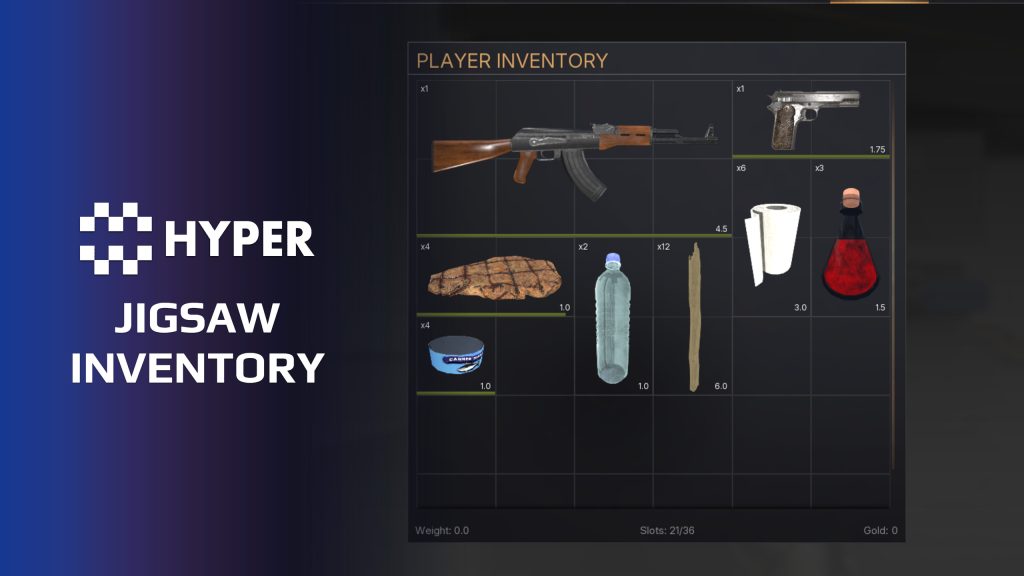
Make packing an inventory part of the game. Hyper Jigsaw Inventory uses multi-slot item footprints and rotation, so players decide how to fit equipment, ammunition and supplies into limited space.
Key Features
Spatial inventory
- Item footprints: configure width and height for each item.
- 90-degree rotation: rotate an item while dragging to make better use of space.
- Placement validation: show whether a position is blocked or available.
- Dedicated icons: use a shaped jigsaw icon while retaining a regular icon for tooltips or other inventory views.
Item handling and storage
- Stacks: split, combine and move item stacks inside the grid.
- Item state: retain item metadata and decay behavior.
- Storage: try size-constrained chests, rotation and stacking in the example map.
- Multiplayer: use the replicated inventory behavior across connected players.
Other inventory styles and systems
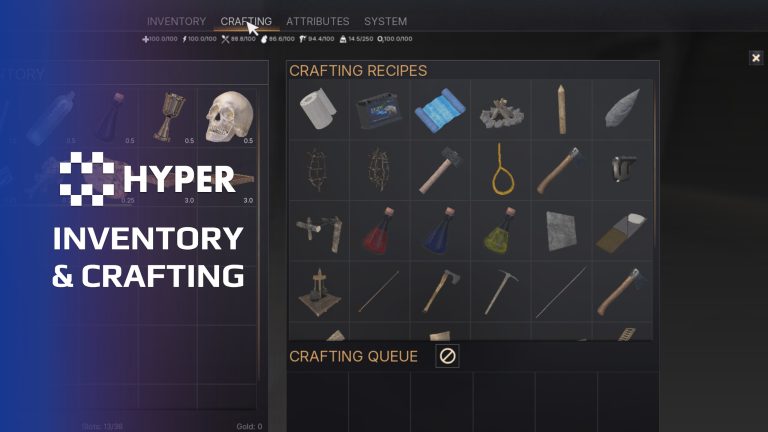
Use Jigsaw for a player and other Hyper inventory styles for vendors or loot actors. Crafting, vendors, hotbars and loot extensions can connect through the shared inventory framework; the separately offered extensions are linked below.
Space becomes a gameplay choice
- Balance footprint and quantity: configure item dimensions alongside the stack rules, so a large weapon and a stack of supplies make different demands on the container.
- Separate presentation from item identity: use a shaped icon in the packing grid while keeping the regular icon for tooltips and other supported views.
- Keep storage consistent: the spatial interface works with the shared item state and container framework, so organizing a grid remains part of the same inventory workflow.
Try the included grid, then configure item footprints and container size for the decisions you want players to make.
Related resources
List-Based Inventory | Crafting, Vendor, Hotbar & Loot Extension
31 reviews for Jigsaw Inventory System
You must be logged in to post a review.
Frequently asked questions
Why Hyper?
The strongest public modular Unreal Engine framework available at this scale
Most studios keep tools like this internal. Hyper makes a serious technical foundation available to solo developers, indies, and teams.
Built from 75,000+ hours of Unreal Engine work
System design, Blueprint architecture, multiplayer patterns, documentation, testing, integration, iteration, and real production problem-solving.
Systems designed to work together
Inventory, crafting, equipment, interaction, UI, combat, attributes, multiplayer, AI, quests, dialogue, maps, progression, survival systems, environment tools, performance helpers, and more can all live inside one larger ecosystem.
Working systems with source
Hyper gives you functional systems, a modular structure and documentation, with source you can extend for your own game.
Architecture you can extend
Hyper is built around scalable architecture: gameplay tags, structured data, child Blueprints, clean overrides, reusable components, and clear project boundaries.
Start fast, grow cleanly
Build on the included systems, replace visuals, adjust data, create child Blueprints and connect features without rebuilding the same foundation from scratch.
Want to learn more about the Hyper ecosystem, architecture philosophy, workflows, and developer behind it? Read more here and get started (https://gamesbyhyper.com/docs/getting-started/start-here/).
How do I add this to my project?
This module is provided as a full project because it includes Gameplay Tags, collision settings, config settings and other project-level dependencies.
Use our free Integration Tool (https://gamesbyhyper.com/product/integration-tool/) to prepare the integration. It combines compatible Hyper projects and handles migration and the required project settings. Use matching Unreal Engine versions and compatible Hyper releases.
Your own character, GameMode or custom systems may still need to be connected. The Integration Tool walkthrough (https://gamesbyhyper.com/docs/getting-started/use-the-automatic-integration-tool/) explains the setup and what to check in the generated project.
Do I need to use other Hyper systems with this?
No. You can use your own systems.
Hyper modules are designed around interfaces, abstract classes, shared contracts and dynamic dispatch, so features are not tied to one specific implementation.
If a module demonstrates integration with our Inventory, Equipment, Interaction, Movement, NPC or another Hyper system, you can:
Use the included Hyper implementation.
Replace it with your own system.
Use our implementation as a reference for your own integration.
The supplied integration shows how the module connects to the rest of a game. You can connect your own implementation through the same interface, abstract class or integration point.
For example, Attribute Manager may demonstrate Equipment modifying attributes. That does not mean you must purchase our Equipment System. You can follow the same integration pattern with your own equipment system.
The module includes working gameplay and its integration points. Build on the supplied setup or connect your own systems where you want different behavior.
See how to adapt a module (https://gamesbyhyper.com/docs/getting-started/customize-modules/) and how the shared data and abstract classes work (https://gamesbyhyper.com/docs/project-foundations/datamanagement/).
Where should I put my own changes?
Keep your own Blueprints, UI and data in your project's folder, for example Content/MyProject. Use child Blueprints or replacement components for your custom logic where possible.
That keeps your changes separate when you update Hyper. If you edit the original framework files directly, you will need to merge those edits when updating. The folder structure guide (https://gamesbyhyper.com/docs/project-foundations/folder-structure/) explains where everything belongs.
How is Jigsaw different from Slot or List Inventory?
Jigsaw gives items a size and rotation inside the inventory grid. Slot Inventory uses conventional slots, while List Inventory presents a scrollable list.
Are crafting, vendors and hotbars part of every inventory type?
Crafting, vendors and hotbars are optional additions through other Hyper modules. They are not all included just because you have a particular inventory style.
Compatibility and file information
- Development platforms
- Linux, Windows, macOS
- Tested platforms
- Windows
Versions and compatibility
| Version | Release | Unreal Engine |
|---|---|---|
| V3V3 UE5.5, 5.6. Release: V3. | V3 | 5.5, 5.6 |
| V4V4 UE5.7, 5.8. Release: V4. | V4 | 5.7, 5.8 |
Implementation and interaction
- Modular / extensible
- Yes
- Multiplayer ready
- Yes
- UI components
- Yes
- Input methods
- Gamepad, Keyboard, Mouse
- AI gameplay features
- No
System setup
- Architecture: specialized multi-slot container behavior on the shared inventory framework.
- Configuration: item width, height and Jigsaw Icon in DT_Items.
- Placement: linked occupied slots, a primary top-left reference and rotation-aware move validation.
- Practical sizing: larger grids cost more to validate; the documentation recommends keeping grids around 8 by 10 or smaller for typical multiplayer use.
Compatibility
- Networking: replicated multiplayer support.
- Platform testing: Windows tested.
- Plugins: Common UI.
Release notes | Documentation | YouTube | Discord
Documentation, videos and Discord are public. Verified buyers can use the support forums.

dtrox107 –
Review from FabHyper Studio products are among the best affordable options I’ve tested. They’re well-structured, and with the documentation and a little research, it’s easy to figure out how to integrate them into your existing projects. Plus, they’re well-optimized and designed for multiplayer use. In short, don’t hesitate—you won’t be disappointed.
ShiFJosh –
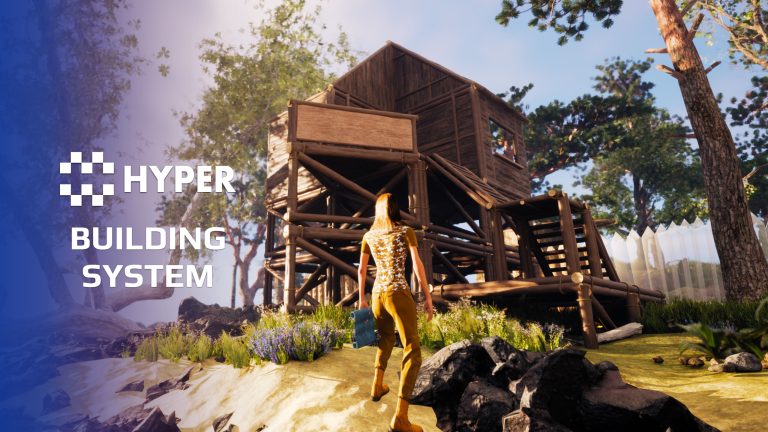
Review from FabLooks great in game especially if you’re building a survival game!