Description
Documentation | Discord | Props Spawner | Demo
Hyper Procedural Props Spawner v4
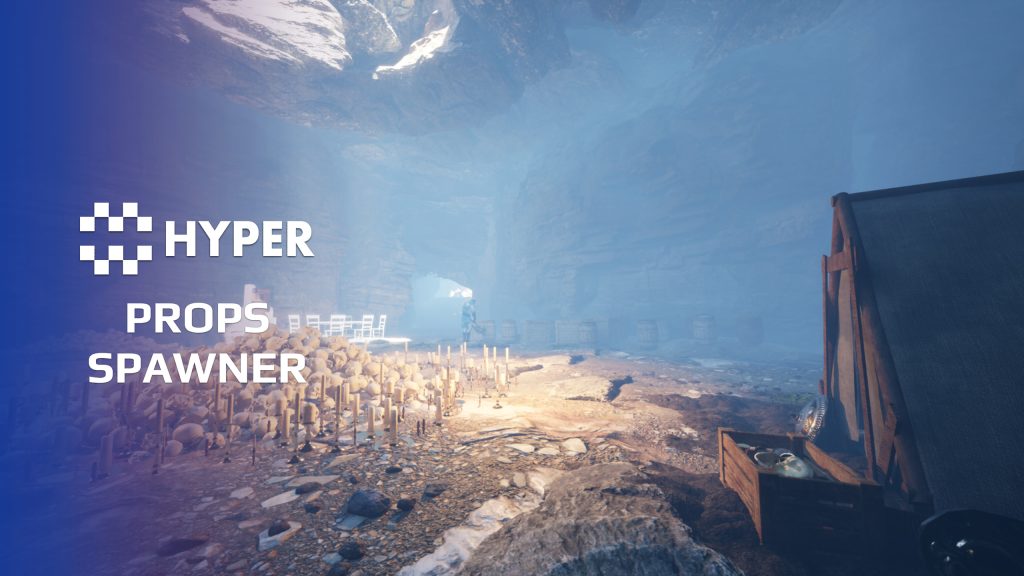
Fill a scene with believable arrangements, then keep control over where each type of prop belongs. Hyper Procedural Props Spawner combines weighted PCG collections, terrain-aware placement and specialized spawners for clusters, lines and naturally settled piles.
Dress a table, scatter debris, line a wall with crates or let a short physics simulation settle a pile of bones. Reusable presets keep those jobs manageable as the environment grows.
Key Features
Collections and distribution
- Weighted collections: define meshes and their relative weights in Data Assets.
- Repeatable PCG placement: use deterministic generation for a result you can reproduce.
- Area masks: target circles, squares and other configured shapes.
- Density and spacing: adjust coverage and sample size for scattered objects or tighter clusters.
Fit props to the scene
- Slopes and projection: use angle-based density and project to landscape height or collision surfaces.
- Trace filters: choose which landscape, actors or collision boxes participate.
- Transform variation: configure rotation, scale and placement offsets per item or collection.
- Overlapping volumes: give higher-priority placement areas precedence.
Specialized placement tools
- Physics settling: use the editor widget to spawn a short simulation so props fall into a natural resting arrangement. Tune bounce behavior for the result.
- Line spawner: arrange barrels, sacks or crates along an edge with variation controls.
- Random-mesh presets: create varied clusters from a reusable selection.
- Furniture and shelving: use table-dressing setups and cabinets with automatic book placement, alongside statues, candles and bookshelves.
- Scene dressing: tents, loot stations, carts, skull piles and bone piles show different dressing approaches.
Start with the placement tool that matches the scene, then replace the collection and tune the distribution around your playable space.
16 reviews for Hyper Procedural Props Spawner
You must be logged in to post a review.
Frequently asked questions
Why Hyper?
The strongest public modular Unreal Engine framework available at this scale
Most studios keep tools like this internal. Hyper makes a serious technical foundation available to solo developers, indies, and teams.
Built from 75,000+ hours of Unreal Engine work
System design, Blueprint architecture, multiplayer patterns, documentation, testing, integration, iteration, and real production problem-solving.
Systems designed to work together
Inventory, crafting, equipment, interaction, UI, combat, attributes, multiplayer, AI, quests, dialogue, maps, progression, survival systems, environment tools, performance helpers, and more can all live inside one larger ecosystem.
Working systems with source
Hyper gives you functional systems, a modular structure and documentation, with source you can extend for your own game.
Architecture you can extend
Hyper is built around scalable architecture: gameplay tags, structured data, child Blueprints, clean overrides, reusable components, and clear project boundaries.
Start fast, grow cleanly
Build on the included systems, replace visuals, adjust data, create child Blueprints and connect features without rebuilding the same foundation from scratch.
Want to learn more about the Hyper ecosystem, architecture philosophy, workflows, and developer behind it? Read more here and get started (https://gamesbyhyper.com/docs/getting-started/start-here/).
Can I use this in my own Unreal project?
Yes. Use the supplied example project to try the setup, then follow the product documentation (https://gamesbyhyper.com/docs/environment-building/props/) for your own project. Use a supported Unreal Engine version and keep the required engine plugins enabled.
Do I need to use the rest of the Hyper ecosystem?
You can use this product in your own project. Other Hyper systems mentioned as optional integrations are separate additions; use the parts that fit your workflow.
Where should I put my own changes?
Keep your own Blueprints, UI and data in your project's folder, for example Content/MyProject. Use child Blueprints or replacement components for your custom logic where possible.
That keeps your changes separate when you update Hyper. If you edit the original framework files directly, you will need to merge those edits when updating. The folder structure guide (https://gamesbyhyper.com/docs/project-foundations/folder-structure/) explains where everything belongs.
Can I control which props appear and how often?
Use data assets to choose mesh collections, weights and placement settings. Adjust density, spacing, rotation and scale for the area you are dressing.
Can props settle naturally instead of only following a grid?
Yes. The editor physics spawner lets props fall and settle into a pile. Line and random-mesh spawners are also available for other layouts.
Compatibility and file information
- Development platforms
- Linux, Windows, macOS
- Tested platforms
- Windows
Versions and compatibility
| Version | Release | Unreal Engine |
|---|---|---|
| V3V3 UE5.5, 5.6. Release: V3. | V3 | 5.5, 5.6 |
| V4V4 UE5.7, 5.8. Release: V4. | V4 | 5.7, 5.8 |
Implementation and interaction
- Modular / extensible
- Yes
- Multiplayer ready
- Yes
- UI components
- Yes
- Input methods
- Gamepad, Keyboard, Mouse
- AI gameplay features
- No
System setup
- Authoring: PCG-based weighted mesh collections and repeatable placement.
- Controls: area masks, density, spacing, slope, rotation, scale, offsets and collision projection.
- Additional tools: physics-settling editor widget, inline spawner and random-mesh and preset configurations.
- Scope: environment dressing; add gameplay components separately to props that need interaction or persistence.
Compatibility
- Platform testing: Windows tested.
- Plugins: PCG for procedural generation; Common UI where used by the supplied example.
Release notes | Documentation | YouTube | Discord
Documentation, videos and Discord are public. Verified buyers can use the support forums.
MrIllDuckYouUp –
Review from FabI’m using this mainly so far for setting up randomness inside houses and on tables etc in the game. Also the physics feature (Dash-like feature) is a really welcoming gesture, where you can drop x amount of meshes while simulating to get them looking natural when landing – creating a more believeable scene and also saves A TON of time!