
Description
Documentation | Discord | Videos | Demo
Hyper Lootable Corpse System v4
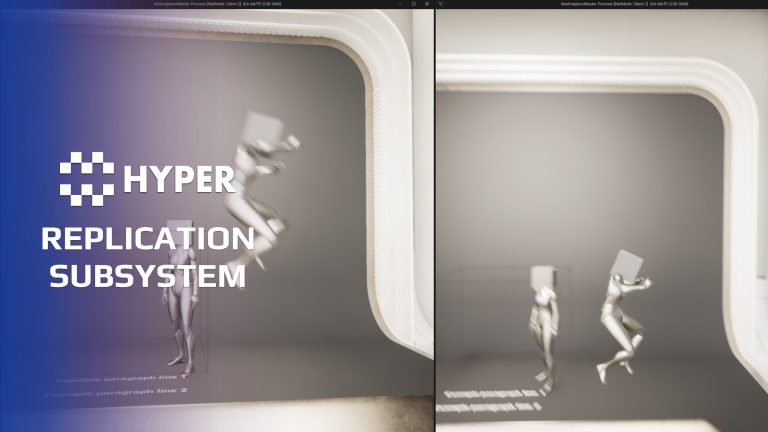
Let players recover items from the body left after a fight. Hyper Lootable Corpse turns a settled ragdoll into an interactable corpse container, carrying over the character inventory and final visual pose.
Key Features
Death-to-loot handoff
- Ragdoll integration: wait for the ragdoll to settle before creating the corpse representation.
- Inventory transfer: copy the living actor's item state into the corpse container.
- Direct interaction: open the loot interface from the body in the world.
- Mesh selection: use the main character mesh, a child skeletal mesh or a tagged visual-override mesh for the corpse presentation.
Lifecycle and multiplayer
- Corpse lifespan: configure how long the spawned corpse remains.
- Authoritative inventory: keep looting logic on the server.
- Local pose resolution: allow corpse pose and location to resolve locally to avoid forcing identical ragdoll simulation.
- Save/load hooks: when a saved corpse reloads with items remaining, the supplied flow transfers those items into a loot bag and removes the corpse actor.
- Decomposition integration: coordinate the corpse lifecycle with decomposition where used.
Required supporting components
Add the lootable-corpse component to a character with a compatible inventory and a ragdoll source exposing the frozen/settled event. The component manages the handoff; the spawned corpse actor owns the loot interaction and presentation.
Use the example to connect your death flow to item recovery.
35 reviews for Lootable Corpse System
You must be logged in to post a review.
Frequently asked questions
Why Hyper?
The strongest public modular Unreal Engine framework available at this scale
Most studios keep tools like this internal. Hyper makes a serious technical foundation available to solo developers, indies, and teams.
Built from 75,000+ hours of Unreal Engine work
System design, Blueprint architecture, multiplayer patterns, documentation, testing, integration, iteration, and real production problem-solving.
Systems designed to work together
Inventory, crafting, equipment, interaction, UI, combat, attributes, multiplayer, AI, quests, dialogue, maps, progression, survival systems, environment tools, performance helpers, and more can all live inside one larger ecosystem.
Working systems with source
Hyper gives you functional systems, a modular structure and documentation, with source you can extend for your own game.
Architecture you can extend
Hyper is built around scalable architecture: gameplay tags, structured data, child Blueprints, clean overrides, reusable components, and clear project boundaries.
Start fast, grow cleanly
Build on the included systems, replace visuals, adjust data, create child Blueprints and connect features without rebuilding the same foundation from scratch.
Want to learn more about the Hyper ecosystem, architecture philosophy, workflows, and developer behind it? Read more here and get started (https://gamesbyhyper.com/docs/getting-started/start-here/).
How do I add this to my project?
This module is provided as a full project because it includes Gameplay Tags, collision settings, config settings and other project-level dependencies.
Use our free Integration Tool (https://gamesbyhyper.com/product/integration-tool/) to prepare the integration. It combines compatible Hyper projects and handles migration and the required project settings. Use matching Unreal Engine versions and compatible Hyper releases.
Your own character, GameMode or custom systems may still need to be connected. The Integration Tool walkthrough (https://gamesbyhyper.com/docs/getting-started/use-the-automatic-integration-tool/) explains the setup and what to check in the generated project.
Do I need to use other Hyper systems with this?
No. You can use your own systems.
Hyper modules are designed around interfaces, abstract classes, shared contracts and dynamic dispatch, so features are not tied to one specific implementation.
If a module demonstrates integration with our Inventory, Equipment, Interaction, Movement, NPC or another Hyper system, you can:
Use the included Hyper implementation.
Replace it with your own system.
Use our implementation as a reference for your own integration.
The supplied integration shows how the module connects to the rest of a game. You can connect your own implementation through the same interface, abstract class or integration point.
For example, Attribute Manager may demonstrate Equipment modifying attributes. That does not mean you must purchase our Equipment System. You can follow the same integration pattern with your own equipment system.
The module includes working gameplay and its integration points. Build on the supplied setup or connect your own systems where you want different behavior.
See how to adapt a module (https://gamesbyhyper.com/docs/getting-started/customize-modules/) and how the shared data and abstract classes work (https://gamesbyhyper.com/docs/project-foundations/datamanagement/).
Where should I put my own changes?
Keep your own Blueprints, UI and data in your project's folder, for example Content/MyProject. Use child Blueprints or replacement components for your custom logic where possible.
That keeps your changes separate when you update Hyper. If you edit the original framework files directly, you will need to merge those edits when updating. The folder structure guide (https://gamesbyhyper.com/docs/project-foundations/folder-structure/) explains where everything belongs.
Does the player loot the body or a separate bag?
The dead actor's body becomes the loot container. Players interact with the ragdoll or mesh to access the inventory it had while alive.
Can it work with corpse decomposition?
Yes. It can connect to Corpse Decomposition if you want the body to decay over time.
Compatibility and file information
- Development platforms
- Linux, Windows, macOS
- Tested platforms
- Windows
Versions and compatibility
| Version | Release | Unreal Engine |
|---|---|---|
| V4V4 UE5.7, 5.8. Release: V4. | V4 | 5.7, 5.8 |
Implementation and interaction
- Modular / extensible
- Yes
- Multiplayer ready
- Yes
- UI components
- Yes
- Input methods
- Gamepad, Keyboard, Mouse
- AI gameplay features
- No
System setup
- Assets: AC_CH_Lootable_Corpse and BP_Lootable_Corpse.
- Dependencies: compatible inventory, a skeletal mesh and ragdoll settled/frozen notification.
- Authority: server-owned inventory with locally resolved corpse pose/location.
- Lifecycle: spawn on ragdoll freeze, copy inventory/mesh state and configure lifespan and save behavior.
Compatibility
- Networking: replicated multiplayer support.
- Platform testing: Windows tested.
- Plugins: Common UI.
Release notes | Documentation | YouTube | Discord
Documentation, videos and Discord are public. Verified buyers can use the support forums.
Acquired with code t_ibox –
Review from FabA great asset with a very well-designed and enjoyable lootable corpse system. The quality of the development is impressive, with good organization and features that bring many possibilities to game projects. The system is intuitive, practical, and makes it easy to create a more immersive experience for players. You can clearly see the amount of work behind this asset, with great attention to detail and ease of integration. This is a very useful tool for developers who want to add a realistic and efficient loot system without having to build everything from scratch. Excellent work, highly recommended!
WHYPHY710 –
Review from FabLike most things they make, it’s professional work, and if your a lazy dev like me, buy it👍
Dalcon4 –
Review from FabThe Hyper Lootable Corpse v4 system transforms defeated enemies into interactive containers that players can search and loot. It handles inventory population, loot table resolution, player interaction, UI display, and item transfer with full multiplayer support, creating the satisfying loot-and-reward loop that is fundamental to RPG and survival games. The system is feature-complete for any looting scenario. It supports weighted loot tables with rarity tiers, guaranteed and random drops, level-scaled loot, inventory capacity limits, partial looting (take some items, leave others), looting timers, contested loot rules for multiplayer, and integration with the inventory system for seamless item transfer. Making any enemy lootable is simple. Attach the Lootable Component, assign a loot table, and the system handles the rest. The pre-built looting UI shows available items clearly and allows drag-and-drop or click-to-take interactions. Loot tables are defined in data tables, so designers can create complex drop configurations without Blueprint work.
NotTheFed –
Review from FabI have a LOT of Hyper’s kits.. and for a lot it is plug in play for the basics. I have MST PRO as the base framework, and just plug in those that are relevant for my game like Dialog, companion, advanced NPC, lockpicking, Skills, quests, traps, unlock (learn), world map, weathertime, Skinning, body decompose, Mesh to Actor swap, Admin console, with chat.. and so on. Simple to understand, and gets you started with most key parts of any game framework I highly recommend, not just for the quality of the kit.. but the excellent support on discord. The very detailed documentation.
scallipus –
Review from FabVery clean system, comes with a basic inventory system to showcase the system that can be replaced with your own inventory system. Like all the rest of the Hyper V4 framework code, this is a shining example of clean, well commented, performant, scalable, multiplayer ready code. It comes with an example map and characters which explains how to use the system in your own projects. Automatically cleans up after itself and is data driven by design.