Description
Documentation | Discord | Videos | Demo
Hyper Mount System v4
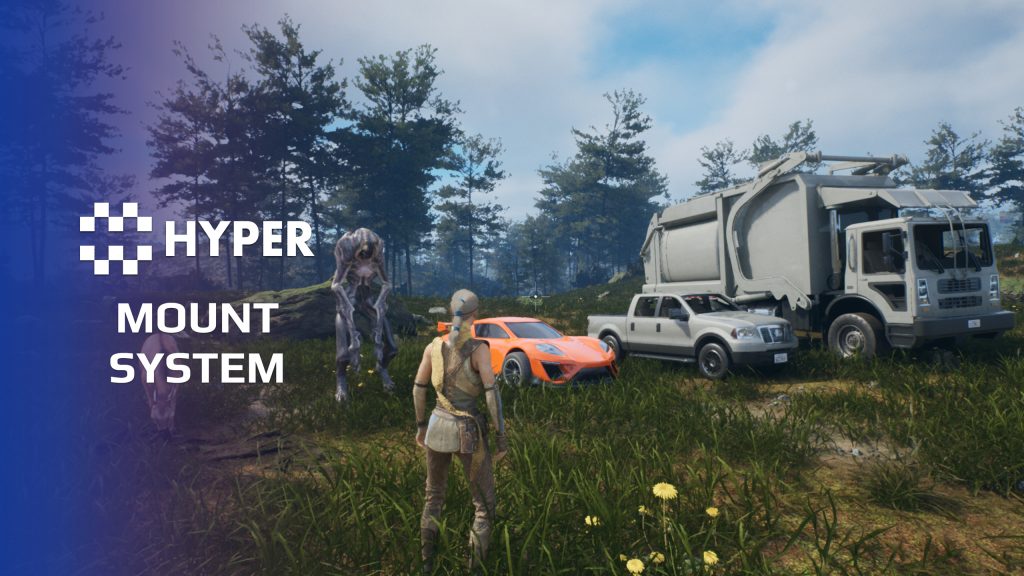
Use one mounting framework for a rider, a passenger or a character sitting on a bench. Hyper Mount System connects character requests to configurable mount slots, with attachment, animation and replicated mounted state.
Key Features
Seats and entry behavior
- Single or multiple slots: configure one rider position or several independent seats.
- Slot priority: choose which suitable target the character should use.
- Instant or walk-to entry: select how a character reaches the mount position.
- Per-seat behavior: configure animation, entry and mount logic for each slot.
- Entry and exit points: author approach and dismount arrows, validate clear positions and use navigation projection as a fallback. A slot tag can select a specific entry component.
- Custom approaches: extend the strategy class for your own climb, cinematic or other entry sequence, then return success or failure to the mount flow.
- Occupied-seat checks: prevent two users from taking the same target simultaneously.
Mounted control and presentation
- Mount and dismount: manage the transition into and out of the occupied slot.
- Attachment: keep the character aligned with its target.
- Camera and possession: connect the configured mount strategy to camera and control changes.
- Replicated state: show mounted attachment changes to other clients.
- Custom actors: apply the slot model to creatures, vehicles, boats, wagons or other mountable actors.
Supporting setup
The PlayerController mounting component handles requests and input. The PlayerState listener mirrors mounted state, while target components live on the mountable actor. Supply your own interaction target and the appropriate movement implementation for the actor being mounted.
Use the example slots as the starting point for your own rider or passenger setup.
42 reviews for Mount System
You must be logged in to post a review.
Frequently asked questions
Why Hyper?
The strongest public modular Unreal Engine framework available at this scale
Most studios keep tools like this internal. Hyper makes a serious technical foundation available to solo developers, indies, and teams.
Built from 75,000+ hours of Unreal Engine work
System design, Blueprint architecture, multiplayer patterns, documentation, testing, integration, iteration, and real production problem-solving.
Systems designed to work together
Inventory, crafting, equipment, interaction, UI, combat, attributes, multiplayer, AI, quests, dialogue, maps, progression, survival systems, environment tools, performance helpers, and more can all live inside one larger ecosystem.
Working systems with source
Hyper gives you functional systems, a modular structure and documentation, with source you can extend for your own game.
Architecture you can extend
Hyper is built around scalable architecture: gameplay tags, structured data, child Blueprints, clean overrides, reusable components, and clear project boundaries.
Start fast, grow cleanly
Build on the included systems, replace visuals, adjust data, create child Blueprints and connect features without rebuilding the same foundation from scratch.
Want to learn more about the Hyper ecosystem, architecture philosophy, workflows, and developer behind it? Read more here and get started (https://gamesbyhyper.com/docs/getting-started/start-here/).
How do I add this to my project?
This module is provided as a full project because it includes Gameplay Tags, collision settings, config settings and other project-level dependencies.
Use our free Integration Tool (https://gamesbyhyper.com/product/integration-tool/) to prepare the integration. It combines compatible Hyper projects and handles migration and the required project settings. Use matching Unreal Engine versions and compatible Hyper releases.
Your own character, GameMode or custom systems may still need to be connected. The Integration Tool walkthrough (https://gamesbyhyper.com/docs/getting-started/use-the-automatic-integration-tool/) explains the setup and what to check in the generated project.
Do I need to use other Hyper systems with this?
No. You can use your own systems.
Hyper modules are designed around interfaces, abstract classes, shared contracts and dynamic dispatch, so features are not tied to one specific implementation.
If a module demonstrates integration with our Inventory, Equipment, Interaction, Movement, NPC or another Hyper system, you can:
Use the included Hyper implementation.
Replace it with your own system.
Use our implementation as a reference for your own integration.
The supplied integration shows how the module connects to the rest of a game. You can connect your own implementation through the same interface, abstract class or integration point.
For example, Attribute Manager may demonstrate Equipment modifying attributes. That does not mean you must purchase our Equipment System. You can follow the same integration pattern with your own equipment system.
The module includes working gameplay and its integration points. Build on the supplied setup or connect your own systems where you want different behavior.
See how to adapt a module (https://gamesbyhyper.com/docs/getting-started/customize-modules/) and how the shared data and abstract classes work (https://gamesbyhyper.com/docs/project-foundations/datamanagement/).
Where should I put my own changes?
Keep your own Blueprints, UI and data in your project's folder, for example Content/MyProject. Use child Blueprints or replacement components for your custom logic where possible.
That keeps your changes separate when you update Hyper. If you edit the original framework files directly, you will need to merge those edits when updating. The folder structure guide (https://gamesbyhyper.com/docs/project-foundations/folder-structure/) explains where everything belongs.
Can this handle more than horses?
Yes. The mounting flow can be used for creatures or vehicles. Connect your own mount assets and their movement behavior.
What does mounting handle?
It handles mounting and dismounting, character attachment, camera transitions and transferring control to the mount.
Compatibility and file information
- Development platforms
- Linux, Windows, macOS
- Tested platforms
- Windows
Versions and compatibility
| Version | Release | Unreal Engine |
|---|---|---|
| V4V4 UE5.7, 5.8. Release: V4. | V4 | 5.7, 5.8 |
Implementation and interaction
- Modular / extensible
- Yes
- Multiplayer ready
- Yes
- UI components
- Yes
- Input methods
- Gamepad, Keyboard, Mouse
- AI gameplay features
- No
System setup
- Ownership: AC_PC_Mounting on PlayerController and AC_PS_Mounting_Listener on PlayerState.
- Targets: one or more mount-target components on the mountable actor.
- Configuration: seat priority, animation, entry strategy and mount behavior.
- Networking: replicated mounted-slot state drives attachment and detachment.
Compatibility
- Networking: replicated multiplayer support.
- Platform testing: Windows tested.
- Plugins: Common UI.
Release notes | Documentation | YouTube | Discord
Documentation, videos and Discord are public. Verified buyers can use the support forums.
Acquired with code t_ibox –
Review from FabThis asset is really well made and shows a great level of quality and attention to detail. The system design, organization, and features provided are very impressive. You can clearly see that a lot of thought and effort went into creating an asset that helps developers work more efficiently. The integration is well designed, the included tools are useful, and it saves a lot of time compared to building everything from scratch. It is a reliable, practical asset that brings real value to any project. I highly recommend this asset to developers looking for a high-quality, well-structured solution that is ready to use. Great work from the creator!
casigus –
Review from FabYou know that moment when Unreal decides to compile shaders for the 47th time and you start questioning your life choices? Yeah, HyperTools is the antidote to that existential dread. Eric’s systems are like the caffeine shot your project didn’t know it needed — clean, modular, and somehow not held together by duct tape and prayer. The Mount System? Works smoother than Unreal’s autosave (which is saying something). The Footstep System? Makes your characters sound like they actually exist in the world instead of tap-dancing on invisible planes. And the rest of the Hyper lineup? It’s like Eric looked at Unreal’s chaos and said, “Hold my blueprint.” Eric himself deserves a medal for surviving Unreal’s update cycles with his sanity intact. The man’s a legend — polite, helpful, and probably powered by pure determination and coffee. If you’ve ever screamed “WHY IS THIS BROKEN NOW?” at Unreal, HyperTools will feel like therapy. In short: buy them all, praise Eric, and remember — in Unreal, nothing’s truly broken, it’s just “working as intended.”
JDLTorre –
Review from FabAs of 06/18/2026 this system is pushing 120 FPS continual on a 50 km2 map with sportscar vehicle with Ultra-dynamic Sky and Brushify landscape on a non-nanite landscape with no mods!!! Previously it was having performance issues but all of those appear to have been fixed.
casigus –
Review from FabThe plugin assumes prior knowledge of its internal architecture, provides no working example of a BeginPlay chain, and fails to warn when required components are missing. Even after aligning with the controller‑based setup, the system still throws type mismatches and invalid casts. The workflow is circular, poorly explained, and impossible to debug without reverse‑engineering the entire framework. This is not user error; it’s a design and documentation failure.
realmalden420 –
Review from Fabconnects to all the other assets perfectly and delivers as always haha and makes the games that much more fun/exciting!
WHYPHY710 –
Review from FabHaving the time of my life with this one, slapping Victorian submarine cars in, hand monsters, and anything else I can think of🤣
Dalcon4 –
Review from FabThe Hyper Mounting System v4 is a fully replicated, production-ready solution for mounting and dismounting vehicles, creatures, and any rideable actors. It handles the complete lifecycle of mounting interactions including approach, animation blending, rider attachment, camera transitions, and dismount logic with full multiplayer support. This module leaves nothing to chance. It supports multiple mount points per actor, passenger seats, mounted combat compatibility, stamina and speed modifiers, and AI-driven mount behavior. The animation system handles mount/dismount transitions with configurable blending, and the socket-based attachment system ensures riders stay properly positioned through any movement or animation state.
NotTheFed –
Review from FabI have a LOT of Hyper’s kits.. and for a lot it is plug in play for the basics. I have MST PRO as the base framework, and just plug in those that are relevant for my game like Dialog, companion, advanced NPC, lockpicking, Skills, quests, traps, unlock (learn), world map, weathertime, Skinning, body decompose, Mesh to Actor swap, Admin console, with chat.. and so on. Simple to understand, and gets you started with most key parts of any game framework I highly recommend, not just for the quality of the kit.. but the excellent support on discord. The very detailed documentation.