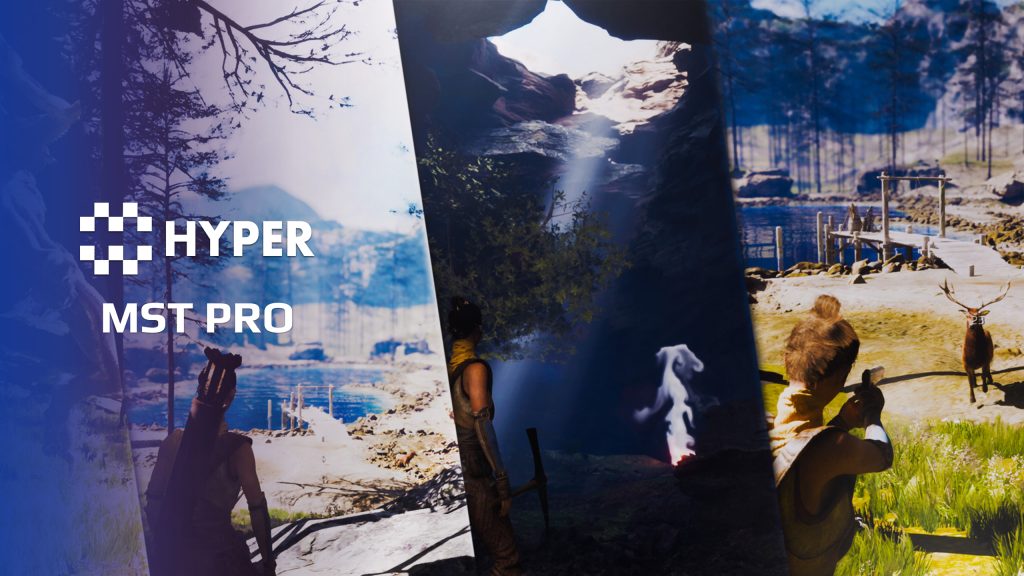
Description
Documentation | Discord | Trailer (v2 video) | Your first hour in MST | Adding modules to MST Pro | Demo
Multiplayer Survival Template – Pro Edition v4
Gather materials, build a shelter, grow food and return to a world that remembers your progress. MST Pro combines items, construction, survival, combat, movement, AI and saving in one Unreal Engine project, with the character, UI and world systems already connected.
Key Features
Items, crafting and trade
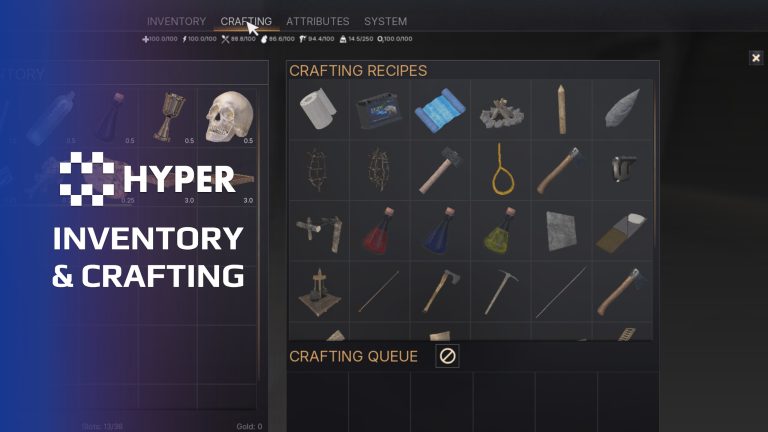
- Inventory: manage items, nested storage, item condition, configurable decay and container rules through the integrated UI.
- Crafting: configure recipes, queues and fuel-consuming stations using the shared item model.
- Hotbar: keep frequently used items available during play.
- Vendors: buy and sell through the shared item setup.
- Loot chests: populate containers with discoverable rewards.
Survival and construction
- Building System: place and manage modular structures through the integrated building workflow.
- Attribute Manager: configure survival resources, equipment bonuses, movement consumption and state effects shared by combat, equipment and the UI.
- Farming: plant and manage crops as part of the resource loop.
- Fishing: give players another way to obtain food and resources.
- Choppable trees: harvest wood from interactive trees.
- Mineable rocks: gather materials from configured rock nodes.
- Swimming: support surface and underwater movement.
- Respawn System: configure how players return after death.
Combat and characters
- Combat Framework: build encounters on the advanced combat setup.
- Equipment Manager: attach equipment and use the master-pose character equipment workflow.
- Locomotion Framework: use the included advanced character locomotion setup.
- Camera perspectives: Third person and a head-mounted first-person view using the regular character animations.
- Extended movement: connect additional movement actions to the character.
- Ragdoll: support physics-based character reactions.
- AI characters: basic human enemies, animals and bosses are included.
- Voice Manager: give characters configured vocal responses.
- MetaHuman compatible: Use your own characters through visual overrides. Setup guide.
World, menus and feedback
- Auto Landscape: use the advanced landscape material setup for terrain presentation.
- Interactive foliage: add supported foliage interaction to the world.
- Footsteps: connect surface-aware movement feedback.
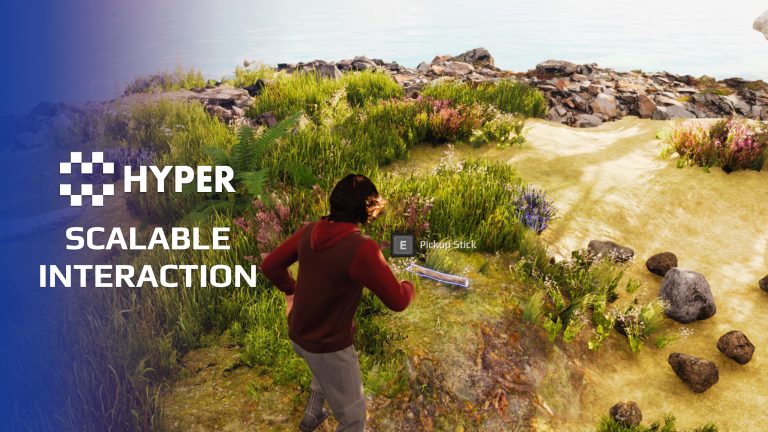
- Interaction System: give world objects a consistent interaction flow.
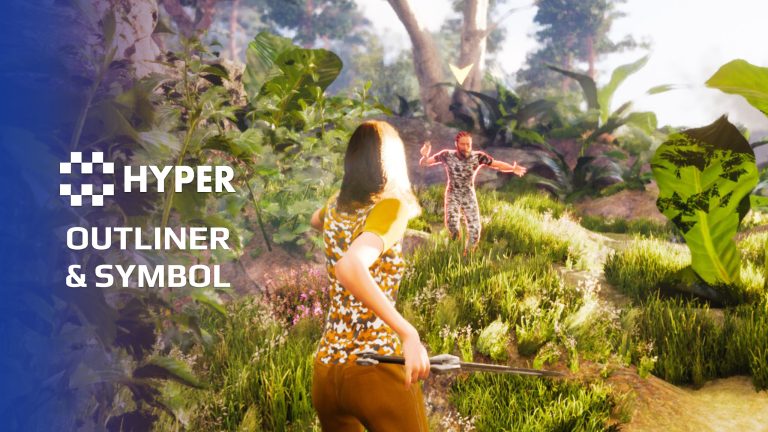
- Outliner: highlight relevant actors and symbols.
- Menu and gamepad system: configure menu and play-selection buttons through the controller, with CommonUI navigation and gamepad prompts.
- Player UI: coordinate inventory, equipment and gameplay panels through the interface manager.
Persistence and project structure
- Global Save: connect player and world state to the integrated save system.
- Replication Subsystem: reuse multiplayer presentation helpers across gameplay modules.
- Information prompts: present player feedback through the controller prompt manager.
- Level-instance support: use the GameState level-instance component in the supplied project setup.
- Gameplay Tag Mapper: initialize cached GameState lookups for tagged item and equipment definitions.
- Object pooling: reuse short-lived actors through the shared GameState pool for suitable effects and feedback.
- Shared configuration: keep items, recipes, tags and component settings within the common data model.
Included playable maps
Starter, Plus and Pro maps combine their respective tier systems with bonus assets. Play the maps and inspect their characters, controllers, GameStates, data and widgets. Use Pro for the complete setup, or Starter to learn the shared item and interaction flow. Replace the example visuals and tune the data for your game.
Expand around your game
Quests, dialogue, world maps, online-service integration, additional AI, abilities and progression are separately available extensions. They are not included in the Pro systems listed here. The linked module tutorial shows how to extend the project.
Included system references
Lootchests | Advanced Outliner System | Interactive Foliage | Choppable Trees | Replication Subsystem | Building System | Advanced Attribute Manager | Mineable Rocks | Swimming System | Advanced Footstep System | Advanced Interaction System | Advanced Auto Landscape | Ragdoll System | Advanced Menu and Gamepad System | Advanced Combat Framework | Farming System | Advanced Respawn System | Master Posed Equipment Manager | Fishing System | Global Save System | Voice Manager
Related resources
Starter | Explore all compatible Hyper systems
View MST Pro for the demo and purchase options, or browse our store.
158 reviews for MST Pro
You must be logged in to post a review.
Frequently asked questions
Why Hyper?
The strongest public modular Unreal Engine framework available at this scaleMost studios keep tools like this internal. Hyper makes a serious technical foundation available to solo developers, indies, and teams.
Built from 75,000+ hours of Unreal Engine workSystem design, Blueprint architecture, multiplayer patterns, documentation, testing, integration, iteration, and real production problem-solving.
Systems designed to work togetherInventory, crafting, equipment, interaction, UI, combat, attributes, multiplayer, AI, quests, dialogue, maps, progression, survival systems, environment tools, performance helpers, and more can all live inside one larger ecosystem.
Working systems with sourceHyper gives you functional systems, a modular structure and documentation, with source you can extend for your own game.
Architecture you can extendHyper is built around scalable architecture: gameplay tags, structured data, child Blueprints, clean overrides, reusable components, and clear project boundaries.
Start fast, grow cleanlyBuild on the included systems, replace visuals, adjust data, create child Blueprints and connect features without rebuilding the same foundation from scratch.
Want to learn more about the Hyper ecosystem, architecture philosophy, workflows, and developer behind it? Read more here and get started (https://gamesbyhyper.com/docs/getting-started/start-here/).
How do I add this to my project?
This module is provided as a full project because it includes Gameplay Tags, collision settings, config settings and other project-level dependencies.
Use our free Integration Tool (https://gamesbyhyper.com/product/integration-tool/) to prepare the integration. It combines compatible Hyper projects and handles migration and the required project settings. Use matching Unreal Engine versions and compatible Hyper releases.
Your own character, GameMode or custom systems may still need to be connected. The Integration Tool walkthrough (https://gamesbyhyper.com/docs/getting-started/use-the-automatic-integration-tool/) explains the setup and what to check in the generated project.
Do I need to use other Hyper systems with this?
No. You can use your own systems.
Hyper modules are designed around interfaces, abstract classes, shared contracts and dynamic dispatch, so features are not tied to one specific implementation.
If a module demonstrates integration with our Inventory, Equipment, Interaction, Movement, NPC or another Hyper system, you can:
Use the included Hyper implementation.
Replace it with your own system.
Use our implementation as a reference for your own integration.
The supplied integration shows how the module connects to the rest of a game. You can connect your own implementation through the same interface, abstract class or integration point.
For example, Attribute Manager may demonstrate Equipment modifying attributes. That does not mean you must purchase our Equipment System. You can follow the same integration pattern with your own equipment system.
The module includes working gameplay and its integration points. Build on the supplied setup or connect your own systems where you want different behavior.
See how to adapt a module (https://gamesbyhyper.com/docs/getting-started/customize-modules/) and how the shared data and abstract classes work (https://gamesbyhyper.com/docs/project-foundations/datamanagement/).
Where should I put my own changes?
Keep your own Blueprints, UI and data in your project's folder, for example Content/MyProject. Use child Blueprints or replacement components for your custom logic where possible.
That keeps your changes separate when you update Hyper. If you edit the original framework files directly, you will need to merge those edits when updating. The folder structure guide (https://gamesbyhyper.com/docs/project-foundations/folder-structure/) explains where everything belongs.
Does MST Pro include every Hyper product?
No. MST Pro includes the systems listed on this product page. Further modules such as Quest, Dialogue, World Map, Ability and Hyper Online Integration are optional additions.
Can I extend the supplied survival project?
Yes. Use the supplied project as your starting point, then add your own content and compatible Hyper modules as your game grows.
What hardware do you recommend for development?
For working with our larger projects in Unreal Editor, we recommend 64 GB RAM, a recent-generation CPU, a fast SSD with ample free space and a capable NVIDIA GeForce RTX 30, 40 or 50 series graphics card. GPU performance tier and available VRAM matter as well as the generation.
This is our development recommendation for large projects. Requirements for your packaged game depend on its content, resolution, graphics settings and target platform. Smaller maps and individual Hyper modules can have much lighter requirements.
How is the performance?
Hyper's gameplay systems are designed for efficient execution with low overhead. The complete world still determines the workload: scene complexity, textures, dynamic lighting and shadows, weather effects, loaded World Partition regions and the number of active AI characters all affect performance. Large AI populations and busy multiplayer scenes also need CPU and networking budgets.
A large world running in Unreal Editor can be demanding even when the gameplay code is efficient. Measure a packaged build on your target hardware after startup preparation has finished. Editor frame rates and first-launch compilation are not representative of steady gameplay, and we do not promise a fixed frame rate for every project or computer.
Why is the project large, and why can the first launch take a long time?
The supplied meshes, textures, animations and other source content take storage space. Unreal also needs room for derived-data caches, build files and packaged output, so allow more free SSD space than the download size alone.
On first launch, Unreal may compile shaders, generate derived asset data and compile project or plugin code when required. Loading a large map adds more work. Give that preparation time to finish before judging performance. Later launches can reuse cached data, although engine, content or configuration changes can require new preparation.
Was Hyper made with AI?
Hyper is a modular Unreal Engine ecosystem built around systems that work together. Our development team designed and built its core framework and gameplay architecture, with 75,000+ hours invested across the wider ecosystem in development, integration, multiplayer, testing and documentation.
AI can help generate individual features. It does not automatically deliver a complete, tested framework: shared data, system interactions, networking and long-term compatibility still require engineering. Those connections are a central part of what you get with Hyper, the market leader in publicly available modular Unreal Engine frameworks.
Hyper is especially valuable for AI-assisted development. Its shared architecture, consistent interfaces and editable source give an assistant a coherent project to understand and extend. The same patterns run across the systems, so work on one feature can build on the structure already used elsewhere. You spend your effort on your game instead of asking AI to recreate the framework and its integrations.
Our free Hyper AI Integration Studio (https://www.fab.com/listings/c4fc382a-bd96-406b-8d77-5646821bced5) helps AI assistants inspect your Unreal project, gather information and investigate how systems work. It is useful for debugging and project understanding, and is an optional separate download.
A small amount of replaceable example art, such as icons and meshes, was created with AI. We also create art ourselves, commission artists and use CC0 libraries. This example art is separate from the human-built core framework.
Can I use MetaHumans or my own characters?
Yes. Hyper is MetaHuman compatible through its visual override workflow. You can use your own character appearance while retaining the connected gameplay character.
Assign your MetaHuman or custom character assets, set up the animation Blueprint and configure retargeting or Copy Pose From Mesh for your skeleton. MetaHumans also need their Epic-provided setup logic. Follow the character and MetaHuman visual override guide (https://gamesbyhyper.com/docs/getting-started/set-up-your-own-character/) for the steps and reference setup.
Which Unreal Engine and Hyper version should I use?
For new Hyper framework projects, we recommend V5 on Unreal Engine 5.8. The framework generations correspond to these engine versions:
V5: Unreal Engine 5.8.
V4: Download under Unreal Engine 5.7. V4 projects also work on Unreal Engine 5.8 after switching the project version. C++ plugins must be compiled for UE 5.8.
V3: Unreal Engine 5.5 and 5.6.
V2: earlier Unreal Engine 5 releases, through 5.4.
V1: Unreal Engine 4.
This is the framework's version history. Check the supported releases for the products you intend to use; newer products may not have older generations, and independent plugins have their own compatibility requirements. When combining systems, use matching Unreal Engine versions and compatible Hyper releases. Follow the integration guide (https://gamesbyhyper.com/docs/getting-started/use-the-automatic-integration-tool/) for setup.
Where are the setup guides and support?
Start with the getting-started guide (https://gamesbyhyper.com/docs/getting-started/start-here/), then use the documentation hub (https://gamesbyhyper.com/docs/) to find setup instructions and examples for your systems. For product questions and the developer community, join the Games by Hyper Discord (https://discord.gg/hn34bpzVvy).
Compatibility and file information
- Development platforms
- Linux, Windows, macOS
- Tested platforms
- Windows
Versions and compatibility
| Version | Release | Unreal Engine |
|---|---|---|
| V2V2 UE5.3. Release: V2. | V2 | 5.3 |
| V2V2 UE5.4. Release: V2. | V2 | 5.4 |
| V3V3 UE5.5. Release: V3. | V3 | 5.5 |
| V3V3 UE5.6. Release: V3. | V3 | 5.6 |
| V4V4 UE5.7. Release: V4. | V4 | 5.7 |
Implementation and interaction
- Modular / extensible
- Yes
- Multiplayer ready
- Yes
- UI components
- Yes
- Input methods
- Gamepad, Keyboard, Mouse
- AI gameplay features
- No
System setup
- Package: integrated Pro survival template, Starter/Plus/Pro maps, bonus assets and player UI.
- Character: inventory, crafting, building, farming, fishing, equipment, attributes, swimming and movement components.
- Camera: Third person and head-mounted first person using the regular character animations.
- Controller: save manager, information prompts, UI manager and outliner.
- GameState: tag mapper, object pool and level-instance manager.
- Scope: quests, full dialogue, world maps, abilities and online-service integrations remain optional additions.
Compatibility
- Networking: replicated multiplayer support.
- Platform testing: Windows tested.
- Plugins: Common UI.
Release notes | Documentation | YouTube | Discord
Documentation, videos and Discord are public. Verified buyers can use the support forums.
Additional information
| License | Educational, Single-Entity, Multi-Entity |
|---|
龍Game –
Review from Fab不错!!!!!!!!!!!!!!!!!!!!!!!!!!!!!!!!!!!!!!!!!!!!!!!!!!
theblondebondOO –
Review from FabThis is a fantastic product that enables devs to start on a very solid base to building their own game with thousands of hours already poured into this template much of the back end work / startup is already done allowing for devs to hit the ground running with their own games designs and not having to worry about the basics
Acquired with code wolfey91 –
Review from FabLoads of content that is a perfect foundation if your building a survival game, worth noting though it is also very versatile and can be used in other genres although called a survival template this could be used in so many other genres, I actually started with the Plus version of the product and was highly impressed by that so I decided to upgrade and its just a perfect foundation, that enables you to sort of hop right in and just be creative. Well worth the money in my humble opinion
wolfey91 –
Review from FabLoads of content that is a perfect foundation if your building a survival game, worth noting though it is also very versatile and can be used in other genres although called a survival template this could be used in so many other genres, I actually started with the Plus version of the product and was highly impressed by that so I decided to upgrade and its just a perfect foundation, that enables you to sort of hop right in and just be creative. Well worth the money in my humble opinion
Acquired with code PokePlayaaa –
Review from FabIf you asked me whether I’d buy MST Pro again, 100% without hesitation I would. I wish I had found Hyper and their community years ago as it would’ve saved me thousands of dollars on other failed systems and templates. I wanted to stop spending every weekend troubleshooting why my own code wasn’t working and actually make progress on my game. Having the core systems like inventory, combat, building, farming, fishing, AI, and saving already working together gives anyone a massive head start building their game. I’ve added a few other Hyper modules since then, and that’s where my project finally started becoming my game. Once you spend the time to understand the framework, your progress feels so smooth. Whenever I got stuck, there was documentation and the amazing community to point me in the right direction. It’s important to know that no framework will ever make your game for you, YOU need to put in the work to change the meshes, animations, gameplay mechanics etc to make it YOURS. I still have plenty to fit into my project, but I’d much rather customize something that’s already working than spend months trying to reinvent all of it from scratch. Everyone should be using Hyper! Eric and the team are great to work with 5/5
PokePlayaaa –
Review from FabIf you asked me whether I’d buy MST Pro again, 100% without hesitation I would. I wish I had found Hyper and their community years ago as it would’ve saved me thousands of dollars on other failed systems and templates. I wanted to stop spending every weekend troubleshooting why my own code wasn’t working and actually make progress on my game. Having the core systems like inventory, combat, building, farming, fishing, AI, and saving already working together gives anyone a massive head start building their game.
I’ve added a few other Hyper modules since then, and that’s where my project finally started becoming my game. Once you spend the time to understand the framework, your progress feels so smooth. Whenever I got stuck, there was documentation and the amazing community to point me in the right direction.
It’s important to know that no framework will ever make your game for you, YOU need to put in the work to change the meshes, animations, gameplay mechanics etc to make it YOURS. I still have plenty to fit into my project, but I’d much rather customize something that’s already working than spend months trying to reinvent all of it from scratch. Everyone should be using Hyper! Eric and the team are great to work with 5/5
Acquired with code t_ibox –
Review from FabAs a beginner, this framework has been an exceptional learning resource. It provided me with a clear, structured, and efficient path to quickly understand and implement the essential components of a modern game framework, even without any prior experience. I highly recommend it, not only for the high quality of the kits provided, but also for the excellent level of support available on Discord, as well as the highly detailed, clear, and professional documentation, which makes learning much smoother and more accessible. With version 4, the project has undergone a major evolution, including a complete website redesign and significantly improved documentation that is more coherent, better organized, and much more pleasant to use on a daily basis. This update brings real added value and demonstrates consistent and serious ongoing development of the project. The Discord community is also a major strength: very active, supportive, and extremely responsive. Responses are fast and relevant, and genuine help is always available, which makes the learning experience much more motivating and effective, especially for beginners. Overall, this is an extremely solid product, well designed, and backed by a serious and professional team. I highly recommend this product without hesitation. It is well worth its price considering the quality, content, and level of support provided.
t_ibox –
Review from FabAs a beginner, this framework has been an exceptional learning resource. It provided me with a clear, structured, and efficient path to quickly understand and implement the essential components of a modern game framework, even without any prior experience.
I highly recommend it, not only for the high quality of the kits provided, but also for the excellent level of support available on Discord, as well as the highly detailed, clear, and professional documentation, which makes learning much smoother and more accessible.
With version 4, the project has undergone a major evolution, including a complete website redesign and significantly improved documentation that is more coherent, better organized, and much more pleasant to use on a daily basis. This update brings real added value and demonstrates consistent and serious ongoing development of the project.
The Discord community is also a major strength: very active, supportive, and extremely responsive. Responses are fast and relevant, and genuine help is always available, which makes the learning experience much more motivating and effective, especially for beginners.
Overall, this is an extremely solid product, well designed, and backed by a serious and professional team.
I highly recommend this product without hesitation. It is well worth its price considering the quality, content, and level of support provided.
MrIllDuckYouUp –
Review from FabThe system is kind of too big to review in one comment, but all in all it has saved me a ton of time which I’d rather spend on other aspects of game-dev or even better, improve or add own functionality easily in the Hyper MST pro system. It’ll kick start your project, and you could and really should spend time learning what you can do with it. Great support and a huge discord community and such an active developer (Eric & co) constantly developing and expanding new features and assets for the whole Hyper system – imho on fab I think there’s no one sharing the podium on that position.
juggaloassian666 –
Review from FabI’m 100% beginner as of feb 2026 with no prior unreal experience and very little knowledge of coding learned from over a decade ago. There is no button to push that makes the game for you. HOWEVER. This is a template, it has the foundational structure for you to add onto and built ontop of. I’ve been putting this off so I can get through the meat of the system, really see whats to offer, and let me say 🔥🔥🔥 Very beginner friendly, granted you should learn some unreal. I took Eric’s beginners course and have no regrets with my purchase. Any of them in fact. The hyper systems are well built with both beginner and advanced users in mind, all the systems are well documented and discussed, join the discord for support and updates. The community is friendly, and very supportive. Don’t expect to be spoon fed but when you really need it it’s like someone has the answer and it was under your nose all along. If you’re a hobbiest or genuinely wanting to make something even with no experience don’t think of the price tag, As a beginner myself it’s been worth every penny, and pursuing my ambitious dream has never felt so manageable. Not much more that I can say except try the demo and give it a shot yourself.
NotTheFed –
Review from FabI have a LOT of Hyper’s kits.. and for a lot it is plug in play for the basics. I have MST PRO as the base framework, and just plug in those that are relevant for my game like Dialog, companion, advanced NPC, lockpicking, Skills, quests, traps, unlock (learn), world map, weathertime, Skinning, body decompose, Mesh to Actor swap, Admin console, with chat.. and so on. Simple to understand, and gets you started with most key parts of any game framework I highly recommend, not just for the quality of the kit.. but the excellent support on discord. The very detailed documentation.
jirokishino –
Review from FabHyper MST Pro integrates smoothly into my project and works exactly as expected. The system is well-structured, easy to understand, and highly modular, making it simple to customize and expand. The codebase is clean and well-commented, which greatly helps with learning and maintenance. The support is excellent, and it’s clear the developers actively maintain and improve the package. Overall, it’s a solid, reliable system that fits well into a production workflow.
JDLTorre –
Review from FabEasy to use template, it has made blocking out my game far easier than other systems and once understood it is easy to integrate other tools such as Riding and other hyper modules.
Itchysore –
Review from FabFairly new to UE and have found this template to be a great starting point for learning how to build a game. Everything works and is modular so you can add more elements from the Hyper range easily. Theres great support and a friendly community on discord. Definately the best set of assets ive got from the marketplace.
QuickkBee –
Review from FabIf you’re not sure about it, honestly wait for a sale. I bought it at full price and still feel like I got my worth out of it. Covers a huge, huge array of things and for people new to UE it sets you up well for learning without constantly stumbling on the basics.
BabyPancakeSTU –
Review from FabMST is the most useful product I have in my library.
– truly modular (build just about any game you want)
– well written and transparent. makes customization and integration with your own systems as “simple” as you can hope for.
– extensive documentation
– engaged dev team, friendly and active discord community
– the dev has been working on this for a long time and it shows with the
quality and maturity of the systems
– can’t say enough good things about MST, this will save you tons of time
Snowfang –
Review from Fabit comes with a plectra of modular systems that can be used in pieces or all together based on what you need, and you can essetionally mix and match modular systems until you get exactly what you need for your intended game experience and design; all of this is replicated and made at the highest quality ive ever seen a set of systems be made at code quality wise. Defiinitely can reccomend Hyper’s asssets over many others with similiar systems, you wont find better quality functionality with such control and finesse anywhere else!
lootboy44 –
Review from Fabthis is truly epic its worth every penny i learn so much and can be creative without making anything new and the discord is very helpfull im just a noob doing this because i wanted it since im a kid and its truly a dream and its very nice to now that there is a team that supports you in questions and also you know this team is working on the codes either so you have progress without doing stuff in this ,,directions´´ is truly nice
and i bought other templates also this is very easy to understand with the logic this is build
eric is the goat
V1ceK1nG –
Review from FabHands down the best template on unreal’s market place. It has everything you would need for a survival multiplayer game and is easily modifiable to your needs. This template is very clean and detailed with great documentation making your creation process much easier. I highly recommend this to anyone who’s looking to get a jumpstart into professional game development. Rated 10 out of 5 stars!
KerlinerBindl –
Review from Fabgreat framework. I learned a lot. Sometimes I’m a bit overwhelmed, but through the Discord community I’ve always been able to find a solution or a way of thinking. For those who find this expensive, MST Pro has everything you need for a good survival game, worth every cent. 🙂
EnvyingCentaur –
Review from FabDefinitely recommend for any indie game dev. Looking forward to learning more about this Pack and the future of this great asset.
WHISKERS ENT. –
Review from FabIt’s awesome: highly modular components allow you to extend functionality and work on the core experience of your game. I believe it will change the market of survival games, kudos!
Jengske –
Review from FabI own most of the Hyper modules or MST, and you have a solid base to build upon.
The Discord is active and friendly, got also some cool tutorials made by the members to expand your ideas/project.
When having a issue (i did a big one) they direct help you and try finding a solution, not all is Hyper releated, Epic could also do things wrong. (my case).
You get a big set of animations, items to get you started, pdf guides per module, as video’s to help you get started.
Note this is not a game you buy but a framework to help you build your game.
Keep up the good work.
666satankiller69 –
Review from FabThis assest is amazing but after using it for about a day (you can check) it didnt fit my needs now i dont know your rules in terms of refunds but im going back to using another asset im not going to say the name because your asset is worth it.
LetsSxbi –
Review from FabIts simple not workiing, contaced UE Support for a full refund!
Skulldebo –
Review from FabI took some extra time to play around with the new updated version packaged together. I have really enjoyed the way the product is setup such as how the animbps work and how you add and edit weapons and attacks. It is also nice how the creator Hyper and other community members are in discord steadily helping each other find and understand the product better. I’m very happy with my purchase and what i have learned from it.
佐藤貴史 –
Review from FabAs a UE5 newcomer, this template is a game-changer for starting my project. MSTP is a must-have for anyone venturing into UE5 game development. The combination of versatility, organization, and robustness, coupled with the developer’s commitment to ongoing improvement, makes this template a five-star choice for kickstarting your survival game project. Highly recommended!
LadySagitar –
Review from FabI’ve been using Games by Hyper products for a while now. What I like best is being able to customize everything to my taste. I find it so much easier to use Hyper’s products as a starting point and then edit and customize from there. The menu / inventory visuals and meshes are entries in a data table, so to swap it out with what I want to use is just editing a line in a data table. I have tried other systems and I didn’t find them as easy to work with as Hyper’s.
MST Pro is an amazing starter project. Complete with menu, inventory, crafting, and so much more, it’s a great base to leap off of to customize into your own project. It is very convenient to have so many of Hyper’s products in one project, it makes updating much easier and the integration is already taken care of. Just create a project and start customizing. The community is truly wonderful. Lots of helpful people on Discord and an amazing group of devs.
Angel777Dream –
Review from FabHello. I liked your multiplayer survival template. I purchased the MST Pro version. Another question, are you developing custom games? If you don’t develop your own games, can you create additional content for a fee on top of your MST Pro purchase? Can you expand the building system for me? Can you create a fully custom Advanced Auto Voxel Landscape Material and Voxel Hyper Mineable Rocks v2 addon for me? How and where can I discuss these issues with you, if on discord, then in what channel?
Studder –
Review from FabI have been working with MST-Pro for almost a month and I can say it’s breeze working with it since everything is so modular. If you want to make a survival game with eaze look no further.
Integrating with other projects is very easy since all the components are modular.
HOJO –
Review from FabThis is an all in one MOD asset, for those who just want to focus on creating instead of spending lots of time under the hood.
SKD007 –
Review from FabUnlike other cartoon survival templates, this is next level. I have most of the assets from Hyper and now the full package pro is simply amazing. The content you get for the price is unmatched.
The detail and the documentation is awesome too. This is all you need if you want to make a game
Leeu141 –
Review from FabPerfect tmplate for a startingpoint to develop your project and speed it up , high quality of work.
Thepinnacle0317 –
Review from FabIf you have spent any time looking at other systems it is clear that this system is the most robust and inclusive for features. The community is always there to help out. There is a learning curve to grasping everything that goes into this template, but that is expected. There is a ton of room for customization to fit your style of game. Possibilities are endless and you will not find a finer product out there. I have tried so many and they do not come close.
DerStef –
Review from FabNot only for fast Startup – its a masterpice also if u want to learn the engine. In my Opinion best Template most complete – great modular and ultra high Quality Masterpiece from Eric. Thx for so nice Stuff.
Wrenter –
Review from FabI look at assets like this template (and all of the other amazing Hyper modular assets) as a balancing act. How much time do they save me? It’s one thing to consider how long it would take to produce a similar solution, that almost always comes out in favor of any asset you’re looking to buy. The bigger question is how much pain is the asset going to introduce? How much time are you going to spend figuring out how to use it? The truth is, most assets on the Epic marketplace are poorly documented and supported, if they’re documented and supported at all.
And this is where the Hyper product like this survival template REALLY shine! The developer is sharp as a scalpel and as friendly as a sunny summer day. There’s an active and friendly community on discord, and the all of the products are designed to be integrated and are well documented. Will it be 100% of what you wanted? Probably not. We’re all working on our own games with our own visions. But Hyper WILL save you time, lots and lots of time and may be what it takes to hoist that little ol’ one man team over the finish line. In the end, all I can really say is that the Hyper modular assets have saved me, personally, a lot of time and effort and are, in my opinion, some of the very best assets on marketplace. For the money, you can’t go wrong.
NightProRider –
Review from FabI reccomend this template to everyone who is planning to put his survival game on another level,everything is well documented,support is kind and fast and template is worth buying!All the best.
Arnold Popescu –
Review from FabIt is truly amazing and everything is on another level. Keep going!
Frank Schreuder –
Review from FabI have been using Hyper assets for over a year now and can say I’m really happy with the quality and modularity of these assets. This Multiplayer Survival Template PRO combines most of the Hyper V2 assets and adds even more on top for a discounted bundle price!
These assets kickstarted my project and saved me years of work. The modular approach allowes you to cherry-pick which components / features you want to use and combine them without much effort. This allowed me to fully focus on the creativity part of making my game instead of spending years on the core modules and foundation.
Great job on the demo map, it feels smooth and polished :).
Note: I tried multiple survival assets on the marketplace, Hyper assets have by far the highest code quality and everything is documented and segmented clearly in different components, which makes it easy to read and understand.
Thanks!Frank
Vandalay –
Review from FabTop Quality Product! Worth the $$ to get you started on your project.
Pat Paquet –
Review from FabFor those who have been working with Hyper’s product, this one is the ultimate package include most of the pack. I really like it so far, everything is well structured and include most of his V2 pack. Also include a beautiful map to start with and expand on if needed.
Edit: I had access to Early access of the template and been working with it for about a month