Description
Documentation | Discord | Videos | Demo
Hyper Emote System v4
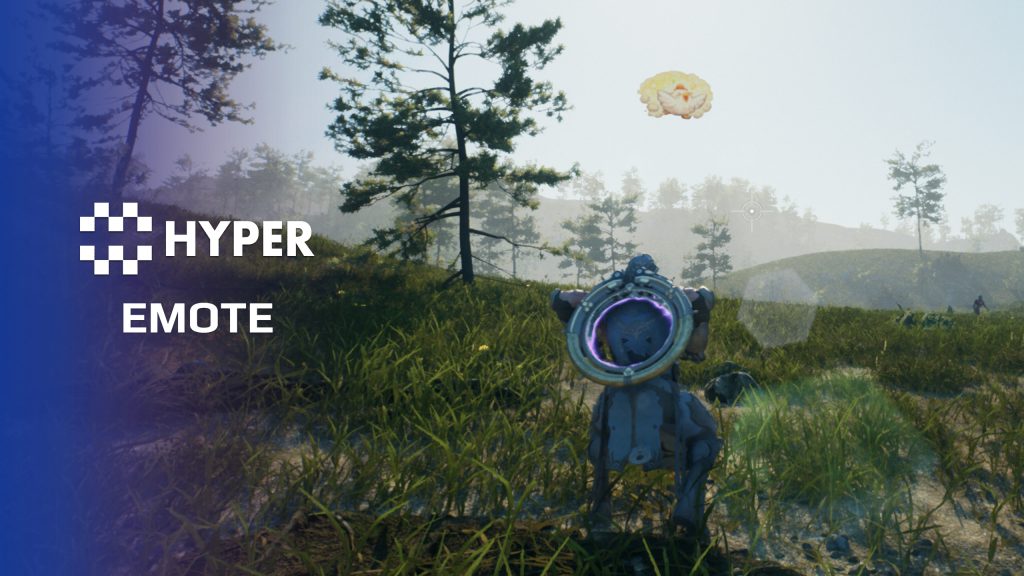
Give players a quick way to wave, point, celebrate or signal to one another. Hyper Emote System turns an emote table into a radial selection menu and plays the chosen montage through the multiplayer animation path.
Key Features
Selection and playback
- Radial menu: select an emote using its title, description and icon.
- Replicated montages: show the selected animation to other players.
- Animation slots: use the appropriate upper-body or full-body montage setup for your character.
- Included emotes: the table includes Wave, Point, Clap, Laugh and Dance.
Add your own emotes
- DataTable entries: add a Gameplay Tag, montage, title and menu icon without building a separate Blueprint for each emote.
- Scripted emotes: trigger the same emote by Gameplay Tag from dialogue, contextual interactions or your own gameplay logic.
- Validation hook: extend the execution check for movement, combat or other character restrictions.
- Optional world icon: the supplied billboard can show an icon above the character during an emote.
Supporting setup
The character emote component builds the radial data and connects input to the menu. The current implementation groups entries in one Emotes category. The optional billboard actor is presentation content separate from the montage playback.
Use the demo and table examples to add emotes suited to your game.
35 reviews for Emote System
You must be logged in to post a review.
Frequently asked questions
Why Hyper?
The strongest public modular Unreal Engine framework available at this scale
Most studios keep tools like this internal. Hyper makes a serious technical foundation available to solo developers, indies, and teams.
Built from 75,000+ hours of Unreal Engine work
System design, Blueprint architecture, multiplayer patterns, documentation, testing, integration, iteration, and real production problem-solving.
Systems designed to work together
Inventory, crafting, equipment, interaction, UI, combat, attributes, multiplayer, AI, quests, dialogue, maps, progression, survival systems, environment tools, performance helpers, and more can all live inside one larger ecosystem.
Working systems with source
Hyper gives you functional systems, a modular structure and documentation, with source you can extend for your own game.
Architecture you can extend
Hyper is built around scalable architecture: gameplay tags, structured data, child Blueprints, clean overrides, reusable components, and clear project boundaries.
Start fast, grow cleanly
Build on the included systems, replace visuals, adjust data, create child Blueprints and connect features without rebuilding the same foundation from scratch.
Want to learn more about the Hyper ecosystem, architecture philosophy, workflows, and developer behind it? Read more here and get started (https://gamesbyhyper.com/docs/getting-started/start-here/).
How do I add this to my project?
This module is provided as a full project because it includes Gameplay Tags, collision settings, config settings and other project-level dependencies.
Use our free Integration Tool (https://gamesbyhyper.com/product/integration-tool/) to prepare the integration. It combines compatible Hyper projects and handles migration and the required project settings. Use matching Unreal Engine versions and compatible Hyper releases.
Your own character, GameMode or custom systems may still need to be connected. The Integration Tool walkthrough (https://gamesbyhyper.com/docs/getting-started/use-the-automatic-integration-tool/) explains the setup and what to check in the generated project.
Do I need to use other Hyper systems with this?
No. You can use your own systems.
Hyper modules are designed around interfaces, abstract classes, shared contracts and dynamic dispatch, so features are not tied to one specific implementation.
If a module demonstrates integration with our Inventory, Equipment, Interaction, Movement, NPC or another Hyper system, you can:
Use the included Hyper implementation.
Replace it with your own system.
Use our implementation as a reference for your own integration.
The supplied integration shows how the module connects to the rest of a game. You can connect your own implementation through the same interface, abstract class or integration point.
For example, Attribute Manager may demonstrate Equipment modifying attributes. That does not mean you must purchase our Equipment System. You can follow the same integration pattern with your own equipment system.
The module includes working gameplay and its integration points. Build on the supplied setup or connect your own systems where you want different behavior.
See how to adapt a module (https://gamesbyhyper.com/docs/getting-started/customize-modules/) and how the shared data and abstract classes work (https://gamesbyhyper.com/docs/project-foundations/datamanagement/).
Where should I put my own changes?
Keep your own Blueprints, UI and data in your project's folder, for example Content/MyProject. Use child Blueprints or replacement components for your custom logic where possible.
That keeps your changes separate when you update Hyper. If you edit the original framework files directly, you will need to merge those edits when updating. The folder structure guide (https://gamesbyhyper.com/docs/project-foundations/folder-structure/) explains where everything belongs.
Can I add my own emote animations?
Yes. Add your animation assets to the emote setup and organize them in the radial menu. The system handles replicated montage playback.
Can I use different animation slots?
Yes. You can use upper-body or full-body animation slots, depending on how you want the emote to play.
Compatibility and file information
- Development platforms
- Linux, Windows, macOS
- Tested platforms
- Windows
Versions and compatibility
| Version | Release | Unreal Engine |
|---|---|---|
| V4V4 UE5.7, 5.8. Release: V4. | V4 | 5.7, 5.8 |
Implementation and interaction
- Modular / extensible
- Yes
- Multiplayer ready
- Yes
- UI components
- Yes
- Input methods
- Gamepad, Keyboard, Mouse
- AI gameplay features
- No
System setup
- Component: AC_CH_Emote on the character.
- Data: DT_Emotes rows using F_Emote and Gameplay Tag identifiers.
- UI: shared radial menu, currently populated as one Emotes category.
- Playback: server-facing execution wrapper and replication-aware montage playback.
- Extension: Can Emote be executed validation hook and optional billboard actor.
Compatibility
- Networking: replicated multiplayer support.
- Platform testing: Windows tested.
- Plugins: Common UI.
Release notes | Documentation | YouTube | Discord
Documentation, videos and Discord are public. Verified buyers can use the support forums.
Dalcon4 –
Review from FabThe Hyper Emote System v4 is a fully replicated, data-driven emote framework that lets players express themselves through animations, gestures, and social interactions. Integrated natively with the Generic Radial Menu for quick access, it delivers a polished social gameplay experience that is essential for any multiplayer or community-driven game. The system is feature-complete for modern multiplayer games. It supports unlimited emote definitions via data tables, animation montage playback with blending, looping and one-shot emotes, emote cancellation on movement or damage, prop spawning for emotes that require objects, and full multiplayer replication so all players see emotes in sync. Adding new emotes is as simple as adding a row to a data table and pointing it at an animation montage. The Radial Menu integration means the player-facing UI is already built and styled. The system handles all the complexity of animation playback, state management, and network replication transparently. No Blueprint wiring needed beyond initial setup.
NotTheFed –
Review from FabI have a LOT of Hyper’s kits.. and for a lot it is plug in play for the basics. I have MST PRO as the base framework, and just plug in those that are relevant for my game like Dialog, companion, advanced NPC, lockpicking, Skills, quests, traps, unlock (learn), world map, weathertime, Skinning, body decompose, Mesh to Actor swap, Admin console, with chat.. and so on. Simple to understand, and gets you started with most key parts of any game framework I highly recommend, not just for the quality of the kit.. but the excellent support on discord. The very detailed documentation.
WHYPHY710 –
Review from FabThis was so easy to integrate, even a 2 month newbie like me was able to get this working first try! I did need help, as I said I’m a serious newbie, but the community on discord responded to my question “asking is there a video that could teach me” and a wonderful person responded in 2 minutes flat with all the info I needed, and even topped it off with hand typed tutorial. The team, the community, all great! I do not work for these people, I do not know these people, I am a real person. Restaurant manager who just wants to make a game, because brother and I love playing games together. If you have any skill and desire a short cut, this is the team to pair with.
IGD_Studios –
Review from FabThe Radial Emote system is fun to use, i press L it opens and i can choose what i want, this is going to be a perfect add-up to mine game, now people can dance together while they are socializing. 5 star+ worth it.