Description
Documentation | Discord | Video | Demo
Hyper World Dialogue System v4
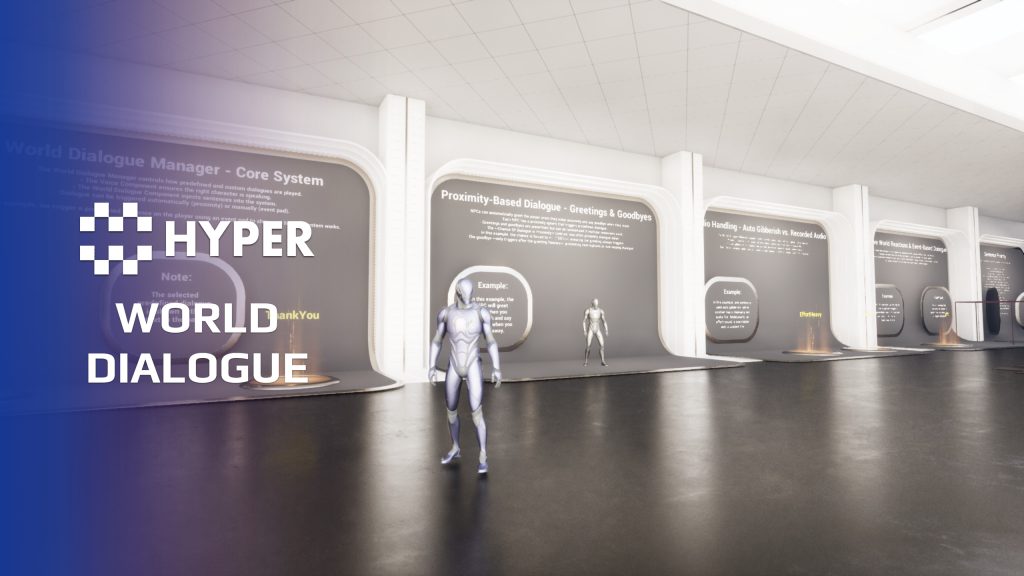
Make NPCs acknowledge the player without opening a conversation menu. Hyper World Dialogue adds nearby greetings, farewells and ambient spoken reactions through configurable voice events.
Key Features
Ambient encounters
- Proximity responses: react as a player approaches or leaves an NPC.
- Greetings and goodbyes: configure different lines for arrival and departure.
- Variation: use response chances and alternative lines to avoid hearing the same greeting every time.
- Voice playback: route spoken responses through the character voice setup.
Conversation flow
- Overlap control: coordinate nearby responses so dialogue does not simply play over itself.
- Character configuration: give different NPCs their own response settings.
- Event integration: connect the world-dialogue flow to other character or gameplay events.
World dialogue and direct conversations
This system handles speech that happens around the player in the world. It works alongside the related Dialogue and Voice systems when an NPC also needs interactive conversations or other vocal reactions.
Use a small set of greetings and departure lines to establish the character, then add variety where players return often.
Character reactions during normal play
- Shared categories, different voices: use predefined sentence categories for greetings, vendor responses, combat reactions and world interactions while selecting lines from the correct speaker profile.
- Recorded speech or gibberish: assign recorded voice lines or use the gibberish profile for paced simulated speech, with overrides for particular sentence tags.
- One-off world lines: inject a custom sentence at runtime for a configured gameplay moment, using assigned audio, gibberish or text-only subtitle playback.
44 reviews for World Dialogue System
You must be logged in to post a review.
Frequently asked questions
Why Hyper?
The strongest public modular Unreal Engine framework available at this scale
Most studios keep tools like this internal. Hyper makes a serious technical foundation available to solo developers, indies, and teams.
Built from 75,000+ hours of Unreal Engine work
System design, Blueprint architecture, multiplayer patterns, documentation, testing, integration, iteration, and real production problem-solving.
Systems designed to work together
Inventory, crafting, equipment, interaction, UI, combat, attributes, multiplayer, AI, quests, dialogue, maps, progression, survival systems, environment tools, performance helpers, and more can all live inside one larger ecosystem.
Working systems with source
Hyper gives you functional systems, a modular structure and documentation, with source you can extend for your own game.
Architecture you can extend
Hyper is built around scalable architecture: gameplay tags, structured data, child Blueprints, clean overrides, reusable components, and clear project boundaries.
Start fast, grow cleanly
Build on the included systems, replace visuals, adjust data, create child Blueprints and connect features without rebuilding the same foundation from scratch.
Want to learn more about the Hyper ecosystem, architecture philosophy, workflows, and developer behind it? Read more here and get started (https://gamesbyhyper.com/docs/getting-started/start-here/).
How do I add this to my project?
This module is provided as a full project because it includes Gameplay Tags, collision settings, config settings and other project-level dependencies.
Use our free Integration Tool (https://gamesbyhyper.com/product/integration-tool/) to prepare the integration. It combines compatible Hyper projects and handles migration and the required project settings. Use matching Unreal Engine versions and compatible Hyper releases.
Your own character, GameMode or custom systems may still need to be connected. The Integration Tool walkthrough (https://gamesbyhyper.com/docs/getting-started/use-the-automatic-integration-tool/) explains the setup and what to check in the generated project.
Do I need to use other Hyper systems with this?
No. You can use your own systems.
Hyper modules are designed around interfaces, abstract classes, shared contracts and dynamic dispatch, so features are not tied to one specific implementation.
If a module demonstrates integration with our Inventory, Equipment, Interaction, Movement, NPC or another Hyper system, you can:
Use the included Hyper implementation.
Replace it with your own system.
Use our implementation as a reference for your own integration.
The supplied integration shows how the module connects to the rest of a game. You can connect your own implementation through the same interface, abstract class or integration point.
For example, Attribute Manager may demonstrate Equipment modifying attributes. That does not mean you must purchase our Equipment System. You can follow the same integration pattern with your own equipment system.
The module includes working gameplay and its integration points. Build on the supplied setup or connect your own systems where you want different behavior.
See how to adapt a module (https://gamesbyhyper.com/docs/getting-started/customize-modules/) and how the shared data and abstract classes work (https://gamesbyhyper.com/docs/project-foundations/datamanagement/).
Where should I put my own changes?
Keep your own Blueprints, UI and data in your project's folder, for example Content/MyProject. Use child Blueprints or replacement components for your custom logic where possible.
That keeps your changes separate when you update Hyper. If you edit the original framework files directly, you will need to merge those edits when updating. The folder structure guide (https://gamesbyhyper.com/docs/project-foundations/folder-structure/) explains where everything belongs.
How is this different from a branching conversation screen?
World Dialogue handles lines spoken in the world, such as greetings, goodbyes or combat remarks. Proximity and gameplay events trigger them.
Can I vary how often a character speaks?
Yes. Use randomized lines and chance-based triggers, with the supplied overlap handling to keep dialogue from playing over itself.
Compatibility and file information
- Development platforms
- Linux, Windows, macOS
- Tested platforms
- Windows
Versions and compatibility
| Version | Release | Unreal Engine |
|---|---|---|
| V4V4 UE5.7, 5.8. Release: V4. | V4 | 5.7, 5.8 |
Implementation and interaction
- Modular / extensible
- Yes
- Multiplayer ready
- Yes
- UI components
- Yes
- Input methods
- Gamepad, Keyboard, Mouse
- AI gameplay features
- No
System setup
- Component: AC_CH_WorldDialogue_Manager on the character.
- Triggers: proximity-based world-dialogue events.
- Configuration: response selection, probability and playback coordination.
- Audio: character voice integration for the selected lines.
Compatibility
- Networking: replicated multiplayer support.
- Platform testing: Windows tested.
- Plugins: Common UI.
Release notes | Documentation | YouTube | Discord
Documentation, videos and Discord are public. Verified buyers can use the support forums.
pridge7 –
Review from FabSetting up conversations is quick and the system is flexible enough for branching dialogue without a lot of extra work.
Acquired with code t_ibox –
Review from FabHyper World Dialogue System v4 is an asset that adds a completely new level of immersion to a game. It is not just a standard dialogue system, but a tool designed to make characters and worlds feel much more alive. The way NPC interactions are handled is especially impressive, with the ability to create natural reactions depending on the situations players encounter. Greetings, world events, and action-based dialogue triggers help create a more dynamic and believable environment. I really like the approach used to prevent conversations from feeling repetitive. The ability to vary responses and control when dialogues happen makes NPCs feel like they have a real presence inside the game world. This system is also a great choice for projects focused on deeper storytelling, whether it is an RPG, survival game, open world, or multiplayer project. It provides a strong foundation for creating richer interactions between players and their surroundings. Like the other Hyper assets, it features clean design, clear organization, and a structure made to integrate well into larger projects. The overall quality and thought behind this tool show a very professional level of development. A fantastic asset for developers who want to create a more alive world with more natural NPCs and immersive interactions. Excellent work, highly recommended!
K1W1_LEGEND –
Review from FabThis voice manager is very easy to use and setup, Works well when paired with other systems like the dialogue system.