Description
Documentation | Discord | Overview | Video | Demo
Hyper Building System v4
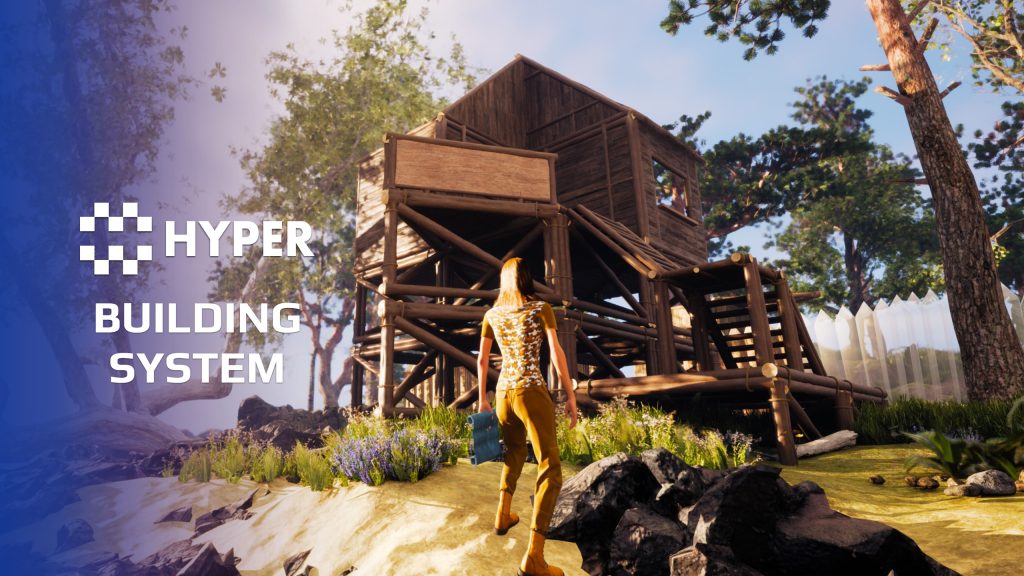
Let players build their own structures in multiplayer. Place foundations, walls, doors and stairs with a modular snapping system, or add standalone objects to furnish a base. Hyper Building System provides placement previews, rotation, elevation and the building controls around them.
Choose between ghost construction, where players supply resources after placing a plan, and direct placement, where construction finishes immediately. Configure each buildable's requirements and behavior for a survival, sandbox, co-op or base-building game.
Key Features
Placement and construction
- Ghost and direct modes: place a construction plan and add resources over time, or finish a buildable immediately and deduct its cost from inventory.
- Modular snapping: match trace channels and snap tags to find compatible connection points on foundations, walls and other pieces.
- Placement controls: rotate pieces, change foundation elevation and align selected buildables to the surface normal. Configure accepted placement angles.
- Placement feedback: check overlaps, support and snap validity before placement, with preview colors showing whether the current position is accepted.
- Foundation extensions: add extensions beneath elevated foundations as part of placement.
Structures that react to play
- Connected buildables: link parent and child pieces so support matters. Destroying a foundation can destroy the pieces that depend on it.
- Damage and repair: give buildables durability, display their health when damaged and repair them with the hammer.
- Destruction visuals: use the configured Chaos Geometry Collection for the buildable type and tier when a piece is destroyed.
- Resource-based upgrades: start or cancel an upgrade and supply the required materials to complete it.
- Locks and territory: use password locks on doors and cabinet-based authorization to control who can build within an area.
- Spline defense walls: create simple defense-wall runs with gate frames and individually buildable segments. This spline mode does not use modular snapping.
Building interface and placeable objects
- Category-based radial menu: select buildables from generated categories when the building plan or hammer is equipped.
- Contextual actions: target a buildable to see the hammer action, including repair, destruction, upgrade, cancellation or rotation.
- Placeable examples: campfires, cabinets, drying racks and other objects demonstrate placement. Their separate crafting or survival gameplay is not included just by placing the object. The farming plot shown in older example imagery is not included.
Add your own construction piece
Create a buildable entry, choose its category and configure placement, cost, durability and upgrade settings. Set its snap rules if it belongs to a modular structure, then test the preview, resource requirements and completed result. The documentation explains the landscape collision setup and menu-category workflow.
Try building a base
Use the demo and walkthroughs above to explore both construction modes. Building System is also included in MST Pro. Try the MST Pro demo, browse compatible Hyper systems or buy from our official store.
54 reviews for Building System
You must be logged in to post a review.
Frequently asked questions
Why Hyper?
The strongest public modular Unreal Engine framework available at this scale
Most studios keep tools like this internal. Hyper makes a serious technical foundation available to solo developers, indies, and teams.
Built from 75,000+ hours of Unreal Engine work
System design, Blueprint architecture, multiplayer patterns, documentation, testing, integration, iteration, and real production problem-solving.
Systems designed to work together
Inventory, crafting, equipment, interaction, UI, combat, attributes, multiplayer, AI, quests, dialogue, maps, progression, survival systems, environment tools, performance helpers, and more can all live inside one larger ecosystem.
Working systems with source
Hyper gives you functional systems, a modular structure and documentation, with source you can extend for your own game.
Architecture you can extend
Hyper is built around scalable architecture: gameplay tags, structured data, child Blueprints, clean overrides, reusable components, and clear project boundaries.
Start fast, grow cleanly
Build on the included systems, replace visuals, adjust data, create child Blueprints and connect features without rebuilding the same foundation from scratch.
Want to learn more about the Hyper ecosystem, architecture philosophy, workflows, and developer behind it? Read more here and get started (https://gamesbyhyper.com/docs/getting-started/start-here/).
How do I add this to my project?
This module is provided as a full project because it includes Gameplay Tags, collision settings, config settings and other project-level dependencies.
Use our free Integration Tool (https://gamesbyhyper.com/product/integration-tool/) to prepare the integration. It combines compatible Hyper projects and handles migration and the required project settings. Use matching Unreal Engine versions and compatible Hyper releases.
Your own character, GameMode or custom systems may still need to be connected. The Integration Tool walkthrough (https://gamesbyhyper.com/docs/getting-started/use-the-automatic-integration-tool/) explains the setup and what to check in the generated project.
Do I need to use other Hyper systems with this?
No. You can use your own systems.
Hyper modules are designed around interfaces, abstract classes, shared contracts and dynamic dispatch, so features are not tied to one specific implementation.
If a module demonstrates integration with our Inventory, Equipment, Interaction, Movement, NPC or another Hyper system, you can:
Use the included Hyper implementation.
Replace it with your own system.
Use our implementation as a reference for your own integration.
The supplied integration shows how the module connects to the rest of a game. You can connect your own implementation through the same interface, abstract class or integration point.
For example, Attribute Manager may demonstrate Equipment modifying attributes. That does not mean you must purchase our Equipment System. You can follow the same integration pattern with your own equipment system.
The module includes working gameplay and its integration points. Build on the supplied setup or connect your own systems where you want different behavior.
See how to adapt a module (https://gamesbyhyper.com/docs/getting-started/customize-modules/) and how the shared data and abstract classes work (https://gamesbyhyper.com/docs/project-foundations/datamanagement/).
Where should I put my own changes?
Keep your own Blueprints, UI and data in your project's folder, for example Content/MyProject. Use child Blueprints or replacement components for your custom logic where possible.
That keeps your changes separate when you update Hyper. If you edit the original framework files directly, you will need to merge those edits when updating. The folder structure guide (https://gamesbyhyper.com/docs/project-foundations/folder-structure/) explains where everything belongs.
Can I choose between ghost construction and direct placement?
Yes. Use ghost placement for structures players complete later, or direct placement for an immediate result. Snapping, rotation and elevation settings let you adapt the placement to your game.
Do example placeables include their own gameplay systems?
The placeables demonstrate placement. Objects such as campfires and drying racks do not include their own gameplay logic in this product. Connect the behavior you want them to have.
Compatibility and file information
- Development platforms
- Linux, Windows, macOS
- Tested platforms
- Windows
Versions and compatibility
| Version | Release | Unreal Engine |
|---|---|---|
| V2V2 UE5.3, 5.4. Release: V2. | V2 | 5.3, 5.4 |
| V3V3 UE5.5, 5.6. Release: V3. | V3 | 5.5, 5.6 |
| V4V4 UE5.7, 5.8. Release: V4. | V4 | 5.7, 5.8 |
Implementation and interaction
- Modular / extensible
- Yes
- Multiplayer ready
- Yes
- UI components
- Yes
- Input methods
- Gamepad, Keyboard, Mouse
- AI gameplay features
- No
System setup
- Architecture: AC_CH_BuildingSystem on the character manages build mode, tracing, preview updates and placement validation. Buildable actors hold piece-specific behavior.
- Configuration: DataTable-driven categories, costs, placement mode, snap behavior, durability, repair, upgrades and parent-child behavior.
- Placement setup: surfaces must block the buildable trace channel. Matching trace channels and snap tags determine compatible modular connections.
- Interface: generated radial categories and contextual hammer controls.
- Scope: modular structures, standalone placement and basic spline defense walls. Separate placeable gameplay systems are not implied.
Compatibility
- Networking: replicated multiplayer support.
- Platform testing: Windows tested.
- Plugins: Common UI.
Release notes | Documentation | YouTube | Discord
Documentation, videos and Discord are public. Verified buyers can use the support forums.

FootlongTube –
Review from FabI had been searching for a while for a good building system, this ticks every box i was looking for. Easy to add your own customized items to the build menus and easy to modify the UI to your own games look and feel, it also integrates seamlessly with the other excellent Hyper systems, couldn’t recommend further.
pridge7 –
Review from FabSnapping and placement feel solid right out of the box, and it was easy to hook into my own survival setup.
dng_phm_david –
Review from FabLike the rest of Hyper’s V2 packages, this one is an amazing module for adding polished gameplay to your projects. It migrates easily into the new Hyper folder hierarchy for the V2 generation of modules, and the building mechanics are spot on.
P4uly_B –
Review from Fabif you are looking for a building mechanic in your game, this is the one you want. excellent foundation to build upon (no pun intended). worth every cent.
Thepinnacle0317 –
Review from FabHands down the best building system I have come across on the marketplace and using the dimensions provided that are generally the standard size of modular components has allowed me to integrate different building styles with only a few days work after learning. The radial menu is easy to add categories and make it feel your own.
Rodzilla4269 –
Review from Fabgreat product! Can you verify me? Rodzilla4269#6995