Description
Documentation | Discord | Overview | Video | Demo
Hyper Mineable Rocks v4
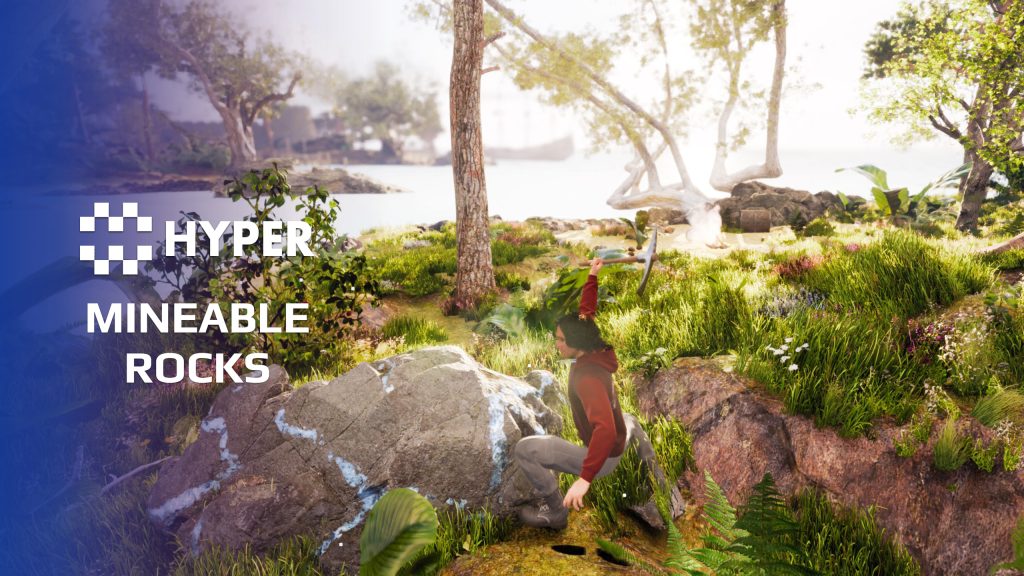
Turn rocks into a resource players can work for. Hyper Mineable Rocks provides staged static-mesh harvesting and Chaos-based destruction, with equipment checks, configurable ore rewards and respawning.
Key Features
Choose a harvesting style
- Staged rocks: use predictable mesh stages with a configurable static mesh.
- Chaos rocks: use destructible geometry for a more physical breakage effect.
- Shared lifecycle: both rock styles use a common parent for respawn behavior.
Tools, damage and rewards
- Equipment validation: accept damage from the configured equipment types.
- Damage progression: use equipment damage to advance durability and destruction.
- Ore drops: configure the resource rewards from destroying the rock.
- On-demand activation: the parent setup starts the heavier rock behavior when valid equipment hits it.
- World placement: use actor foliage, procedural foliage or PCG for resource placement.
Configure your own rocks
Duplicate a configuration and choose the mesh for a staged rock. For Chaos, assign a geometry collection and tune the mass requirement and force multiplier. The two approaches share the resource loop but need different visual setup.
Use the overview above to choose the approach that fits your world.
Related resources
MST Pro | Explore all compatible Hyper systems | try the MST Pro demo | official store
52 reviews for Mineable Rocks
You must be logged in to post a review.
Frequently asked questions
Why Hyper?
The strongest public modular Unreal Engine framework available at this scale
Most studios keep tools like this internal. Hyper makes a serious technical foundation available to solo developers, indies, and teams.
Built from 75,000+ hours of Unreal Engine work
System design, Blueprint architecture, multiplayer patterns, documentation, testing, integration, iteration, and real production problem-solving.
Systems designed to work together
Inventory, crafting, equipment, interaction, UI, combat, attributes, multiplayer, AI, quests, dialogue, maps, progression, survival systems, environment tools, performance helpers, and more can all live inside one larger ecosystem.
Working systems with source
Hyper gives you functional systems, a modular structure and documentation, with source you can extend for your own game.
Architecture you can extend
Hyper is built around scalable architecture: gameplay tags, structured data, child Blueprints, clean overrides, reusable components, and clear project boundaries.
Start fast, grow cleanly
Build on the included systems, replace visuals, adjust data, create child Blueprints and connect features without rebuilding the same foundation from scratch.
Want to learn more about the Hyper ecosystem, architecture philosophy, workflows, and developer behind it? Read more here and get started (https://gamesbyhyper.com/docs/getting-started/start-here/).
How do I add this to my project?
This module is provided as a full project because it includes Gameplay Tags, collision settings, config settings and other project-level dependencies.
Use our free Integration Tool (https://gamesbyhyper.com/product/integration-tool/) to prepare the integration. It combines compatible Hyper projects and handles migration and the required project settings. Use matching Unreal Engine versions and compatible Hyper releases.
Your own character, GameMode or custom systems may still need to be connected. The Integration Tool walkthrough (https://gamesbyhyper.com/docs/getting-started/use-the-automatic-integration-tool/) explains the setup and what to check in the generated project.
Do I need to use other Hyper systems with this?
No. You can use your own systems.
Hyper modules are designed around interfaces, abstract classes, shared contracts and dynamic dispatch, so features are not tied to one specific implementation.
If a module demonstrates integration with our Inventory, Equipment, Interaction, Movement, NPC or another Hyper system, you can:
Use the included Hyper implementation.
Replace it with your own system.
Use our implementation as a reference for your own integration.
The supplied integration shows how the module connects to the rest of a game. You can connect your own implementation through the same interface, abstract class or integration point.
For example, Attribute Manager may demonstrate Equipment modifying attributes. That does not mean you must purchase our Equipment System. You can follow the same integration pattern with your own equipment system.
The module includes working gameplay and its integration points. Build on the supplied setup or connect your own systems where you want different behavior.
See how to adapt a module (https://gamesbyhyper.com/docs/getting-started/customize-modules/) and how the shared data and abstract classes work (https://gamesbyhyper.com/docs/project-foundations/datamanagement/).
Where should I put my own changes?
Keep your own Blueprints, UI and data in your project's folder, for example Content/MyProject. Use child Blueprints or replacement components for your custom logic where possible.
That keeps your changes separate when you update Hyper. If you edit the original framework files directly, you will need to merge those edits when updating. The folder structure guide (https://gamesbyhyper.com/docs/project-foundations/folder-structure/) explains where everything belongs.
Must I use Chaos destruction?
No. Use staged static meshes for a simpler, more predictable setup, or configure Chaos destruction for that visual style.
Can I configure ore drops and respawning?
Yes. Set the ores that spawn at each destruction stage and configure the rock's respawn behavior.
Compatibility and file information
- Development platforms
- Linux, Windows, macOS
- Tested platforms
- Windows
Versions and compatibility
| Version | Release | Unreal Engine |
|---|---|---|
| V2V2 UE5.3, 5.4. Release: V2. | V2 | 5.3, 5.4 |
| V3V3 UE5.5, 5.6. Release: V3. | V3 | 5.5, 5.6 |
| V4V4 UE5.7, 5.8. Release: V4. | V4 | 5.7, 5.8 |
Implementation and interaction
- Modular / extensible
- Yes
- Multiplayer ready
- Yes
- UI components
- Yes
- Input methods
- Gamepad, Keyboard, Mouse
- AI gameplay features
- No
System setup
- Implementations: staged static-mesh and Chaos-based harvesting with shared respawn behavior.
- Validation: accepted equipment type and equipment damage.
- Chaos tuning: geometry collection, mass threshold and force multiplier.
- Integration: resource drops and foliage/PCG placement.
Compatibility
- Networking: replicated multiplayer support.
- Platform testing: Windows tested.
- Plugins: Common UI.
Release notes | Documentation | YouTube | Discord
Documentation, videos and Discord are public. Verified buyers can use the support forums.

pridge7 –
Review from FabPairs perfectly with the choppable trees and makes resource gathering feel complete.
t_ibox –
Review from FabHyper Mineable Rocks v4 is an excellent asset for adding more life and depth to an open world. It transforms simple environmental objects into meaningful gameplay elements by introducing a complete resource gathering experience. The ability to have mineable rocks with visual feedback, destruction stages, and collectible resources adds a lot of immersion for players. These details make a huge difference in survival, exploration, and crafting games. I especially appreciate the flexibility of the system, allowing developers to adapt it easily to their own project requirements. It provides a strong foundation for progression mechanics, economy systems, crafting, or simply making the world feel more interactive. The resource respawn management and different rock approaches show that the asset was designed with versatility in mind and can fit many different types of games. Like the other Hyper tools, it offers clean design, organized logic, and a professional approach that makes development much easier. It saves time while adding real gameplay value to a project. A fantastic asset for developers who want to create a more dynamic, interactive, and rewarding world. Highly recommended!
Cursedsniper556 –
Review from Fabextremly smooth animations and extramly easy to use and has one of the best supports and community
Kildrake –
Review from FabHyper has amazing products that really have helped me save time!
Becca KW –
Review from FabI enjoy using this asset in my game development. It’s one of the better assets in the marketplace for producing instant results but also inspiring you to learn more. It’s complicated but learnable. It’s fun to figure out how to break other static meshes, too.
Serevan4780 –
Review from FabI own a few of Hypers assets, minable rocks UE4, V1 and now V2 among them. Worked seamlesly out of the box even in my own custom project so can only imagine how smooth it must be when using all of this devs assets together. Highly reccomend for anyone who needs mining in their game!
Thepinnacle0317 –
Review from FabThe V2 provides a stable alternative to chaos until Epic has nailed it down and stability improves. These rocks include the chaos and SM versions that just simply works.