Description
Documentation | Discord | Overview video | Video | How to add to MST Pro or other Hyper Modules? | Demo
Hyper Ability System v4
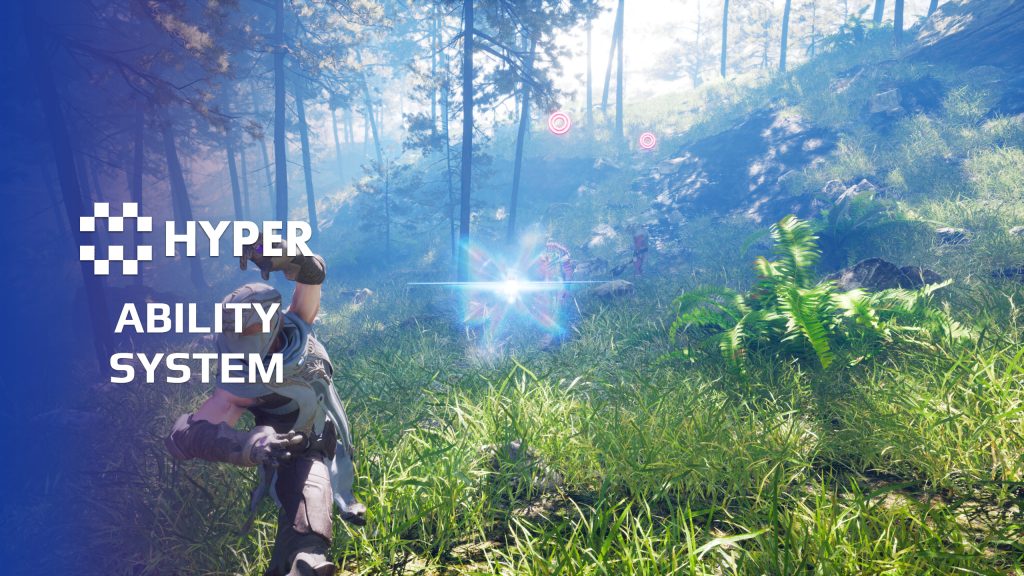
Want to give your characters more than a basic attack? Build a charged strike, a continuous beam, a summoned ally or a passive that triggers when a character takes damage. Hyper Ability System brings abilities, casting, targeting and effects together in one configurable framework for Unreal Engine 5.
Set up abilities through DataTables, combine the supplied ability types and extend their behavior for your game. The system works independently of Epic's Gameplay Ability System (GAS) and is designed to connect with other Hyper modules.
Key Features
Ability types
- Projectiles: configure speed, gravity, lifetime, collision, tracking and piercing, together with the projectile's mesh, effects and audio.
- Beams: create continuous attacks such as lasers or flamethrowers, with configurable range, repeated impact and support for multiple targets.
- Area effects: affect targets within sphere, box or cone traces. Apply an effect once or at intervals, with configurable lifetime and optional decals.
- Summoning: spawn actors through an ability and control how long they remain in the world.
Casting and targeting
- Cast behavior: use automatic release, continuous or chargeable casting. Configure start, loop, release and cancel stages with animations, sound and visual effects.
- Costs, cooldowns and charges: control ability costs, interruptibility, cooldown duration and available charges, with equipment requirements where needed.
- Targeting and impact: aim an ability, attach it to the caster or place it at a location. Filter affected targets with Gameplay Tags and configure damage, healing, attribute changes, knockback and camera shake.
Passive abilities and buffs
- Passive triggers: apply constant modifiers or react to landing a hit, getting hit, defeating an enemy or equipping an item.
- Trigger conditions: configure passive cooldowns and requirements such as health thresholds, critical hits, equipment tags or dual wielding.
- Buffs and debuffs: apply timed attribute changes or damage to the owner or targets. Configure stacking, repeated application, lifetime and visual effects.
Configure and extend
- Data-driven setup: define names, descriptions, icons, tags and ability settings in DataTables. Reuse the supplied ability classes for different configurations.
- Custom behavior: extend the active or passive base classes when your mechanic needs its own effect or trigger. The documentation walks through creating an active ability, a timed buff and a conditional passive.
From an idea to a playable ability
A power strike can play a casting animation, hit enemies in front of the character and then enter its cooldown. A movement buff can temporarily increase speed and attach a trail effect. A defensive passive can react to incoming damage by applying a regeneration buff, with its own cooldown to control how often it triggers.
These are workflows covered in the documentation. Start from an ability definition, choose its targeting and cast behavior, then configure what happens on impact. Change the data for a variation, or extend the underlying class when you need a new mechanic.
Connect it to your game
Use equipment requirements and Gameplay Tags to control which abilities a character can use and which targets they affect. Ability-manager events expose changes such as ability use, cooldown state, ability sets and buffs, so you can connect your own UI and gameplay responses. Replicated multiplayer support is part of the system.
Interface and character integration
- Ability interface: browse active and passive abilities, arrange them in slots with drag and drop, and switch between ability sets. Information panels and cooldown indicators keep the current configuration visible.
- Attributes and equipment: the supplied character connects the attribute manager, equipment component and inventory, so ability costs, buffs and equipment requirements work together.
- UI and feedback: the supplied controller connects the ability manager with the UI manager and information prompts. Ability selection and feedback are connected to the playable character.
Build variations from the same ability rules
- One type, several designs: reuse a projectile definition for different speeds, tracking rules and impacts, or turn an area effect into an instant burst or a lingering hazard.
- A complete cast sequence: start, loop, release and cancel stages give a charged attack or continuous beam distinct timing and feedback.
- Conditional passives: combine the trigger with health, equipment and cooldown requirements so the effect fires under the intended conditions.
- Player loadouts: use the ability sets and slot interface to let players arrange their active and passive choices, then keep costs and cooldowns visible during play.
Try it in your game
Explore the demo and walkthroughs above to see the ability workflow. Use the system in your own project or combine it with MST Pro and other Hyper systems. You can also buy directly from our store.
51 reviews for Ability System
You must be logged in to post a review.
Frequently asked questions
Why Hyper?
The strongest public modular Unreal Engine framework available at this scale
Most studios keep tools like this internal. Hyper makes a serious technical foundation available to solo developers, indies, and teams.
Built from 75,000+ hours of Unreal Engine work
System design, Blueprint architecture, multiplayer patterns, documentation, testing, integration, iteration, and real production problem-solving.
Systems designed to work together
Inventory, crafting, equipment, interaction, UI, combat, attributes, multiplayer, AI, quests, dialogue, maps, progression, survival systems, environment tools, performance helpers, and more can all live inside one larger ecosystem.
Working systems with source
Hyper gives you functional systems, a modular structure and documentation, with source you can extend for your own game.
Architecture you can extend
Hyper is built around scalable architecture: gameplay tags, structured data, child Blueprints, clean overrides, reusable components, and clear project boundaries.
Start fast, grow cleanly
Build on the included systems, replace visuals, adjust data, create child Blueprints and connect features without rebuilding the same foundation from scratch.
Want to learn more about the Hyper ecosystem, architecture philosophy, workflows, and developer behind it? Read more here and get started (https://gamesbyhyper.com/docs/getting-started/start-here/).
How do I add this to my project?
This module is provided as a full project because it includes Gameplay Tags, collision settings, config settings and other project-level dependencies.
Use our free Integration Tool (https://gamesbyhyper.com/product/integration-tool/) to prepare the integration. It combines compatible Hyper projects and handles migration and the required project settings. Use matching Unreal Engine versions and compatible Hyper releases.
Your own character, GameMode or custom systems may still need to be connected. The Integration Tool walkthrough (https://gamesbyhyper.com/docs/getting-started/use-the-automatic-integration-tool/) explains the setup and what to check in the generated project.
Do I need to use other Hyper systems with this?
No. You can use your own systems.
Hyper modules are designed around interfaces, abstract classes, shared contracts and dynamic dispatch, so features are not tied to one specific implementation.
If a module demonstrates integration with our Inventory, Equipment, Interaction, Movement, NPC or another Hyper system, you can:
Use the included Hyper implementation.
Replace it with your own system.
Use our implementation as a reference for your own integration.
The supplied integration shows how the module connects to the rest of a game. You can connect your own implementation through the same interface, abstract class or integration point.
For example, Attribute Manager may demonstrate Equipment modifying attributes. That does not mean you must purchase our Equipment System. You can follow the same integration pattern with your own equipment system.
The module includes working gameplay and its integration points. Build on the supplied setup or connect your own systems where you want different behavior.
See how to adapt a module (https://gamesbyhyper.com/docs/getting-started/customize-modules/) and how the shared data and abstract classes work (https://gamesbyhyper.com/docs/project-foundations/datamanagement/).
Where should I put my own changes?
Keep your own Blueprints, UI and data in your project's folder, for example Content/MyProject. Use child Blueprints or replacement components for your custom logic where possible.
That keeps your changes separate when you update Hyper. If you edit the original framework files directly, you will need to merge those edits when updating. The folder structure guide (https://gamesbyhyper.com/docs/project-foundations/folder-structure/) explains where everything belongs.
Does this use Epic's Gameplay Ability System (GAS)?
No. Hyper Ability System is built entirely in Blueprints and works independently of GAS. It includes active and passive abilities, buffs and effects.
Which types of abilities can I build?
You can build projectile, beam, area-of-effect, instant and over-time abilities. Passive abilities can respond to events such as dealing damage, getting hit, defeating an enemy or equipping an item.
Compatibility and file information
- Development platforms
- Linux, Windows, macOS
- Tested platforms
- Windows
Versions and compatibility
| Version | Release | Unreal Engine |
|---|---|---|
| V3V3 UE5.5, 5.6. Release: V3. | V3 | 5.5, 5.6 |
| V4V4 UE5.7, 5.8. Release: V4. | V4 | 5.7, 5.8 |
Implementation and interaction
- Modular / extensible
- Yes
- Multiplayer ready
- Yes
- UI components
- Yes
- Input methods
- Gamepad, Keyboard, Mouse
- AI gameplay features
- No
System setup
- Architecture: component-based ability manager with reusable active, passive and buff classes. Independent of Epic's Gameplay Ability System (GAS).
- Configuration: DataTables for active abilities, passive abilities and status effects, with Gameplay Tags for lookup, requirements and target filtering.
- Ability settings: targeting, equipment requirements, casting stages, costs, cooldowns, charges and impact effects.
- Presentation: animation montages and notifies, Niagara effects, meshes, audio and camera shake.
- Extension points: custom ability classes and passive triggers, with events for ability use, ability-set changes, cooldown state and buffs.
Compatibility and support
- Networking: replicated multiplayer support.
- Platform testing: Windows tested.
- Plugin: Common UI.
Read the Ability System documentation for setup and authoring examples. Videos and Discord are public; verified buyers can use the support forums. See the release notes for the v4 update.

Xx-JayCook-xX –
Review from FabI’m not going to lie – I didn’t even need this system for my game. Just wanted it because it looked good hahaha. Ended up finding a lot of use for it, the powers are incredibly cool and I’ve toyed with them in my game. Struggling to find a way to incorporate them into my actual game design – However I stumbled upon the section that allows buffs, like extra health/ damage etc and this is very very useful for me. So glad I bought it out of impulse because it actually ended up saving me so much time and it works great + I have the option to add in some of the cool attacks etc that come with it. Although thinking of it now, you can create your own abilities so I could create something like the equivelenet of deadshot on COD Zombies which is where the player has 100% accuracy for a limited time… So actually I am glad I wrote this review
realmalden420 –
Review from FabThis is by far the best ability system around. There’s lots of videos helping you along as well. I’ll continue to buy more .
shoonswootpoonts –
Review from Fabsolid alternative to GAS. Very strong on its own and the example content is far better than you’d expect. UPDATE: updated v4 docs are good. Also the free integration tool slaps Super easy to learn super worth it!
ERuts • 5 months ago • Edited 4 months ago Publisher Hey! Thank you so much! Edit (user referenced that doc names and some info where a bit outdated, now its updated): For reference: the videos and documentation are shown here: https://gamesbyhyper.com/docs/combat/ability-system/ Free integration tool info here: https://gamesbyhyper.com/docs/getting-started/use-the-automatic-integration-tool/ and downloadable here: https://gamesbyhyper.com/product/integration-tool/. Thank you for the feedback
shoonswootpoonts –
Review from Fabsolid alternative to GAS. Very strong on its own and the example content is far better than you’d expect. Only reason for no 5 stars is because their tutorials, documentation, and explanations are a whole version behind. all products have been moved to V4 but the tuts are for v3 and the docs could use some adjusting as well. UPDATE: there was an update that there would eventually be adequate documentation in the discord in march of 2026 but then nothing.
ERuts • 19 days ago Publisher Hey! Thank you so much! Have you seen the videos and documentation shown here? https://gamesbyhyper.com/docs/combat/ability-system/ Gladly, what is discussed and shown there are the principles of the system that still apply! Yes, instead of e.g. AC_Ability is changed to AC_PC_Ability. I believe things like that are the most important differences which are not processed in the documentation but all principles still apply. In the meantime, yes new systems are updated and documented as we speak. I think a couple of hundred pages of documentation has been published in the last month on v4 systems. I just finished about 125 other pages (with help of community members) for some missing ones. So we are working hard on it! Also have been communicating the process. Thank you for letting me know. Again, if there is anything specific please reach out so I can help you in the right direction. Greetings, Eric
NotTheFed –
Review from FabI have a LOT of Hyper’s kits.. and for a lot it is plug in play for the basics. I have MST PRO as the base framework, and just plug in those that are relevant for my game like Dialog, companion, advanced NPC, lockpicking, Skills, quests, traps, unlock (learn), world map, weathertime, Skinning, body decompose, Mesh to Actor swap, Admin console, with chat.. and so on. Simple to understand, and gets you started with most key parts of any game framework I highly recommend, not just for the quality of the kit.. but the excellent support on discord. The very detailed documentation.
Rezec –
Review from FabWhat I love about the Hyper Systems is that I can drop them into my existing project and easily integrate with my own systems because all the systems are modular and based on Gameplay Tags. I had my own attribute, damage, character, skill tree and inventory systems that were all built using Gameplay Tags and this was easy to drop in and start replacing the reference to Hyper systems with references to my own systems.
xSgtSalty –
Review from FabEric and the team are amazing. Super happy with the amount of time this product has saved me.