
Mount system #
Introduction #
The Mount System is a flexible, slot-based framework that lets a player or AI character mount and dismount world actors. In practice, that means the same system can support animals, vehicles, wagons, boats, benches, or any other custom actor that a character should be able to attach to and occupy.
Instead of treating mounting as one hard-coded interaction, the system breaks the problem into reusable pieces. The player owns the mount request logic, the mountable actor owns one or more mount targets, and each target decides how that particular slot behaves.
- Supports one-seat and multi-seat mountables.
- Lets each seat define its own priority, animation, entry behaviour, and mount logic.
- Works with both instant attach and walk-to-entry style mounting.
- Prevents multiple users from taking the same slot at the same time.
- Uses replicated state so other clients can see the mounted result correctly.
Demo overview describing the system as a reusable framework for animals, vehicles, transport, and other mountable actors.
Adding Mounting to the Player #
To use the system on a character, the project setup shown in the demo splits the runtime behaviour across two player-owned components.
- Add AC_PC_Mounting to the Player Controller. This is the gameplay-facing component that receives mount and dismount requests, chooses a valid slot, starts the chosen strategy, and manages mounted input handling.
- Add AC_PS_Mounting_Listener to the Player State. This listener mirrors the mounted state for replication, attaches or detaches the character on rep updates, and ensures the mounted result is visible to other clients.
This keeps the request logic, seat selection, and input flow on the locally controlled side, while the replicated attachment result lives somewhere that can be observed consistently by everyone in the session.
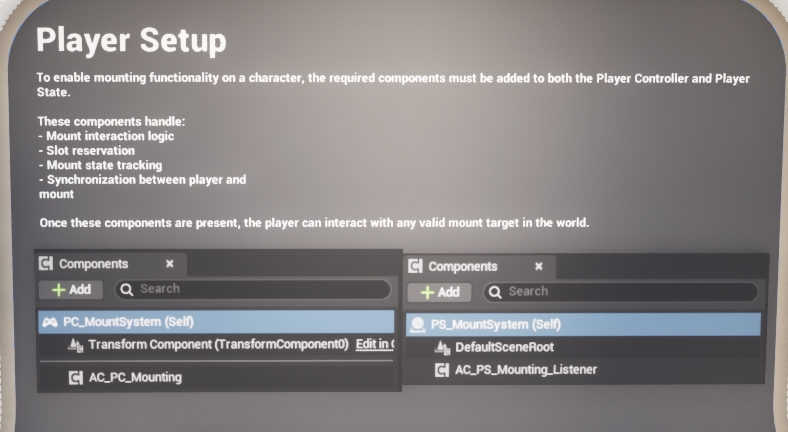
Required player-side setup shown in the demo: mounting logic on the Player Controller and replicated listening on the Player State.
Why split logic between the Player Controller and Player State? #
The Player Controller is a good place for client-owned interaction requests, mount input mapping, and server RPC entry points. The Player State is a better place to mirror the final mounted slot and react to replication. In the supplied implementation, the controller component decides what should happen, and the player-state listener makes sure the character is physically attached, detached, and visually updated at the right time.
|
Buyer note: The mount system does not need to own your interaction prompt or trace logic. It only needs a valid mountable actor to be supplied when the player decides to mount. |
Mount Targets and Slot Setup #
Any actor that should be mountable needs one or more mount target components. Each mount target represents a single usable slot. On a horse-like creature this may only be one rider position. On a truck or wagon there may be several independent targets for driver and passenger seats.
The slot itself stores the information that makes one seat behave differently from another: which priority it belongs to, which mounted animation it should play, how the character should approach it, and whether it should look for a specific tagged entry point instead of the default nearest-arrow search.
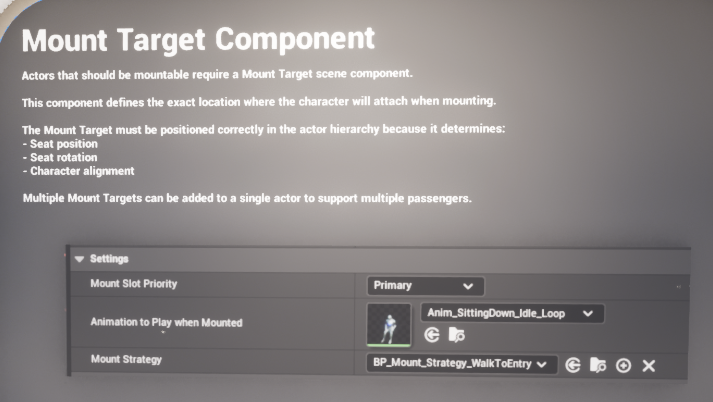
Important slot settings #
- Mount Slot Priority: decides which slot is preferred when multiple targets are available. The enum supplied with the system includes Primary, Secondary, and Tertiary.
- Animation To Play: the animation asset pushed onto the character while that slot is occupied. This is ideal for seated, riding, or passenger poses.
- Mount Strategy: the class that determines how the character reaches the slot. The supplied examples are instant teleport and walk-to-entry.
- Override Mount Slot Tag: an optional tag-based override used when a slot should resolve to a specific entry component instead of the standard nearest valid arrow.
When searching for a seat, the system evaluates priority before distance. That means a higher-priority slot can win even if a lower-priority slot is physically closer. In practice this is what lets a driver seat be favoured over a passenger seat.
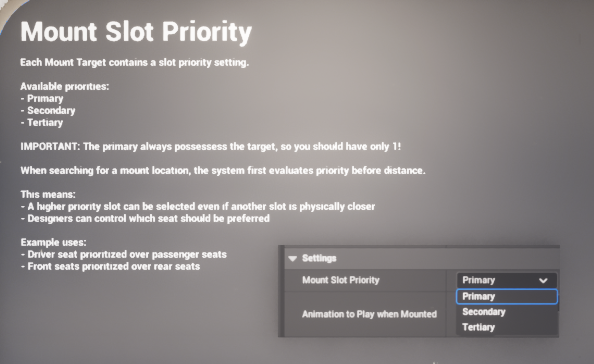
Slot priority is evaluated before distance, allowing driver or preferred front seats to win against closer but lower-priority passenger slots.
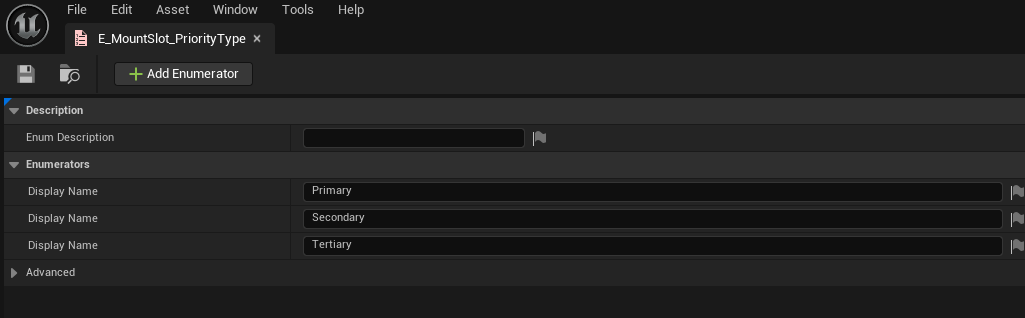
The supplied enum exposes three priority levels: Primary, Secondary, and Tertiary.
Entry and Exit Points #
Mountable actors can define entry and exit locations using arrow components. These arrows give the system a clear world-space transform to move toward and a reliable facing direction for the final attach or detach result.
The supplied mount target logic searches for a valid arrow, checks whether the location is obstructed, and falls back to a projected navigation point when needed. This makes the system more forgiving in real levels where one side of a vehicle may be blocked or where a designer wants exact control over how a character approaches a mount.
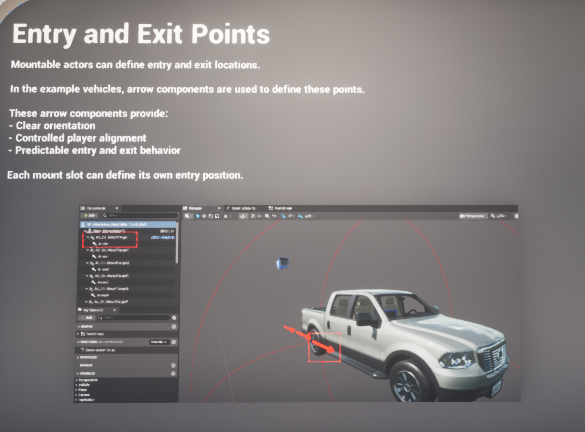
Vehicle example using arrow components to define controlled entry and exit points.
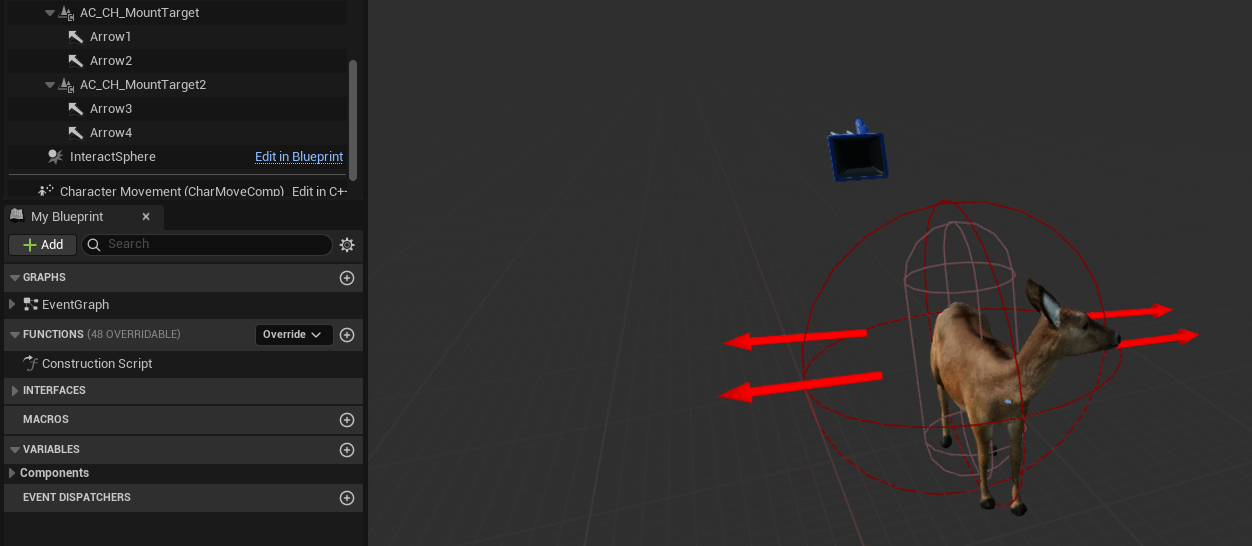
Animal example showing mount targets and arrow components placed directly on the mountable actor.
If a slot is configured with an override tag, the target component can search for a specifically tagged scene component instead of using the general nearest-entry search. This is useful when a particular seat must always use a named left-side or right-side access point.
Mount Strategies #
A mount strategy determines how the character actually reaches the slot. The system is designed so this is not hard-coded into the mount target itself. Instead, each slot chooses the strategy class it wants to use.
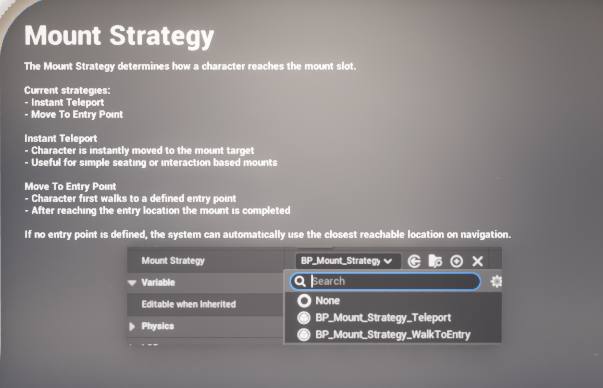
A slot can choose whether mounting is instant or requires walking to a defined entry location.
BP_Mount_Strategy_Teleport #
The teleport strategy is intentionally minimal. When it starts, it immediately reports success and allows the main mount flow to place the character on the target slot. This is best for simple mounts where a walking approach is unnecessary or where you want fast interaction with no setup cost.
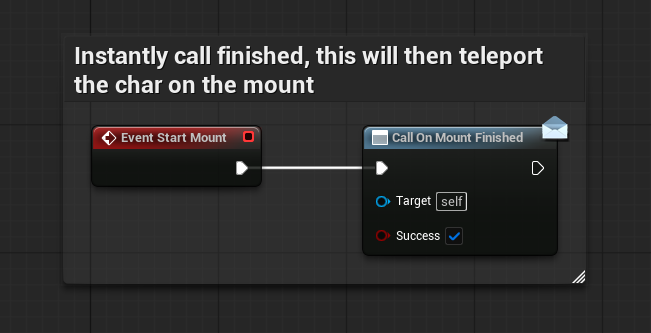
The teleport strategy finishes immediately, making the slot behave like an instant attach.
BP_Mount_Strategy_WalkToEntry #
The walk-to-entry strategy finds a path toward the chosen mount location, advances through the path points, and completes once the character is close enough to the target. It also includes a safety timer so the interaction can still finish even if the character gets stuck during the approach. This is the stronger option for vehicles, benches, or creature mounts where approach presentation matters.
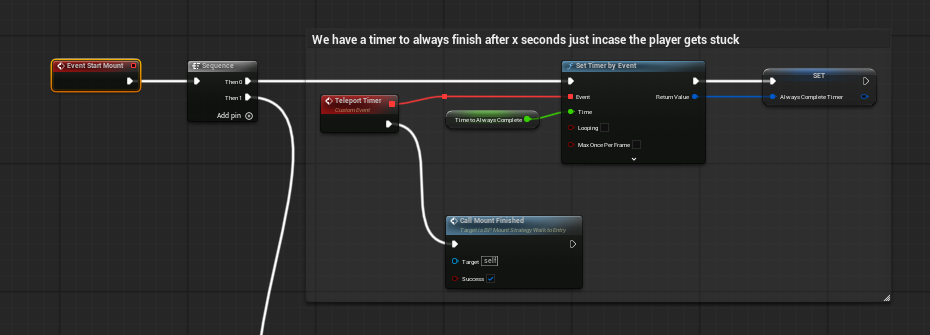
The walk-to-entry strategy resolves a path toward the target mount location and finishes once the approach is complete.
RUNTIME FLOW
At runtime, mounting follows a clear sequence:
- An interaction system or gameplay event asks the player-side mounting component to mount a specific actor.
- AC_PC_Mounting searches that actor for mount target components and picks the best valid slot using priority and distance.
- The chosen slot is marked occupied so nobody else can claim it during the mount attempt.
- The slot's selected mount strategy is started. This may complete instantly or after a walk-up phase.
- When the strategy finishes successfully, the slot is marked mounted, mounted-only input can be enabled, and any driver-style possession rules can be applied.
- AC_PS_Mounting_Listener receives the replicated slot update, attaches the character to the correct component, applies the slot animation, and keeps the result visible to other clients.
- On dismount, the process is reversed: movement and collision are restored, the mounted input context is removed, the attachment is cleared, and the character is placed at the resolved exit transform.
|
Integration note: The screenshots show the mount system itself. The initial prompt, overlap, or interaction trace that decides which actor the player can mount may come from your wider interaction framework. |
Core Classes and Responsibilities #
E_MountSlot_PriorityType #
This enum defines the priority ladder used during seat selection. The supplied values are Primary, Secondary, and Tertiary. Designers should normally treat Primary as the one most important seat on the actor, such as a driver position or lead rider position.
AC_PC_Mounting #
This is the main controller-side gameplay component. It caches the owning character, receives mount and dismount requests, chooses the highest-priority valid slot, starts the selected strategy, toggles the mounted input mapping, and resets state when the interaction is complete.
AC_PS_Mounting_Listener #
This is the replicated listener that responds when the active target mount slot changes. It handles the physical attach and detach work, collision changes, and animation mode switching needed to make the mounted state appear correctly across the network.
AC_CH_MountTarget_Base #
This is the seat definition used on mountable actors. It stores whether the slot is currently mounted or occupied, exposes the key seat settings, resolves valid entry and exit transforms, and performs local validation checks such as collision overlap testing.
BP_Mount_Strategy_Abstract and child strategies #
The strategy classes provide a clean extension point for different mount behaviours. The supplied child classes demonstrate the two most common cases: instant completion and path-based walk-up mounting. A custom strategy only needs to perform its logic and then report when the mount attempt has finished.
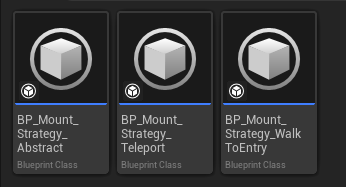
The supplied strategy assets include an abstract base plus Teleport and WalkToEntry implementations.
Demo Examples #
Animal mount #
The animal example is a simple one-seat mount. One mount target is positioned on the creature, the rider is attached to that slot when mounting completes, and the designer can use either instant mounting or a small walk-to-entry approach depending on the feel they want.
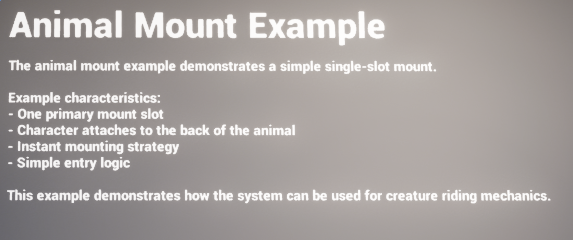
The demo animal mount represents the simplest use case: one rider and one main seat target.
Vehicle mount #
The vehicle example demonstrates how the same system scales to multi-seat transport. Each seat can define its own priority, animation, and entry location. This makes it possible to build driver and passenger slots with different behaviour while still using the same underlying framework.
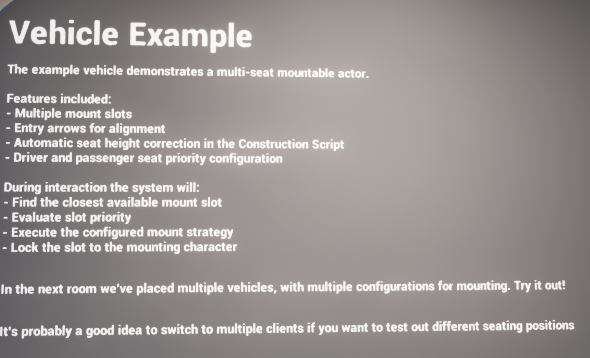
The vehicle example demonstrates multiple seats, priority-driven selection, and per-seat mount behaviour.
The sample vehicle also includes construction-script logic that can automatically offset dismount-related arrow positions. This is a convenience feature shown in the demo example rather than a requirement of the core mount framework.

Sample vehicle construction logic that helps align arrow positions for cleaner dismount placement.
How to Add #
How to Add a Simple Animal Mount #
Create the creature actor, add one mount target component where the rider should sit, set that slot to Primary, assign the desired mounted animation, and choose either BP_Mount_Strategy_Teleport for instant riding or BP_Mount_Strategy_WalkToEntry for a more deliberate approach. Add one or more arrow components near the creature so the system has a clean entry location to use. Finally, make sure your interaction flow passes that actor into the player mounting request.
How to Add a Vehicle with Driver and Passenger Seats #
Add a separate mount target for every seat you want the actor to support. Position each target at the final attach location for that seat, then assign the correct mounted animation and strategy per slot. Place arrows beside the relevant doors or access points so the walk-to-entry logic knows how to approach each seat. This keeps a truck, wagon, or boat configurable seat by seat instead of forcing every passenger to behave the same way.
How to Make the Driver Seat Win #
Set the driver seat to Primary and set all passenger seats to Secondary or Tertiary. The supplied seat search checks priority before distance, so the higher-priority driver slot can be selected even if a passenger slot happens to be slightly closer to the player.
How to Make the Character Walk to the Mount #
Assign BP_Mount_Strategy_WalkToEntry on the slot you want to use. Then make sure the mountable actor has sensible arrow components or a valid transform that can be reached on navigation. The strategy resolves a path, advances through its path points, and completes when the target location has been reached.
How to Make Mounting Instant #
Assign BP_Mount_Strategy_Teleport to the slot. This causes the strategy to finish immediately, after which the main mount flow handles the actual attach and mounted state update.
How to Play a Mounted Animation #
Populate the slot's Animation To Play setting with the asset you want that seat to use. Because the animation is stored per mount target, a driver, passenger, rider, or bench occupant can all use different animation assets while still relying on the same mounting system.
How to Stop Two Characters Using the Same Slot #
Let each usable seat be its own mount target and rely on the built-in occupancy state. During a mount attempt, the chosen slot is marked occupied. That reservation prevents another user from claiming it until the attempt either succeeds or is reset.
How to Control Entry or Dismount Locations #
Place arrow components where you want the approach or exit to happen. The mount target can search for the nearest clear arrow, validate the location, and fall back to navigation projection where needed. If one slot must use one exact component, use the Override Mount Slot Tag so the target looks for that tagged component first.
How to Hook the System Into Your Own Interaction Flow #
Use your normal prompt, overlap, trace, or interactable system to identify a valid mountable actor. Once the player confirms the interaction, call into the player-side mounting component and supply that actor as the target to mount. This keeps mount behaviour reusable and avoids tying the system to one particular interaction framework.
How to Create a Custom Mount Strategy #
Create a child of the supplied abstract strategy class and implement the behaviour you want: a climb animation, a ladder entry, a cinematic approach, or any other special case. When your logic is complete, report success or failure through the strategy's finish event so the main mount flow can continue cleanly.
Example Flows #
Entering an animal mount #
The player interacts with the creature. The controller-side mount component finds the animal's primary seat, reserves it, and starts the selected strategy. Once complete, the player-state listener attaches the rider to the animal, applies the slot animation, and the character is now considered mounted.
Entering a truck #
The player interacts with the truck. The system inspects all seat targets, prefers the highest-priority valid one, then uses the seat's configured strategy to reach it. Once the seat finishes mounting, the replicated listener attaches the character to the chosen seat and the mounted-only input mapping can support dismount or other seat-specific actions.
|
Testing tip: For multi-seat setups, testing with multiple clients is the best way to confirm that seat selection, occupancy, and replicated attachment all behave as expected. |
Summary #
The Mount System is a reusable mounting framework rather than a one-off animal or vehicle feature. By splitting player logic, seat data, replicated attachment, and seat-specific strategies into separate pieces, it stays flexible enough for simple creature riding and scalable enough for multi-seat transport. For buyers, the main takeaway is that once the player components are installed and the mountable actor has properly configured mount targets, the same core system can drive a wide range of mount interactions with very little bespoke logic per actor.