Skip to content
Games by Hyper
Sign Up / Login
Games by Hyper

Generic

  • QuickStart
  • Support
  • Purchase Options
  • Roadmap
  • FAQ
  • Learning
  • For Professional Studios

Templates

  • Template Logic and flexibility

Shared Infrastructure

  • Gameplay Tags
  • Datamanagement
  • Folder Structure

Item Management

  • Inventory
  • Jigsaw Inventory
  • List Inventory
  • Respawn Actor Manager
  • Hotbar
  • Crafting
  • Item Allocator
  • Vendor
  • Icon Creator
  • Interactive Foliage
  • Inspection System

Interaction and Feedback

  • Interaction System
  • Outliner System

UI

  • Main Menu
  • HUD
  • Information Prompt

Locomotion

  • Animation Framework
  • Extended Movement Component
  • Leader Posing
  • Custom-Skeletal-Meshes

Combat

  • Attribute Manager
  • Team Affiliation
  • Equipment Manager
  • Ragdoll System
  • Ability System
  • Target Locking
  • Weapon Attachment System
  • Limb System
  • Combat-framework

Construction and Survival Mechanics

  • Building System
  • Mineable Rocks
  • Tree Cutting
  • Farming System
  • Fishing System
  • Swimming System

Game Management

  • Global Save System
  • Respawn System
  • Session Manager
  • Game Mode System
  • Spectate System
  • Player Manager
  • Team Manager
  • Score Manager
  • Guild Manager
  • Party Manager

Multiplayer

  • Online Multiplayer Framework
  • Replication Subsystem
  • Chat System
  • Console Command Manager

AI

  • Basic AI
  • NPC Behavior System
  • Perception System
  • Companion System

Exploration and Narrative

  • Dialogue System
  • Memory System
  • Quest Manager
  • Map System
  • Teleport System
  • Guide System
  • Event Manager
  • Visual Novel System
  • Dungeon Adventure Kit
  • Region Manager

Progression and Leveling

  • Level Manager
  • Unlock System
  • Reputation System

Security and Control Systems

  • Drone System
  • Lock System
  • Security System
  • Defense System
  • Defense System – Modern
  • Defense System – Primitive

Character and Player Systems

  • Character Creator
  • Class System
  • Mount System
  • First Person

Environmental Control and Immersion

  • Time and Day Night Cycle management
  • Weather System
  • Background Music System
  • Footstep System

Environment Building

  • Mesh to Actor Swap System
  • Auto Landscape
  • Cave
  • Deform
  • Ditch
  • Exclusion
  • Forest
  • Forest-Basic
  • Lake
  • Level Instances
  • Mesh
  • Path
  • Props
  • Spline
  • Village
View Categories
  • Home
  • Docs
  • Level Manager

Level Manager

1 min read

Level Manager #

This is our quick walkthrough of the skill level manager:

Want to know how to add the Ability, Level Manager and Unlock/Techtree System into MST Pro v3?

Play

Also check our quick walktrough

Play

I also made this custom migration video of the level manager:

Play

And a use case on how to adapt such an system (We did implement this feature by default, but it is still good to learn from this video):

Play

Core Principles of the Level Manager #

The level and skill manager has a couple of main functions:

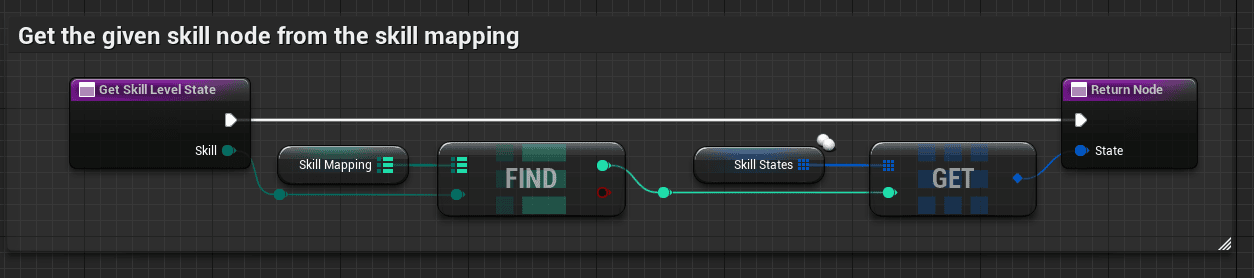
  • Define which skills there are.
  • Keep track of key statistics:
    • Current level
    • Current XP
    • Current maximum XP in level
    • Total accumulative XP
    • Progress percentage
    • Awarded Skill Points
    • Maximum achievable level
    • Has it reached the maximum level
    • XP Growth factor
  • Add XP to a specific skill from wherever you want.
  • Determine how much xp is required for the next level
    (based on an algorithm so it is expanding gradually, but not too much.)
    • You can change this easily by tweaking the level growth factor.
      You can do this for all skills or per specific skill.
  • UI functionality for XP gains

Please note that in our newest version, we use gameplay tags instead of the enum.


Gain XP per specific action: #

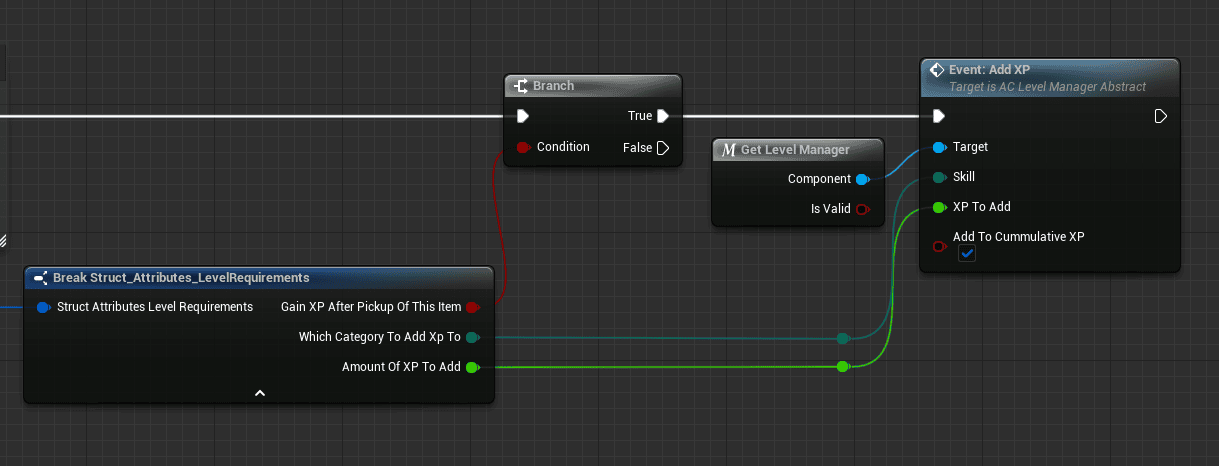
You can setup to gain XP anywhere in your game to add XP for a certain skill.

  • call the Add XP Event on the skill and level manager
  • provide which skill to add XP to
  • How much XP should be added from the action.
  • And if it should count to the cumulative XP (In most cases true)

Example:
  • Craft a copper, iron, and steel ingot in this smelter.
  • For copper you gain 5xp
  • Iron 7.5 xp
  • Steel 10xp

Please do note that when you drop the item from your inventory, you are not able to gain new XP.


Data table driven XP gain: #

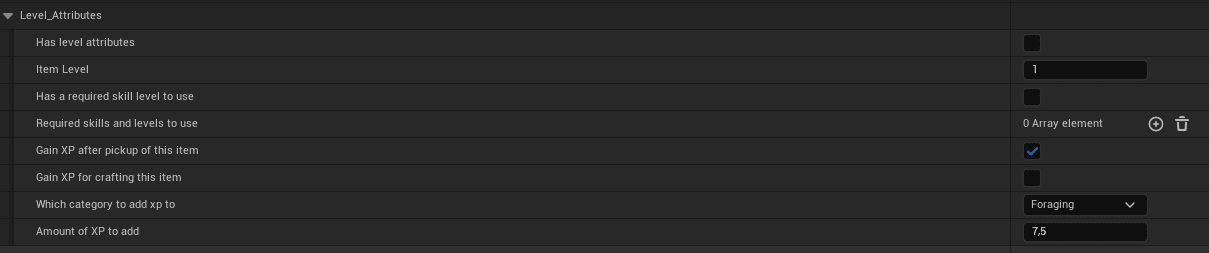
  • You can setup an inventory item to have items assign XP and level information.
    • Gain XP for picking this up to foraging.
    • Gain XP for crafting this item.
    • This level required for using this item.
    • Etc.


Level Requirements for actions such as equipping: #

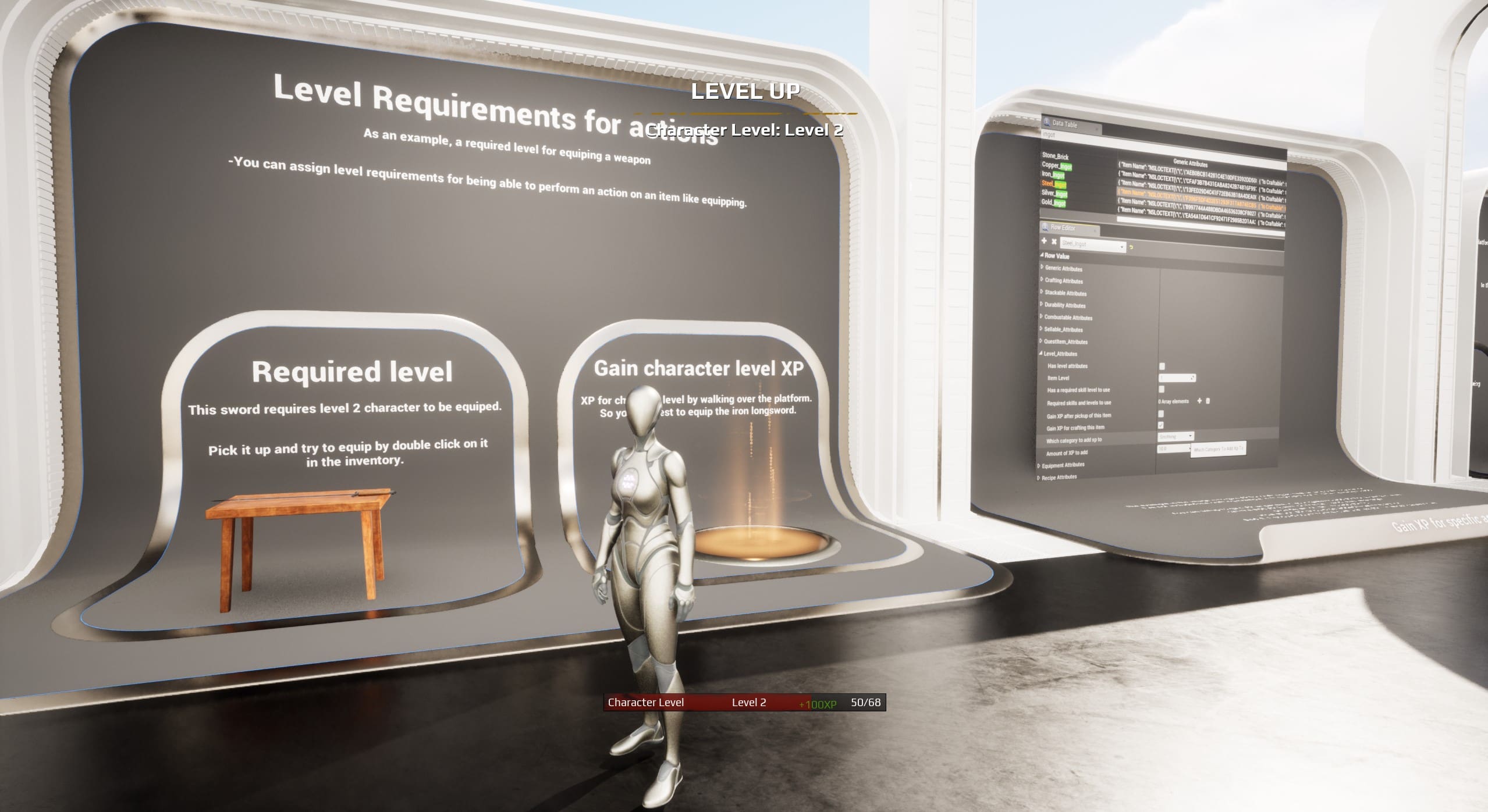
  • You can assign level requirements
    for being able to perform an action on an item like equipping.
  • For instance, this sword required character level 2 to be equipped.
    Check it out!


Level Calculation: #

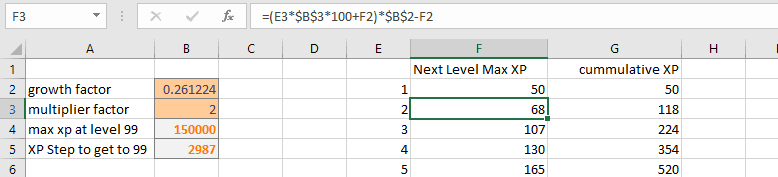
I’ve created an algorithm to determine what the next level XP is.

I’ve also included an excel so you can see how the XP flows for each level so you can determine what is best for you:. Please check the documentation folder in the discord.

What are your Feelings
Still stuck? How can we help?

How can we help?

Table of Contents
  • Level Manager
    • Core Principles of the Level Manager
    • Gain XP per specific action:
    • Data table driven XP gain:
    • Level Requirements for actions such as equipping:
    • Level Calculation:

© 2025 Games by Hyper

X Reddit Patreon Discord Linkedin YouTube

Review Cart

No products in the cart.

We noticed you're visiting from Netherlands. We've updated our prices to Euro for your shopping convenience. Use United States (US) dollar instead. Dismiss

  • Hyper Bundle Configurator
  • Shop
    • Game Templates
    • Courses
    • Loyalty Store
    • Survival Modules
    • RPG Modules
    • Environment Building
    • Browse All
  • My account
  • Become a Member
  • Cart
  • Get Help
    • FAQ
    • Upgrade your Game Template
    • Documentation
  • About Hyper
  • News & Updates