Replication Subsystem
Updated May 25, 2026
The Replication Subsystem provides reusable replicated helpers for common gameplay presentation tasks: playing animation montages, playing sounds, spawning actors, and destroying spawned actors across clients.
For shared setup guidance, see the Migration Guide and Integration Guide. Use the System Atlas to look up functions, variables, events, components, and ownership references. Use this page for Replication Subsystem-specific component setup and replicated action helpers.
Related Videos
Some videos may have been recorded before V4. The same principles still apply, but asset names, component names, and folder locations may differ. Treat the current written documentation and V4 names as the source of truth.
Replication Subsystem Walkthrough PlayMultiplayer – Remote Procedure Call Server Client And Multicasting PlayMultiplayer – Rep Notify Play
The basics-course videos explain the underlying Unreal networking principles. Use this page for the project-specific component and helper functions.
Integration
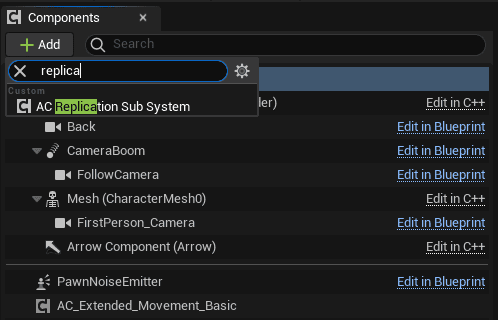
The system can be migrated in any order, as long as required plugins and project settings are present. To use it on your own character, add the Replication Subsystem component to that character.
Core Principles
After the component is added to the character, other systems can call its functions through the component reference. The subsystem handles replicated execution so presentation actions are visible to the relevant clients.

Supported replicated actions include:
- Playing animation montages.
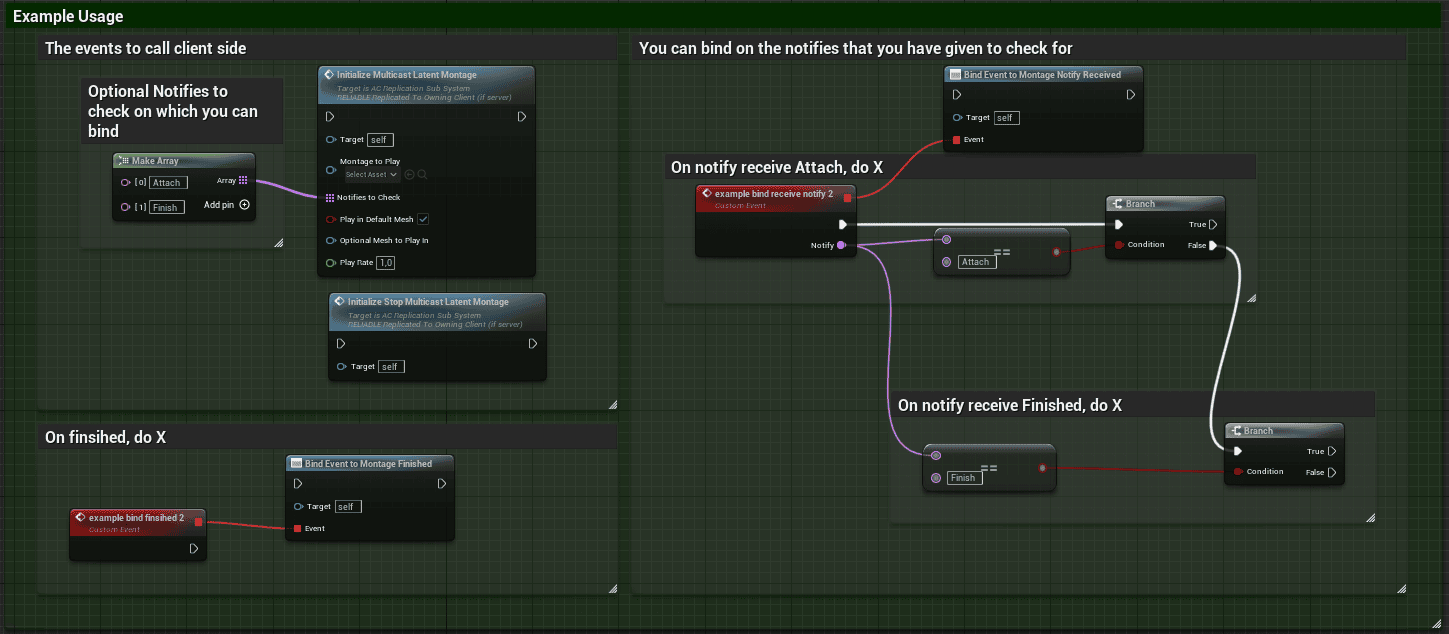
- Binding to montage notifies for latent montage behavior.
- Playing sounds attached to a component.
- Playing sounds at a world location.
- Spawning generic actors with configurable mesh and attachment data.
- Destroying spawned actors by key.


Animation-related events can be bound in the subsystem, including animation-notify style callbacks.

Sound helpers can attach sound to a component or spawn sound at a location. Attenuation and concurrency settings can also be configured.


Spawned Actors
Spawned actors use BP_Generic_Actor_Spawn. This actor exposes values such as static mesh, skeletal mesh, actor attachment, component attachment, and spawned actor name.
To add custom behavior, create a child class of BP_Generic_Actor_Spawn. To remove a spawned actor, call Server: Destroy Spawned Actor and pass the key of the spawned actor. The key is the Spawned Actor Name used when the actor was spawned.
Use Cases
Latent montage examples can bind to montage notifies so gameplay can continue from animation timing rather than fixed delays.