
Attribute Manager
Updated May 25, 2026
The Attribute Manager is a character stat and state-effect system for health, stamina, survival resources, combat values, skill progression, equipment bonuses, temporary modifiers, and environmental effects. The core logic lives in AC_CH_Attribute_Manager, which can be assigned to any actor that needs attributes.
Related setup: Configure Attributes, Set Up Your Own Character.
This page covers the attribute model, state effects, temperature behavior, item/equipment attribute assignment, and common extension workflows. For shared setup guidance, see the Migration Guide and Integration Guide. Use the System Atlas to look up functions, variables, events, components, and ownership references.
Related Videos
Some videos may have been recorded before V4. The same principles still apply, but asset names, component names, and folder locations may differ. Use this written page and the current V4 names as the source of truth.
Attribute Manager Walkthrough PlayAttribute Points with the Level Manager Play
System Responsibilities
The Attribute Manager combines several related character systems:
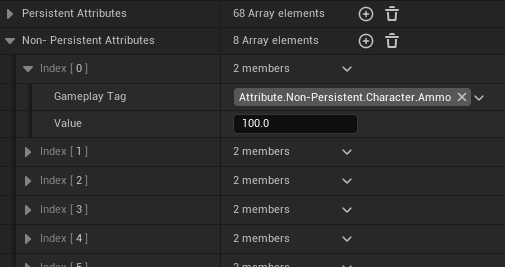
- Non-persistent attributes: current values such as Health, Stamina, Food, Hydration, Mana, Energy, Weight, and Oxygen.
- Persistent attributes: maximum values, regeneration rates, consumption rates, combat values, movement values, inventory limits, chill temperature modifiers, and skills.
- State effects: conditions such as Sick, Infection, Wounded, Poisoned, Drunk, Wet, Warming, On Fire, Low Health, and Starved.
- Survival mechanics: hunger, hydration, oxygen, temperature, wetness, fire, and encumberment.
- Temporary and permanent modifiers: equipment bonuses, item bonuses, state effects, level progression, and permanent upgrades.
Attribute Model
Attributes are split into current gameplay values and persistent configuration values.
| Category | Examples | Use |
|---|---|---|
| Non-persistent attributes | Health, Stamina, Food, Hydration, Mana, Energy, Weight, Oxygen. | Values that change constantly during gameplay and drive HUD/state behavior. |
| Persistent attributes | Max Health, Max Stamina, Health Regen Rate, Food Consumption Rate, Damage, Armor, Movement Speed, Maximum Inventory Weight, Chill Temperature Penalty, skills. | Values that define limits, rates, modifiers, progression, and character behavior. |
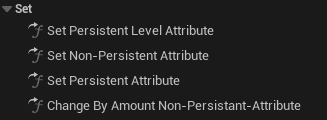
Use Set Non-Persistent Attribute for current values and Set Persistent Attribute for maximums, rates, skills, and other configuration values.
Base Value and Added Value
Each persistent attribute can be modified through a Base Value and an Added Value.

| Value | Use for | Example |
|---|---|---|
| Base Value | Permanent progression that should persist through save/load. | A level-up permanently increases Max Health by 50. |
| Added Value | Temporary modifiers that should be reapplied by equipment or state effects. | A helmet adds +20 Max Health while equipped. |
The effective value is Base Value + Added Value. Equipment and state effects should generally use Added Value. Level-ups, permanent consumables, and long-term character progression should use Base Value.
State Effects
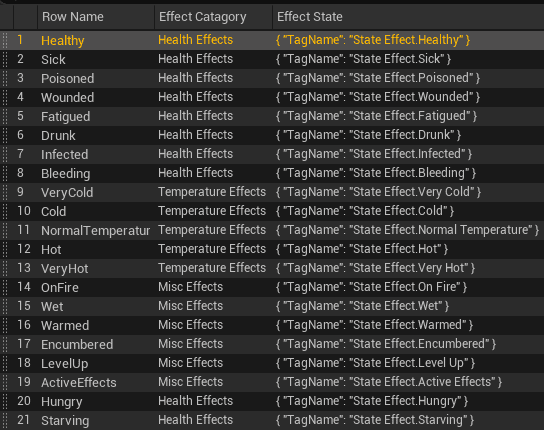
State effects are configured in DT_StateEffects. A state effect can apply camera modifiers, particles, animations, damage over time, auto-recovery, duration, spread behavior, and custom logic through a spawned state effect actor.
| Category | State effects | Typical behavior |
|---|---|---|
| Health states | Sick, Healthy, Infection, Wounded, Poisoned, Drunk, Low Health, Starved. | Stat penalties, recovery, damage over time, screen effects, hunger/thirst changes, or low-health feedback. |
| Temperature states | Very Cold, Cold, Normal, Hot, Very Hot. | Temperature-based penalties, consumption changes, screen effects, and damage at extremes. |
| Misc states | Wet, Warming, On Fire. | Cold/warmth modifiers, wetness removal, fire particles, fire damage, and fire spread. |
State Effect Actors
When a state effect is applied, a state effect actor can be spawned and attached to the character. This actor can add or remove visual effects, apply damage or healing, manage temporary timers, and run custom behavior such as drunk camera effects or fire spread.
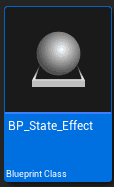
Custom state effect actors can extend BP_State_Effect or BP_StateEffect_Base, depending on the use case already present in the project.
Automatic State Effects
AC_CH_Attribute_Manager can apply state effects when attributes cross configured thresholds.
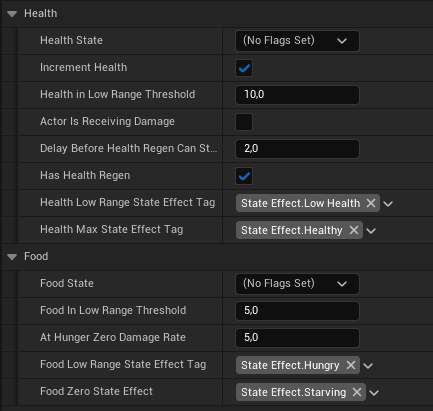
- Low Health Threshold: applies Low Health when Health drops below the threshold.
- Low Stamina Threshold: detects low stamina behavior.
- Low Food Threshold: detects low food behavior.
- Starved Threshold: applies Starved when food reaches 0.
Example: when Health drops below 20, Low Health can apply screen/audio feedback. When Health rises above the threshold, the effect is removed. When Food reaches 0, Starved can apply damage over time and starvation sounds until food increases again.
Disease and Fire Spread
Some state effects can spread to nearby characters. In DT_StateEffects, spreading is controlled by Can Spread, Spread Radius, Spread Chance, and Spread Interval. This supports infection-style disease mechanics and fire propagation.
For an infection, Character A can infect Character B when B enters the spread radius and the interval/chance check succeeds. For fire, a character with On Fire can ignite nearby characters, allowing fire to chain-spread.
Non-Persistent Attributes
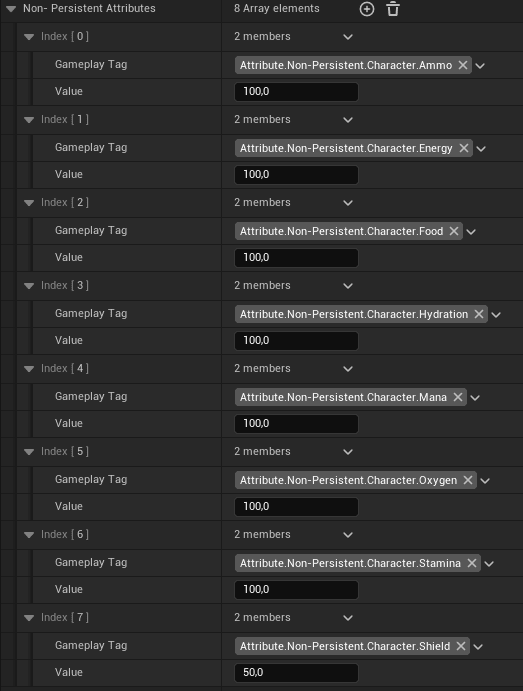
Non-persistent attributes are current values that update during play. They can appear in the HUD, regenerate or consume over time, and trigger state effects.
| Attribute | Behavior |
|---|---|
| Health | Current hit points. Damage, healing, fall damage, state effects, and consumables can change it. Death occurs at 0. |
| Stamina | Used for sprinting and jumping. Sprinting consumes stamina continuously; jumping consumes stamina per jump. It regenerates based on Stamina Regen Rate. |
| Food | Decreases over time through Food Consumption Rate. Low food can play feedback; 0 food applies Starved, which damages health directly. |
| Hydration | Decreases over time through Hydration Consumption Rate. Low hydration can play thirst feedback; 0 hydration damages health directly. |
| Mana | Resource for spells or abilities. No default spell system is included. Older parts of the system may refer to this as Magic. |
| Energy | Represents sleepiness or fatigue. It is separate from stamina and can be used for custom sleep mechanics. |
| Weight | Total carried inventory weight. When it exceeds Maximum Inventory Weight, Encumberment is applied. |
| Oxygen | Used underwater. It decreases while submerged, regenerates above water, and can cause damage at 0. |
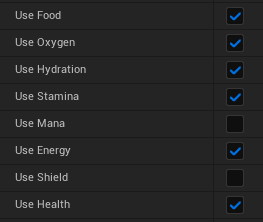
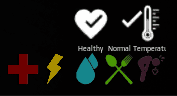
Disabled attributes do not appear in the HUD, do not consume or regenerate, and do not trigger state effects.
Persistent Attributes
Persistent attributes control maximums, rates, progression, combat, movement, inventory limits, and environmental resistance.
| Group | Examples | Modified by |
|---|---|---|
| Maximum values | Max Health, Max Stamina, Max Food, Max Hydration, Max Mana, Max Energy, Max Oxygen. | Equipment, state effects, level progression, permanent consumables. |
| Regeneration rates | Health Regen Rate, Stamina Regen Rate, Mana Regen Rate, Oxygen Regen Rate. | Equipment bonuses, state effects, skills, perks. |
| Consumption rates | Food Consumption Rate, Hydration Consumption Rate, Energy Consumption Rate. | Temperature, activity, state effects such as Drunk. |
| Combat attributes | Damage, Armor, Melee Damage, Ranged Damage, Critical Chance. | Equipment, skills, buffs, state effects. |
| Movement attributes | Movement Speed, Sprint Speed. | Equipment, encumberment, buffs, penalties. |
| Skill attributes | Mining Skill, Crafting Skill, Fishing Skill, Combat Skill, Survival Skill. | Progression systems and custom gameplay logic. |
| Inventory/environment | Maximum Inventory Weight, Chill Temperature Penalty. | Equipment, perks, wetness, fire proximity, clothing. |
Skill attributes can be combined with a level manager for Skyrim/ARK-style progression: perform an action, gain skill experience, level the skill, and unlock or improve related behavior.
Item and Equipment Attribute Assignment
DT_Items Assigned Attributes
Items in DT_Items can define Assigned Attributes that apply while the item is in an inventory container. This supports quest items, charms, talismans, cursed items, and other passive inventory-based effects.
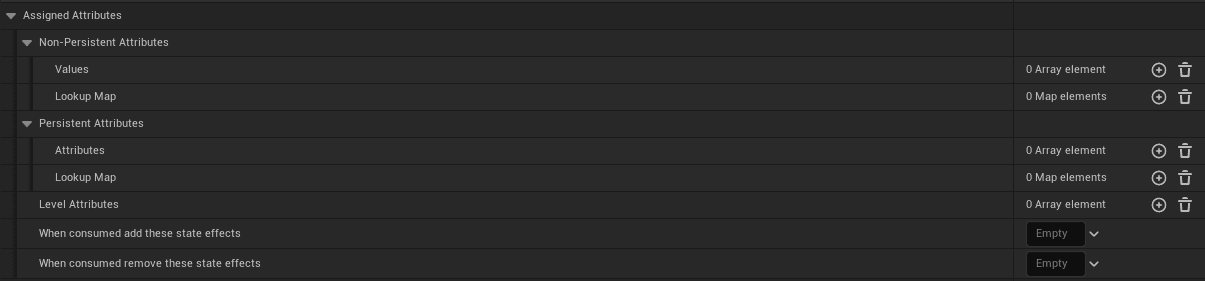
Example: a Lucky Charm can add bonuses when it is added to inventory and remove those bonuses when it is removed.
DT_Equipment Assigned Attributes
Equipment in DT_Equipment can define Assigned Attributes that apply when the item is equipped or when the equipment actor is spawned. The bonuses are removed when the equipment is unequipped or the actor is destroyed.
- Armor: increase Max Health or Armor.
- Weapons: increase Damage or Critical Chance.
- Accessories: increase skills or movement speed.
- Environmental gear: modify temperature resistance.
Equipment should use Added Value, not Base Value. This prevents equipment bonuses from becoming permanent after unequip.
Temperature System
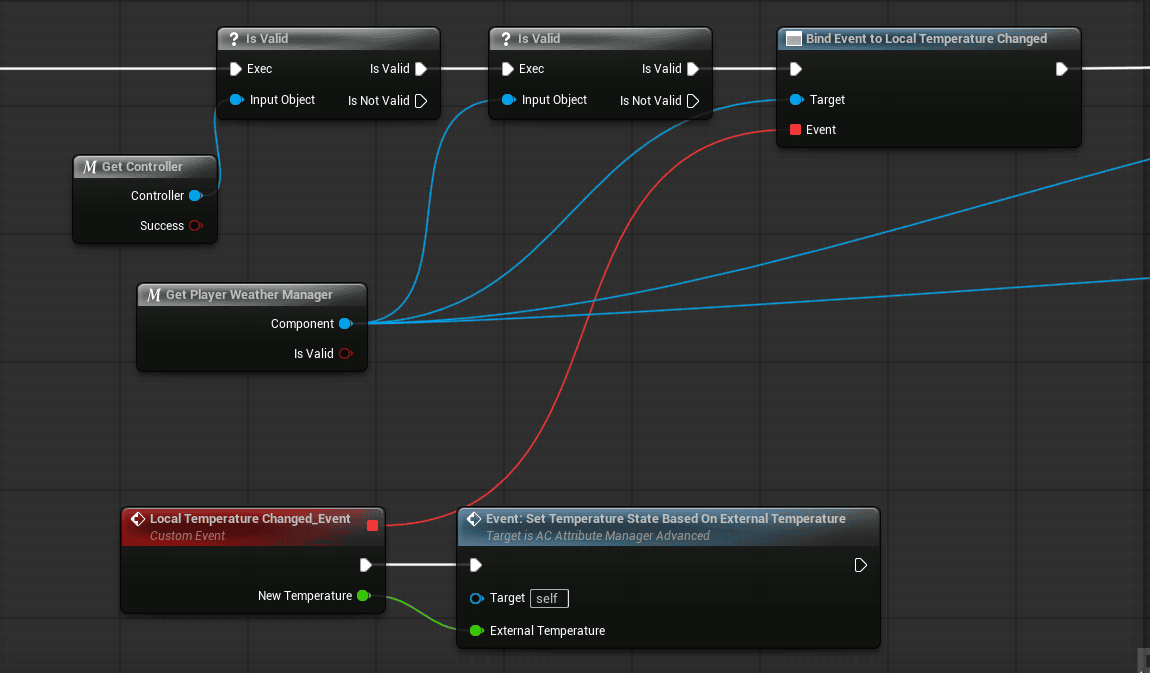
External temperature comes from the environment: weather, day/night cycle, biome/location settings, or manual area configuration.
Chill Temperature
Each character has a personal Chill Temperature value calculated from external temperature and the character’s chill penalty.
Chill Temperature = External Temperature + Chill Temperature PenaltyPenalty sources include clothing/equipment, wetness, warming state, and character attributes. The document example uses external temperature 5 degrees and chill penalty -15, producing -10 degrees.
Temperature Penalties and States
| State | Trigger or range | Behavior |
|---|---|---|
| Wet | Rain or just exited water. | Increases cold penalty and must dry over time or near fire. |
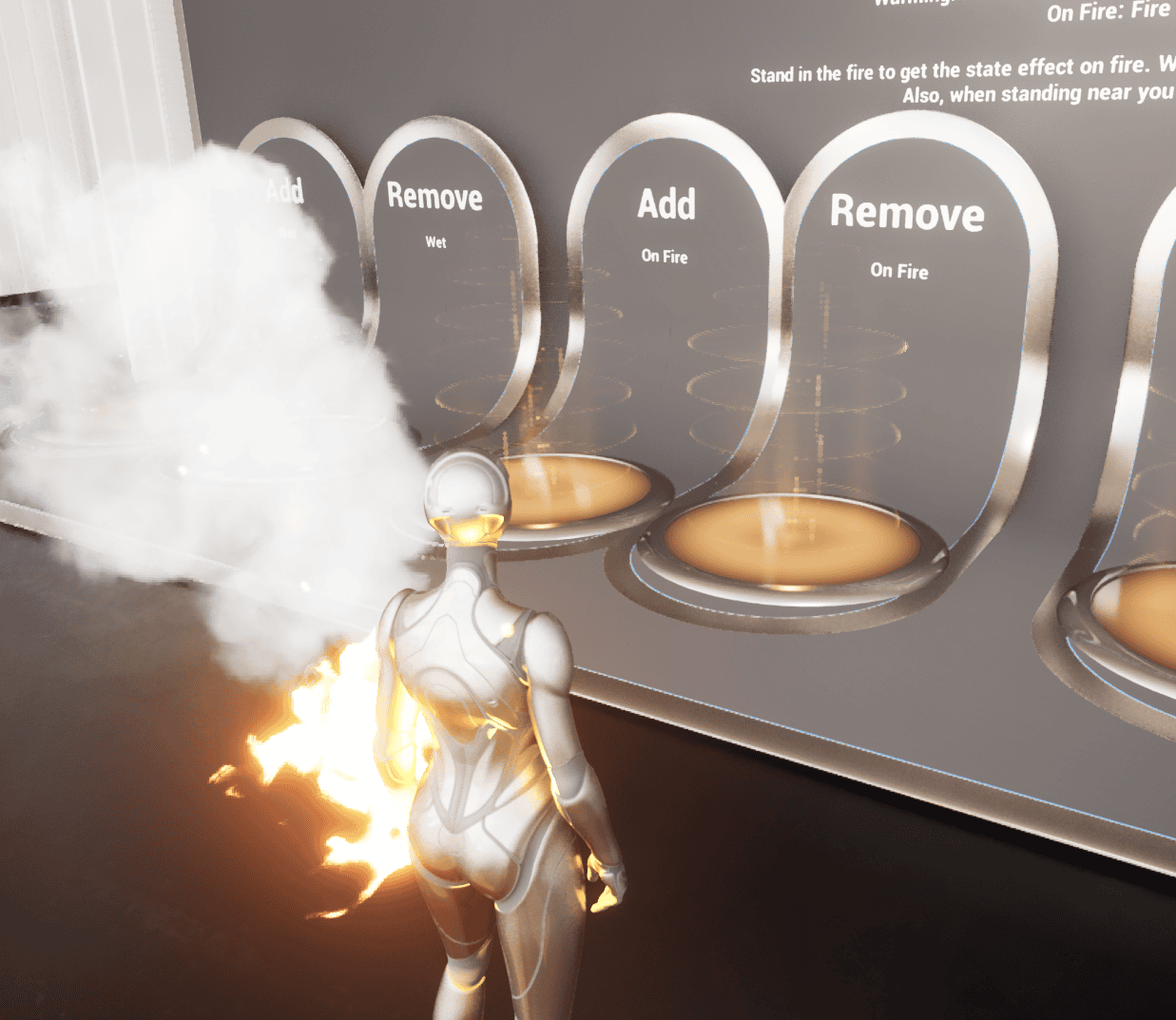
| Warming | Near fire. | Warms the character, dries Wet faster, and can lead to overheating if too close too long. |
| On Fire | Character is actively burning. | Applies fire particles, damage over time, removes Wet, and can spread. |
| Very Cold | Chill Temp below -15. | Bad stats, small damage over time, screen frost effect. |
| Cold | Chill Temp between -15 and 0. | Bad stats, faster food consumption, shivering animation. |
| Normal | Chill Temp between 0 and 25. | No penalties. |
| Hot | Chill Temp between 25 and 35. | Bad stats, faster hydration consumption, heat wave screen effect. |
| Very Hot | Chill Temp above 35. | Bad stats, small damage over time, heat stroke effects. |
As external temperature or chill penalty changes, the character automatically transitions between temperature states.
Special Mechanics
Encumberment
When carried weight exceeds Maximum Inventory Weight, Encumberment is applied. Effects can include reduced movement speed, no sprinting, reduced stamina regeneration, heavy breathing, and slower movement animations. Remove it by dropping items or increasing Maximum Inventory Weight through equipment or perks.
Fall Damage
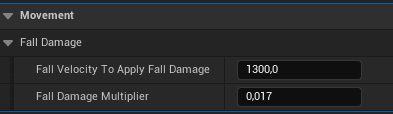
Fall damage is calculated from fall height and velocity. Configuration can include minimum fall height for damage, damage multiplier by distance, and fatal fall height. Equipment bonuses, skills/perks, or state effects can reduce fall damage.
Workflows
Create a New State Effect
- Add the new state effect to the State Effects gameplay tags, such as Bleeding.
- Open DT_StateEffects.
- Add a row with the same state effect name.
- Configure auto recovery, damage, duration, camera modifier, particle effect, spreading, spread radius, spread chance, and spread interval as needed.
- If custom logic is required, create a Blueprint that extends BP_StateEffect_Base and reference it in DT_StateEffects.
- Test triggering, duration, visual effects, damage, recovery, and spreading.
Create a New Attribute
- Add the new attribute to the Attribute gameplay tags.
- Open AC_CH_Attribute_Manager.
- Add the required indexes or variables for the attribute. For example, a non-persistent attribute could use Current Charm, while a persistent version could use Max Charm and Charm Regen Rate.
- Add the new attribute to the UI by updating WBP_PlayerStats.
- Set the attribute through Set Persistent Attribute or Set Non-Persistent Attribute.
- Verify value changes, UI updates, and item/equipment integration if applicable.

Summary
AC_CH_Attribute_Manager centralizes character attributes, state effects, survival resources, temporary modifiers, permanent progression, item/equipment bonuses, and environmental penalties. Use non-persistent attributes for current values, persistent attributes for limits and rates, Base Value for permanent progression, and Added Value for temporary equipment or state-effect modifiers.