
Ability System
Updated May 25, 2026
The Ability System defines active abilities, passive abilities, buffs, targeting, casting, impact behavior, projectiles, beams, AOE effects, cooldowns, and ability-driven status effects. It is built around data tables and Blueprint ability classes derived from BP_Ability_Base.
For shared setup guidance, see the Migration Guide and Integration Guide. Use the System Atlas to look up functions, variables, events, components, and ownership references. Use this page for ability-specific setup, structures, and authoring workflows.
Related setup: Configure Attributes.
Related Videos
Version note: Some videos may have been recorded before V4. Concepts still apply, but asset names, component names, and folder locations may differ. Treat this written documentation as the source of truth.
Complete Ability System – Modular, Extendable, Ready to Use PlayAdd the Ability, Level Manager, and Unlock/Techtree System into MST Pro v3 PlayAdding an RPG Ability System to your game devlog part 2 PlayAbility System devlog Play
Ability Types
Abilities are split into Active Abilities and Passive Abilities. Both derive from BP_Ability_Base.
| Type | Behavior | Base classes |
|---|---|---|
| Active | Triggered directly by player input or gameplay action. | BP_ActiveAbilityBase, BP_Ability_Projectile_Base, BP_Ability_Beam_Base, BP_Ability_AOE_Base, BP_Ability_Summon_Base. |
| Passive | Always listening for conditions or events and applying effects without direct input. | BP_PassiveAbilityBase, BP_PassiveAbility_ConstantAttribute, BP_PassiveAbility_OnEquipment, BP_PassiveAbility_OnGettingHit, BP_PassiveAbility_OnHit, BP_PassiveAbility_OnKill. |
Custom abilities should inherit directly or indirectly from the relevant base class and override the appropriate effect function when the generic implementation is not enough.
Active Ability Bases
- Active Ability Base: Generic abilities that can apply impact, damage, healing, attributes, buffs, knockback, AOE, Niagara, meshes, sound, and screen shake.
- Projectile Base: Abilities that launch projectiles with speed, gravity, collision, lifetime, tracking, piercing, and projectile visuals/audio.
- Beam Base: Continuous abilities such as lasers or flamethrowers. These can box trace from the player, apply repeated impact, and play beam effects and audio.
- AOE Base: Area effects that find targets through sphere, box, or cone traces, apply impact to multiple targets, use lifetime and interval logic, and optionally spawn decals.
- Summon Base: Abilities that spawn summoned actors with a configured lifetime.
Create an Active Ability: Power Strike
This example creates Power Strike, an offensive AOE ability that deals damage to enemies in front of the player.
- Add a row to DT_ActiveAbilities.
- Set name, description, icon, ability type, and tag. For the example, use Ability.Active.Power Strike.
- Set Ability to Activate to BP_Ability_AOE_Base.
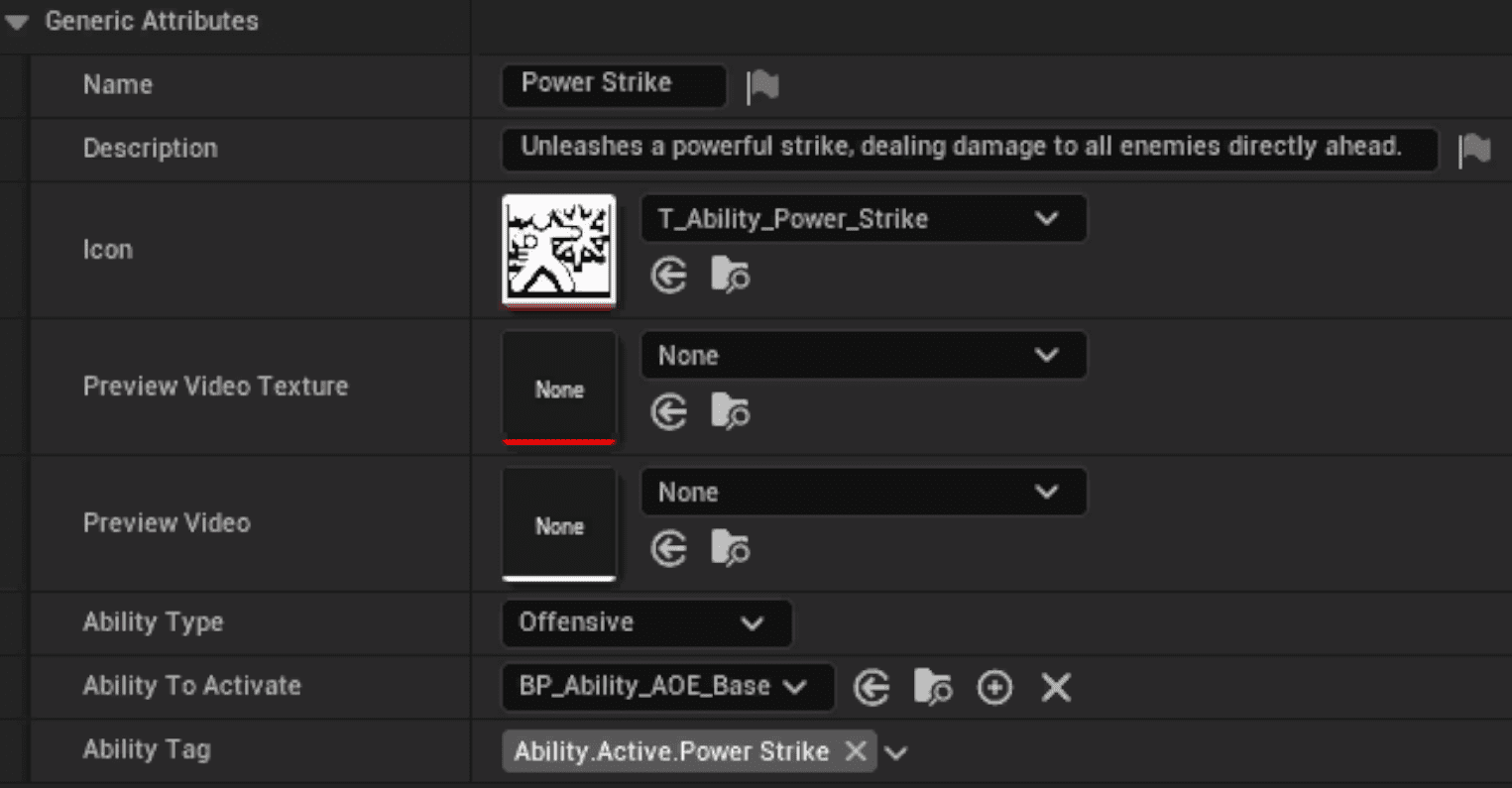
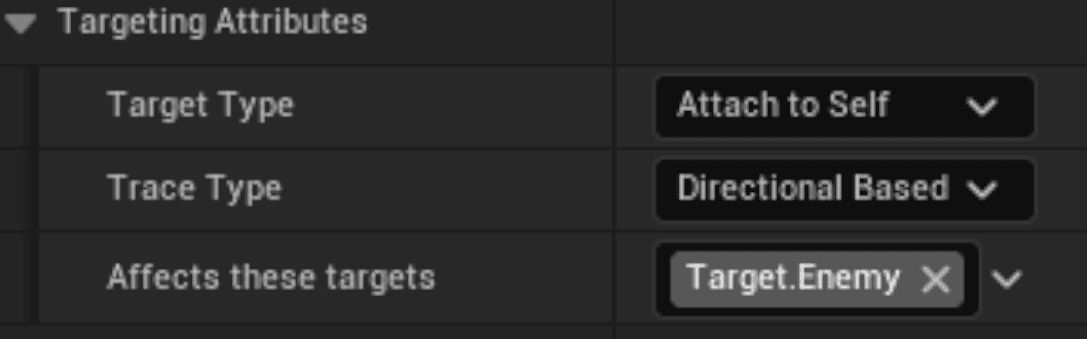
Configure targeting so the ability spawns on the player and traces forward.
- Targeting Type: Attach to Self.
- Trace Type: Directional Based.
- Affect These Targets: Target.Enemy.
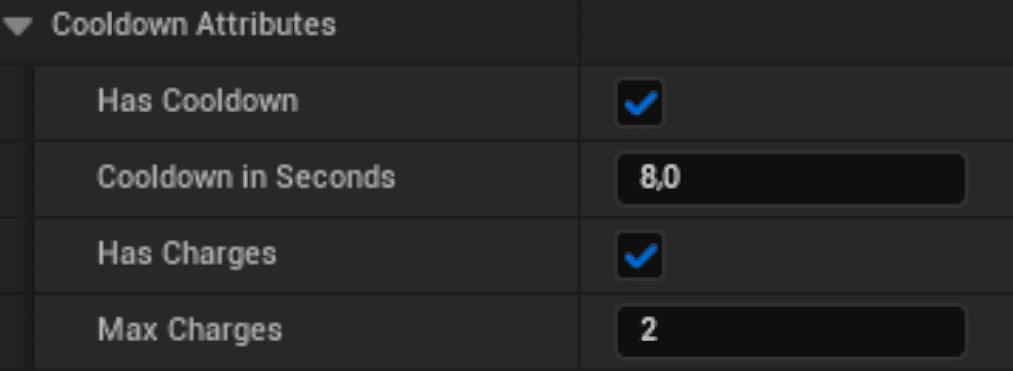
Add cooldowns. In the example, cooldown is 8 seconds with 2 maximum charges.
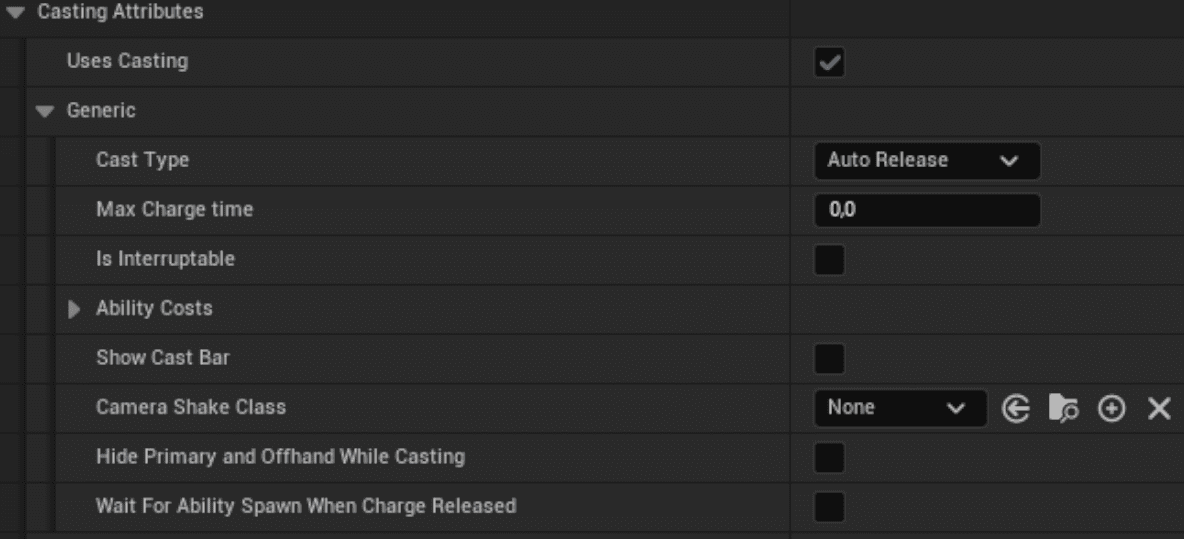
Enable casting so a strike animation plays before impact. Set Uses Casting and use Auto Release so the ability activates automatically after the animation.
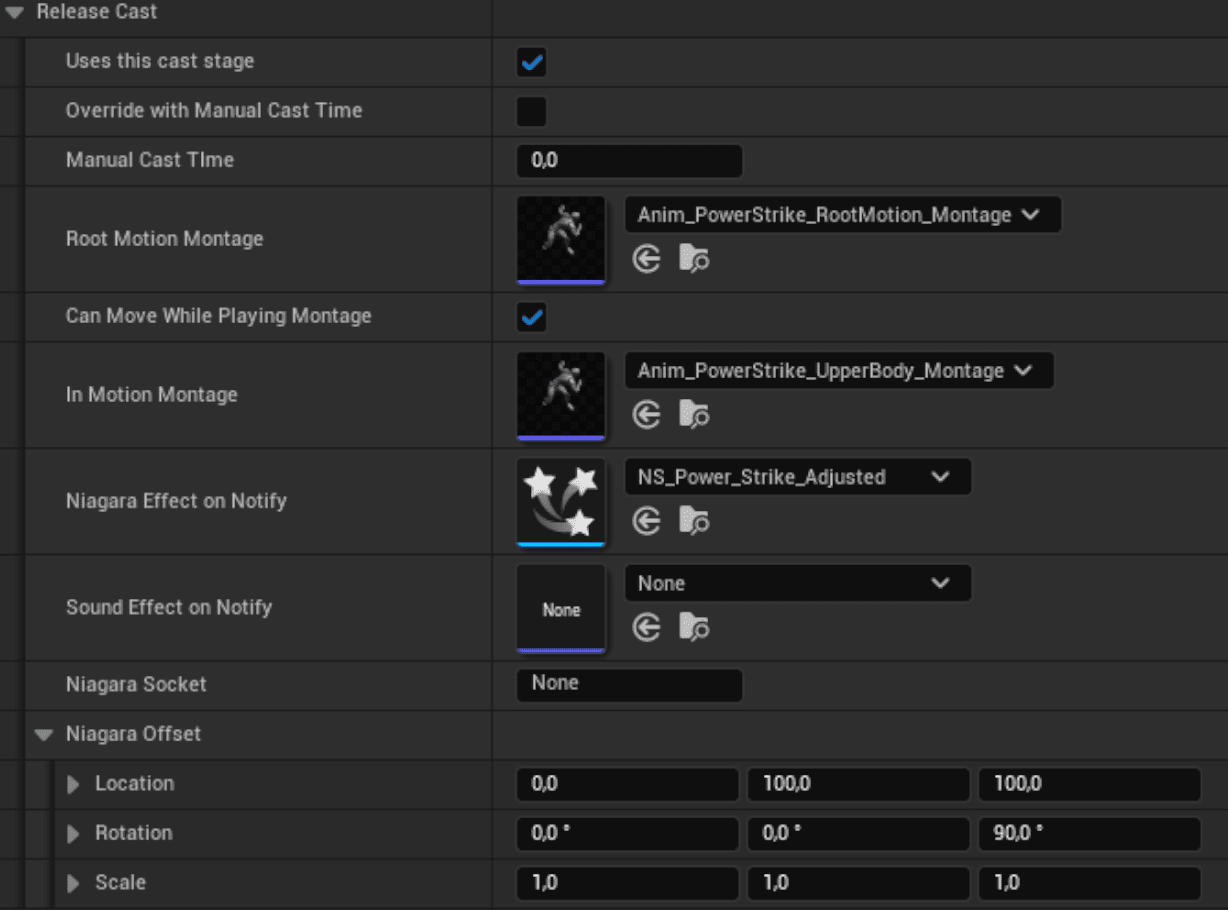
Configure the release stage. Select Anim_PowerStrike_RootMotion_Montage for Root Motion Montage and Anim_PowerStrike_UpperBody_Montage for In Motion Montage. Add NS_Power_Strike_Adjusted as the Niagara System on Notify and adjust offsets as needed. Sound can be configured through Sound Effect On Notify.
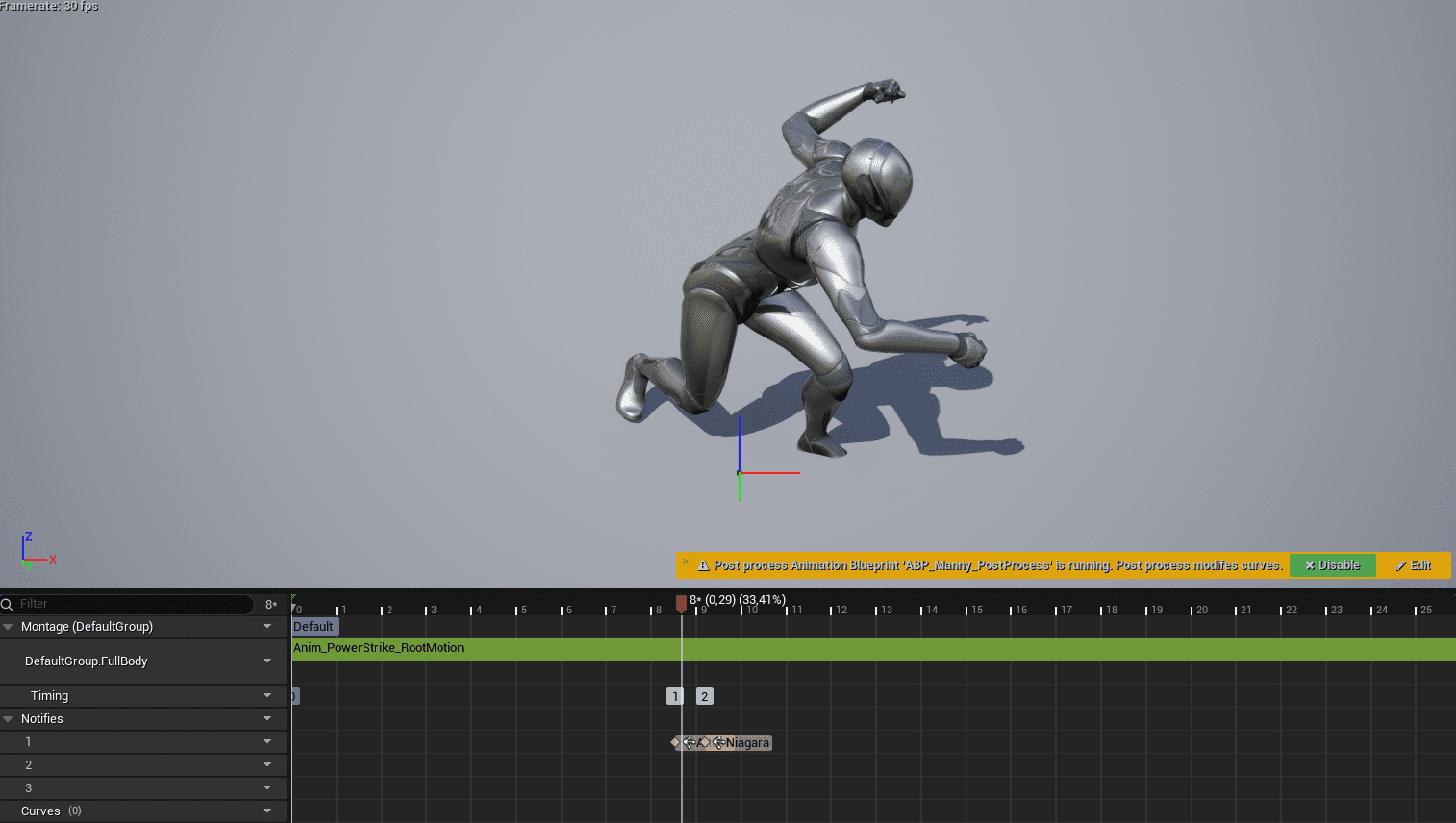
In the animation montage, add an Attach notify at the hit frame, then add a Niagara notify. For this AOE ability, an Apply Effect notify is not required because the ability handles the effect.
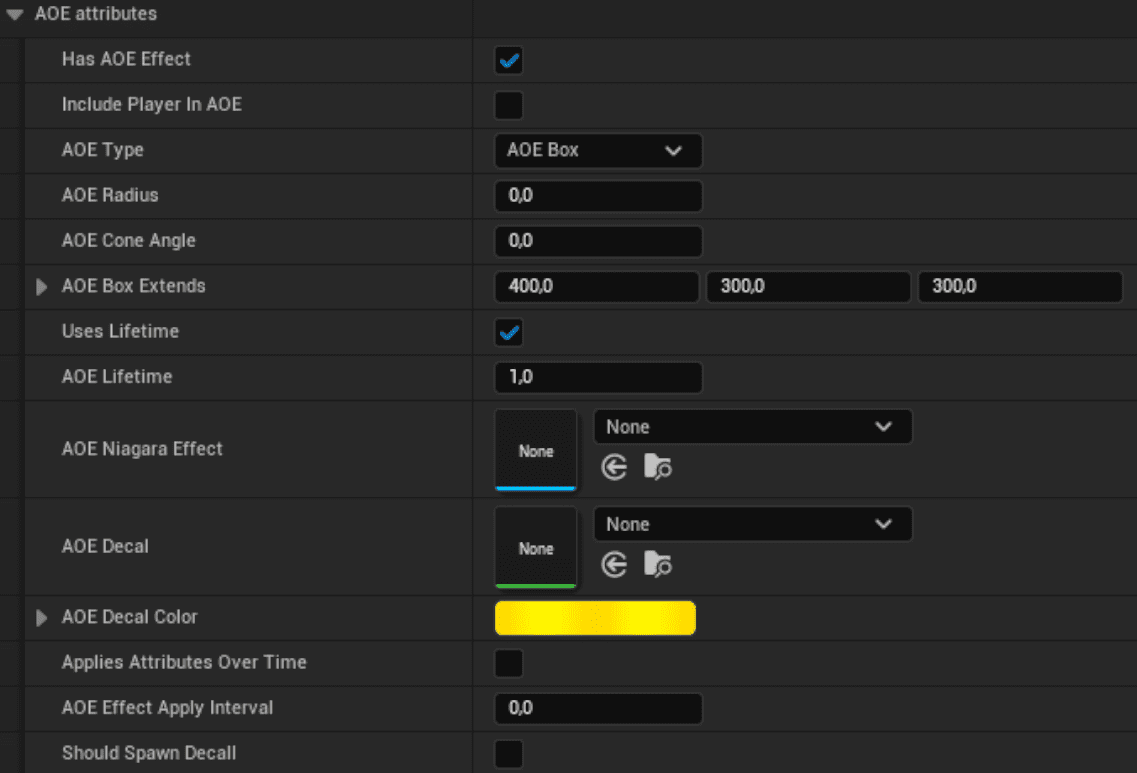
Enable Uses AoE Effect. Exclude the player, use a box trace, define box extents, set lifetime to 1 second, and leave interval empty so the effect applies once.
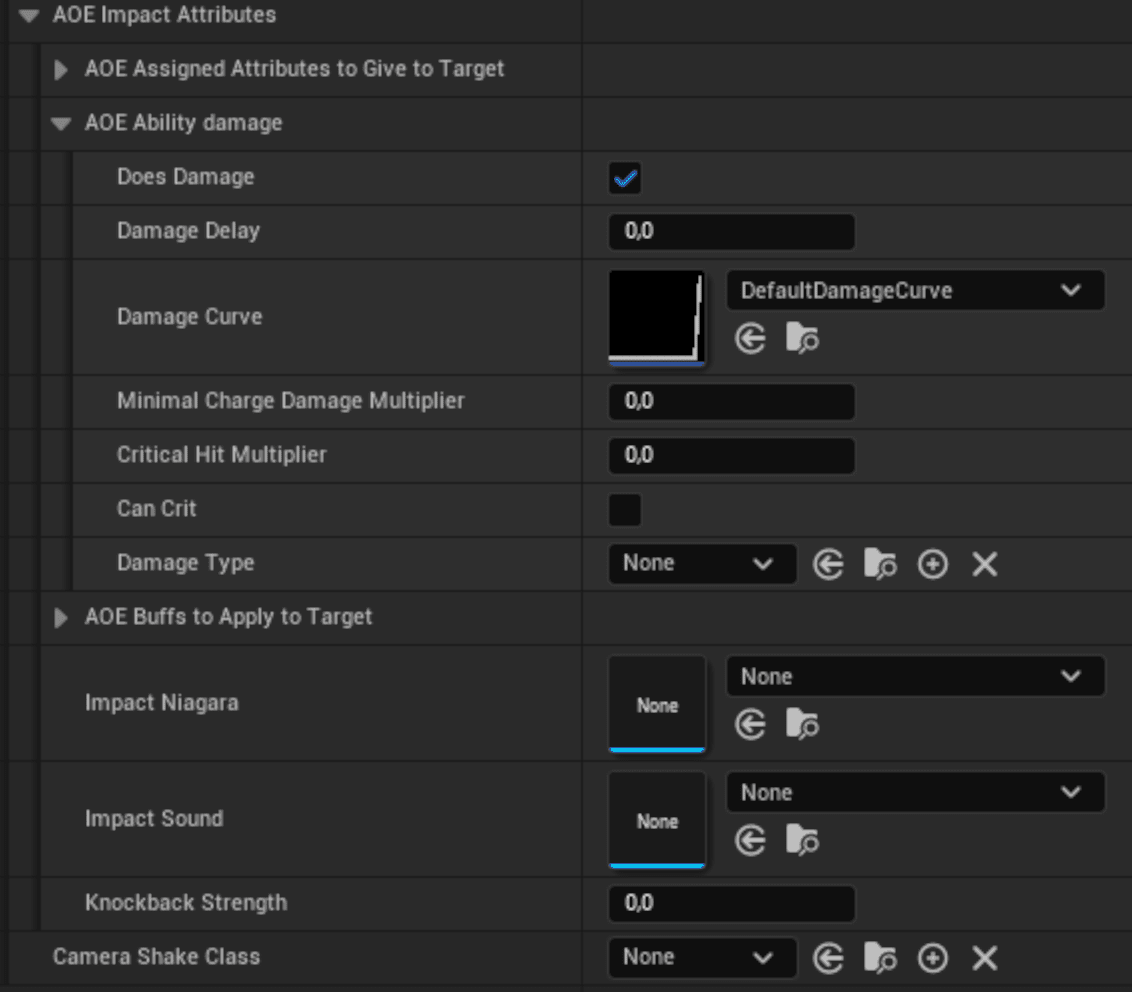
Finally, configure Impact Attributes. Enable Does Damage in Damage Attributes to make the ability deal damage.
Create a Buff
Buffs are timed effects that can grant attributes, apply damage, and behave as positive buffs or negative debuffs. Buff definitions live in DT_StatusEffects. Their lifetime is configured by the ability that applies them, not by the status effect row itself.
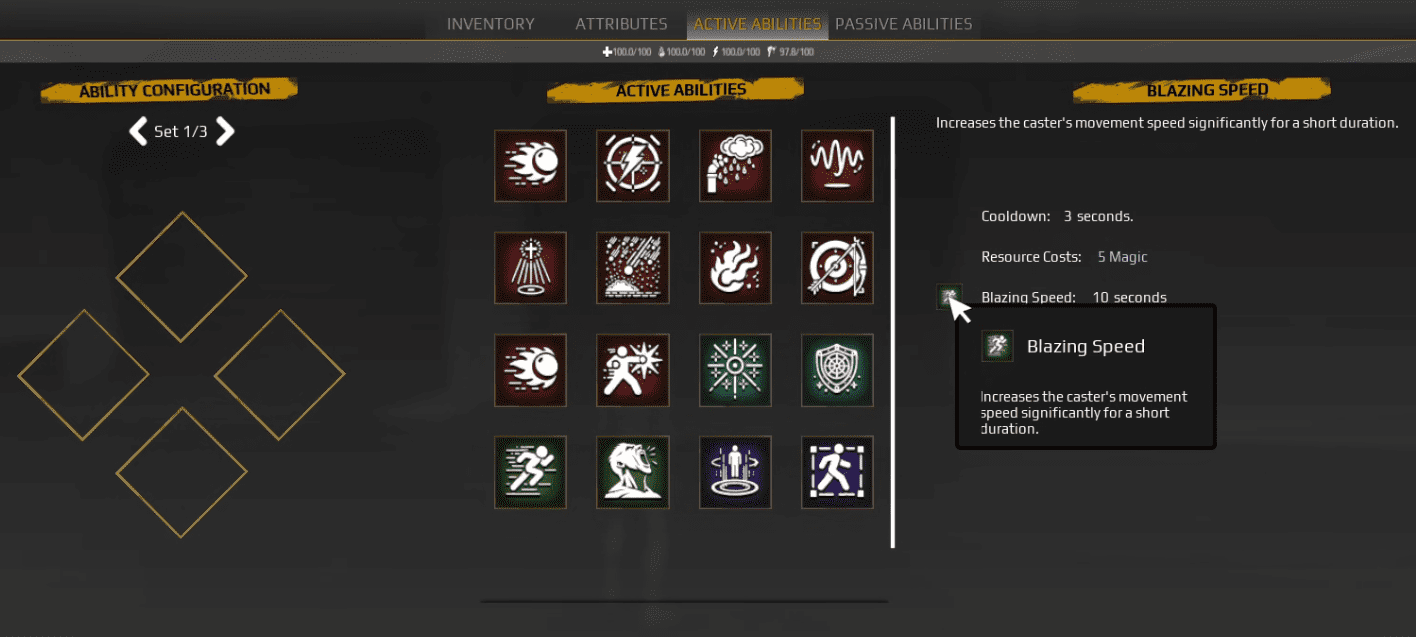
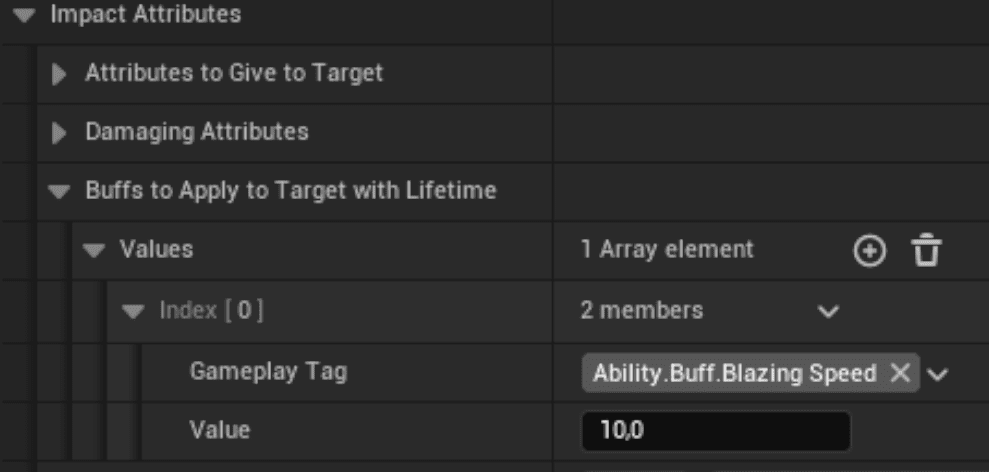
Example: create a Blazing Speed buff and add it to the existing Blazing Speed ability.
- Add the buff row to DT_StatusEffects.
- Use the same name and icon as the ability when you want the relationship to be obvious in UI.
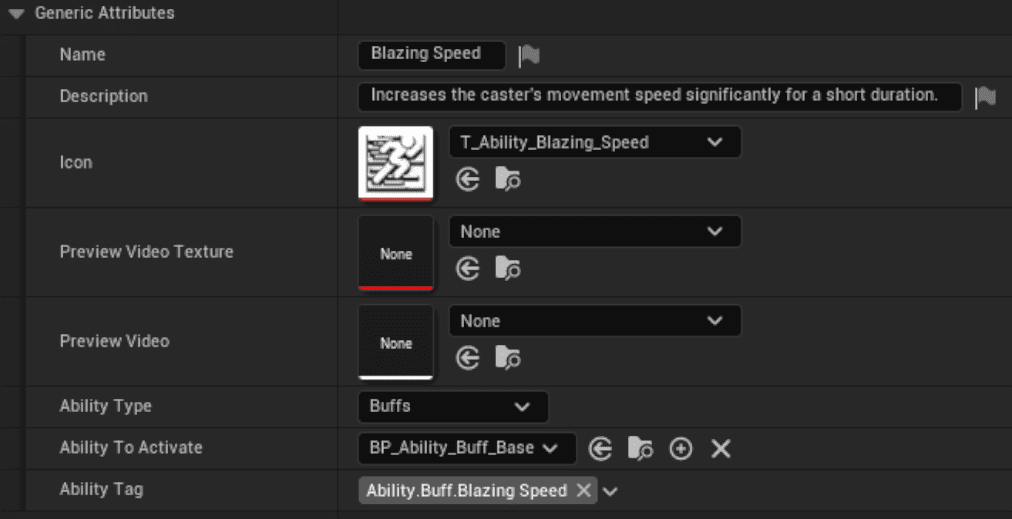
- Set Ability to Activate to BP_Ability_Buff_Base.
- Set the ability type to Buff.
- Assign an Ability.Buff tag.
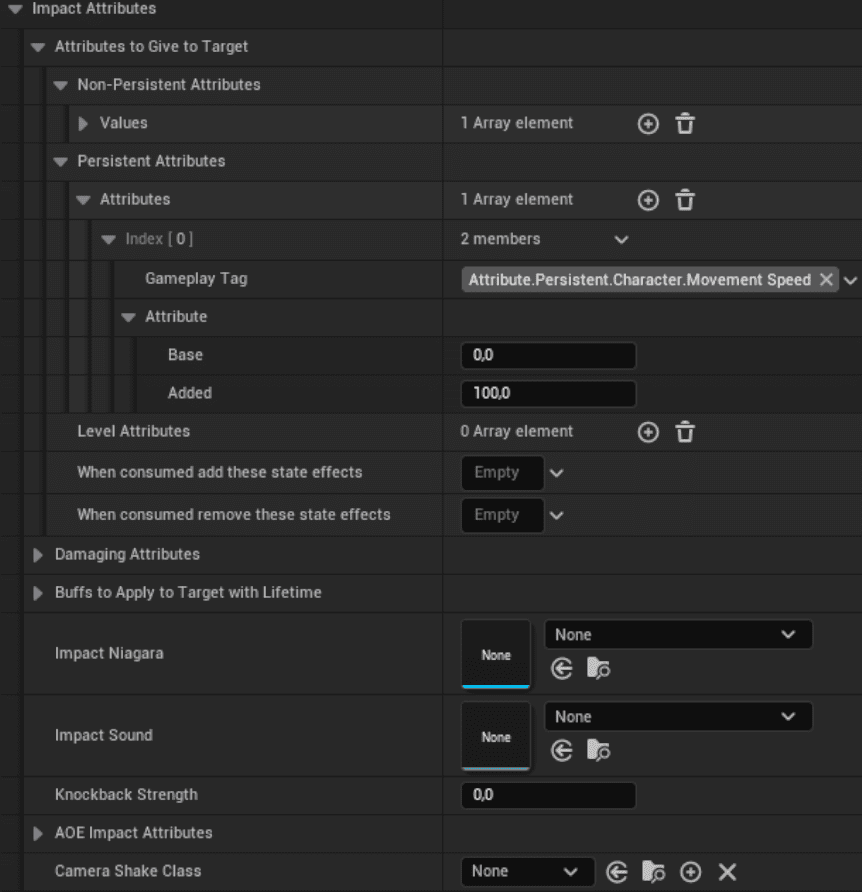
To make the buff increase movement speed, add a persistent attribute under Attributes to Give to Target, select Attribute.Persistent.Character Movement Speed, and set the Added value used by the UI.
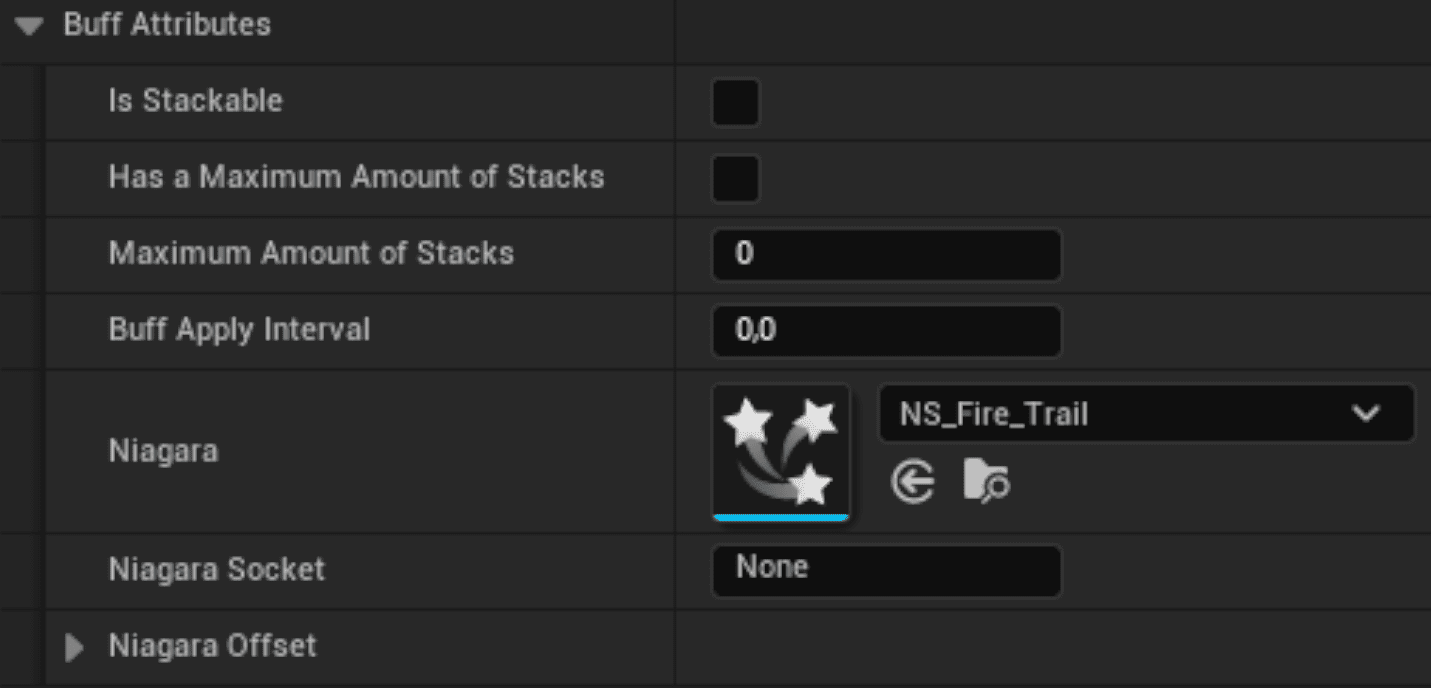
In Buff Attributes, disable stacking if the buff should not double its effect, disable interval application if it should not repeatedly apply, and assign the Niagara effect such as NS_Fire_Trail.
Add the buff to the ability from the ability’s Impact Attributes.
Create a Passive Ability
Passive abilities listen for gameplay conditions instead of being activated directly. Built-in triggers include constant attribute modifiers, equipment-based triggers, getting hit, landing hits, and killing enemies.
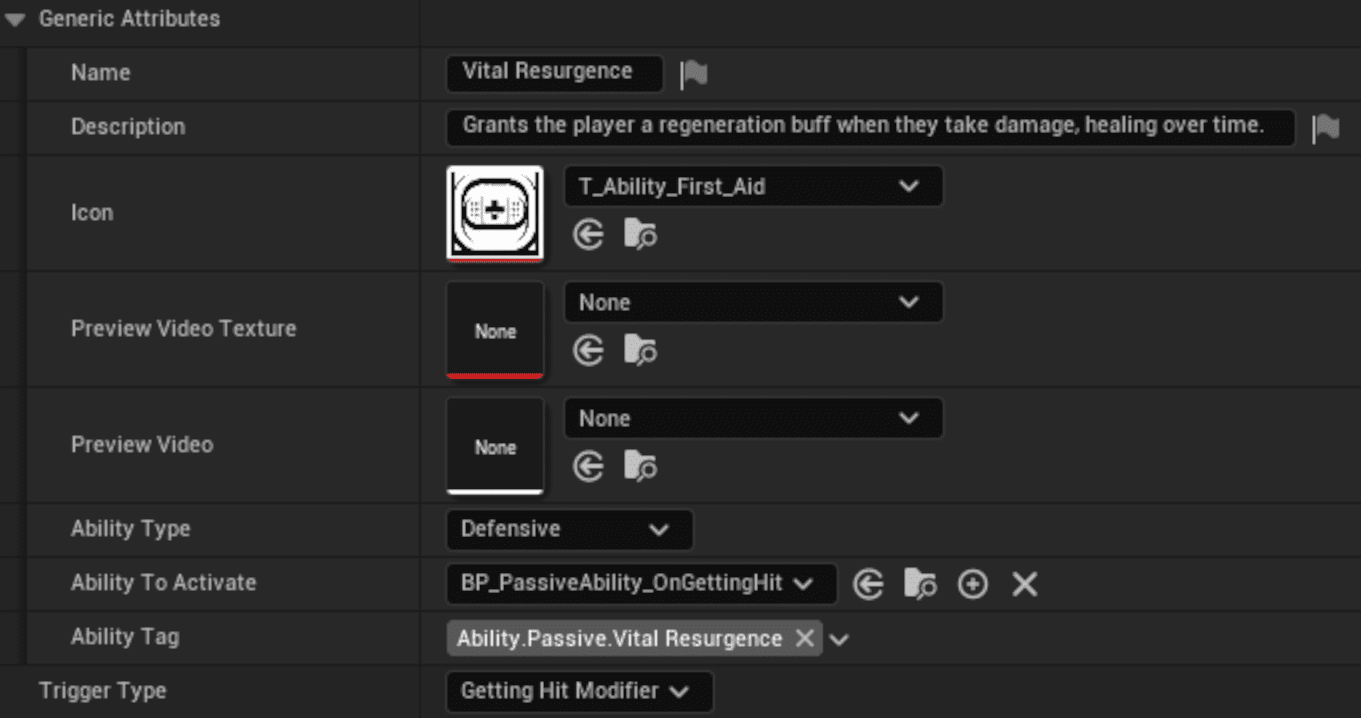
Example: create a passive ability that grants a regeneration buff when the player gets hit.
- Create a passive ability row and configure the shared Generic Attributes.
- Set Ability to Spawn to BP_PassiveAbility_OnGettingHit.
- Set Trigger Type to On Getting Hit.
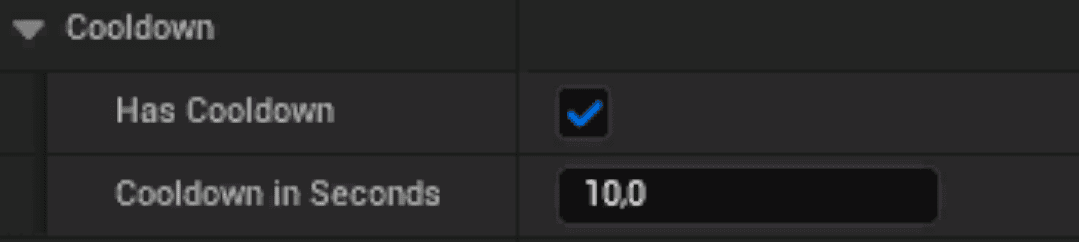
- Add a cooldown so the buff cannot be applied repeatedly on every hit.
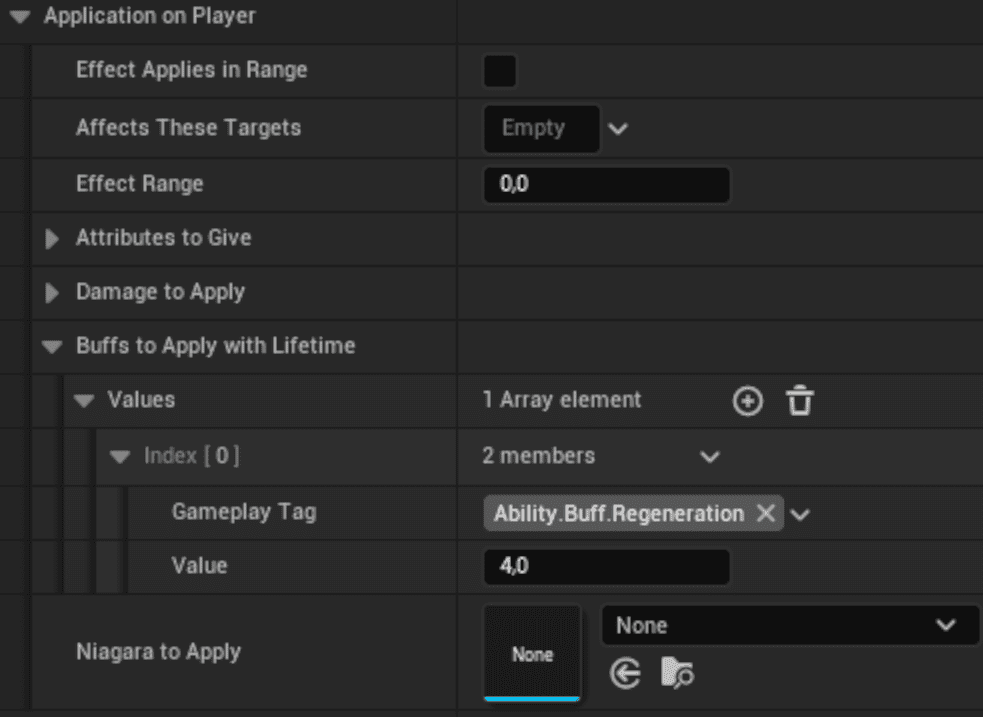
- Configure application to apply a buff instead of direct damage or attributes.
- In On Getting Hit requirements, enable Always Apply on Getting Hit.
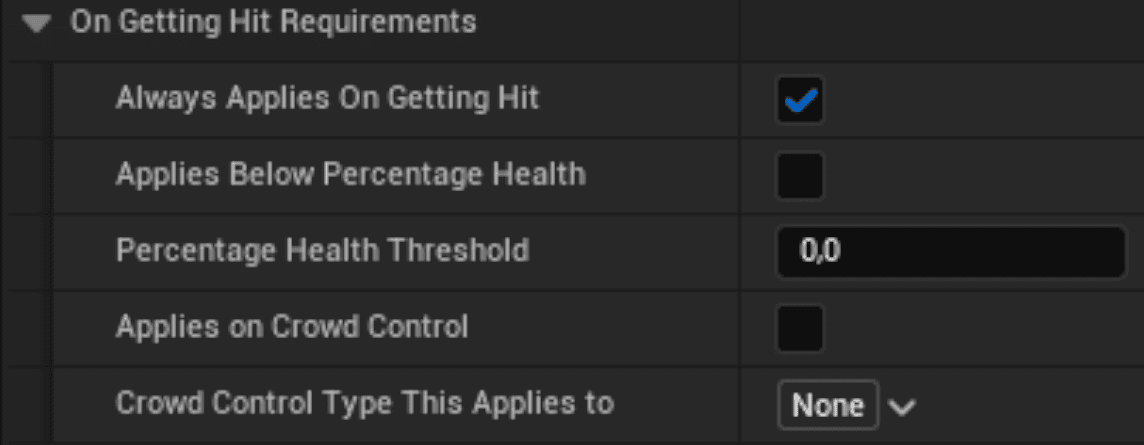
If the built-in triggers are not enough, inherit from one of the trigger classes and override Apply Custom Effect on Target or Apply Custom Effect on Owner. For fully custom triggers, use trigger type Other Conditional Modifier so the effect is not applied to unrelated modifiers.
Active Ability Structure
F_ActiveAbility is composed of several child structs. These are the main sections to configure:
| Section | Purpose |
|---|---|
| F_Ability_Generic_Attributes | Name, description, icon, preview video, ability type, ability actor class, and Gameplay Tag lookup. |
| Struct_Ability_Targetting_Attributes | Target type, trace type, and Gameplay Tags for affected targets such as Target.Enemy. |
| Struct_Ability_Equip_Attribtues | Weapon requirements, compatible equipment tags, socket attachment, socket rotation, spawn offset, and animation layer. |
| F_Ability_Cooldown_Attributes | Cooldown, cooldown time, charges, and maximum charges. |
| F_Ability_Casting_Attributes | Whether casting is used, cast type, interruptibility, costs, weapon visibility during casting, and cast stage behavior. |
| Struct_Ability_Casting_Stages | Start, loop, release, and cancel stages. Release is where cooldowns and costs are applied. |
| F_Ability_Impact_Attributes | Attributes, damage, buffs, Niagara, sound, knockback, AOE impact, and camera shake on impact. |
| F_Ability_Projectile_Attributes | Projectile spawn, lifetime, velocity, Niagara, mesh, gravity, piercing, hit box, vertical movement, and projectile sound. |
| Struct_Ability_Line_Traced_Based_Attributes | Line trace casting and trace range. |
| F_Ability_Beam_Attributes | Beam toggle, Niagara, sound, range, box half-size, multi-target support, and interval. |
| F_Ability_Summon_Attributes | Summon toggle and summoned actor lifetime. |
Child Structures and Enums
- F_Ability_Impact_Attributes: Impact delay, attributes to give, damage, buffs with lifetime, impact Niagara, impact sound, knockback, AOE impact, and camera shake.
- F_Ability_AOE_Impact_Attributes: Same concept as impact attributes, but applied to AOE results.
- F_Ability_Cast_Stage: Stage toggle, manual cast time, Root Motion Montage, moving montage, Niagara notify, sound notify, socket, and offset.
- F_Ability_Damage_Attributes: Damage toggle, damage curve, charge multiplier, critical hit multiplier, crit toggle, and damage type.
- E_Ability_Type: UI category such as Offensive, Defensive, Buffs, Utility, and Summoning.
- Enum_Ability_Cast_Type: Auto Release, Continuous, and Chargeable.
- Enum_Ability_Target_Type: Attach to Self, Drop on Location, and Aimed.
- Enum_Ability_Trace_Type: Projectile Based and Line Trace Based.
Passive Ability Structure
Passive abilities reuse F_Ability_Generic_Attributes and add trigger, cooldown, application, and requirement data.
- Trigger Type: Defines how the passive activates.
- Cooldown: Optional cooldown for passive activation.
- Application on Player: Effects applied to the owner.
- Application on Target: Effects applied to targets.
- On Kill Requirements: Conditions for kill-triggered passives.
- On Hit Requirements: Critical hit or behind-hit conditions.
- On Equipped Requirements: Equipment slot, equipment tag, and dual-wield conditions.
- On Getting Hit Requirements: Health threshold and crowd-control conditions.
Struct_Passive_Ability_Application can apply effects in range, filter affected targets by Gameplay Tags, define effect range, give attributes, apply damage, apply buffs with lifetime, and spawn Niagara on application.
Enum_passive_Ability_Trigger_type includes constant attribute modifiers and the other passive trigger types described above.