
Configure Attributes
Updated May 25, 2026
Use this page to choose which core attributes your character uses and where to adjust the main attribute behavior values.
Related setup: Set Up Your Own Character, Customize Your Datatables.
Determine which core attributes you would like to use
Every game uses attributes differently. An RPG may need Mana, while a survival game may need Food, Hydration, and possibly Oxygen for swimming. Hyper makes these core attributes easy to enable or disable on the character.
-
Open your Character Blueprint and select the Attribute Manager.
- Find the attribute usage settings, such as Use Food, Use Oxygen, and related toggles.
- Enable the attributes that match your game.
- If you use an ability system, enable Mana.
- If you use survival gameplay, enable Food and Hydration.
- If you use swimming and want oxygen management, enable Oxygen.
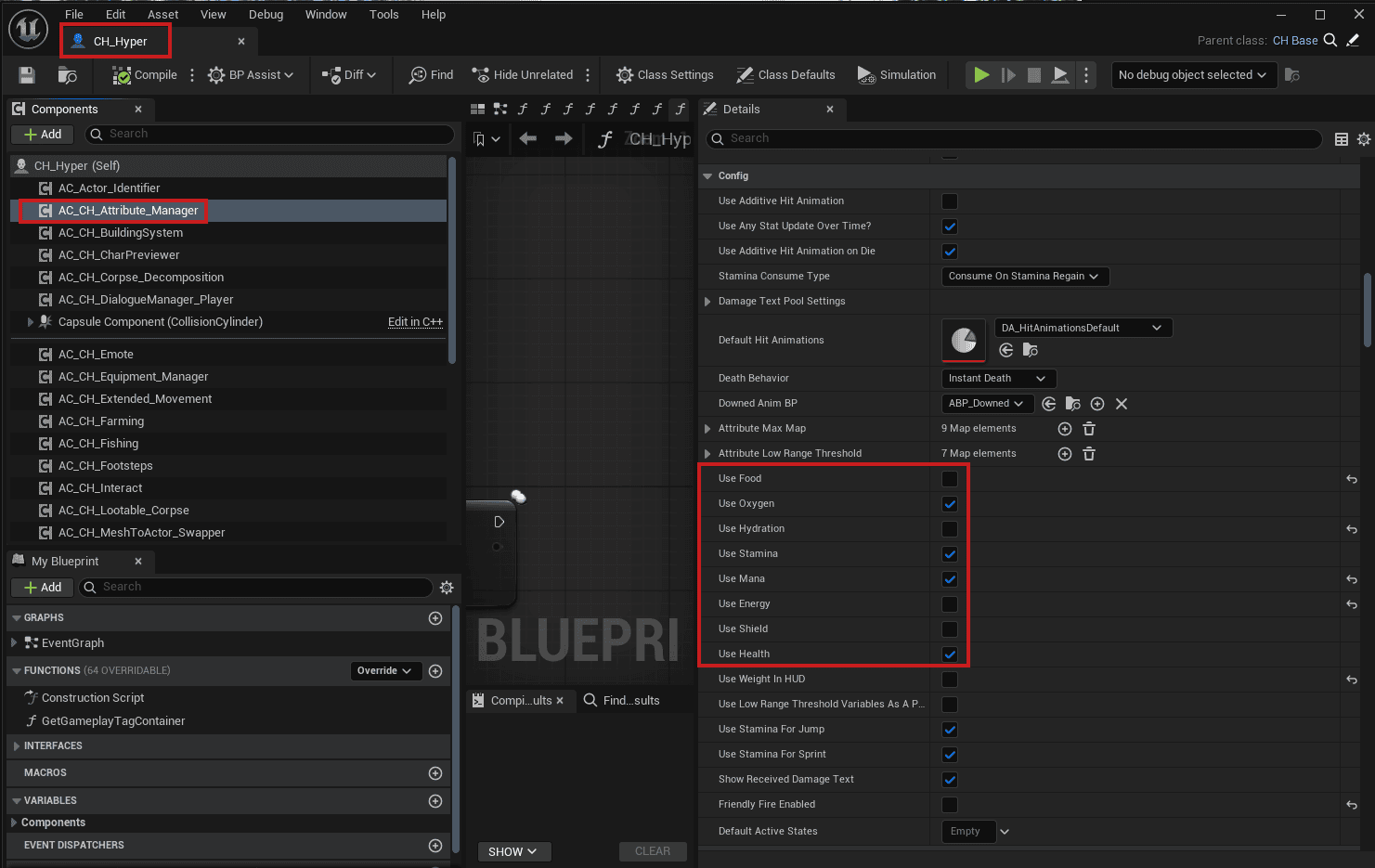
- Based on your settings, the active attributes update in the lower-right corner.
- If you open the in-game menu, the attributes also update in the topbar.

Adjusting advanced attribute settings
You may also want to change core behavior values such as Maximum Health, Health Regen Rate, Maximum Mana, or Mana Consumption Rate. Most core values are under Persistent Attributes.
Unreal Engine does not currently make it easy to search these mappings, so you may need to find the attribute manually. The screenshot below shows examples for changing Maximum Mana, Mana Consumption Rate, and Maximum Health.

Performance note: some settings, such as current health, are not stored in that list. Current Health is a separate variable for performance reasons because it may need to update on many actors in a very short time.

If you are looking for item, equipment, or system-specific attribute values, those are handled in the relevant data tables.