
Teleport System
Updated May 25, 2026
The Teleport System provides safe player teleportation for projects using World Partition or Level Streaming. It validates the teleport destination, fades the screen if configured, freezes movement, moves the player, waits for the destination area to load, then restores control when the environment is ready.
Use this page for teleport location placement, Player Controller setup, the BPI_Teleport interface, validation checks, and the full teleport flow. For shared setup guidance, see the Migration Guide and Integration Guide. Use the System Atlas to look up functions, variables, events, components, and ownership references.
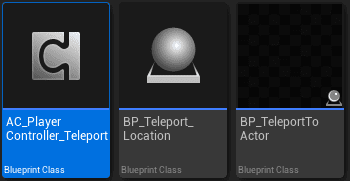
What It Solves
Standard teleportation can fail when the target area is unloaded. The player may arrive before collision, actors, or world partition cells are ready. This system avoids that by combining validation, fade, movement freeze, level loading, and completion callbacks.
- Fast travel: teleport to discovered landmarks.
- Dungeon entrances and exits: transition between overworld and dungeon spaces.
- Portals: move between distant locations.
- Quest teleportation: move players to quest-specific locations.
- Respawn points: place the player at a safe destination after death.
- Cutscene transitions: move players for story sequences.
Core Components
Teleport Location Actor
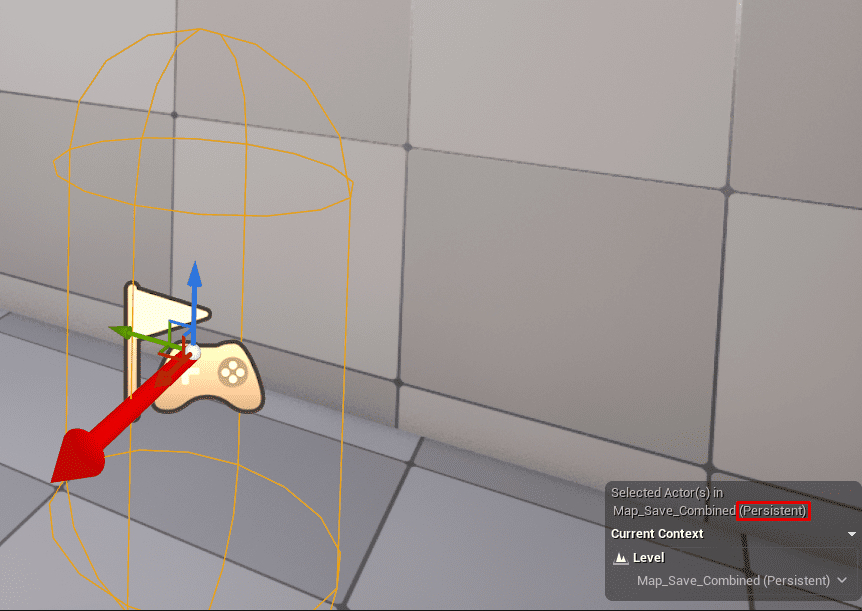
BP_Teleport_Location marks a valid teleport destination. It must be placed in the persistent level, even when the destination is inside a streamed area.
| Property or behavior | Purpose |
|---|---|
| Location / Transform | Where the player will arrive, including rotation. |
| Associated Level | The streaming level or world partition area related to this location. |
| Display Name | Name shown in UI, such as Town Square or Dark Forest. |
| Teleport Icon | Icon used by fast travel UI if implemented. |
| Validation Settings | Rules used by Can Teleport. |
| BPI_Teleport | Interface for validation, destination transform, and completion callback. |
Persistent-level placement is critical because the persistent level is always loaded. Fast travel UI and gameplay code can keep valid references to teleport locations even when the target streaming level is unloaded.
Teleport Component
The Teleport Component lives on BP_PlayerController. It initiates teleportation, runs fade transitions, freezes and unfreezes movement, handles target level loading, and tracks the active teleport state.
| Function or setting | Purpose |
|---|---|
| Teleport To Location | Starts teleportation to a selected Teleport Location actor. |
| Start Fade In / Start Fade Out | Runs transition visuals through the configured fade widget. |
| Freeze Player Movement / Unfreeze Player Movement | Prevents player input and movement during teleport and loading. |
| Fade Widget Class | Optional widget class, such as WBP_TeleportFade. |
| Fade Duration | Duration for fade transitions. |
| Use Fade Effects | Enables or disables fade transitions. |
| Level Loading Timeout | Maximum wait time for level loading. |
BPI_Teleport Interface
Teleport Location actors implement BPI_Teleport.
| Function | Inputs | Outputs | Use |
|---|---|---|---|
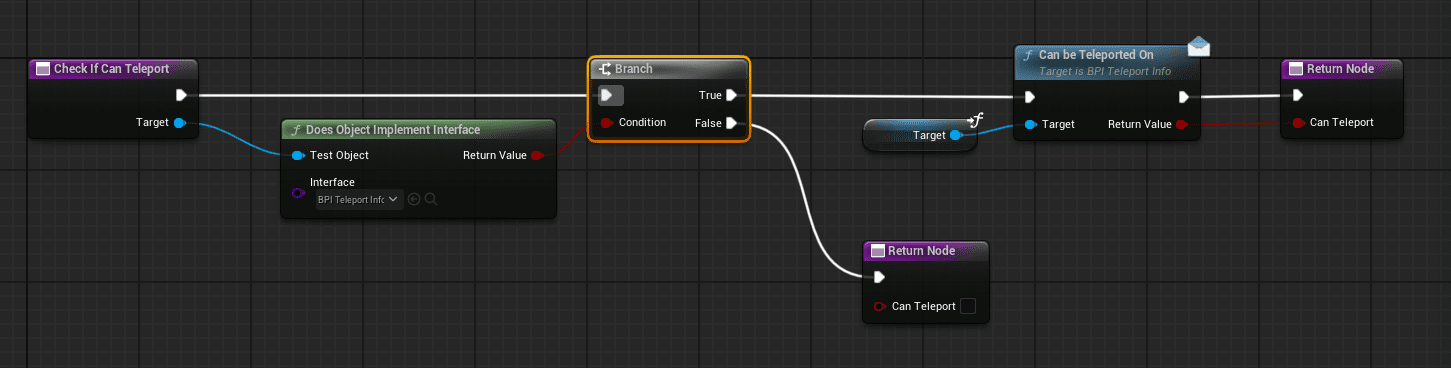
| Can Teleport | Player Controller. | Boolean and failure reason string. | Validates whether teleportation is allowed. |
| Get Teleport Transform | None. | Transform. | Returns the exact destination location and rotation. |
| On Teleport Complete | Player Controller. | None. | Runs after a successful teleport. |
Basic Can Teleport implementations can always return true. Advanced implementations can check discovery, quest progress, enemy occupation, cooldowns, resources, reputation, party size, weather, time of day, or combat state.
Teleport Flow
- The player triggers teleport from UI, a portal, a quest action, or another gameplay interaction.
- The Teleport Component receives a Teleport Location actor reference.
- The location’s Can Teleport function validates the request.
- If validation fails, the system shows or returns the failure reason and cancels.
- If validation succeeds, the fade-in starts when fade effects are enabled.
- Player movement and input are frozen.
- The player is teleported to the transform returned by Get Teleport Transform.
- The system checks the associated level or world partition state and waits for the destination area to load.
- After loading completes, fade-out runs.
- Movement and input are restored.
- On Teleport Complete runs on the Teleport Location actor.
The player is moved before waiting for load so the streaming system can prioritize the area around the player’s new position. Movement stays frozen so the player cannot fall, move, or interact while the destination is still loading.
Validation Checks
| Check | Typical logic | Failure reason |
|---|---|---|
| Discovery | Check save data for discovered location ID. | You have not discovered this location yet. |
| Quest or progression unlock | Check required quest, progression flag, or item. | Complete the required quest to unlock this location. |
| Occupation / safety | Check hostile actors near the destination, optionally using Team Affiliation. | Location is occupied by enemies. |
| Cooldown | Compare last teleport time with cooldown duration. | Fast travel is on cooldown. |
| Resource cost | Use inventory or Event Manager checks for required gold/items. | Insufficient resources for fast travel. |
| Custom conditions | Time of day, weather, reputation, party size, combat state. | Specific message for the failed rule. |
Run checks in a predictable order and return a clear failure reason for UI feedback.
Fade, Loading, and Movement Freeze
Fade-in hides the moment of teleportation and gives the player clear transition feedback. The fade widget can be customized with colors, images, loading indicators, location name text, sounds, or additional animation.
During loading, the player is already at the target transform but cannot move. This matters for both World Partition and traditional Level Streaming:
- World Partition: the player’s position influences which cells stream in.
- Level Streaming: the system can explicitly load the associated level, then wait until it is ready.
- Movement freeze: prevents falling through unloaded geometry or interacting before the world is ready.
Unfreeze only after the fade-out completes and the level is fully loaded.
Setup Workflow
Place Teleport Locations
- Open the persistent level.
- Place BP_Teleport_Location at the destination.
- Rotate it to match the desired player-facing direction.
- Set the display name, associated level, icon, and validation settings.
- Verify that the actor is in the persistent level, not a streaming level.
Add Player Teleport Support
- Open BP_PlayerController.
- Add the Teleport Component.
- Set the fade widget class, such as WBP_TeleportFade, if fade is used.
- Configure fade duration, fade usage, and loading timeout.
- Create a test input or interaction that calls Teleport To Location.
- Test fade, movement freeze, loading, arrival, and On Teleport Complete.
Integration Notes
- Fast Travel System: use discovered locations and UI selection.
- Quest System: unlock or restrict destinations based on quest progress.
- Save/Load System: store discovered locations and cooldown data.
- Event Manager: check costs or trigger arrival/discovery events.
- Attribute Manager: apply travel costs or restrictions based on player state.
- Team Affiliation: check whether a destination is occupied by enemies.
Example Implementations
- Basic teleport points: always allow teleport and use the actor transform.
- Fast travel: require discovery, optional cost, and unlocked destination state.
- Dungeon exit portals: validate interaction, fade out, move to overworld destination, then call completion logic.
- BP_TeleportPortal: use a portal actor to trigger teleport into a configured BP_Teleport_Location.
Summary
The Teleport System keeps destination references stable by storing Teleport Location actors in the persistent level, then handles validation, fade, movement freeze, teleportation, streaming/load wait, fade-out, and completion callbacks. The important rule is simple: references stay in the persistent level, while the destination itself can point into any streamed or world-partitioned area.