
Global Save System
Updated May 25, 2026
The Global Save System saves and loads level actors, runtime-spawned actors, actor components, players, save slots, and destroyed level-placed actors.
For shared setup guidance, see the Migration Guide and Integration Guide. Use the System Atlas to look up functions, variables, events, components, and ownership references. Use this page for Global Save-specific interfaces, save flow, player loading, and slot behavior.
Related Videos
Some videos may have been recorded before V4. The same principles still apply, but asset names, component names, and folder locations may differ. Treat the current written documentation and V4 names as the source of truth.
Save and Load Your Game’s Levels, Pickups and Equipment Walkthrough PlaySave and Load Your Game with the Global Save System Devlog Play
Core Components
The system uses a game-mode component for server-side save logic and a player-controller component for client-side save flow.
| Component | Purpose | Main Responsibilities |
|---|---|---|
| Game Mode Save Manager | Server-side save and load logic. | Begin Play load flow, slot selection, world actor saving, player saving, and the main Save Game function. |
| Player Controller Save Component | Client-side save flow. | Handles events such as death, pawn possession, creating a new game, and loading a slot. |


Saveable Interfaces
The save system uses interfaces to discover which actors and components should be saved.
- Add BPI_Saveable_Component to actor components that should be saved.
- Add BPI_Saveable_Actor to actors that should be saved.
- Actors with BPI_Saveable_Actor are saved automatically, and their components with BPI_Saveable_Component are saved with them.
- The interfaces provide On Save and On Load events for custom save/load behavior.
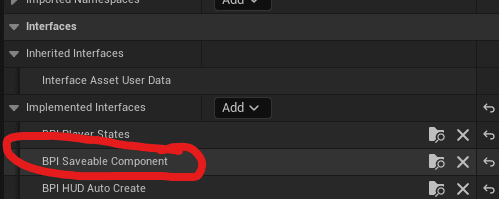
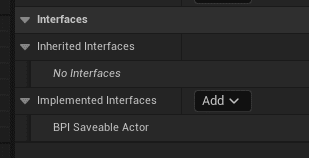
Important: Do not assign BPI_Saveable_Actor directly to players. Players are spawned and assigned through the game mode and require separate player-loading logic.
The actor interface also exposes Is Streamed From Level and Is Spawned From Save. Actor components can access the same state by checking their owner.
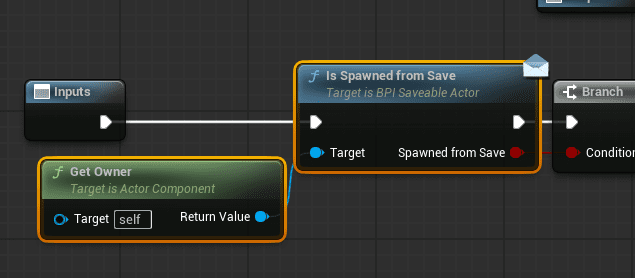
Is Spawned From Save
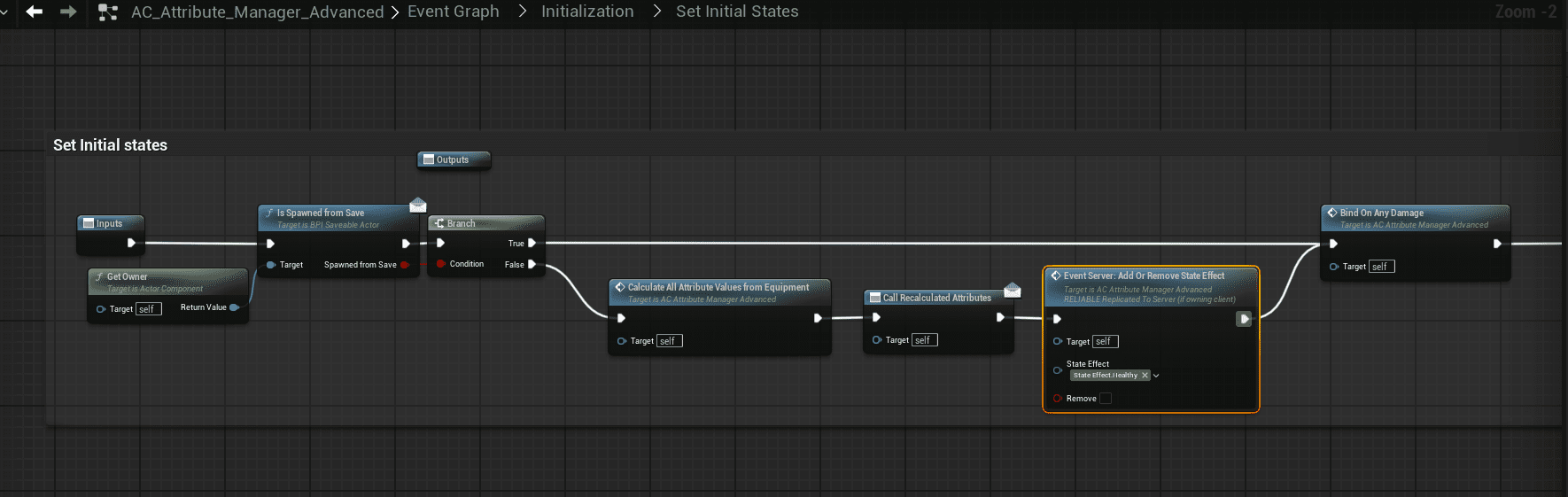
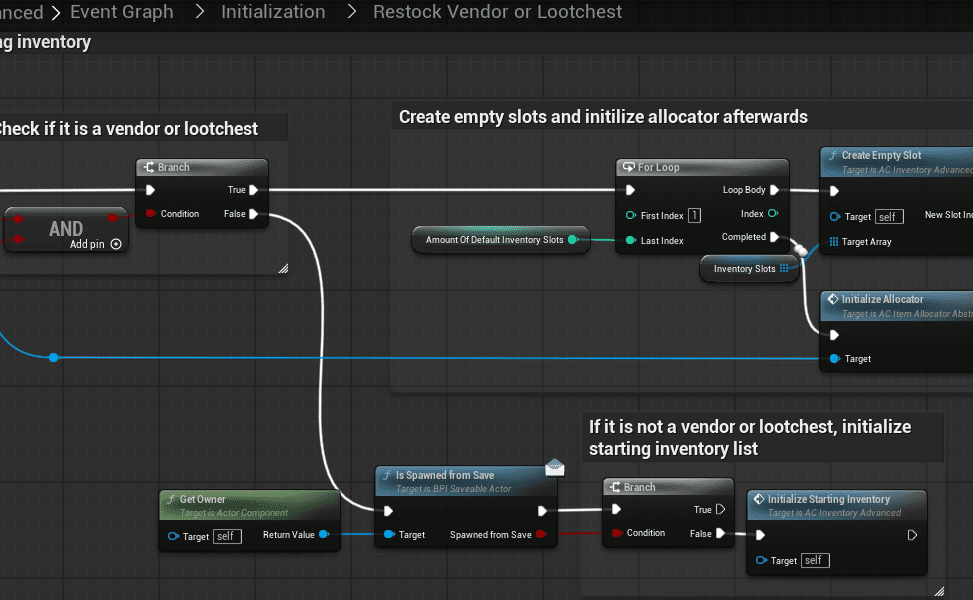
Is Spawned From Save is used when loading actors from saved data. It lets actors bypass fresh-game initialization or run custom load-specific logic.
- In the Attribute Manager, Begin Play initializes a fresh actor to Healthy. When loaded from save, the saved state should be used instead.
- In the Inventory System, initial inventory should only be spawned for actors that were not loaded from save.
Is Streamed From Level
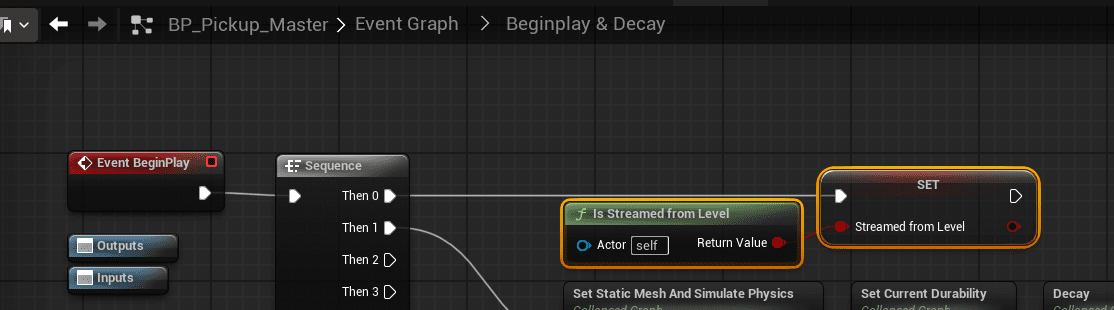
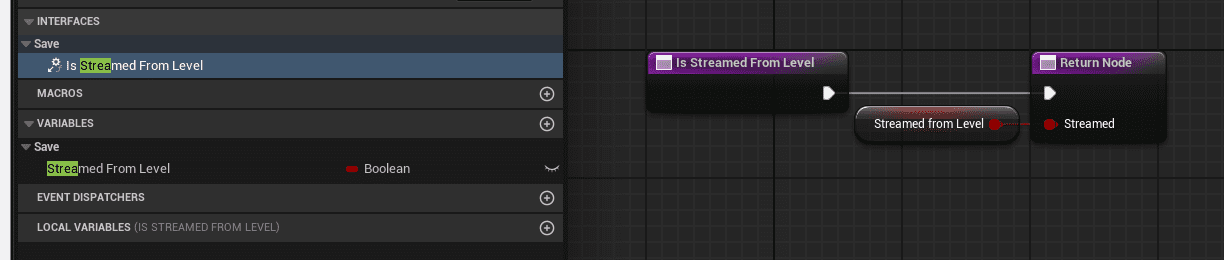
Is Streamed From Level identifies whether an actor was placed in the map by a level designer or spawned during gameplay.
- True: The actor was already placed in the world, such as a level-placed loot chest.
- False: The actor was placed during gameplay, such as a dropped pickup or buildable.
This value is used by BP_Save_Manager_World_Proxy.
BP_Save_Manager_World_Proxy
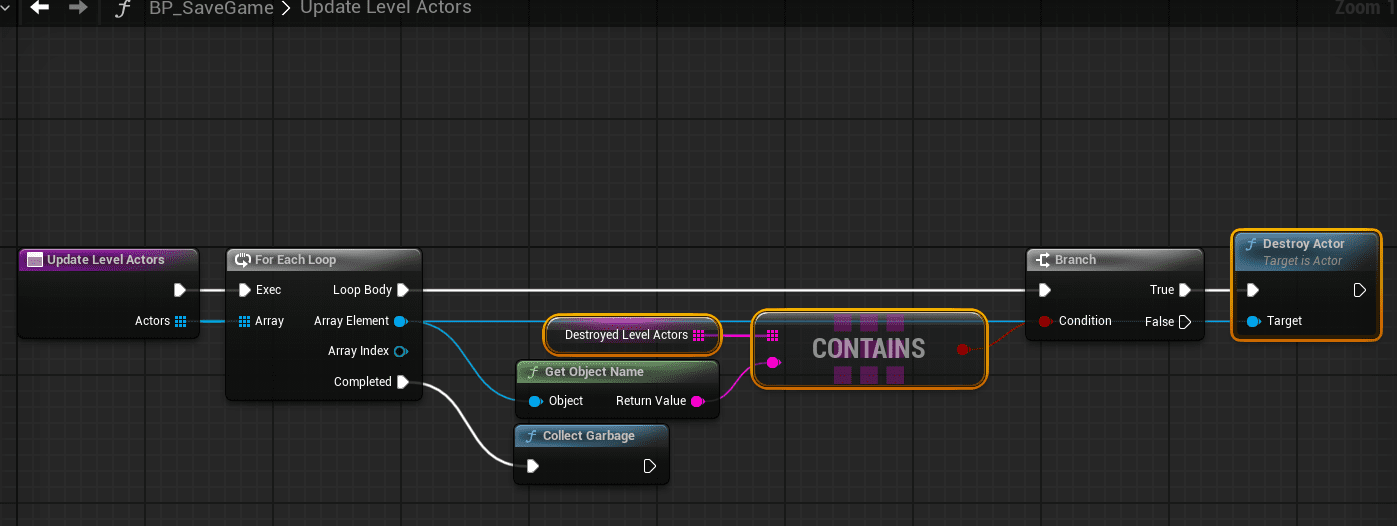
BP_Save_Manager_World_Proxy tracks destroyed saveable actors that were originally placed in the level. This matters because level-placed actors always come back when the map loads unless the save system removes the ones that were destroyed during gameplay.
The system distinguishes between two actor sources:
- Level actors: Stored in the map and placed in the editor. If one is destroyed during gameplay, the save system must remember that and destroy it again on load.
- Runtime actors: Spawned during gameplay and stored in the save object. If destroyed before saving, they are simply absent from the saved actor list.
When a saveable actor is destroyed, the proxy checks whether it was streamed from the level. If true, it adds the actor to the destroyed level actor list. If false, no extra destroyed-level-actor record is needed.
Example streamed-from-level setup:
Destroyed level actors are removed during the save-game load flow.
Load Flow
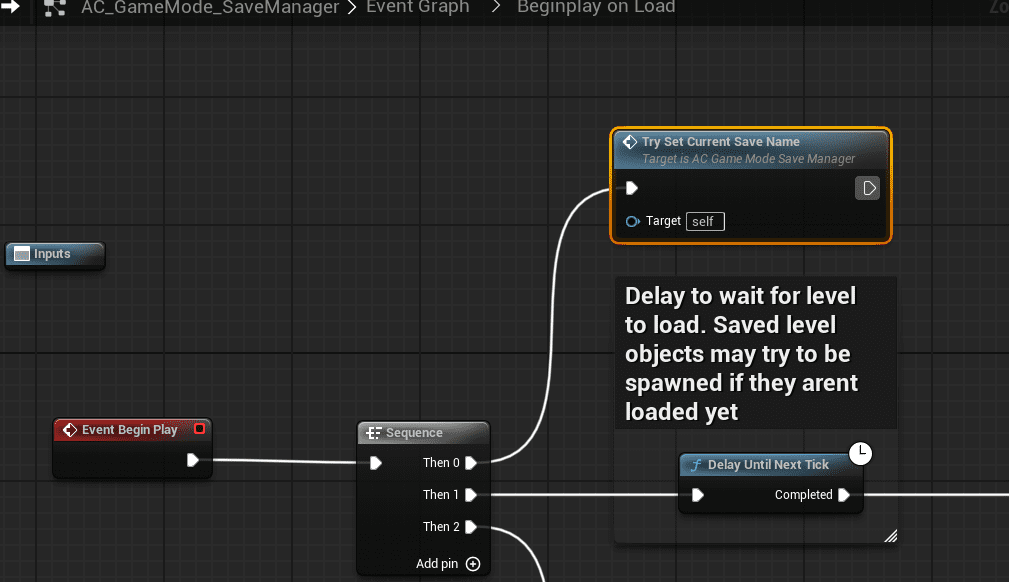
In the game mode save manager, Begin Play effectively performs the load flow. The key function is Try Set Current Save Name.
The Game Instance determines which slot to load. For example, the main menu can store the selected save slot in the Game Instance, open the level, and then the level reads that slot on Begin Play to load the correct save.
Attached Actors
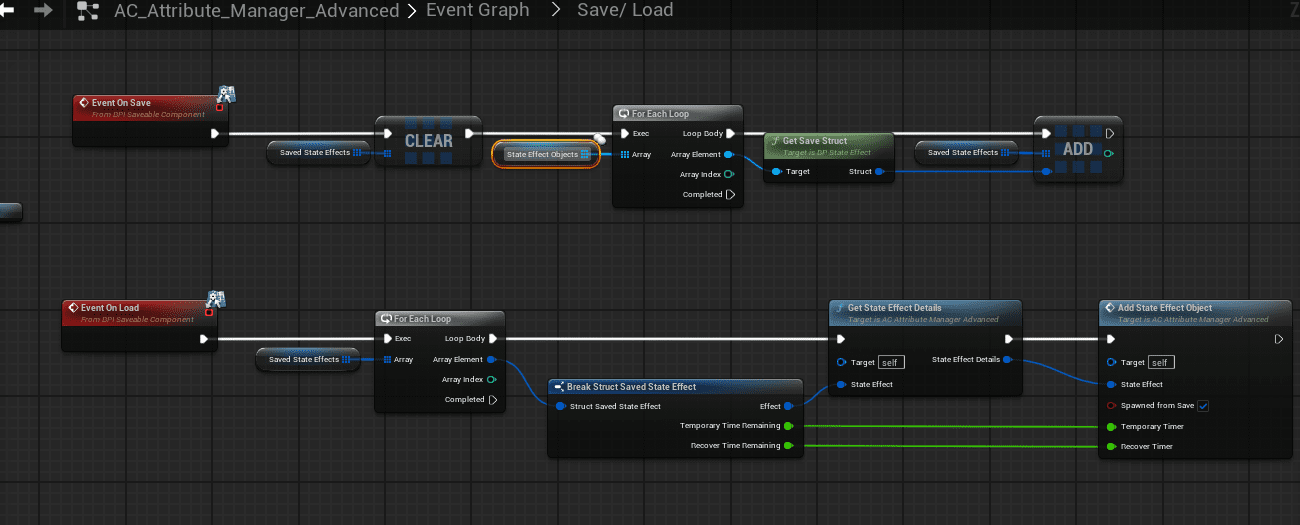
Attached actors need custom save/load handling because Unreal attachment logic includes attachment rules, snap behavior, attachment targets, and load order concerns.
For example, the Attribute Manager attaches State Effects to the character. Instead of saving those attached objects directly through the interface, the system saves them manually on the Attribute Manager’s On Save event and respawns or reattaches them on On Load.
The same pattern is used for Equipment, because equipment actors are attached to the player.
Saving the Game
Call Save Game on the Game Mode Save Manager to save the full game.
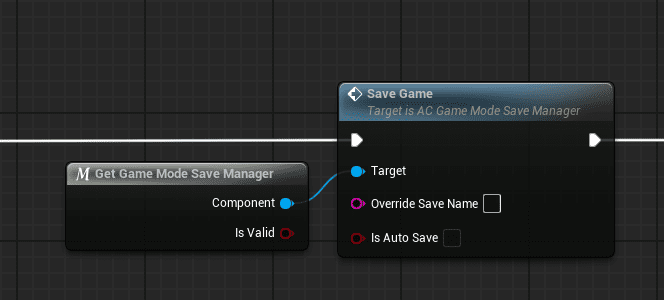
Override save name should usually be left empty. If it is not empty, the system creates a new slot, which is useful for manual new-save behavior.
The Save Game function:
- Saves all players.
- Finds all actors in the world that implement BPI_Saveable_Actor.
- Runs custom On Save logic on each saveable actor.
- Finds all components on those actors that implement BPI_Saveable_Component.
- Runs custom On Save logic on each saveable component.
- Stores the data in an Unreal save object.
Flag All Save Game Properties
Flag All Save Game Properties marks properties that should be saved. Blueprint properties have a Save Game flag, and the included C++ plugin converts flagged properties on an object to and from byte arrays.
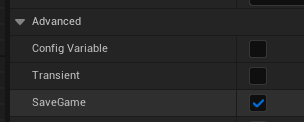
This function is needed because child properties of a flagged property are not automatically flagged, and engine properties cannot always be flagged manually.
- A simple boolean can be flagged directly.
- A struct can be flagged, but its child properties are not automatically flagged.
- Large structs can contain many child properties, which makes manual flagging error-prone.
- Engine types such as data table row handles may not be manually flaggable, so their selected rows would otherwise not save correctly.
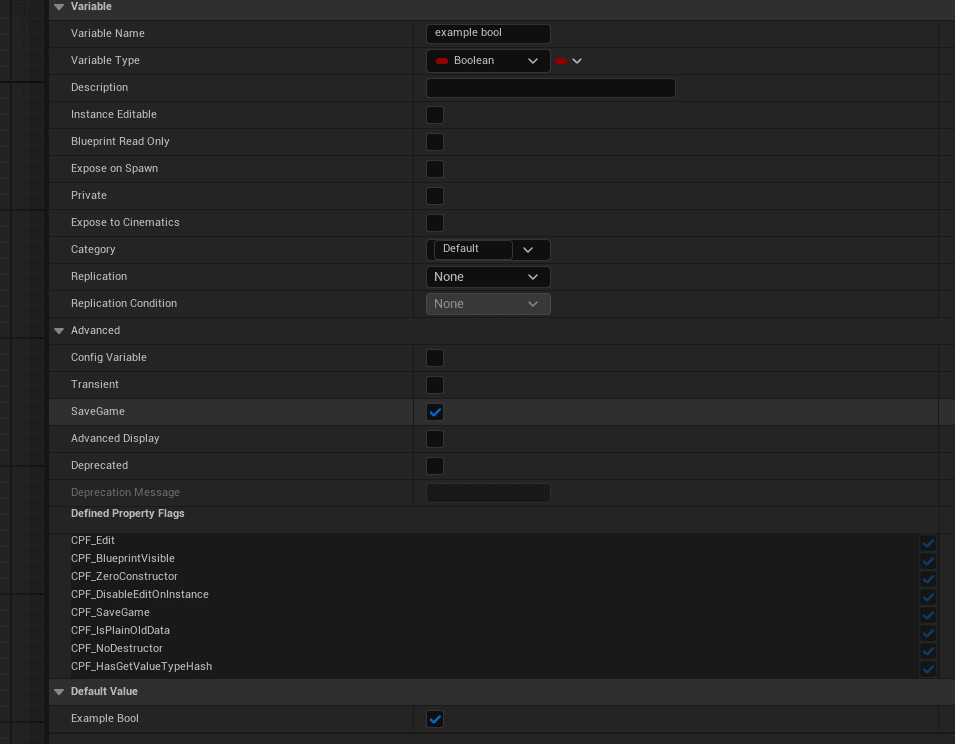
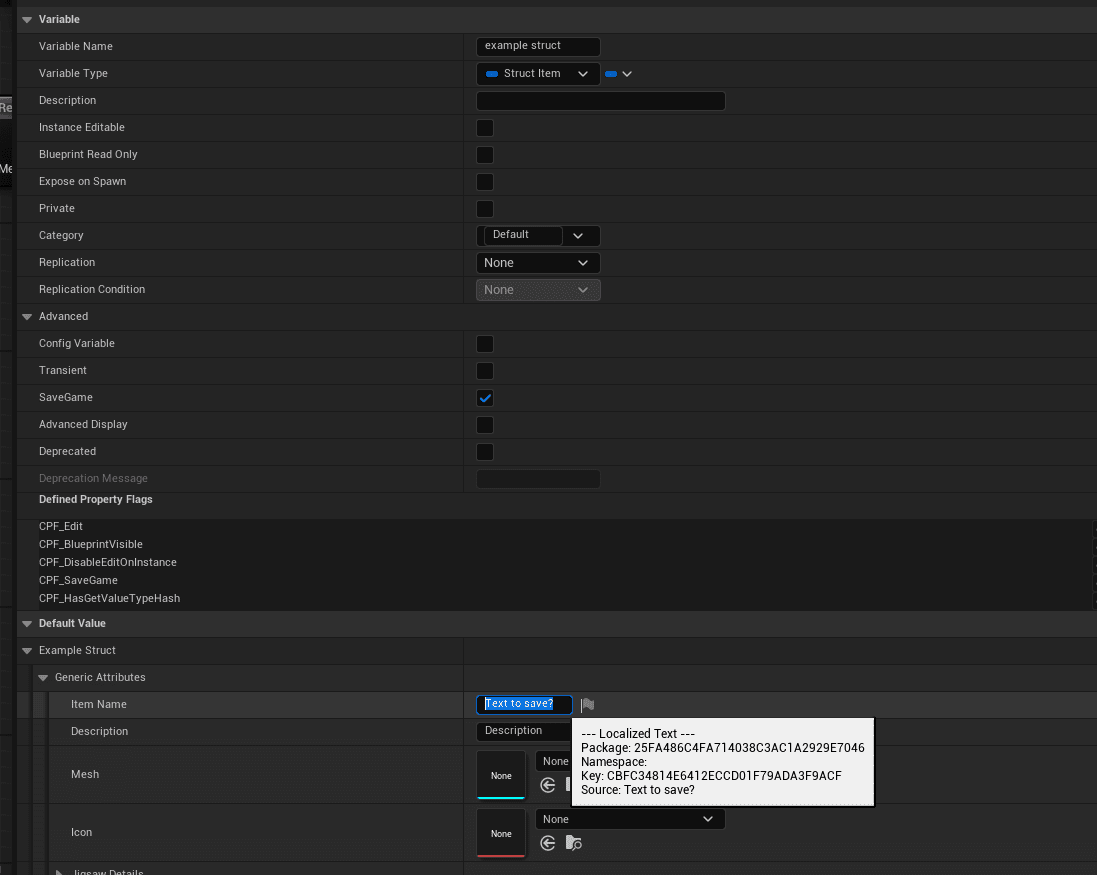
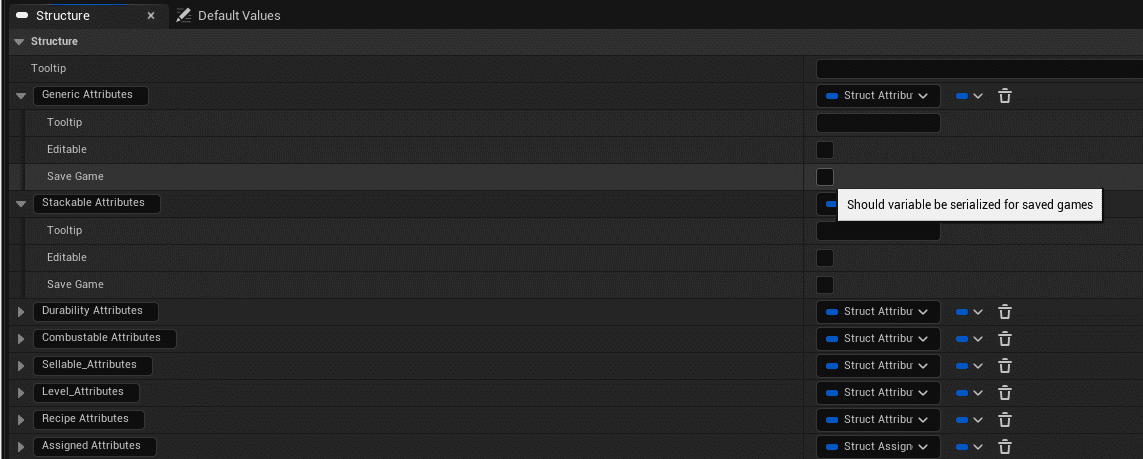
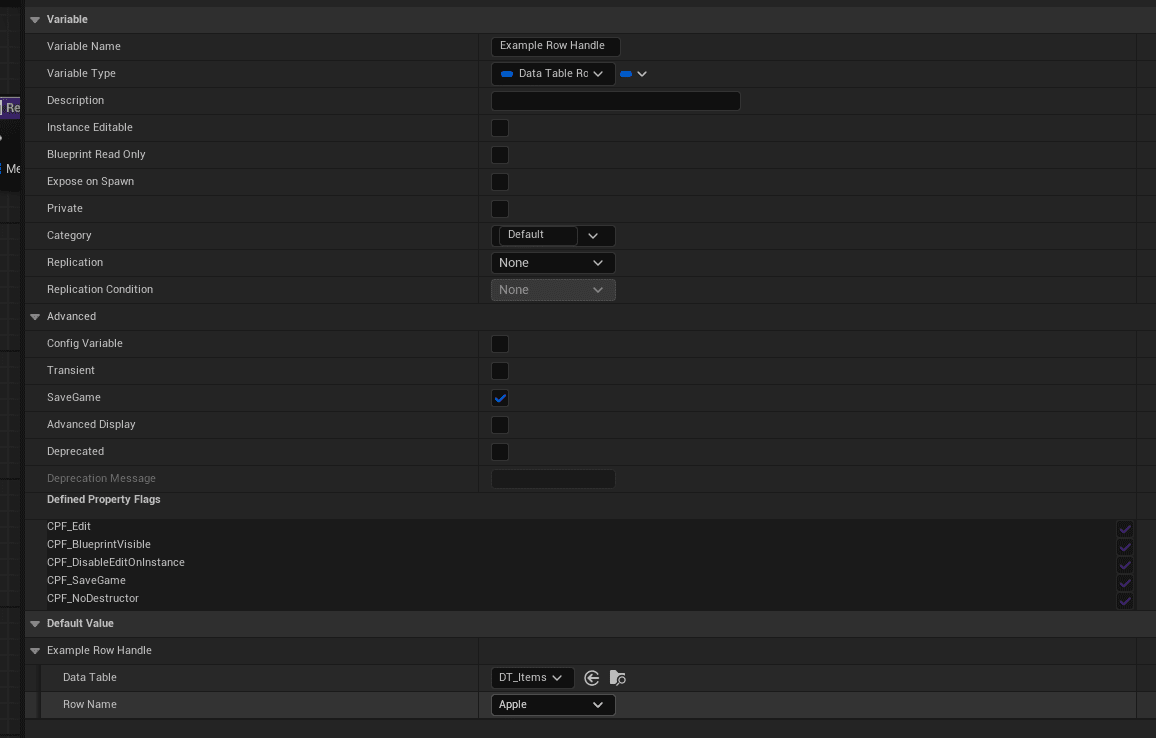
Use this function to flag properties that cannot be flagged manually, and to automatically flag child properties in large structs.
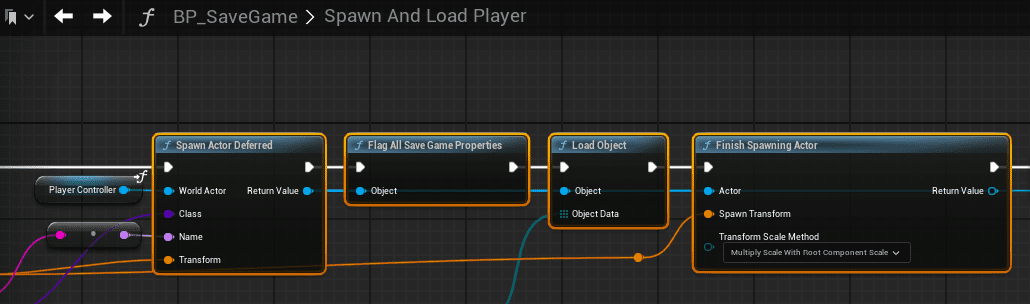
Spawn Actor From Save
Actors loaded from save follow Unreal’s actor lifecycle. See Epic’s Actor Lifecycle documentation for the underlying engine flow.
- Spawn Actor Deferred: Creates the actor placeholder without running construction scripts or Begin Play.
- Flag All Save Game Properties: Reflags save-game properties so the system knows what to load.
- Load Object: Converts the byte array back into property values on the object.
- Finish Spawning Actor: Runs construction script and Begin Play after saved data has been applied.
BP_SaveGame
BP_SaveGame stores the saved data and provides core save/load functions for actors and players.
- Actor Records: Saved actor data.
- Component Records: Saved component data attached to actors.
- Player Records: Player state, location, identifiers, and related data.
- Destroyed Level Actors: Records from BP_Save_Manager_World_Proxy.
- Temp Actors: Temporary data used to track linked components.
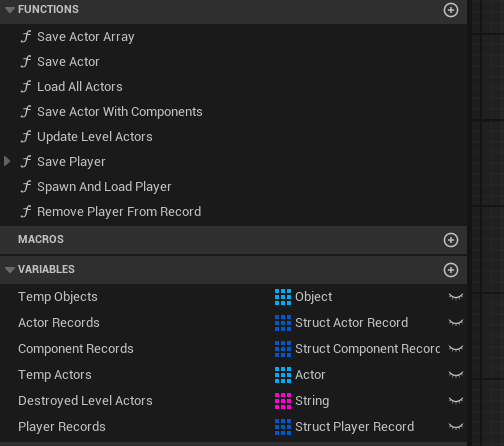
Core function groups:
- Player: Spawn And Load Player, Save Player.
- Save: Save Actor With Components.
- Load: Load All Actors with components.
Player Saving
Save Game saves the whole game and all players, so it is expensive. Some projects, especially dedicated servers, may need to save a specific player instead of the full world.
Player saving and player spawning use separate logic from actor saving because players have player-controller components and unique player identifiers.
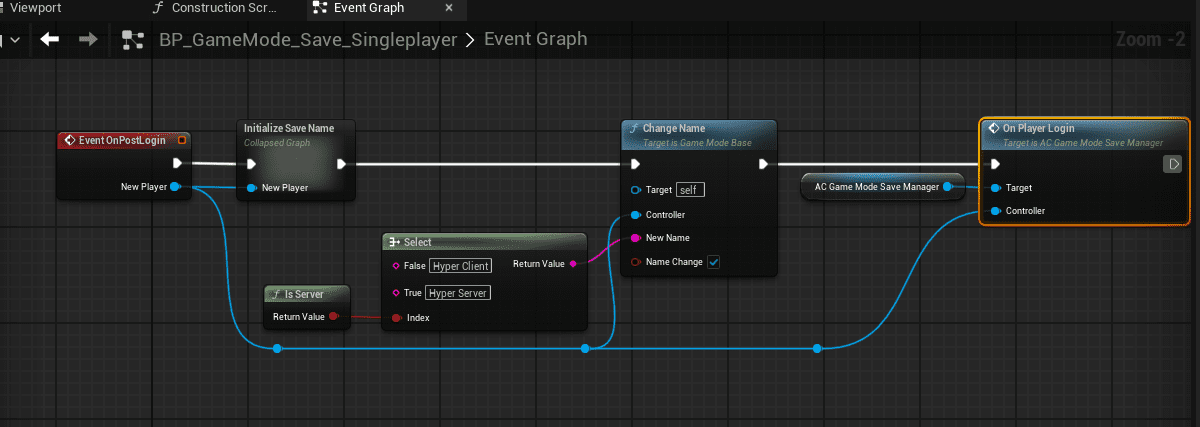
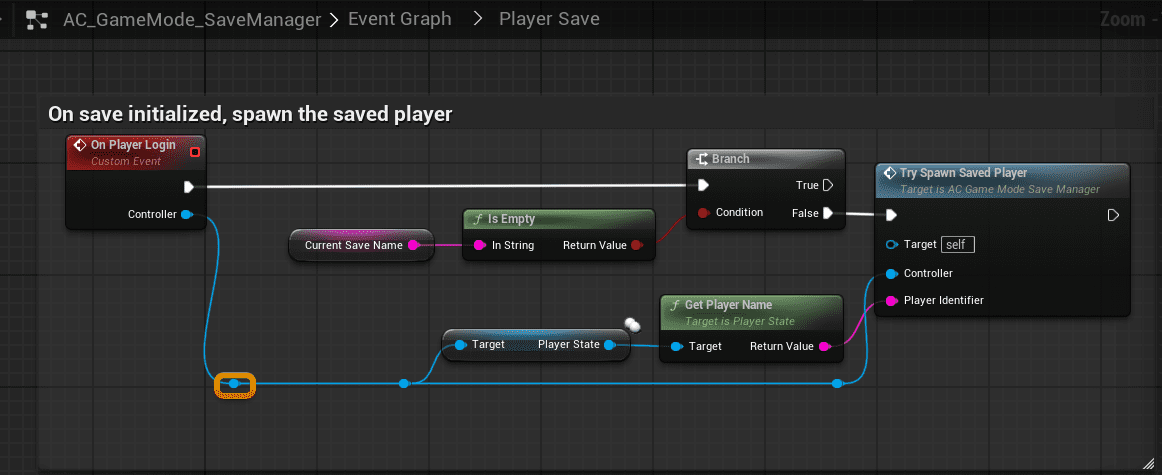
On player login, call the player login event. This calls Try Spawn Saved Player, then spawns and possesses the pawn.
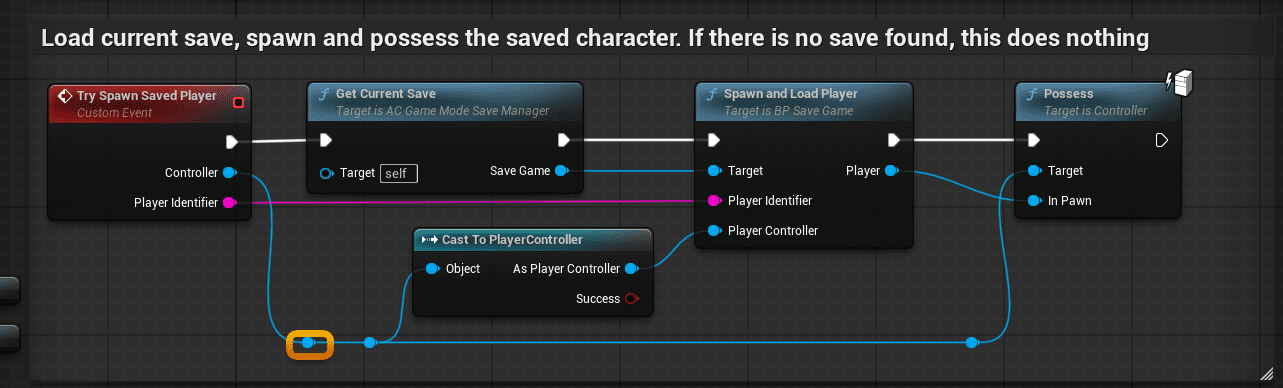
The source notes that saving a specific player on logout is not implemented. One possible implementation path is to trigger Save Player from an explicit quit flow when no actor is available during logout.
Game Type Differences
| Game Type | Save Behavior |
|---|---|
| Singleplayer | The player acts as the server and is authoritative for save/load. |
| Co-op | The server saves level and player data. When a client rejoins, the server loads that data. Clients cannot manually save. |
| Dedicated server | Players log in and out, their data is saved, and they can leave a sleeping body that can be killed. The server is authoritative. The example can be started with the provided .bat file. |
TransferPlayerToLevel
Use TransferPlayerToLevel when moving a player between maps, such as exiting a cave to the main map.
- Save player information such as health and ammo.
- Open the target map.
- Load the player information back into the new level.
Supporting Assets
| Asset | Purpose |
|---|---|
| BFL_SaveGame | Function library with utility functions such as Get Current Save Slot, Create Save Slot, Get Last Save, Get Save Slot, Get Save Slots, Remove Missing Slots, Save Slots, and Get Save Slots From Level. |
| CH_Sleeping | Sleeping character placeholder used in co-op when a player disconnects but should not disappear immediately. |
| BP_Overlap_Save_Box | Overlap volume that forces a save when the player reaches a specific area in singleplayer. |
| BP_Save_Slots | Tracks save slot metadata such as name and save file references. |
| BP_GameInstance_Save | Stores the selected slot while loading or traveling so the next level knows which save data to load. |
Settings and Utility Functions
The game-mode component includes settings for tuning save behavior. To test multiple saves, disable Single Save Per Map. This creates a new save slot each time you play, so multiple save slots appear.
Important utility functions include:
- Load Object
- Save Object
- Load Actor
- Spawn Actor Deferred
- Finish Spawning Actor
- Is Streamed from Level
Save Definitions
Save Slots are groups linked to a full game, player, character, or session. A slot can contain manual saves and auto saves. This is similar to a game where one character can have multiple manual saves and auto saves, while those saves still belong to that character or session.
Save Slot contains the slot name and its saves:
- Manual Save: A save created intentionally by the player or system.
- Auto Save: A save created automatically by the system.