
Outliner System
Updated May 25, 2026
The Outliner System highlights actors by writing custom depth stencil values to selected meshes or sprites. It is useful for interactables, build previews, selected objects, and other gameplay targets that need a visible outline.
For shared setup guidance, see the Migration Guide and Integration Guide. Use the System Atlas to look up functions, variables, events, components, and ownership references. Use this page for Outliner-specific stencil setup and usage.
Related Videos
Some videos may have been recorded before V4. The same principles still apply, but asset names, component names, and folder locations may differ. Treat the current written documentation and V4 names as the source of truth.
Outliner System – Technical Overview and High-Level Guide PlayOutliner System Walkthrough PlayBuilding System outline overlaps Devlog Play
Prerequisites
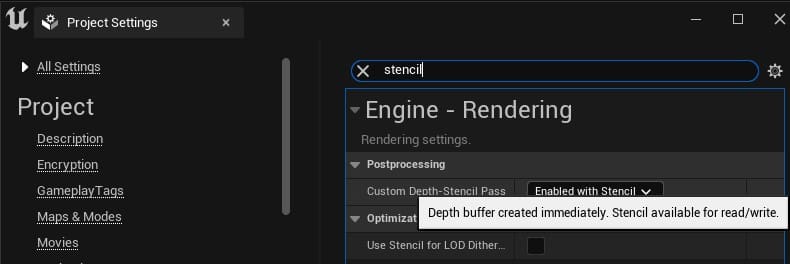
Enable Custom Depth-Stencil Pass with stencil support before using outlines.
After migration, open the Example map and test the system. Do not continue if it does not work.
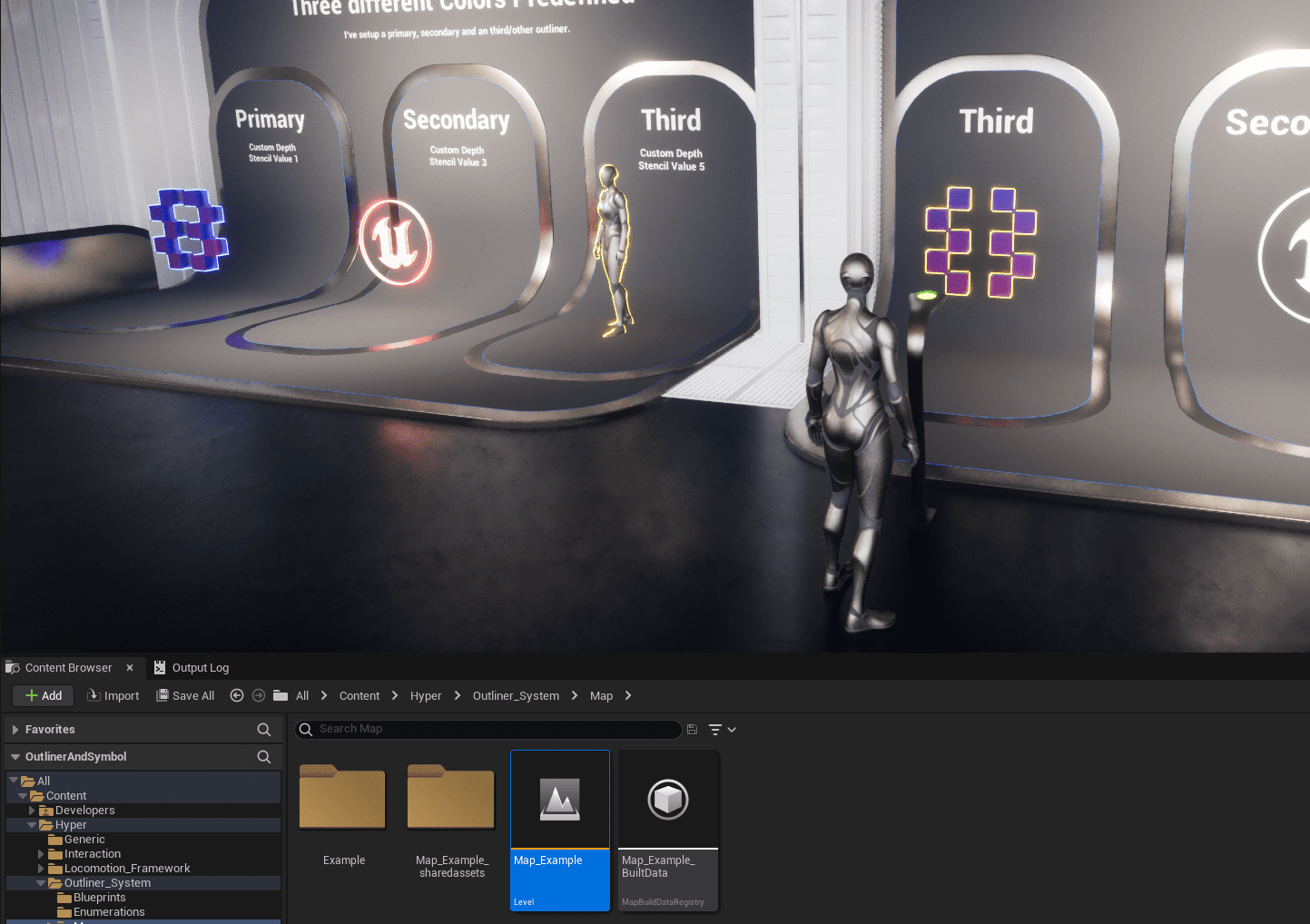
For minimal migration, select only the actor component you need, right-click it, and migrate that component.
Core Workflow
The outliner component can enable or disable an outline on an actor by setting stencil values on the relevant mesh or sprite.
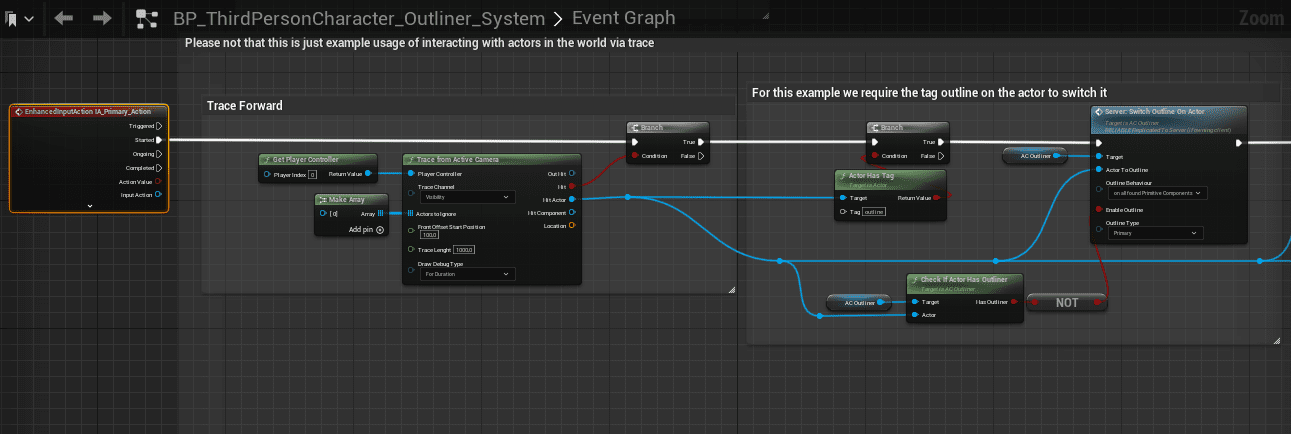
- Trace forward from the active camera and return the hit actor.
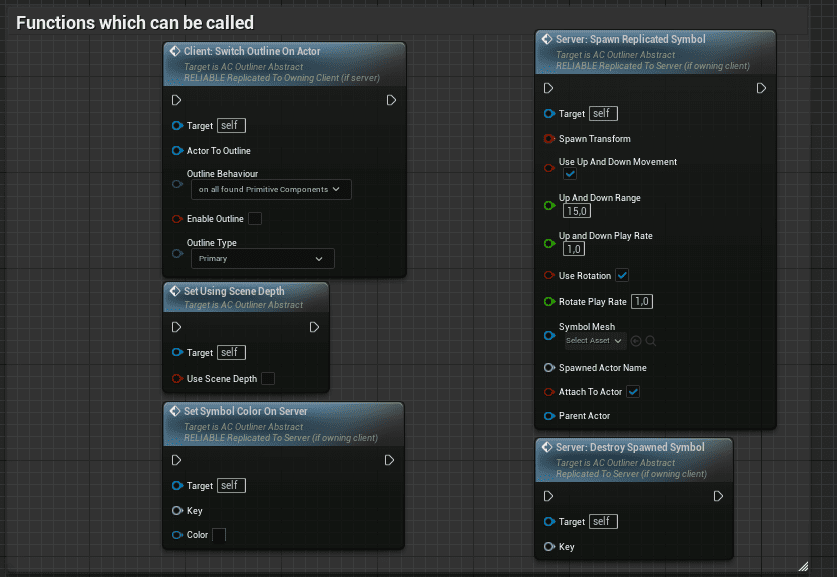
- Call Switch Outline On Actor on the outline component.
- Pass true to enable the outline or false to disable it.
- Call the same function from interaction events or any other gameplay event when needed.
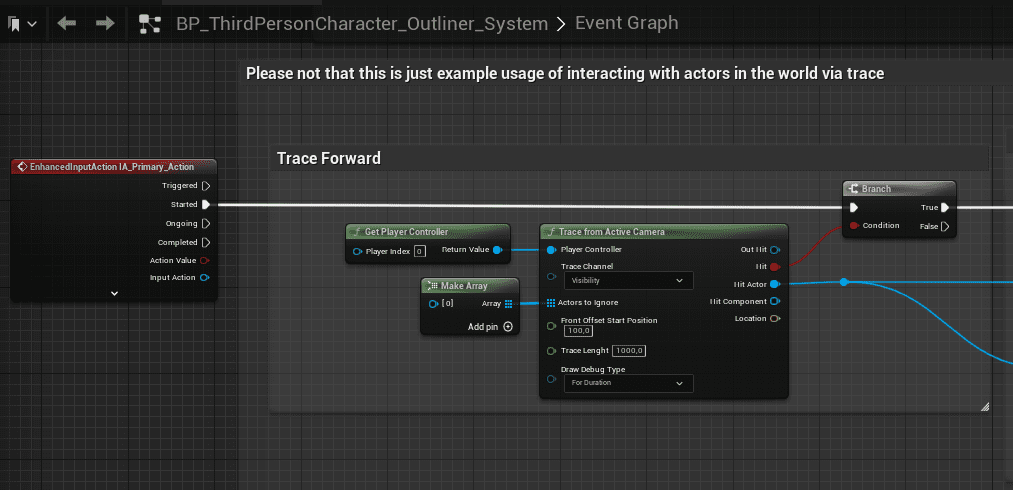
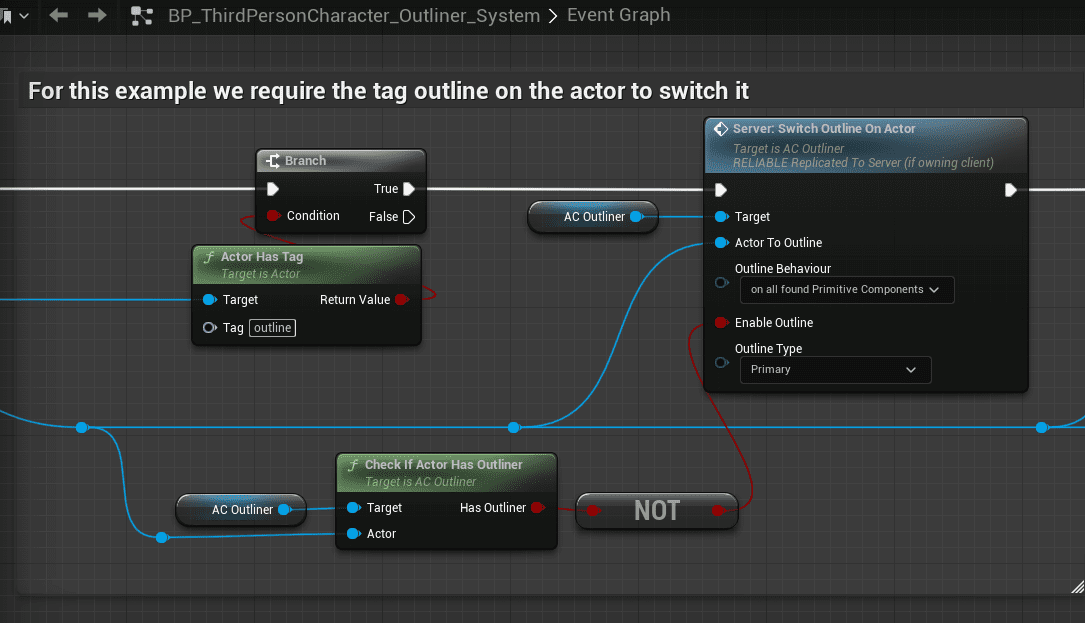
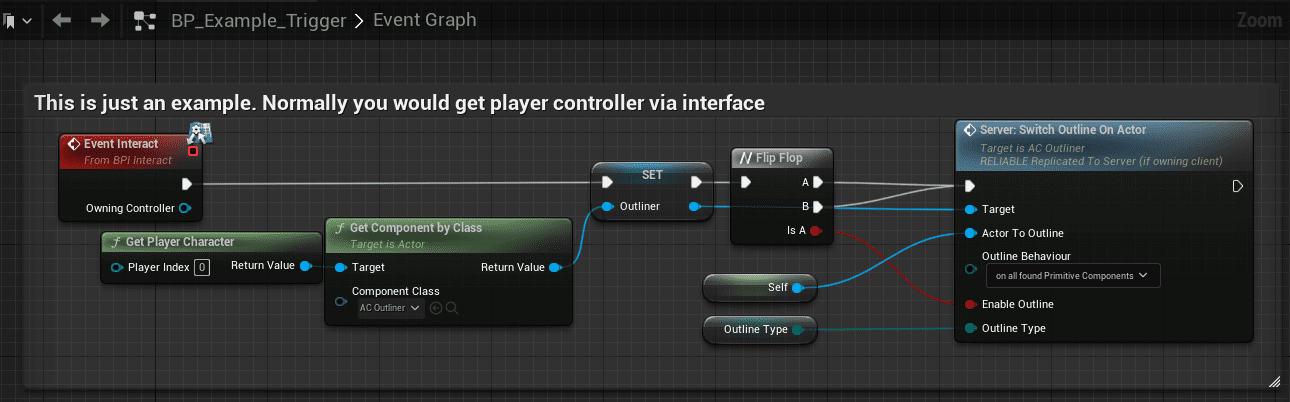
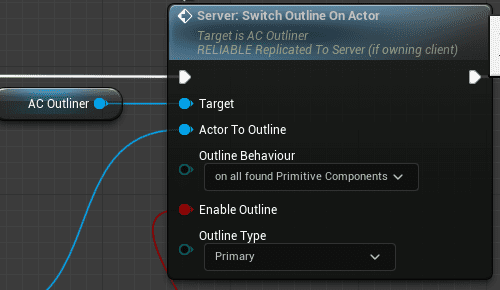
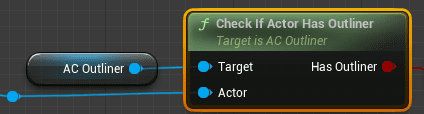
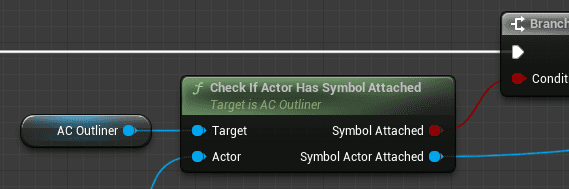
AC_PC_Outliner contains additional helper functions. Open the Example map and inspect ThridPersonCharacterOutliner for working examples of the main functions.
Change Outline Color
To change outline colors, open the PP_MI_Outliner_SceneDepth material instance. It exposes three color variables: primary, secondary, and tertiary. Changing those values updates the outline colors used by the system.