
Routine Driven NPC Framework
Updated May 25, 2026
The Routine-Driven NPC Framework is a modular Unreal Engine NPC framework for large, living worlds. It separates population, routines, perception, and combat so designers can author NPC behavior through data while programmers extend capabilities without rewriting content.
The framework supports humanoid and non-humanoid NPCs through the same architecture. It uses State Trees, Data Tables, Data Assets, AI Perception, Smart Objects, Gameplay Behavior, gameplay tags, and tagged world placeables. For shared setup guidance, see the Migration Guide and Integration Guide. Use the System Atlas to look up functions, variables, events, components, and ownership references.
Architecture
The system is built around four isolated pillars:
| Pillar | Owns | Does not own |
|---|---|---|
| Population | Which NPCs exist, where they exist, activation, despawn, respawn, and authoring/debug controls. | Behavior, perception, combat, and decision-making. |
| Routine | What NPCs do over time, task selection, target resolution, routine placeables, patrol splines, and fallback behavior. | Population lifecycle, perception escalation, and combat execution. |
| Perception | Sight/hearing interpretation, stealth modifiers, team context, threat evaluation, alert propagation, and awareness state. | Combat style execution or long-running routine tasks. |
| Combat | How an NPC fights after Perception selects a target: combat style, weapon/ability selection, and combat State Tree execution. | Target selection and population/routine ownership. |
The design intent is simple: behavior is data-defined, NPC logic scales from small scenes to open worlds, and debug visibility is part of the system rather than an afterthought.
Population
The Population system controls which NPCs exist in the world, where they exist, and when they are active. A Population Manager actor defines a bounded population area and manages NPC lifecycle inside that area.
Population Managers support two workflows:
| Workflow | Use for | Behavior |
|---|---|---|
| Automatic Population | Wildlife, ambient town NPCs, enemy camps, large-scale simulation. | Spawns configured NPC classes inside the population area using min/max counts, respawn rules, delays, and optional respawn conditions. |
| Assigned NPC Population | Vendors, guards, authored spaces, handcrafted narrative locations. | Level designers place NPCs manually, then assign them to the Population Manager for activation and lifecycle control. |
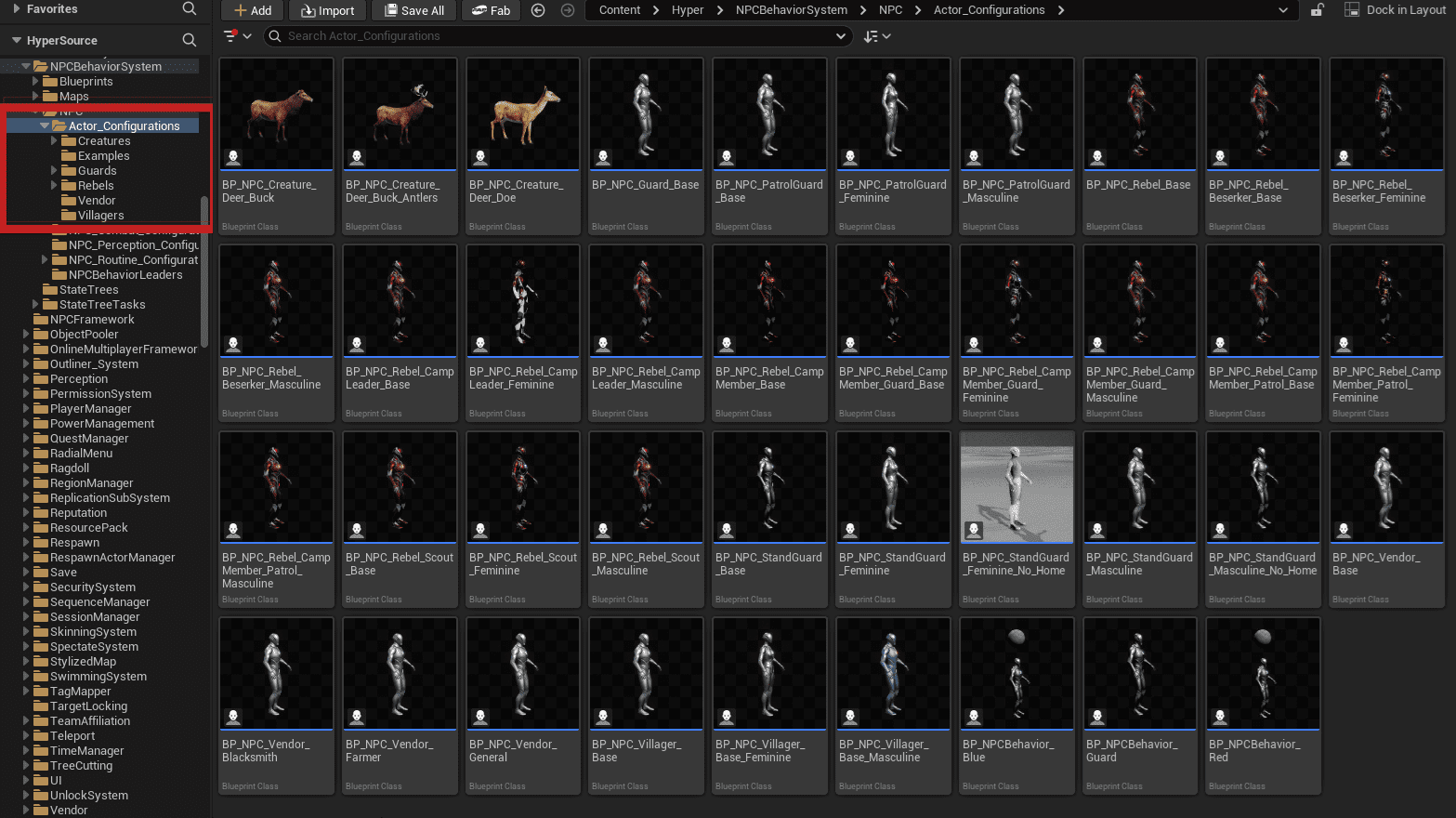
NPC configuration Blueprints typically inherit from a shared NPC base class and define visuals, assigned NPC behavior component, routine data, perception data, and combat data. Villagers, guards, rebels, vendors, and creatures are all treated consistently by population logic.
Using the Population Manager
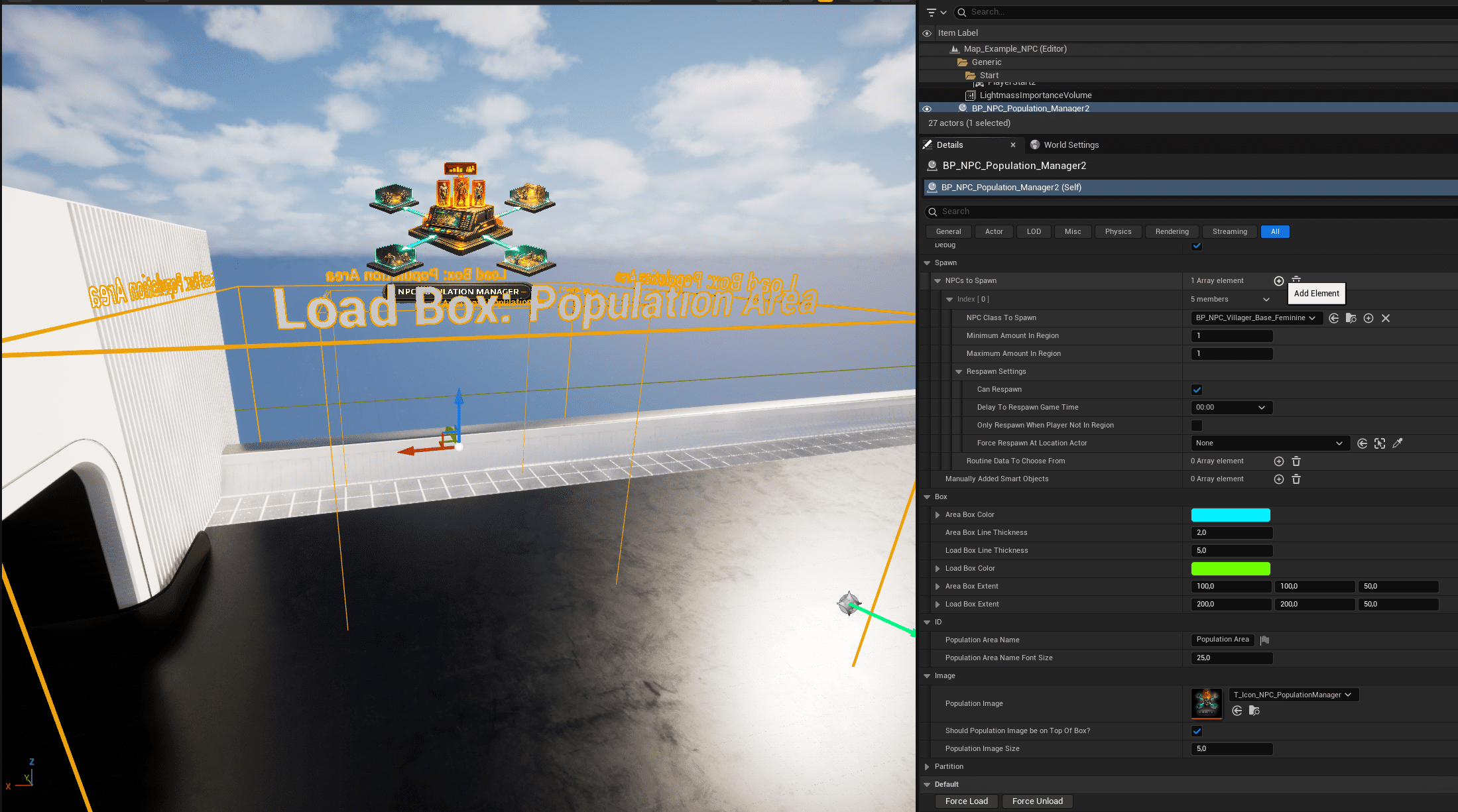
- Place a Population Manager actor in the level.
- Resize its box extents to cover the population area.
- Add NPC classes to spawn, with minimum and maximum counts.
- Configure respawn options if the population should regenerate.
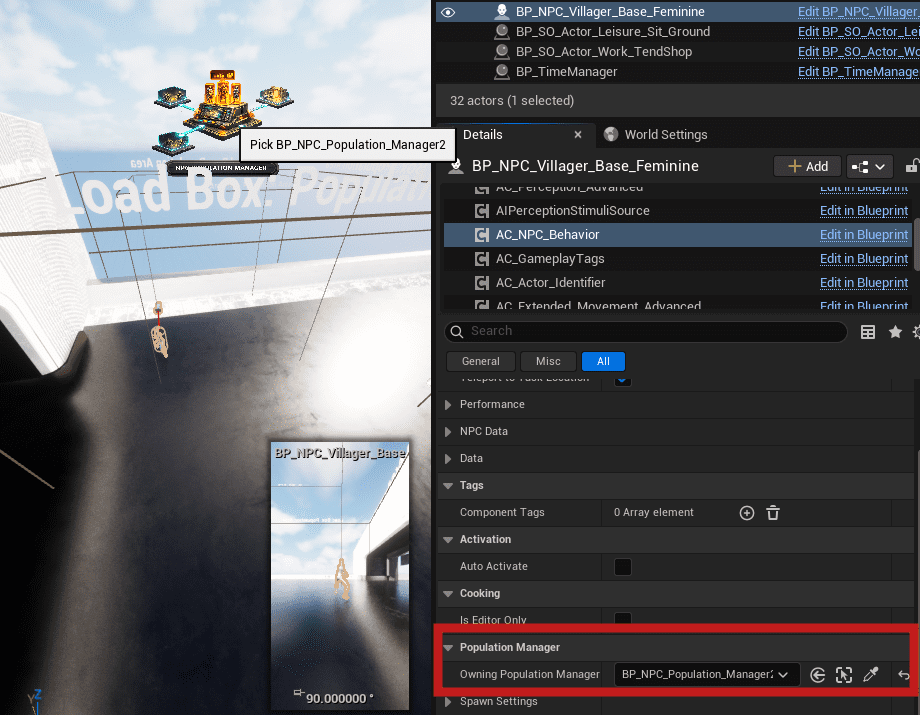
- Assign manually placed NPCs when authored placement is required.
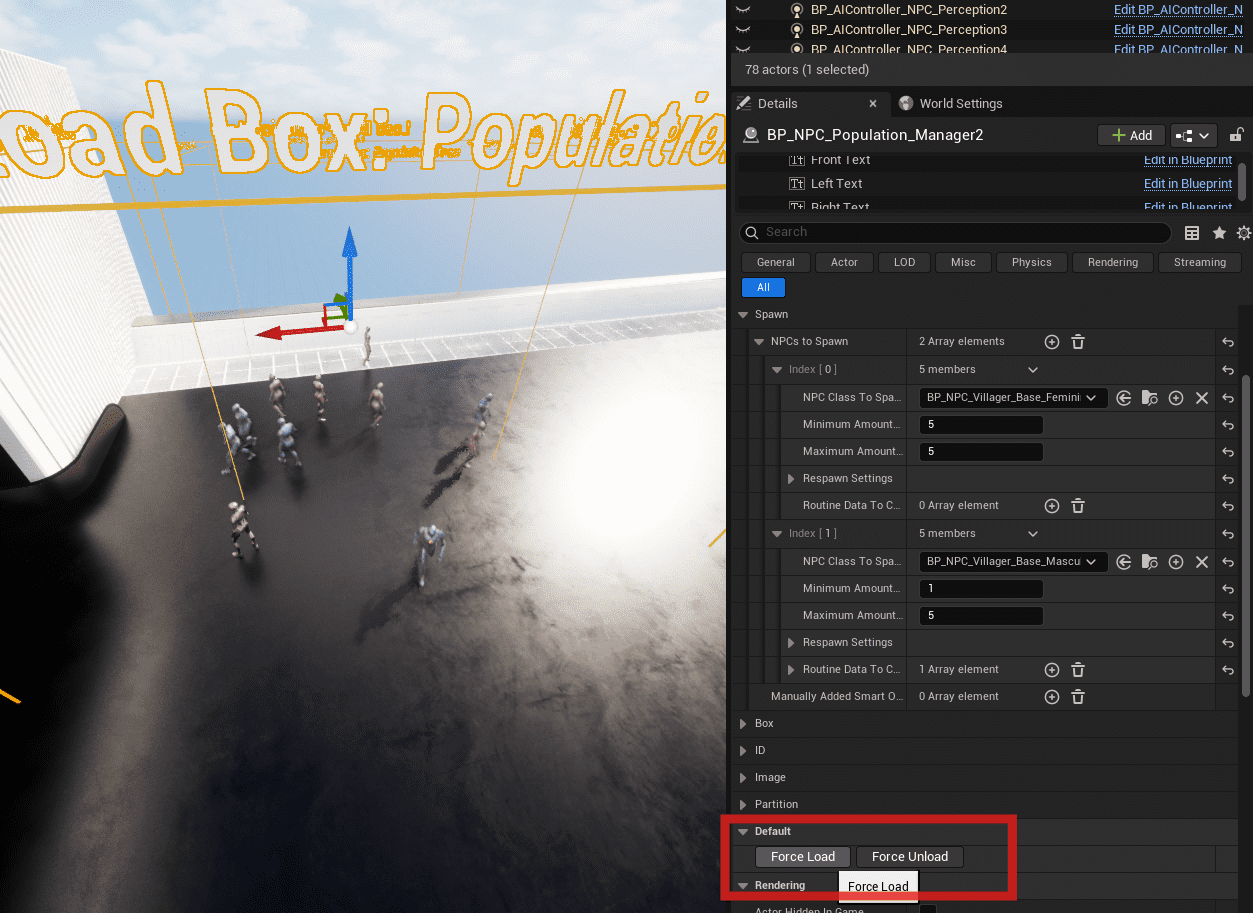
- Use debug mode, Force Load, and Force Unload while simulating to validate behavior.
Routine System
The Routine System is time-driven and location-agnostic. NPCs decide what to do based on time and routine data. The world decides where the task can happen through tagged placeables, Smart Objects, patrol splines, and interaction targets.
This keeps routines reusable across towns, regions, and levels. A villager routine can ask for a sitting spot or work target without knowing where those targets are placed in a specific map.
Core Dependencies
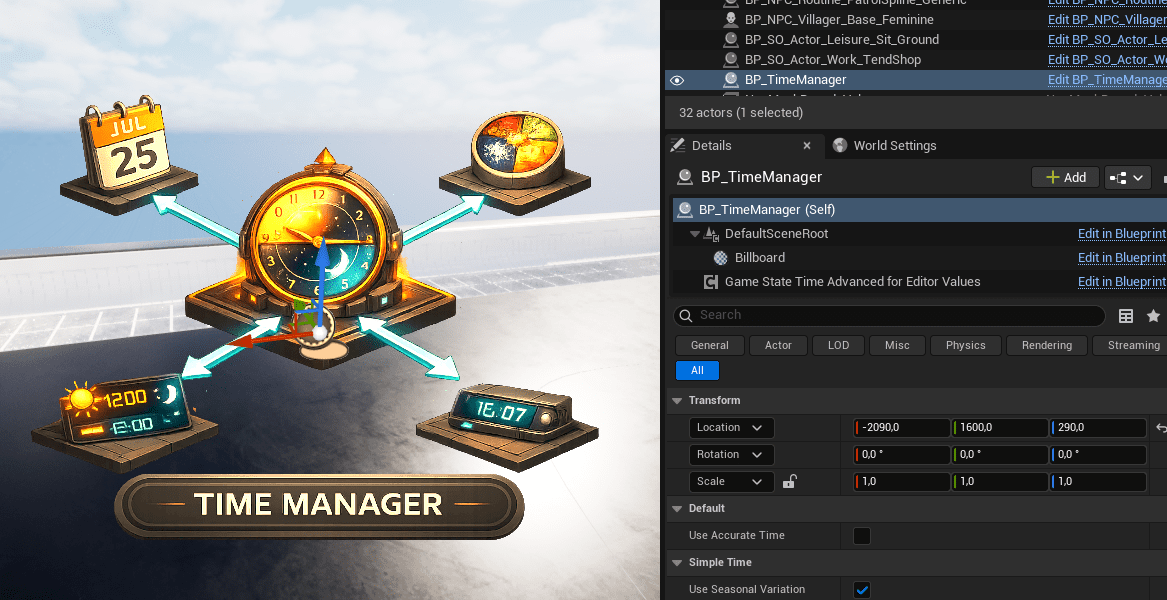
- BP_TimeManager: placed in the level; controls in-game time, day/night, and optional seasonal variation.
- GameState Time Component: receives time updates and broadcasts interval changes.
- Interval-Based Evaluation: evaluates routines on configured intervals, such as every 30 in-game minutes.
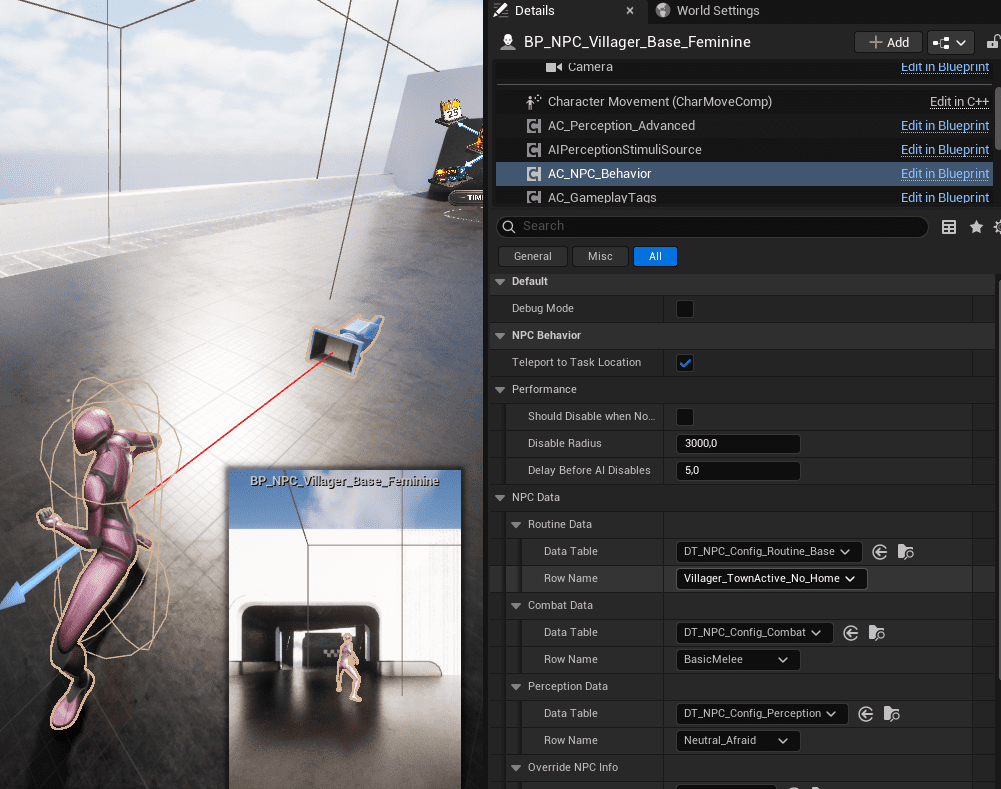
- AC_CH_NPC_Behavior: owns routine logic, subscribes to time events, and runs State Tree behavior for the NPC.
Routine Data
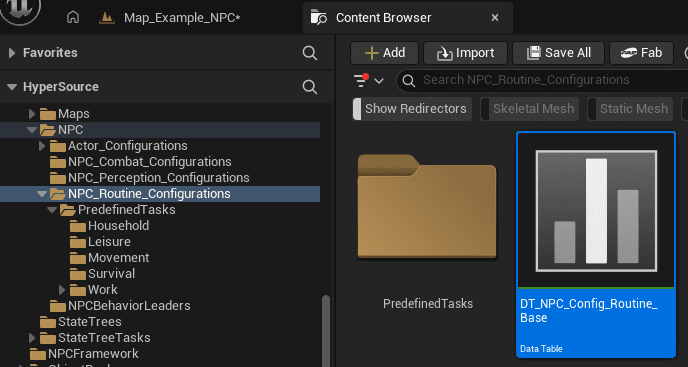
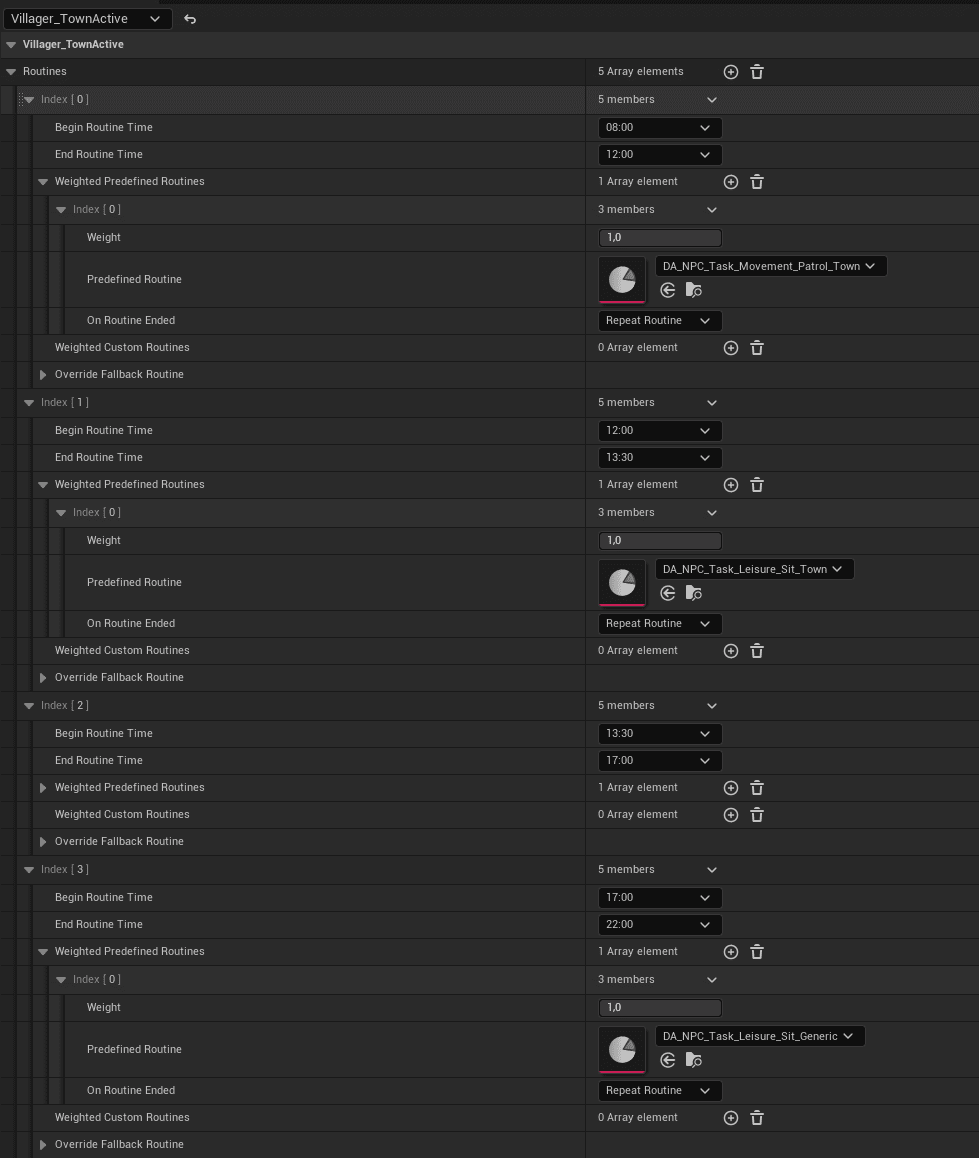
Routines are configured in Data Tables. The primary table is DT_NPC_Config_Routine_Base. Each row represents a routine profile, usually for an archetype such as Villager, Guard, Rebel, Vendor, Wildlife, or a custom NPC type.
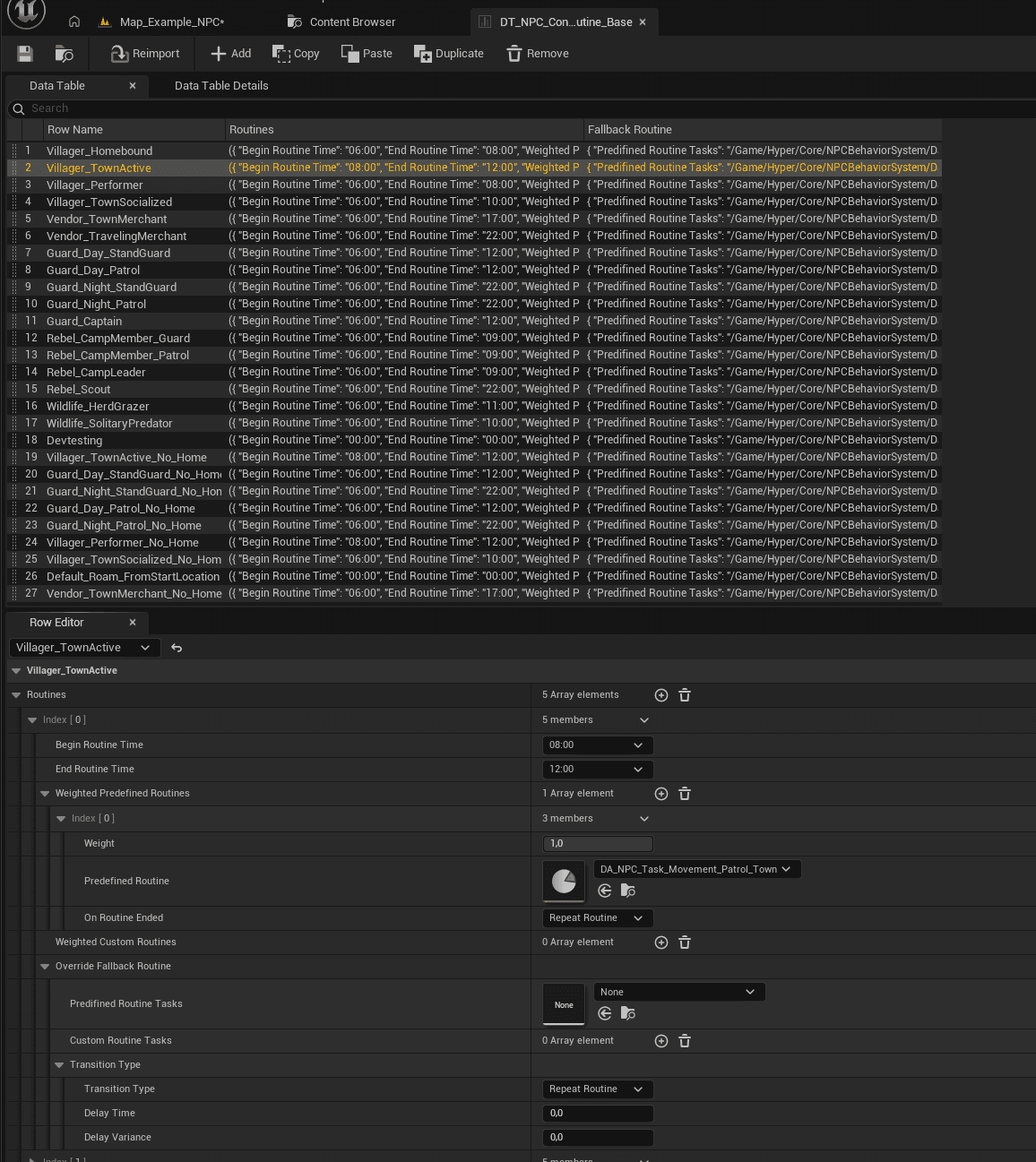
Each routine profile contains time slots. A time slot defines begin time, end time, weighted predefined tasks, and an optional fallback routine.
- The current in-game time is evaluated.
- The matching time slot is selected.
- A predefined task is selected by weight.
- The task resolves a valid world target.
- The behavior executes through the routine/state tree flow.
Predefined Routine Tasks
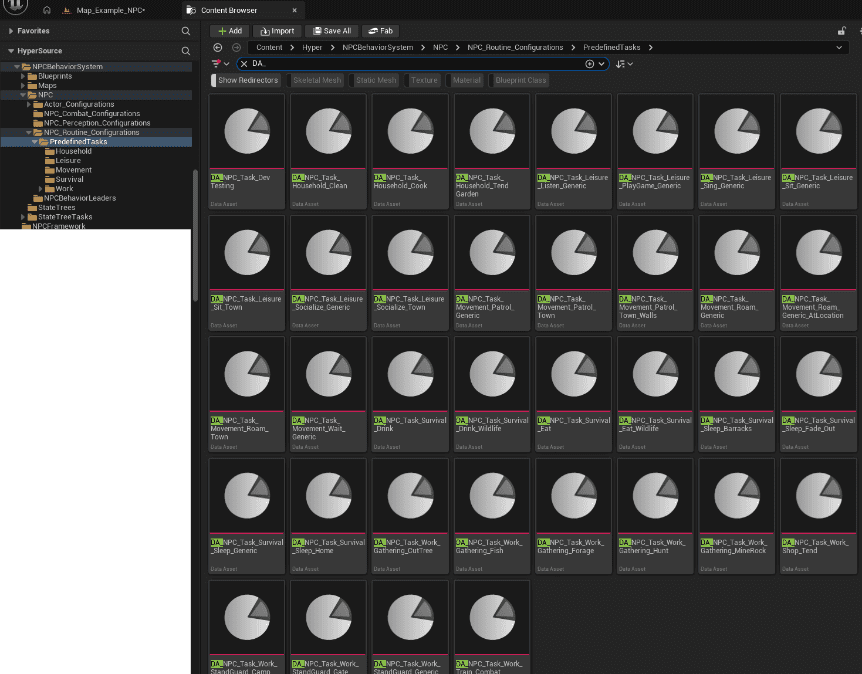
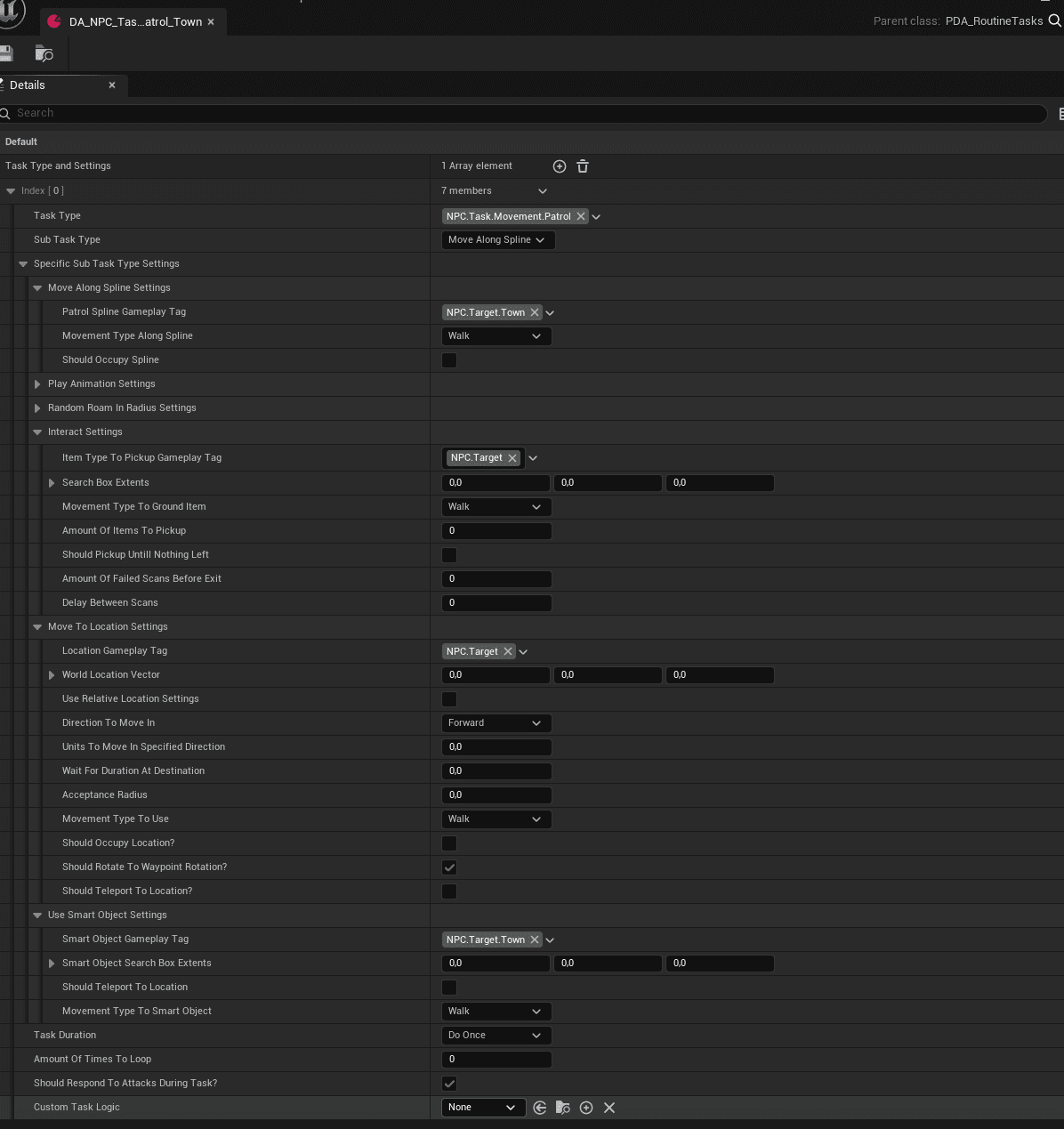
Routine tasks are Data Assets such as DA_NPC_Task_*. They describe how a task is performed, not where it happens. Examples include Patrol, Sit, Sleep, Work, Socialize, Roam, Gather, Eat, and Drink.
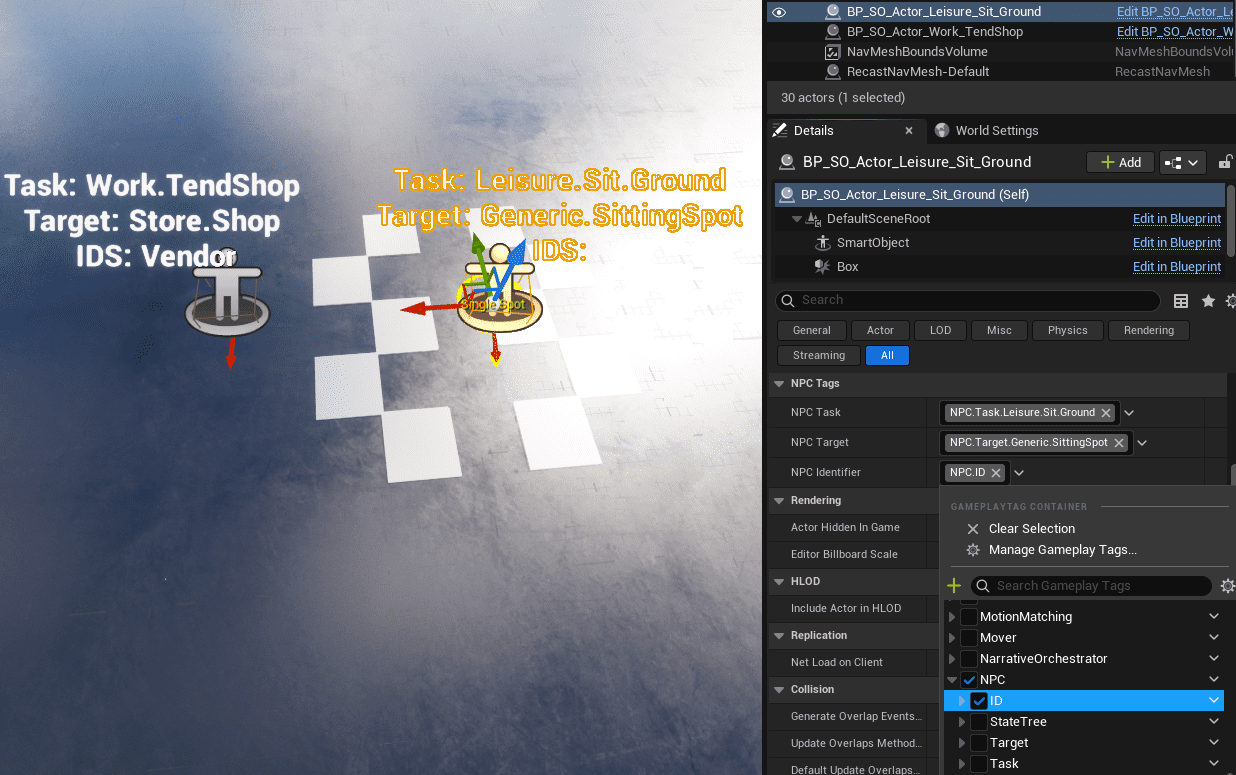
Target resolution uses three gameplay tag dimensions:
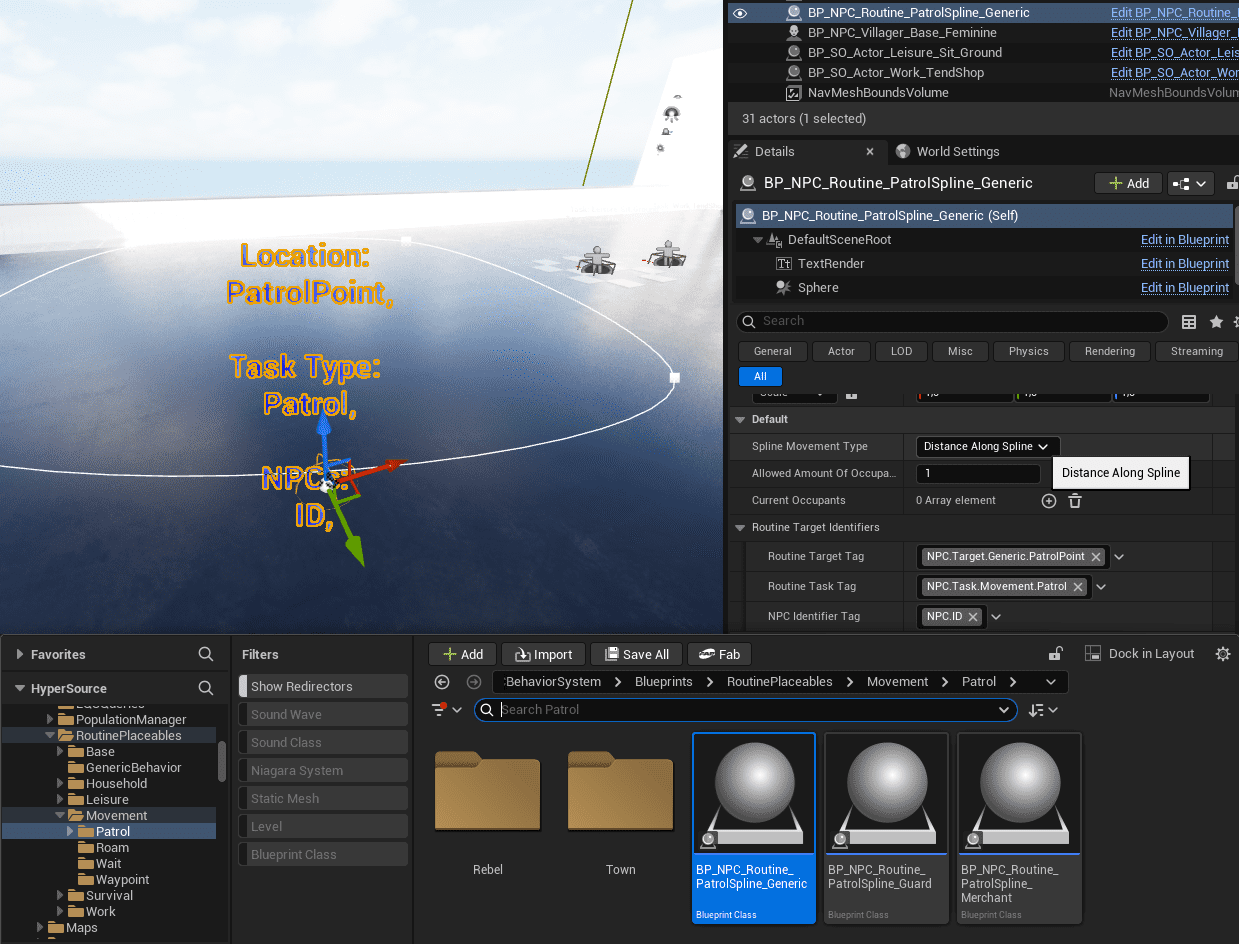
- Routine Task Tag: the action, such as NPC.Task.Movement.Patrol.
- Routine Target Tag: the required target type, such as NPC.Target.Town or NPC.Target.Generic.SittingSpot.
- NPC Identifier Tag: who may use the target, such as Guard, Villager, Vendor, or generic/no identifier.
The resolver gathers matching targets, prioritizes identifier-specific targets, falls back to generic targets, respects occupancy limits, and uses fallback routines when no valid target exists.
Routine Placeables and Patrols
Routine Placeables are drag-and-drop world actors that define task tags, target tags, optional identifier tags, and optional occupancy limits.
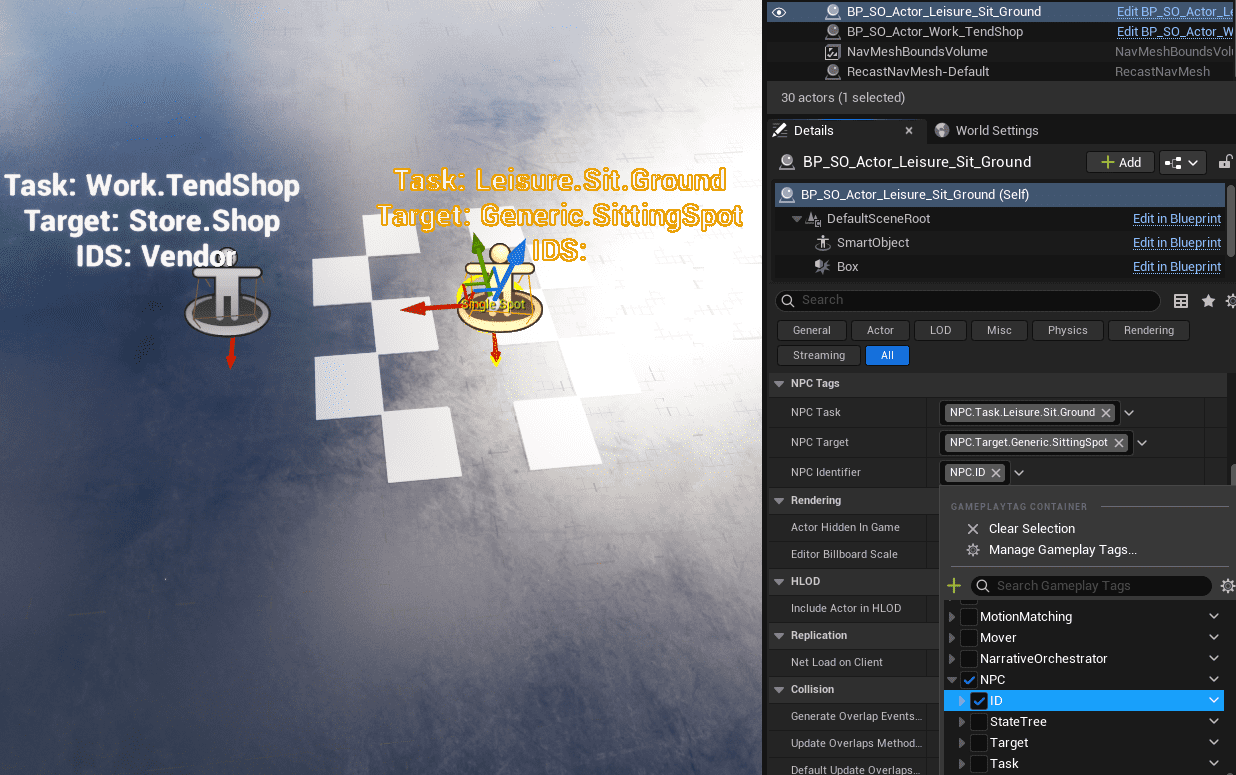
Patrol splines are custom routine actors for path-based movement. They support nearest-point-on-spline resolution, occupancy limits, and the same task/target/identifier tag workflow.
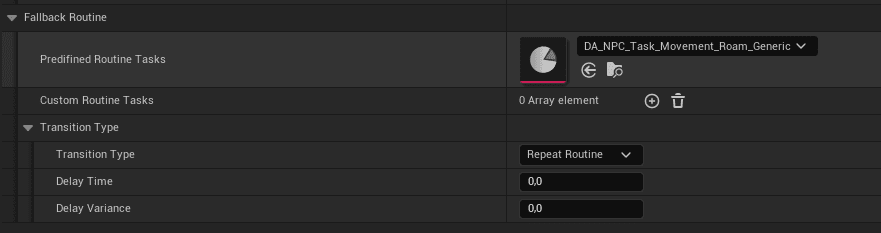
Fallback routines can be defined per time slot, per routine profile, or globally so NPCs do not stall when a target cannot be resolved.
Smart Object Execution Models
The Routine System builds on Unreal Engine Smart Objects and Gameplay Behavior. See Epic’s Smart Objects quick start for the underlying engine concept.
| Model | Use for | Behavior |
|---|---|---|
| Behavior Objects | Simple localized logic such as Tend Shop, Enable Vendor Mode, Sit Idle, or simple work/leisure actions. | Lightweight, data-driven, usually instant or simple state toggles. |
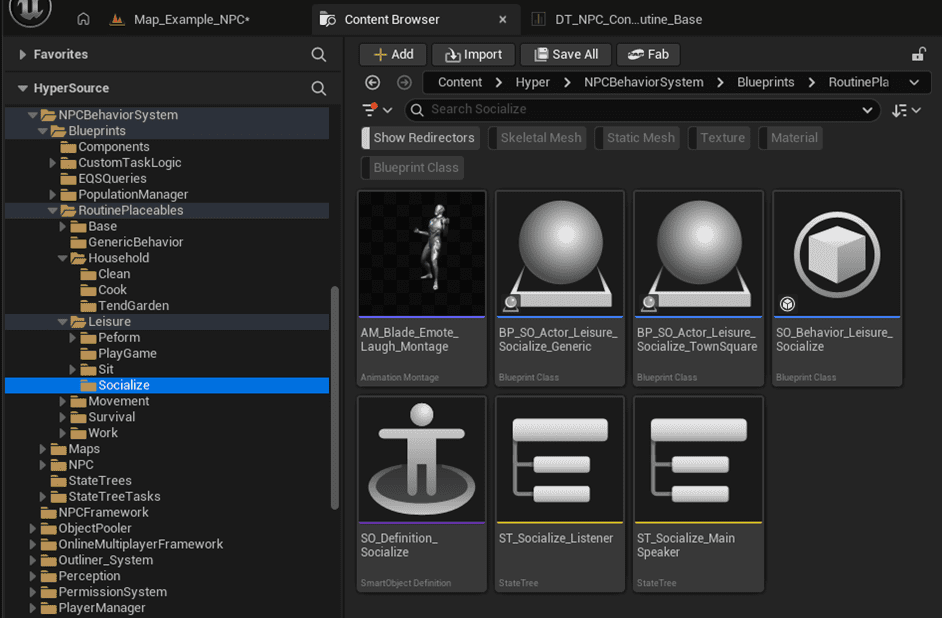
| Interaction Objects | Complex interactions such as socializing, group interactions, multi-step work, or activities that need branching/waiting/looping. | Run a State Tree and can maintain internal state while occupied. |
Routine tasks do not need to know whether a resolved target is a Behavior Object or an Interaction Object. Resolution is tag-based and execution is delegated to the target type.
Routine Setup Flow
- Place BP_TimeManager in the level.
- Ensure the GameState has the Time component.
- Create or select a routine row in DT_NPC_Config_Routine_Base.
- Define time slots and assign predefined task Data Assets.
- Assign the routine row on AC_CH_NPC_Behavior.
- Place matching Routine Placeables or patrol splines in the world.
- Use matching task, target, and identifier tags so targets resolve automatically at runtime.
Perception
Perception combines sensing, social context, threat evaluation, and reaction routing. It is not only a sight/hearing check; it converts world stimuli into meaningful awareness and behavior state.
- Sensing: sight, hearing, stealth, and visibility modifiers.
- Social context: team affiliations and relationship overrides.
- Threat evaluation: one active highest-threat event drives reaction.
- Reaction routing: lightweight reactions in perception, long-running behavior in State Trees.
NPC Components
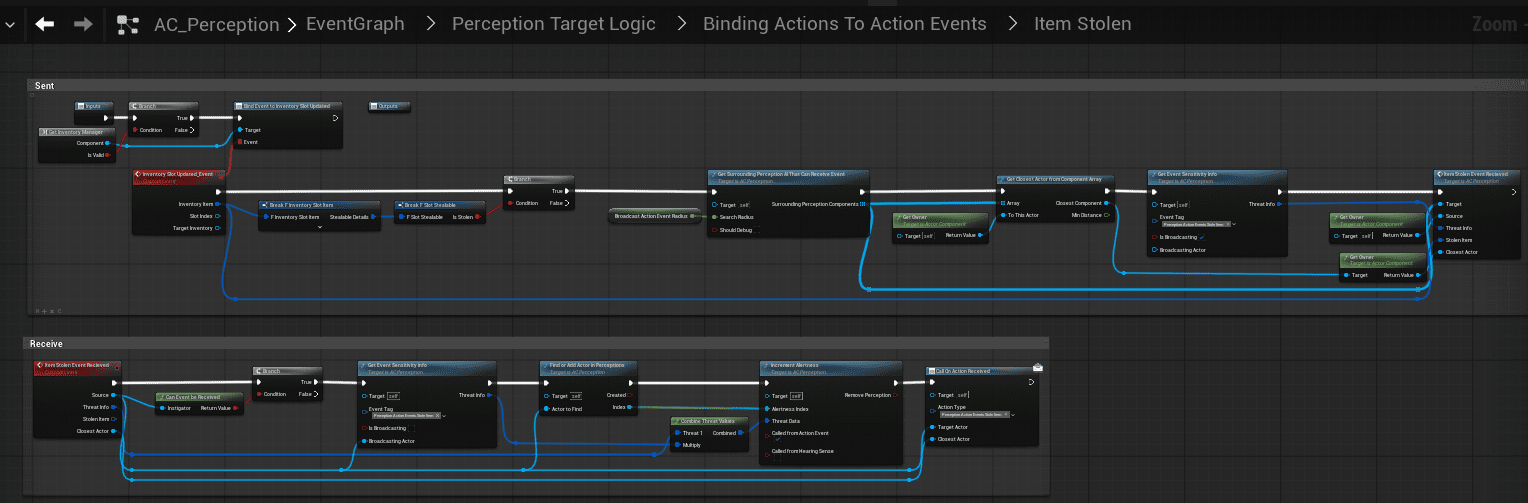
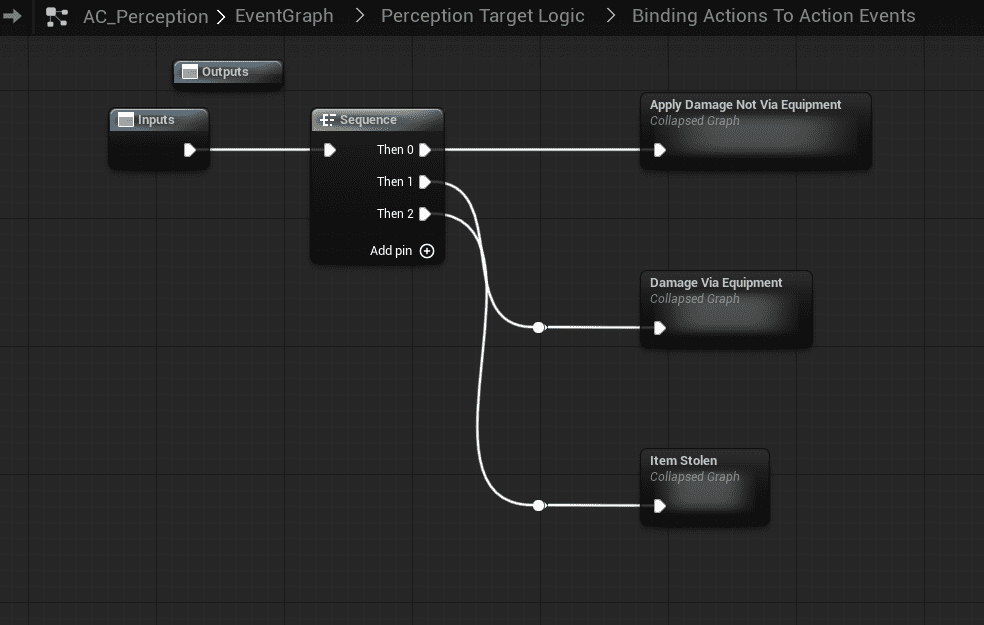
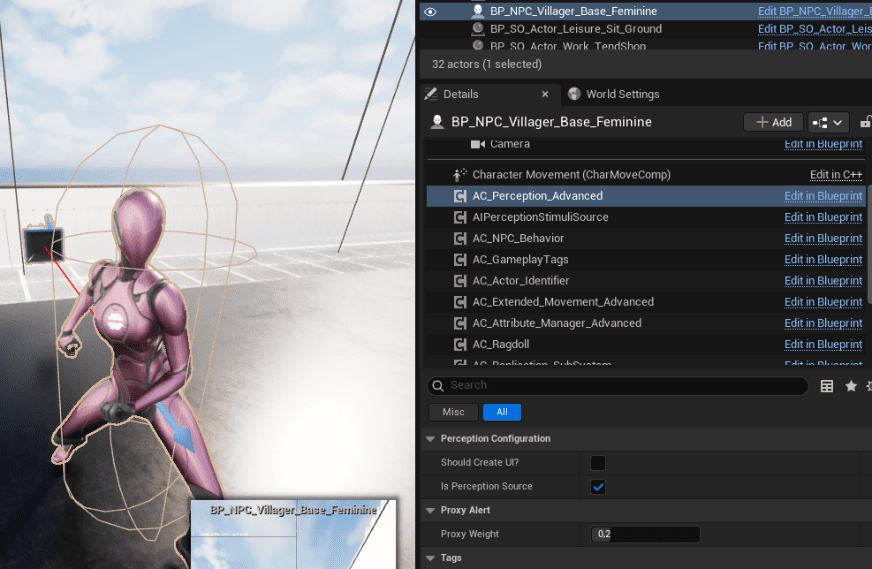
AC_CH_Perception handles sensing, action event interpretation, threat evaluation, alert propagation, and voice-line or single-speaker selection.
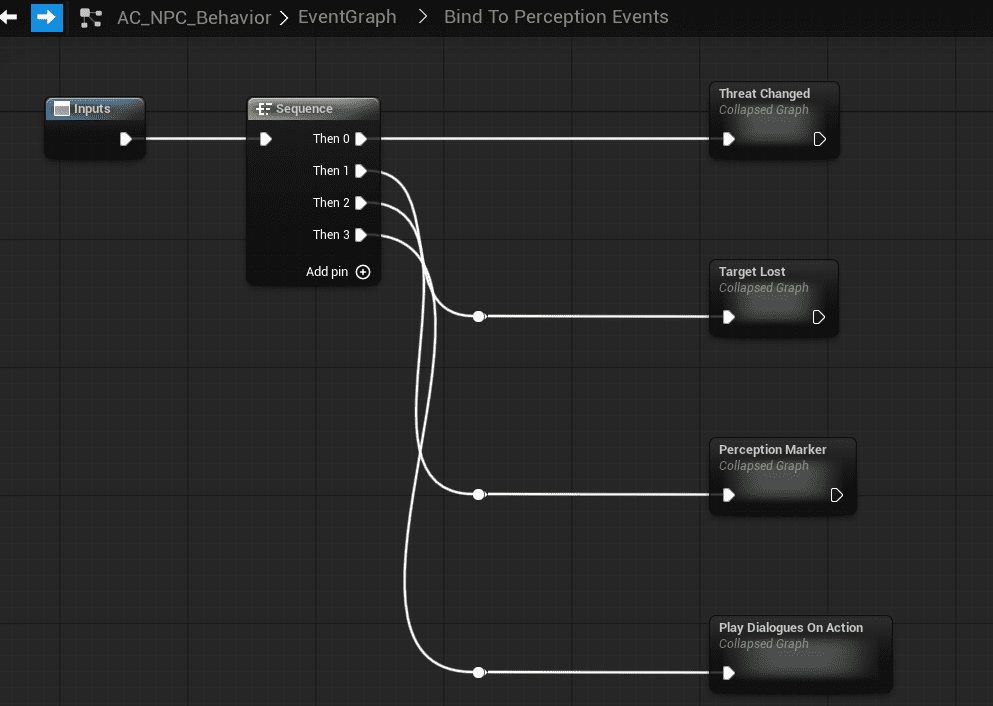
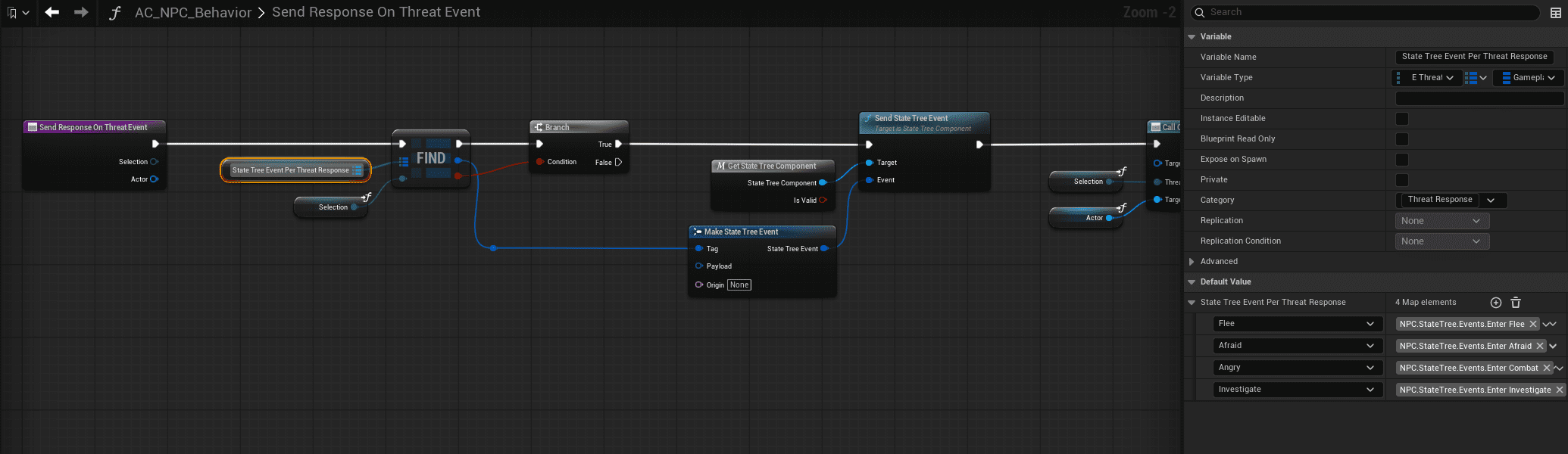
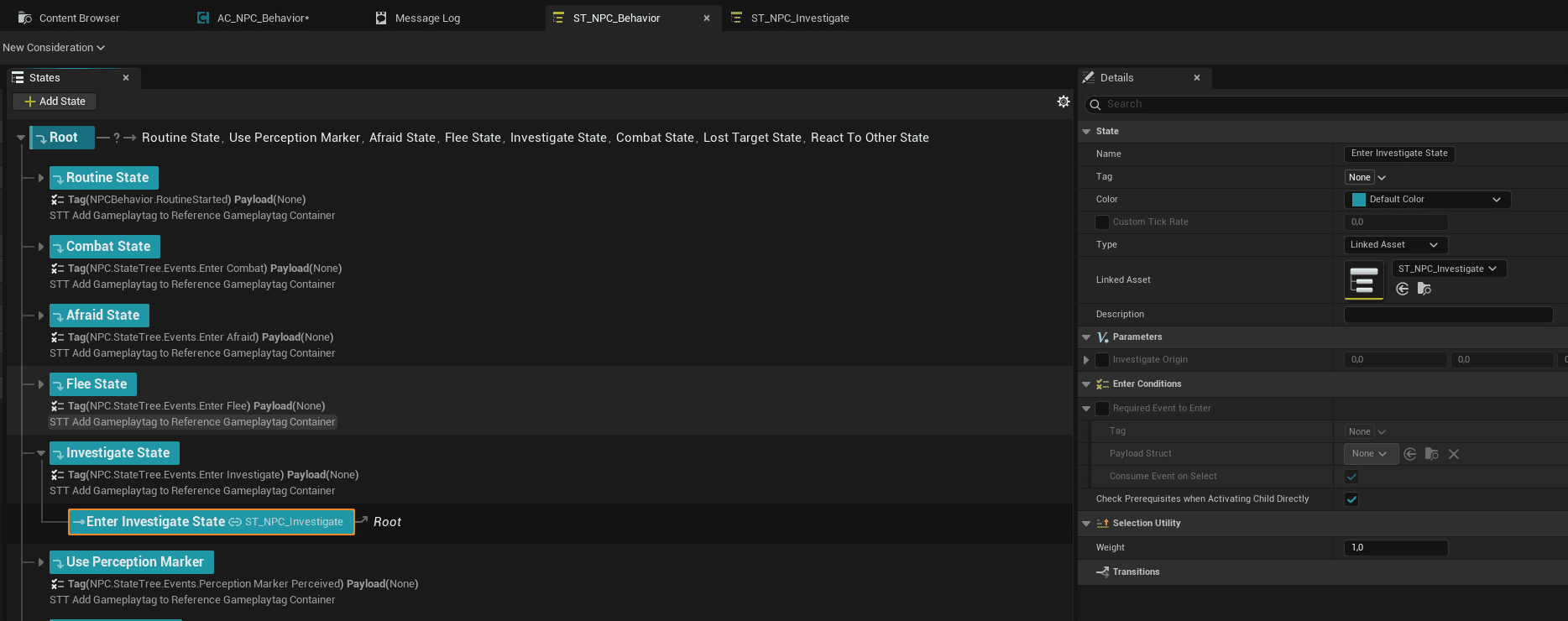
AC_CH_NPC_Behavior binds to perception events, translates perception updates into State Tree triggers, and routes NPCs between routine, alerted, investigation, and combat behavior.
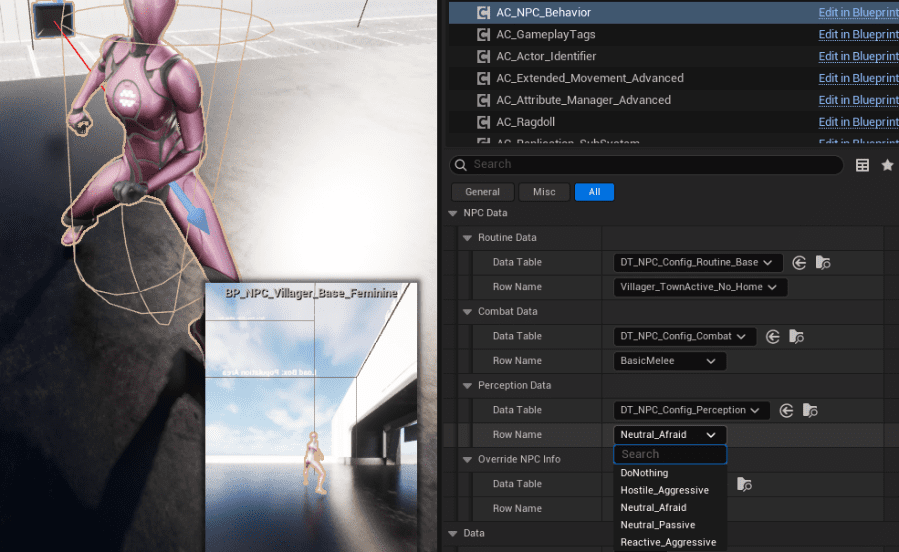
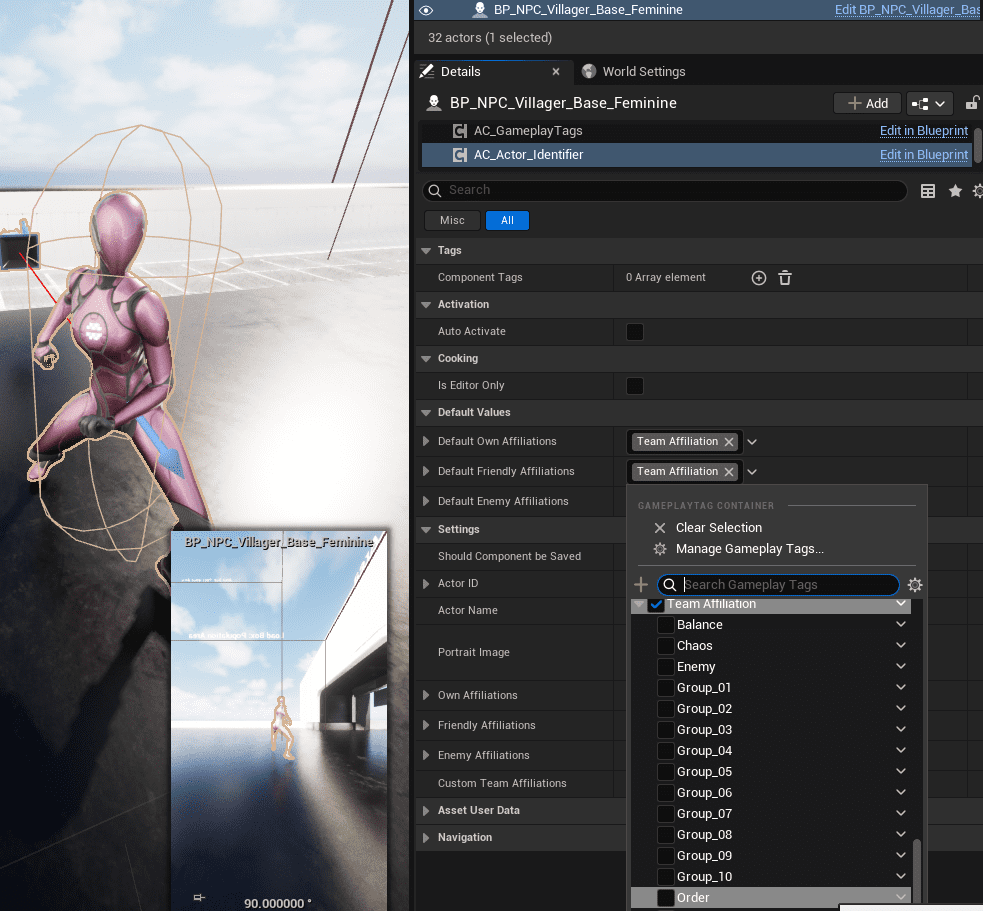
AC_Actor_Identifier provides social context: own affiliations, friendly affiliations, enemy affiliations, and custom team tags.
Perception Configuration
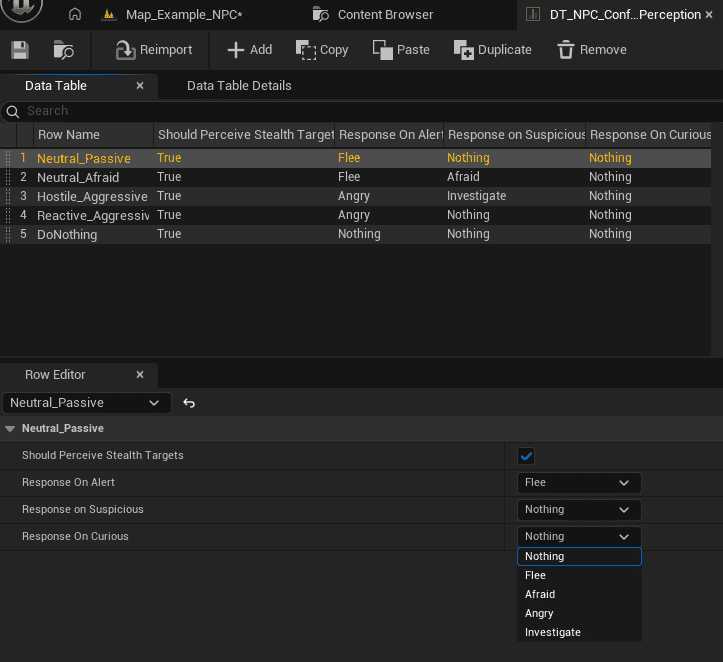
Each NPC assigns a perception row on AC_CH_NPC_Behavior. The example table is DT_NPC_Config_Perception. Rows define high-level reaction defaults such as whether to perceive stealth targets and how to respond when Curious, Suspicious, or Alert.
Alertness sensitivity Data Assets convert actions into threat. They can distinguish between broadcast sensitivity and receiving sensitivity, allowing the initiating NPC and nearby NPCs to react differently.
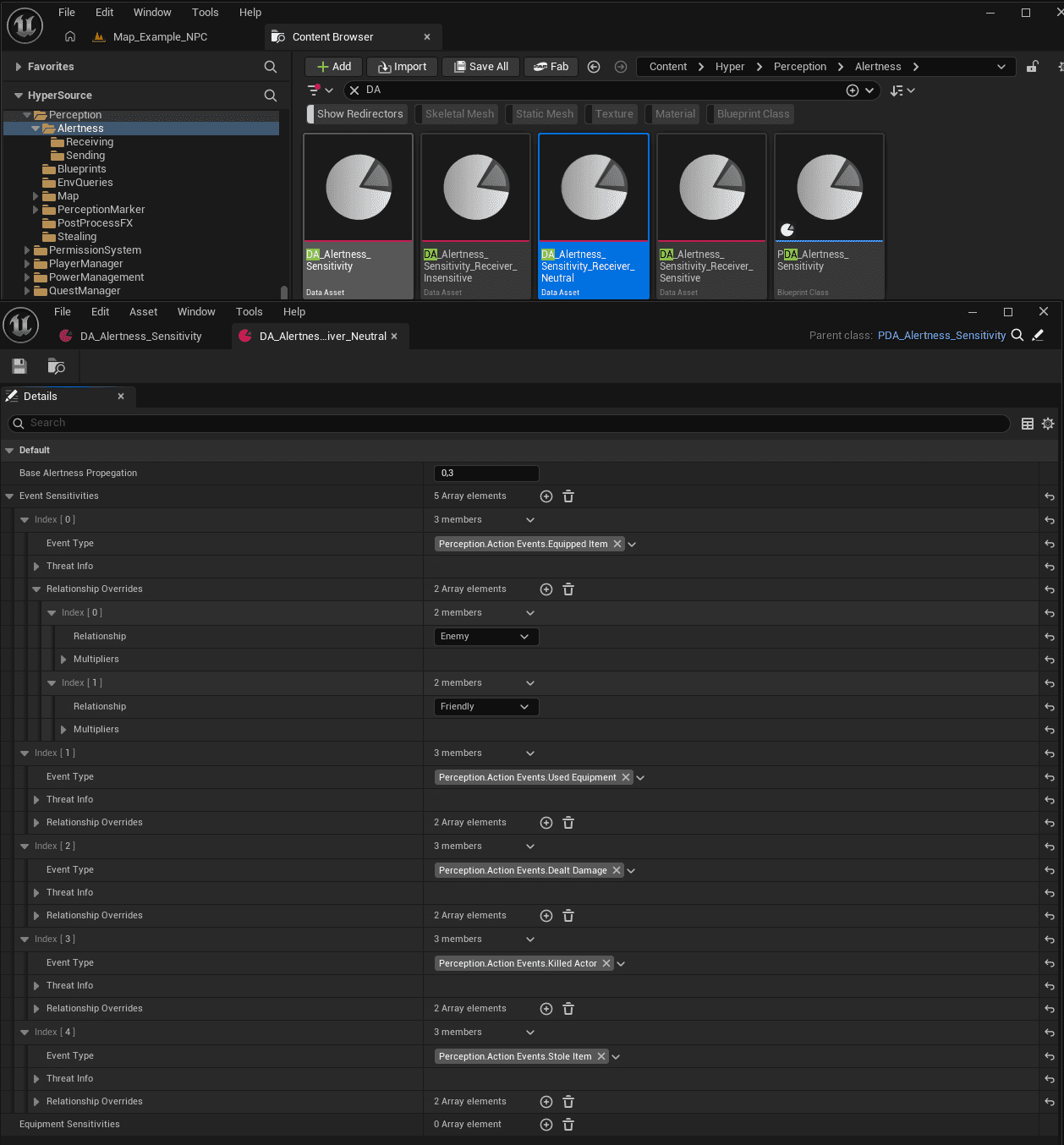
Sensitivity assets define base alertness propagation, event sensitivities for gameplay tags such as equipped item, used equipment, dealt damage, killed actor, stole item, and sound, plus relationship overrides such as friendly/enemy threat differences.
Sight, Hearing, and Obscured Vision
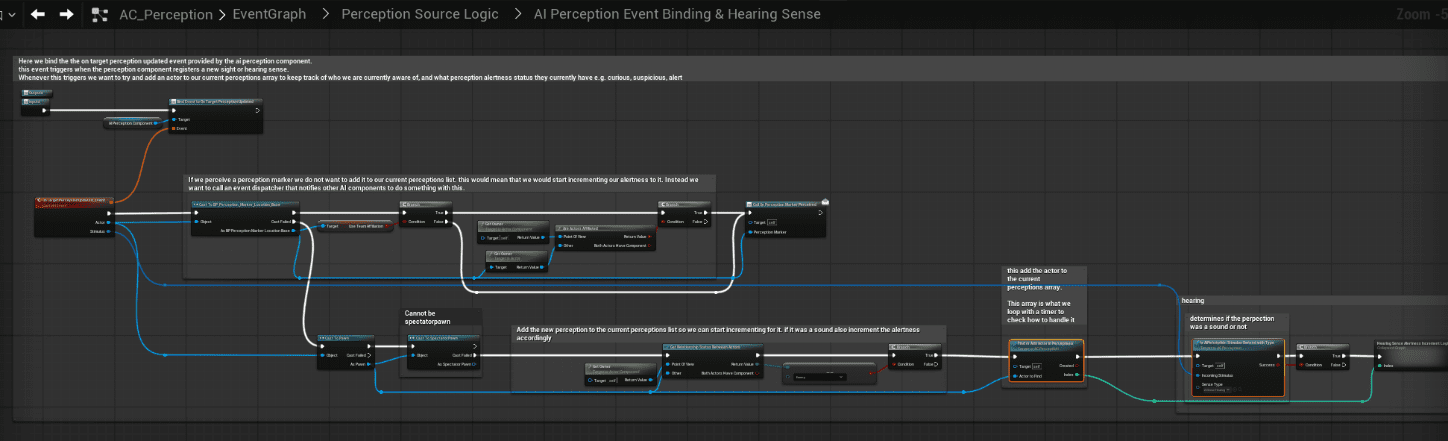
AI Perception handles sight and hearing at the AI Controller level, while AC_CH_Perception filters and translates incoming stimuli before NPC logic reacts.
- Sight can escalate alertness based on line of sight, team relationship, current alertness, and obscured vision checks.
- Hearing increases alertness more gradually and typically results in Curious or Suspicious unless reinforced.
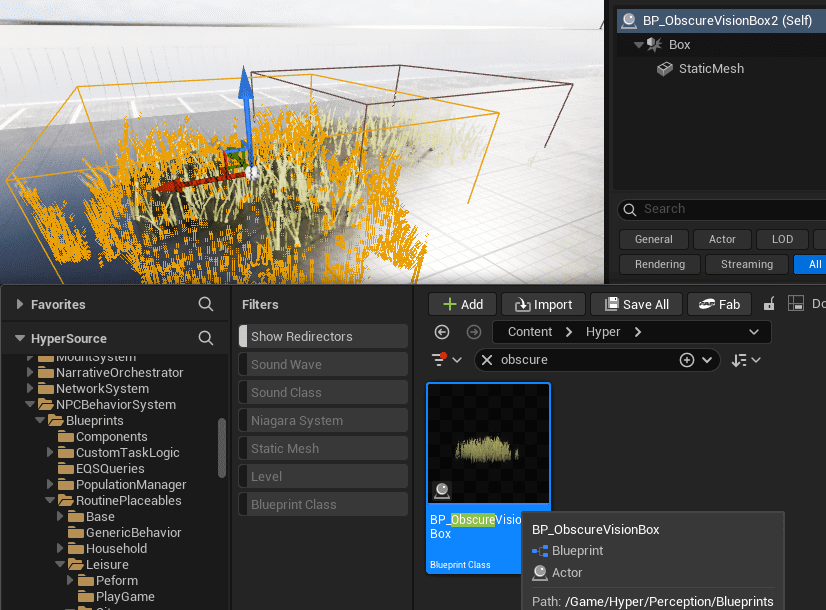
- Obscured Vision Volumes block or reduce visibility for stealth areas, cover, bushes, shadows, and level-design-controlled sight breaks.
Investigation and Alert Propagation
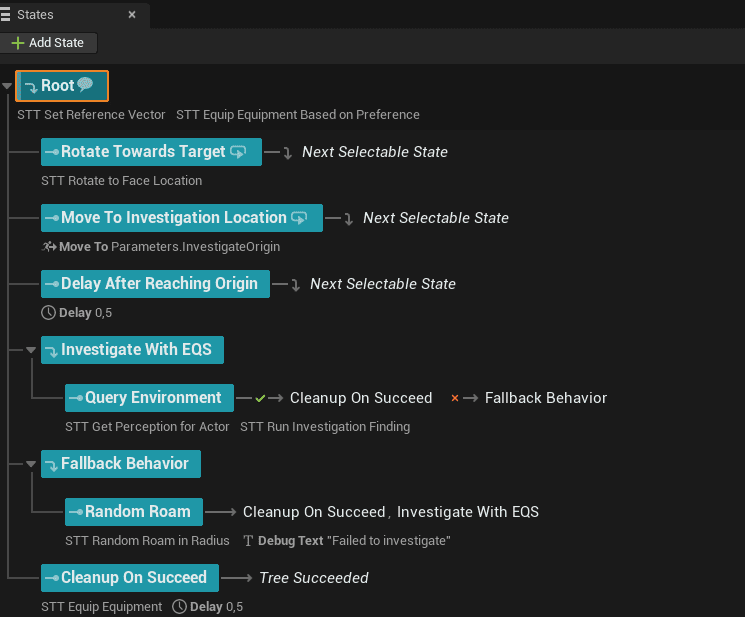
Investigation is the bridge between passive behavior and combat. Perception produces a stimulus and threat value; State Trees execute the investigation behavior.
- NPC hears a sound or detects a suspicious action.
- The stimulus location is stored.
- The NPC moves to investigate.
- The NPC escalates if confirmation occurs.
- The NPC de-escalates if no further evidence appears.
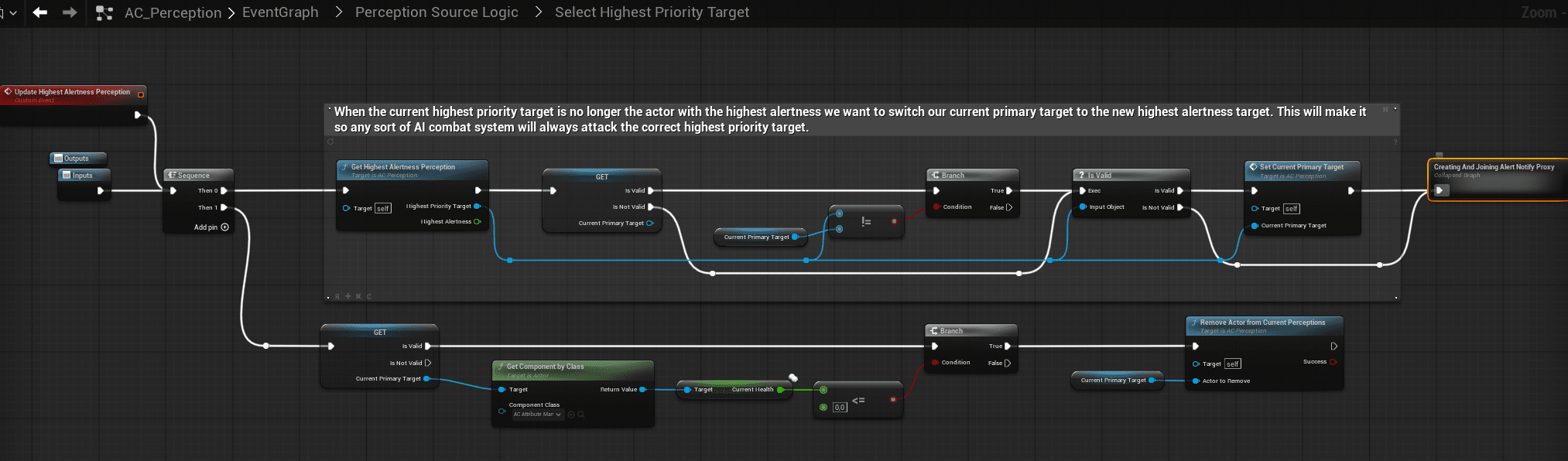
Alert propagation uses a shared Alert Proxy. NPCs join or leave a proxy tied to the perceived target instead of directly notifying each other. This prevents alert spam, keeps group focus stable, and supports influence weights where guards or leaders can outweigh civilians.
Threat and Awareness UI
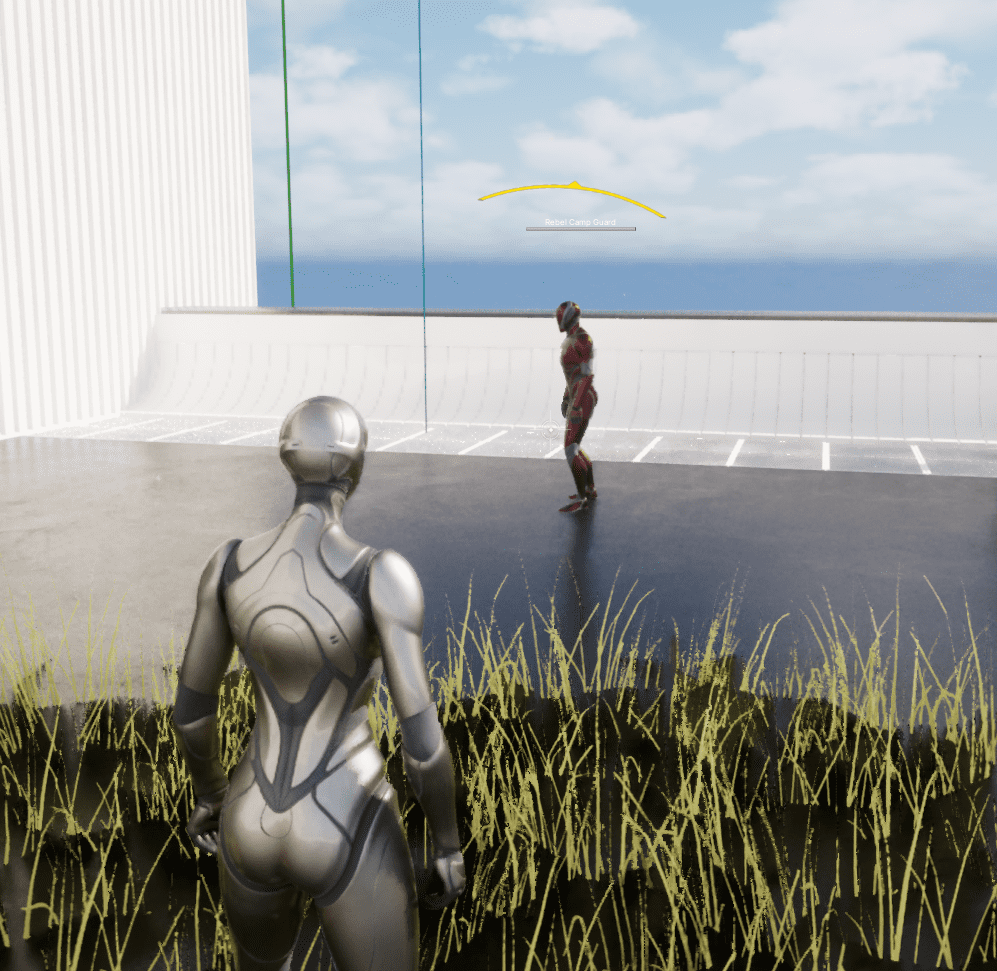
The awareness UI visualizes the NPC’s internal perception state: Neutral, Curious, Suspicious, or Alert. It is driven directly by AC_CH_Perception and reflects the highest active threat.
Combat
The Combat System is a data-driven execution layer. Perception decides who the target is; Combat decides how the NPC engages that target.

Combat has four layers:
- DT_NPC_Config_Combat: high-level combat configuration row assigned through AC_CH_NPC_Behavior.
- DA_CombatStyle / PDA_CombatStyle: reusable decision rules for range, movement, weapons, abilities, pressure, and conditions.
- Weapon and ability resolution: dynamic selection based on combat style, target distance, inventory, and probability weights.
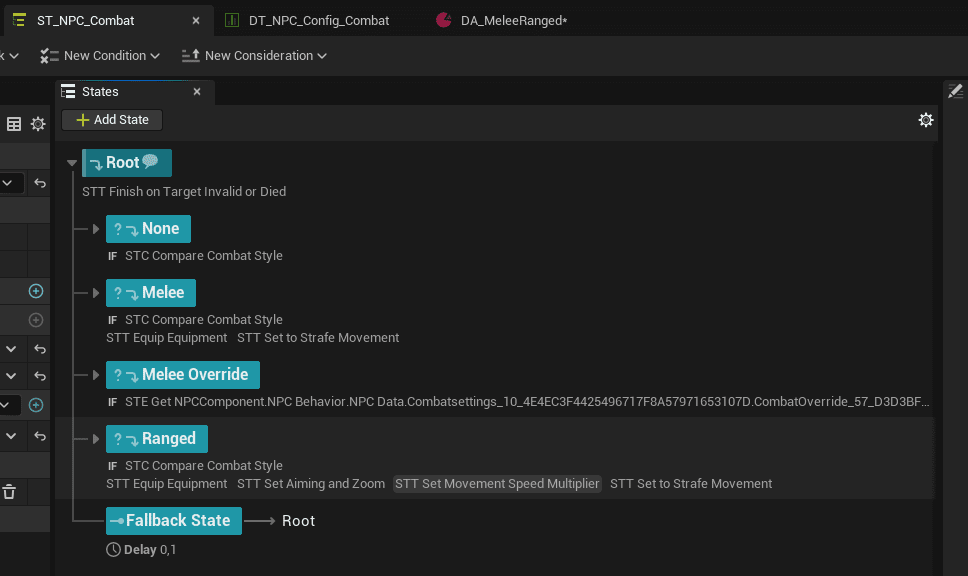
- ST_NPC_Combat: State Tree execution for melee, ranged, override, and fallback combat states.
Combat Configuration
DT_NPC_Config_Combat defines which style logic the NPC uses, how aggressive or defensive it is, and which weapons or abilities are available.
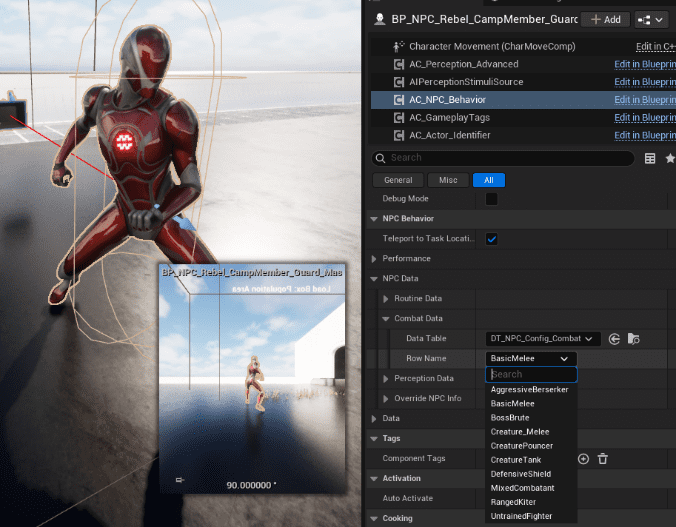
Typical use: Villagers use untrained styles, guards use defensive or mixed styles, rebels use aggressive styles, and creatures use creature-specific melee or pounce behavior.
Combat Styles and Execution
Combat Style Data Assets define decision rules, not execution. They can handle range-based style switching, weighted weapon selection, ammo handling, ability slots, distance maintenance, and conditional behavior for taking damage, low health, or target distance changes.
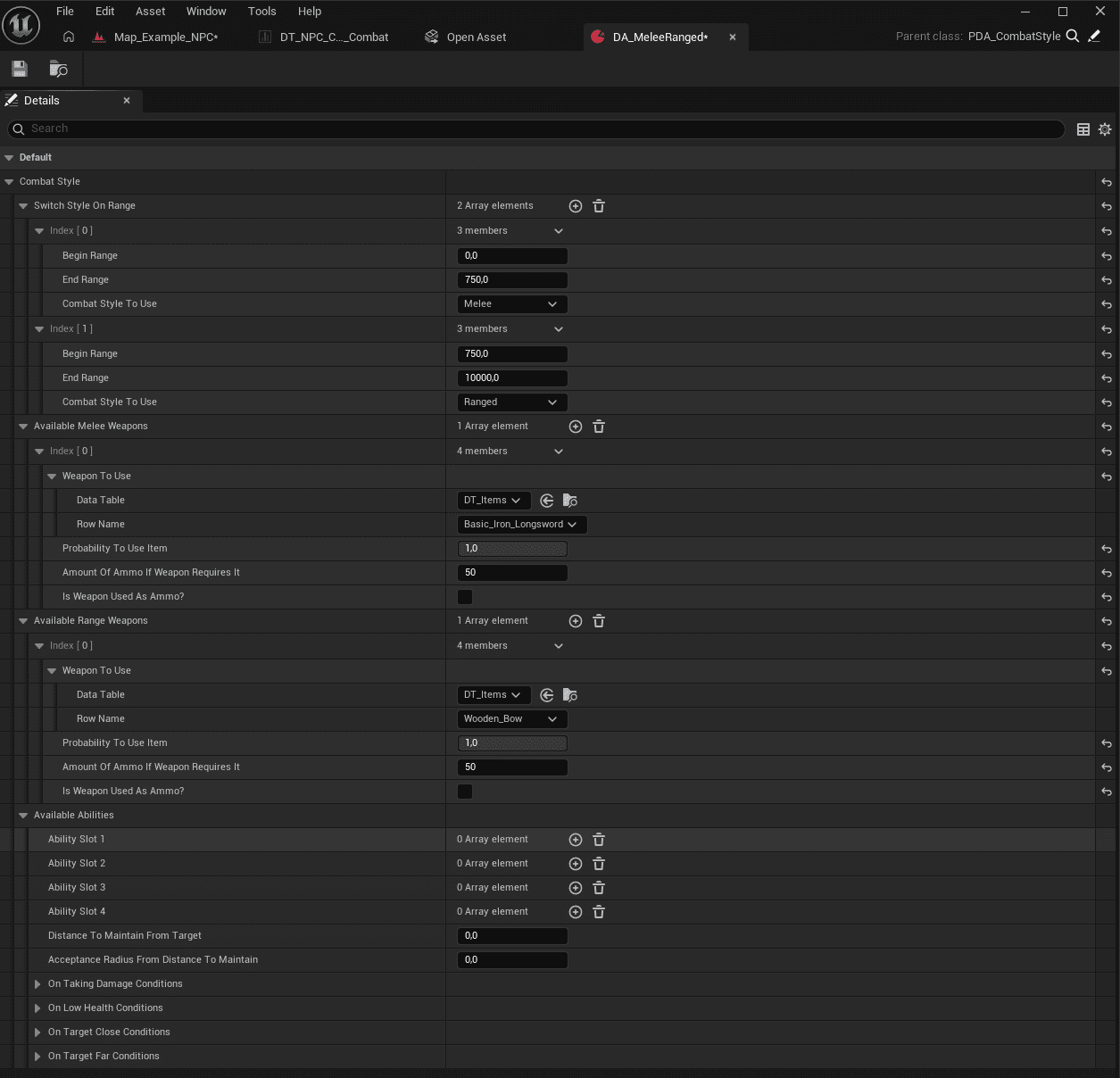
Weapons and abilities are resolved dynamically from combat style rules, target distance, available inventory, and weights. No weapon logic lives inside the State Tree itself.
ST_NPC_Combat executes the resolved combat behavior. It equips the selected weapon or ability, applies movement and aiming behavior, and loops until conditions change.
Why It Scales
The framework scales because each concern stays in its own layer. Population does not decide behavior. Routines do not decide combat targets. Perception does not execute combat styles. Combat does not pick targets. Designers work in data assets, tables, tags, and placeables, while programmers extend reusable capabilities.
This allows enemy variety, creature behavior, role-based NPCs, stealth reactions, combat escalation, and ambient simulation without duplicating State Trees or hardcoding archetypes.